
源树未能为合并冲突打开扩散
最近,我安装了一个新的macOS。我已经安装了Sourctree和扩散和设置扩散作为默认的合并工具。由于某种原因,每次我选择‘解决冲突->打开外部合并工具’源代码时,打开它的等待视图并直接关闭它。
源树中的“我的设置”页面:
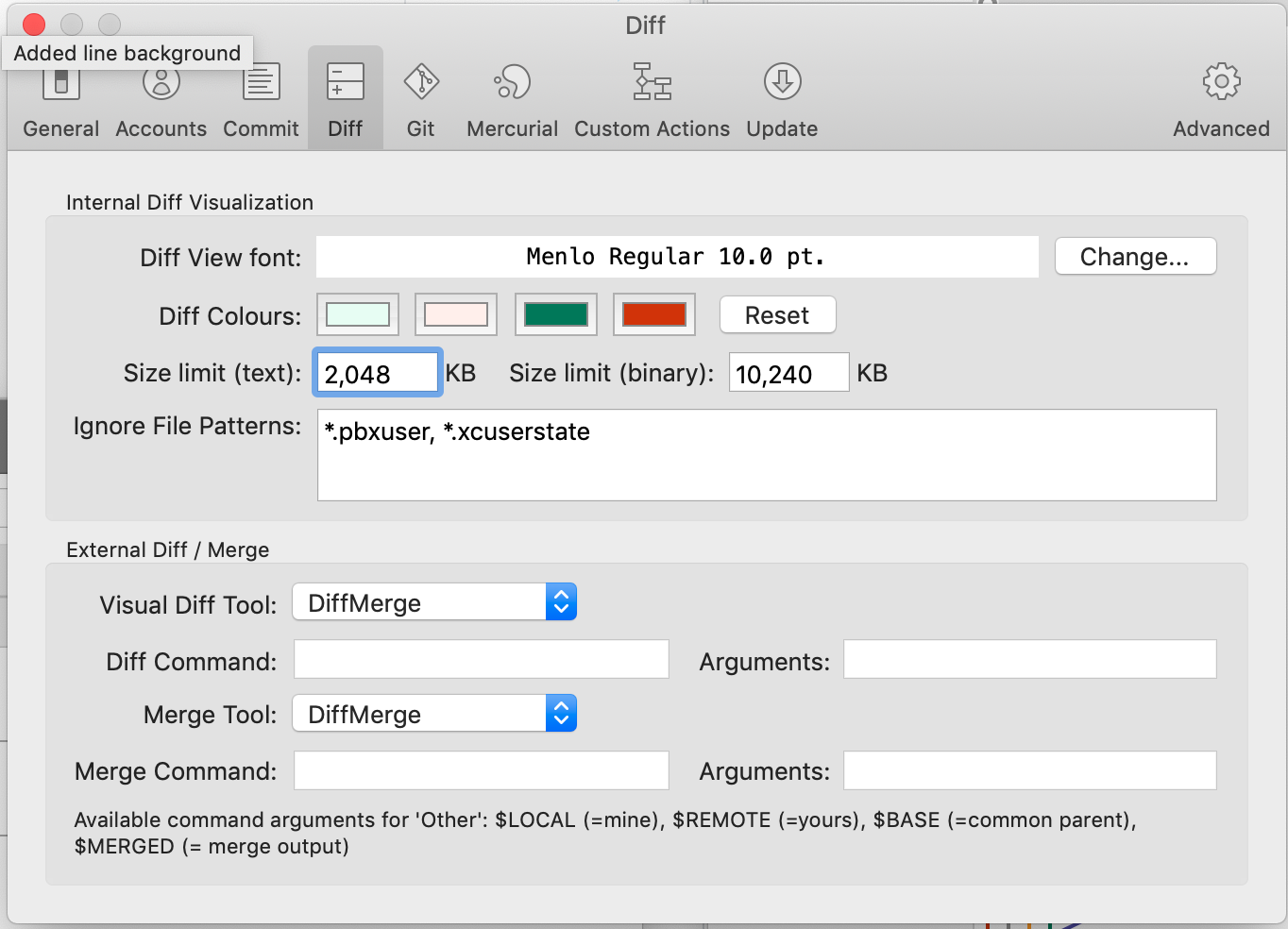
当源树为我配置diff合并时,我的根.gitconfig是这样的:
[core]
    excludesfile = /Users/[username]/.gitignore_global
[user]
    name = ---- -----
    email = -----@-----.--
[commit]
    template = /Users/[username]/.stCommitMsg
[credential]
    helper =  !/Library/Java/JavaVirtualMachines/jdk1.8.0_131.jdk/Contents/Home/jre/bin/java -Ddebug=false -Djava.net.useSystemProxies=true -jar /usr/local/Cellar/git-credential-manager/2.0.4/libexec/git-credential-manager-2.0.4.jar

[difftool "DiffMerge"]
[mergetool "DiffMerge"]
[diff]
    tool = diffmerge
[difftool "diffmerge"]
    cmd = /usr/local/bin/diffmerge \"$LOCAL\" \"$REMOTE\"
[merge]
    tool = diffmerge
[mergetool "diffmerge"]
    trustExitCode = true
    cmd = /usr/local/bin/diffmerge --merge --result=\"$MERGED\" \"$LOCAL\" \"$BASE\" \"$REMOTE\"
[difftool "sourcetree"]
    cmd = /Applications/DiffMerge.app/Contents/MacOS/DiffMerge/Contents/MacOS/DiffMerge --nosplash \"$LOCAL\" \"$REMOTE\"
path =
[mergetool "sourcetree"]
    cmd = /Applications/DiffMerge.app/Contents/MacOS/DiffMerge/Contents/MacOS/DiffMerge --merge --result=\"$MERGED\" \"$LOCAL\" \"$BASE\" \"$REMOTE\"
trustExitCode = true回答 3
Stack Overflow用户
发布于 2018-11-11 14:50:15
这发生在我的时候,扩散是通过pkg安装而不是安装程序。这显然并不是将bash配置为知道命令diffmerge,所以您必须设置扩散路径(或更新bin配置)。
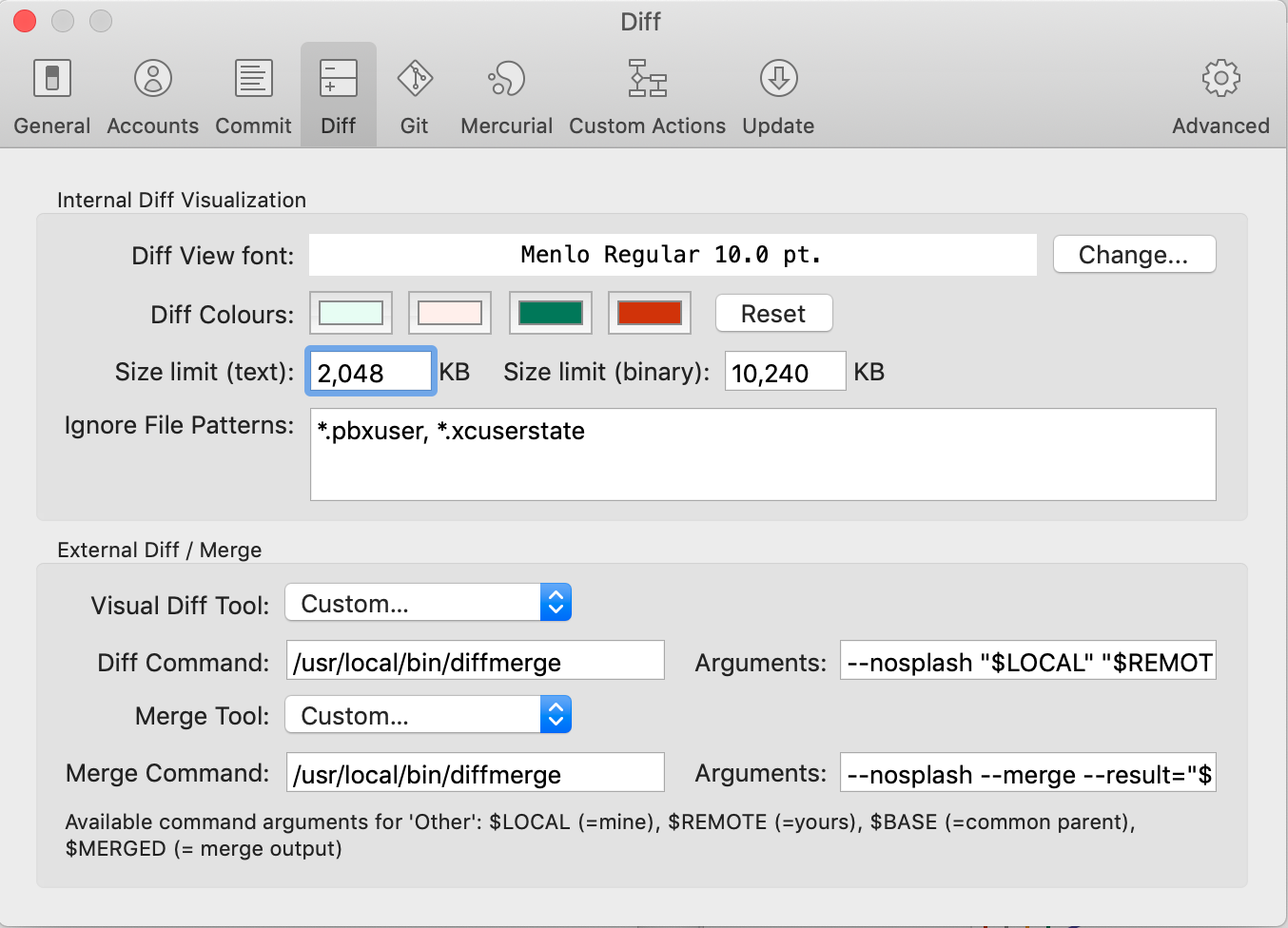
为了解决这个问题,我手动配置了Visual工具和合并工具(好处是每次启动时都可以禁用那个恼人的启动屏幕)。
源树中的设置页
Diff
命令:/usr/local/bin/diffmerge参数--nosplash "$LOCAL" "$REMOTE"
合并
命令:/usr/local/bin/diffmerge参数--nosplash --merge --result="$MERGED" "$LOCAL" "$BASE" "$REMOTE"
--nosplash参数是可选的,但可以防止弹出(在我看来毫无用处),在开始工作之前总是必须关闭它。
Git配置文件:
[core]
    excludesfile = /Users/[username]/.gitignore_global
[user]
    name = ---------
    email = ---------@------.--
[commit]
    template = /Users/[username]/.stCommitMsg
[credential]
    helper = !/Library/Java/JavaVirtualMachines/jdk1.8.0_131.jdk/Contents/Home/jre/bin/java -Ddebug=false -Djava.net.useSystemProxies=true -jar /usr/local/Cellar/git-credential-manager/2.0.4/libexec/git-credential-manager-2.0.4.jar

[difftool "DiffMerge"]
[mergetool "DiffMerge"]
[diff]
    tool = diffmerge
[difftool "diffmerge"]
    cmd = /usr/local/bin/diffmerge \"$LOCAL\" \"$REMOTE\"
[merge]
    tool = diffmerge
[mergetool "diffmerge"]
    trustExitCode = true
    cmd = /usr/local/bin/diffmerge --merge --result=\"$MERGED\" \"$LOCAL\" \"$BASE\" \"$REMOTE\"
[difftool "sourcetree"]
    cmd = /usr/local/bin/diffmerge --nosplash \"$LOCAL\" \"$REMOTE\"
    path =
[mergetool "sourcetree"]
    cmd = /usr/local/bin/diffmerge --nosplash --merge --result=\"$MERGED\" \"$LOCAL\" \"$BASE\" \"$REMOTE\"
    trustExitCode = true
有关扩散命令行参数的更多信息:
Diff:diff.html
合并:merge.html
Stack Overflow用户
发布于 2019-08-13 10:48:49
我按照DiffMerge OS X的设置文档页面上的说明解决了这个问题,它是:
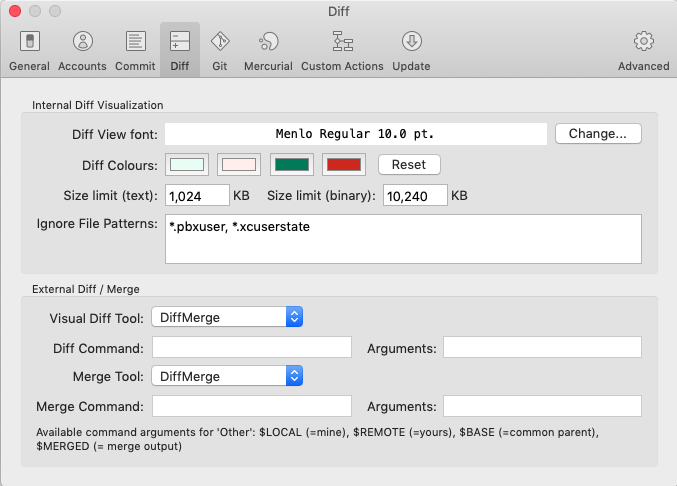
首先确认/usr/local/bin/diffmerge是否存在。如果使用PKG安装程序,这是在安装/Applications/DiffMerge.app时安装的。如果使用DMG文件,请参阅安装额外服务的说明。
以下命令将更新.gitconfig以允许GIT使用DiffMerge:
$ git config --global diff.tool diffmerge
$ git config --global difftool.diffmerge.cmd
    "/usr/local/bin/diffmerge \"\$LOCAL\" \"\$REMOTE\""

$ git config --global merge.tool diffmerge
$ git config --global mergetool.diffmerge.trustExitCode true
$ git config --global mergetool.diffmerge.cmd
    "/usr/local/bin/diffmerge --merge --result=\"\$MERGED\"
        \"\$LOCAL\" \"\$BASE\" \"\$REMOTE\""
那时,我可以通过选择Sourcetree中的菜单选项来使用DiffMerge。
(可选)您可能希望在两个命令中,在其他参数之前添加--nosplash,以避免启动屏幕(这也是@saren inden推荐的)。即;
$ git config --global diff.tool diffmerge
$ git config --global difftool.diffmerge.cmd
    "/usr/local/bin/diffmerge --nosplash \"\$LOCAL\" \"\$REMOTE\""

$ git config --global merge.tool diffmerge
$ git config --global mergetool.diffmerge.trustExitCode true
$ git config --global mergetool.diffmerge.cmd
    "/usr/local/bin/diffmerge --nosplash --merge --result=\"\$MERGED\"
\"\$LOCAL\" \"\$BASE\" \"\$REMOTE\""Stack Overflow用户
发布于 2020-11-02 16:28:23
我也有同样的问题。当我单击DiffMerge外部Diff时,也不会启动。
问题似乎是DiffMerge在.gitconfig文件中的路径:cmd = /Applications/DiffMerge.app/Contents/MacOS/DiffMerge/Contents/MacOS/DiffMerge ...。
如果您检查路径/Applications/DiffMerge.app/Contents/MacOS/DiffMerge,它实际上不是一个目录而是一个文件。SourceTree似乎在这条道路上增加了两次/Contents/MacOS/DiffMerge。我删除了重复的部分,外部Diff开始工作。
还没试过合并。
https://stackoverflow.com/questions/53249870
复制相似问题
腾讯云开发者

Copyright © 2013 - 2026 Tencent Cloud. All Rights Reserved. 腾讯云 版权所有
深圳市腾讯计算机系统有限公司 ICP备案/许可证号:粤B2-20090059  粤公网安备44030502008569号
腾讯云计算(北京)有限责任公司 京ICP证150476号 | 京ICP备11018762号