
React使用相同视图的本机2按钮
React使用相同视图的本机2按钮
提问于 2018-11-09 01:05:06
我不确定标题是否足以表达我的问题--这是我想问的问题。
目前,我已经创建了2个按钮和一个类似于此图像的视图(2个按钮,1个视图):
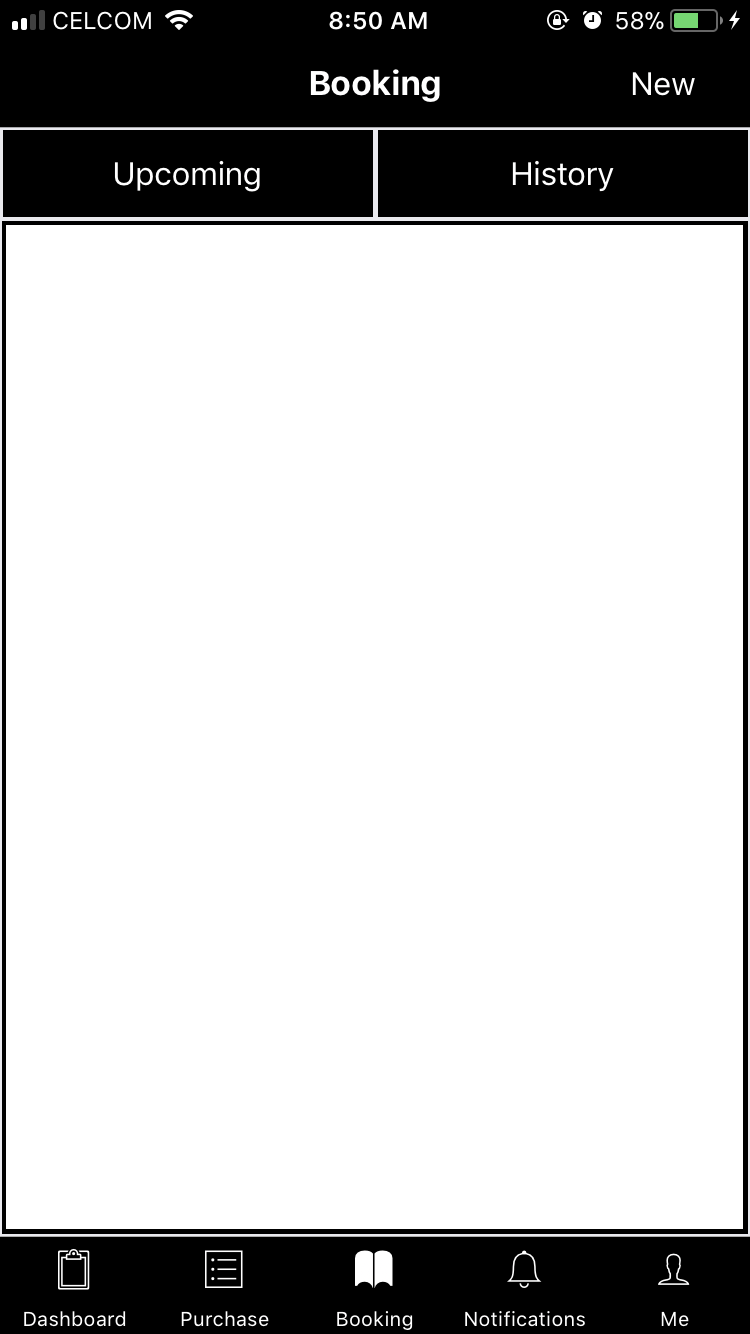
我想要做的是,当我单击
Upcoming按钮时,它将在视图中显示一些文本(*假设显示"123")。History按钮也是如此,当我单击History按钮时,它将在该视图中显示一些文本(*让将"qwe“放在文本中)。
这是我的密码:
class Booking extends Component {
    static navigationOptions = ({ navigation }) => {
        return {
            title: 'Booking',
            headerTintColor: 'white',
            headerBackTitle: 'Back',
            headerStyle: { backgroundColor: 'black' },
            headerRight: (
                <Button
                    onPress={() => {
                        navigation.navigate('Bnew');
                    }}
                    title='New'
                    color='white'
                    backgroundColor='black'
                />
            ),
        };
    };

    render() {
        return (
            <View style={styles.container}>
                <View style={styles.boohis}>
                    <Button
                        onPress={() => {
                            Alert.alert("", "Upcoming is Coming Soon!");
                        }}
                        title='Upcoming'
                        color='white'
                        backgroundColor='black'
                        style={{ width: 185, margin: 1 }}
                    />
                    <Button
                        onPress={() => {
                            Alert.alert("", "History is Coming Soon!");
                        }}
                        title='History'
                        color='white'
                        backgroundColor='black'
                        style={{ width: 185, margin: 1 }}
                    />
                </View>

                <View style={styles.container2}>

                </View>
            </View>
        )
    }
}

export default Booking;

const styles = StyleSheet.create({
    container: {
        flex: 1,
    },
    scrollViewContainer: {
        flexGrow: 1,
    },
    boohis: {
        flexDirection: 'row',
        justifyContent: 'space-around'
    },
    container2: {
        flexGrow: 1,
        backgroundColor: 'white',
        alignItems: 'center',
        justifyContent: 'space-between',
        borderColor: 'black',
        borderWidth: 2,
        margin: 1
    },
})
如何通过使用2个按钮使用的1个视图来实现该部分?
回答 1
Stack Overflow用户
回答已采纳
发布于 2018-11-09 03:50:14
做这件事有两种方法。
- 使用状态 类预订扩展组件{构造函数(支持){超级(支持);this.state ={ selectedIndex: 0,};}呈现(){返回( { this.setState({selectedIndex: 0});}style={宽度: 185,边距:1 }} /> { this.setState({selectedIndex: 1});})标题=‘历史’颜色=‘白色’背景颜色=‘黑色’style={宽度: 185,边距:1 }} /> {this.state.selectedIndex === 0?}导出默认预订;
- 使用createMaterialTopTabNavigator
页面原文内容由Stack Overflow提供。腾讯云小微IT领域专用引擎提供翻译支持
原文链接:
https://stackoverflow.com/questions/53218387
复制相关文章
相似问题
腾讯云开发者

Copyright © 2013 - 2026 Tencent Cloud. All Rights Reserved. 腾讯云 版权所有
深圳市腾讯计算机系统有限公司 ICP备案/许可证号:粤B2-20090059  粤公网安备44030502008569号
腾讯云计算(北京)有限责任公司 京ICP证150476号 | 京ICP备11018762号