
插值算法值均为255 -MATLAB
插值算法值均为255 -MATLAB
提问于 2018-10-30 20:07:53
我尝试在Matlab中建立自己的最近邻插值算法,将556×612到1668×1836的图像放大。
这是作业!
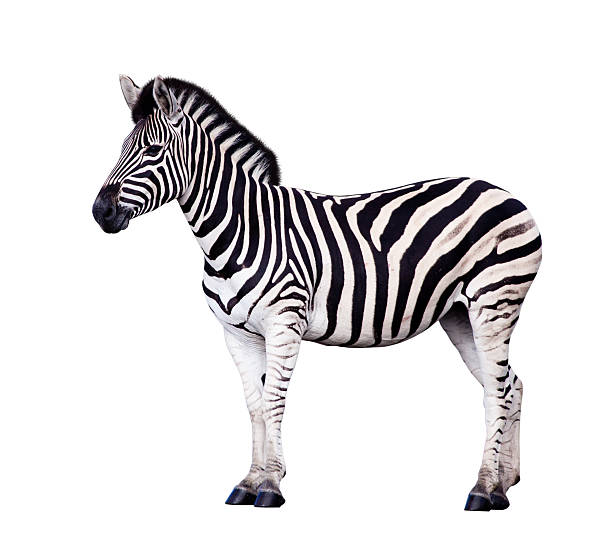
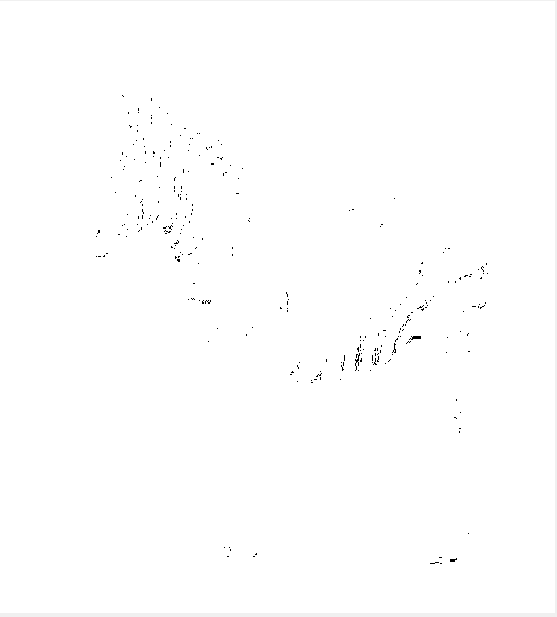
我已经尝试过了,但是遇到了这样的错误:M中的值被转换成255 (空白)(不是全部,而是大多数),我无法理解为什么。任何帮助都将不胜感激!这是一张斑马的照片。
    %Take in image and convert to greyscale
I = imread('Zebra.jpg');
Igray = rgb2gray(I);

% Step-3: Resize the image to enlarged 1668x1836 by interpolation
% Step-3(a) : Using nearest neighbour
%First we will need to work out the dimension of the image
[j , k] = size(Igray);
%Now we need to set the size of the image we want
NewX = 1836;
NewY = 1668;
% Work out ratio of old to new
ScaleX = NewX./(j-1);
ScaleY = NewY./(k-1);

%Image Buffer
M = zeros(NewX, NewY);
%Create output image
for count1 = 1:NewX
    for count2 = 1:NewY
        M(count1,count2) = Igray(1+round(count1./ScaleX),1+round(count2./ScaleY));
    end
end
%Show Images
imshow(M);
title('Scaled Image NN');回答 1
Stack Overflow用户
回答已采纳
发布于 2018-10-30 20:22:13
试试imshow(M,[])。您创建了M,而没有指定类型,这使得它成为double。double图像为0- 1,因此默认情况下,imshow使所有值高于1的事物变为白色。
或者,将M创建为uint8作为原始图像
M = zeros(NewX, NewY,'uint8');更好的代码是:
M = zeros(NewX, NewY,class(Igray));页面原文内容由Stack Overflow提供。腾讯云小微IT领域专用引擎提供翻译支持
原文链接:
https://stackoverflow.com/questions/53072154
复制相关文章
相似问题
腾讯云开发者

Copyright © 2013 - 2026 Tencent Cloud. All Rights Reserved. 腾讯云 版权所有
深圳市腾讯计算机系统有限公司 ICP备案/许可证号:粤B2-20090059  粤公网安备44030502008569号
腾讯云计算(北京)有限责任公司 京ICP证150476号 | 京ICP备11018762号