
UIWebView in Xamarin.iOS似乎忽略了外部的CSS样式?
UIWebView in Xamarin.iOS似乎忽略了外部的CSS样式?
提问于 2018-10-28 14:43:36
在WebView中显示HTML时,我面临一个令人不安的问题,为了便于阅读,我将html内容简化为以下内容:
<!DOCTYPE html>
<html lang="en">
    <head>
		<link href="https://www.paytabs.com/theme/payment_page/css/bootstrap.css" rel="stylesheet" type="text/css">
		<link href="https://www.paytabs.com/theme/payment_page/css/custom-rtl.css?timestamp=1540717040" rel="stylesheet" type="text/css">
	</head>

	<body>

<h1 class="text-primary">text one</h1>
<a href="www.stackoverflow.com" class="text-primary">StackOverflow</a>
<div class="container">

                    <div class="header-title"><h3>Xamarin</h3></div>

            </div>
	<h3 class="text-success">Success</h3>
	<img src="https://i.stack.imgur.com/PwBYM.jpg?s=328&g=1" alt="image"/>
	<h1 class="mark">Mark</h1>

	<div class="payment-wrap">
                    <div>
						<label class="payment_method">
                                <input type="radio" id="creditcard" name="payment_type" value="creditcard">
                                <img src="https://www.paytabs.com/images/img/cards.png" width="75" alt="Credit Card">
                        </label>

					</div>

                    <div class="form-wrap sadad-hide" style="display:none;">
                        <input class="form-control" placeholder="Enter user" value="" maxlength="12" name="olpalias" id="olpalias" autocomplete="off" type="text">
                    </div>
                    <span class="whats-this sadad-hide" style="display:none;">Don't have account?</span>
                    <!--Sadad Enable-->
                    <div id="pt-sadad-enable-outer">
                        <div id="pt-sadad-enable" class="pt-sadad-enable-wrap pt-arrow">
                        <div class="pt-sadad-enable-inner">
                            <h2>How to activate?</h2>
                            <ul class="pt-sadad-htp">
                                <li class="step1 step-help">
                                    <figure>
                                        <img class="img-help" src="https://www.paytabs.com/images/sadad/p1.png" width="50" height="32">
                                        <figcaption>Activate online</figcaption>
                                    </figure>
                                </li>
                                <li class="step2 step-help">
                                    <figure>
                                        <img class="img-help" src="https://www.paytabs.com/images/sadad/p2.png" width="48" height="33">
                                        <figcaption>Create sadad account</figcaption>
                                    </figure>
                                </li>
                                <li class="step3 step-help">
                                    <figure>
                                        <img class="img-help" src="https://www.paytabs.com/images/sadad/p3.png" width="27" height="33">
                                        <figcaption>Add to your account</figcaption>
                                    </figure>
                                </li>
                            </ul>

                            <a href="https://www.sadad.com/ar/Personal/Pages/RegisterNow.aspx" class="pt-sadad-btn" target="_blank">learn more</a>
                        </div>
                    </div>
                    </div>
                <!-- End Sadad Enable Note-->

                </div>
	</body>

</html>
在这里,我设置了Source of webView
 public MainPage()
        {
            InitializeComponent();
            webView.Source = new HtmlWebViewSource
            {
                Html = Resource1.testHtml //containing the HTML above
            };
        }
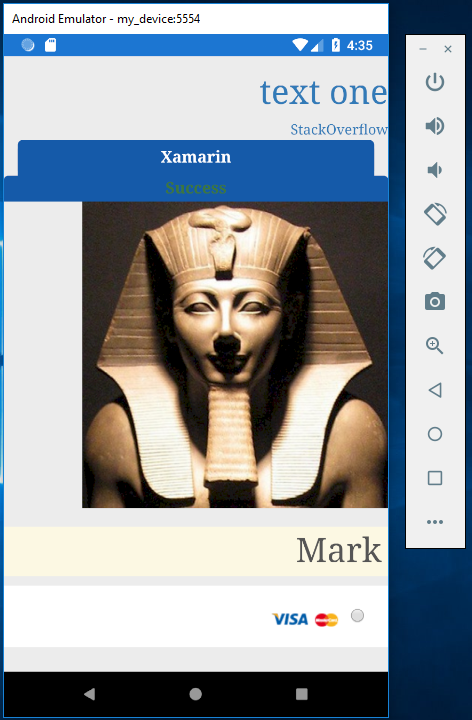
下面是在Android (正常)上显示的内容:
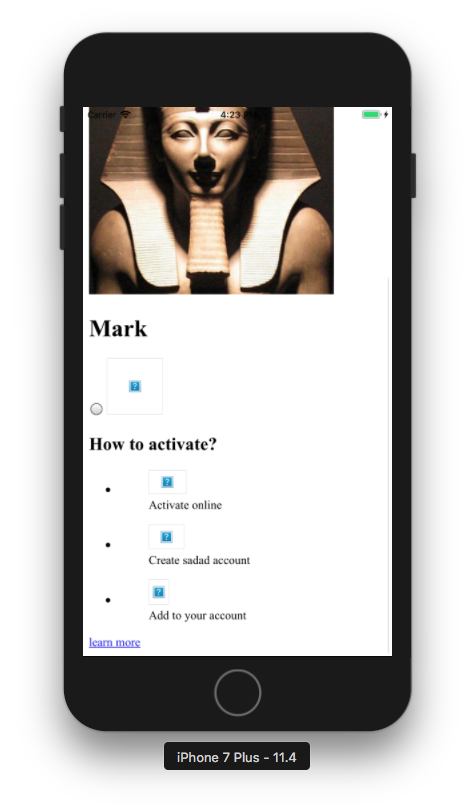
iPhone:

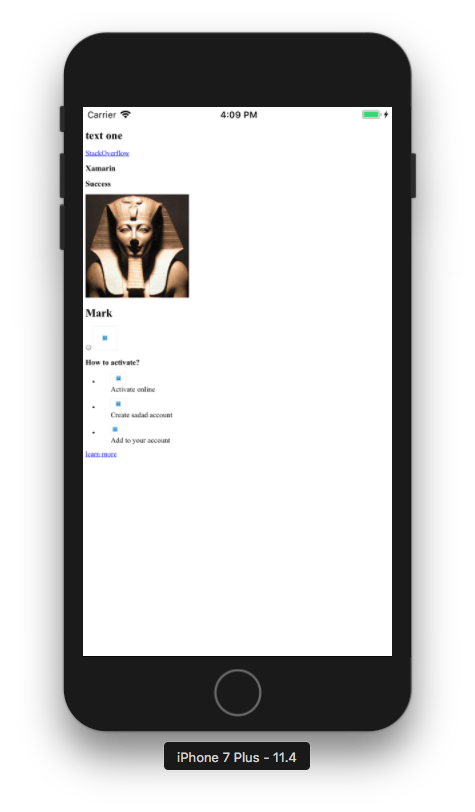
我尝试使用WkWebViewRenderer而不是UIWebView,方法是在iOS项目的AssembyInfo.cs文件中添加以下内容:
[assembly: ExportRenderer(typeof(WebView), typeof(Xamarin.Forms.Platform.iOS.WkWebViewRenderer))] 但这只是缩小了页面的大小:
有什么帮助吗?
回答 1
Stack Overflow用户
回答已采纳
发布于 2018-10-30 08:55:33
原因:自iOS 9以来,iOS只允许您的应用程序与默认实现最佳实践安全性的服务器进行通信。必须在Info.plist中设置值,以启用与不安全服务器的通信。
解决方案:在info.plist中添加以下代码以信任您的域。
<key>NSAppTransportSecurity</key>
<dict>
    <key>NSExceptionDomains</key>
    <dict>
      <key>www.paytabs.com</key>
      <dict>
       <key>NSExceptionRequiresForwardSecrecy</key>
       <false/>
       <key>NSExceptionAllowsInsecureHTTPLoads</key>
       <true/>
       <key>NSIncludesSubdomains</key>
       <true/>
     </dict>
</dict>有关更多细节,您可以访问此文档
页面原文内容由Stack Overflow提供。腾讯云小微IT领域专用引擎提供翻译支持
原文链接:
https://stackoverflow.com/questions/53032699
复制相关文章
相似问题
腾讯云开发者

Copyright © 2013 - 2026 Tencent Cloud. All Rights Reserved. 腾讯云 版权所有
深圳市腾讯计算机系统有限公司 ICP备案/许可证号:粤B2-20090059  粤公网安备44030502008569号
腾讯云计算(北京)有限责任公司 京ICP证150476号 | 京ICP备11018762号