
如何在opencv中分割手写和打印的数字而不丢失信息?
如何在opencv中分割手写和打印的数字而不丢失信息?
提问于 2018-10-25 18:11:35
我已经编写了一种算法,可以检测打印和手写数字并对其进行分割,但是在删除外部矩形手写数字时,使用clear_border从滑雪图像包中丢失。任何阻止信息的建议。
示例:
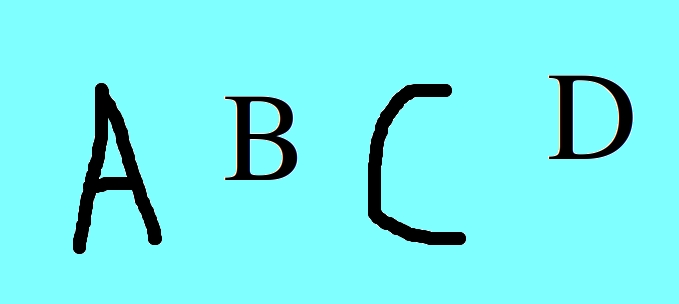
如何分别获得所有5个字符?
回答 2
Stack Overflow用户
回答已采纳
发布于 2018-11-01 05:28:55
从图像中分割字符-
进场-
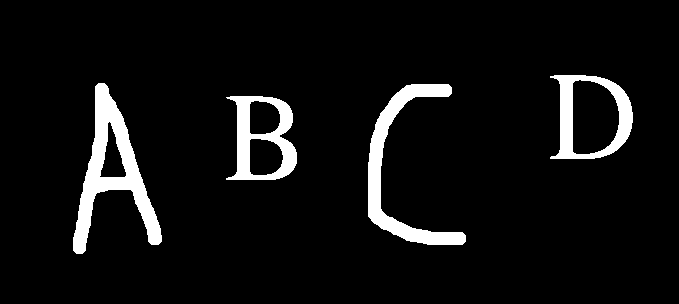
- 对图像进行阈值化(将其转换为BW)
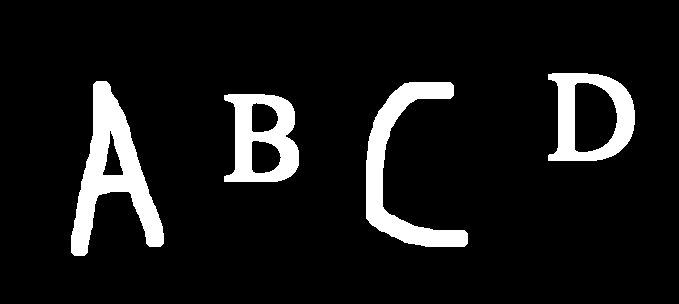
- 展开扩张
- 检查轮廓是否足够大
- 寻找矩形轮廓
- 获取ROI并保存字符
Python代码-
# import the necessary packages
import numpy as np
import cv2
import imutils

# load the image, convert it to grayscale, and blur it to remove noise
image = cv2.imread("sample1.jpg")
gray = cv2.cvtColor(image, cv2.COLOR_BGR2GRAY)
gray = cv2.GaussianBlur(gray, (7, 7), 0)

# threshold the image
ret,thresh1 = cv2.threshold(gray ,127,255,cv2.THRESH_BINARY_INV)

# dilate the white portions
dilate = cv2.dilate(thresh1, None, iterations=2)

# find contours in the image
cnts = cv2.findContours(dilate.copy(), cv2.RETR_EXTERNAL,
    cv2.CHAIN_APPROX_SIMPLE)
cnts = cnts[0] if imutils.is_cv2() else cnts[1]

orig = image.copy()
i = 0

for cnt in cnts:
    # Check the area of contour, if it is very small ignore it
    if(cv2.contourArea(cnt) < 100):
        continue

    # Filtered countours are detected
    x,y,w,h = cv2.boundingRect(cnt)

    # Taking ROI of the cotour
    roi = image[y:y+h, x:x+w]

    # Mark them on the image if you want
    cv2.rectangle(orig,(x,y),(x+w,y+h),(0,255,0),2)

    # Save your contours or characters
    cv2.imwrite("roi" + str(i) + ".png", roi)

    i = i + 1

cv2.imshow("Image", orig)
cv2.waitKey(0)
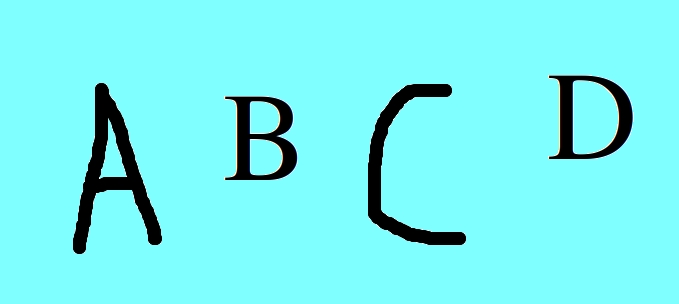
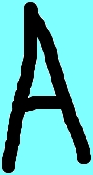
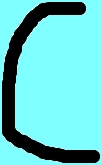
首先,我对图像进行阈值化,将其转换为黑色n白色。我得到的字符在白色部分的图像和背景作为黑色。然后,我扩大图像,使字符(白色部分)厚,这将使它很容易找到适当的轮廓。然后,利用查找findContours方法来寻找轮廓。然后,我们需要检查轮廓是否足够大,如果轮廓不够大,则忽略它(因为该轮廓是噪声的)。然后用boundingRect方法求出轮廓的矩形。最后,对检测到的轮廓进行保存和绘制。
输入图像-
阈值-
扩张-
轮廓-
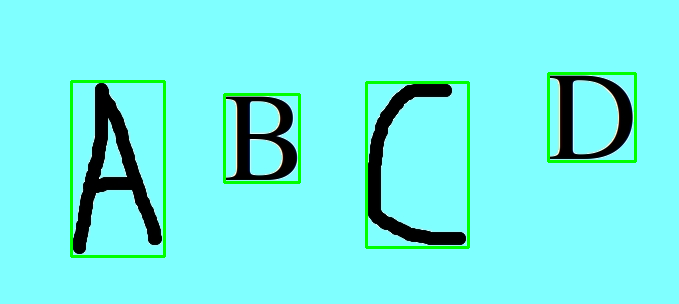
保存的字符-


Stack Overflow用户
发布于 2018-10-31 10:33:59
被侵蚀/裁剪的手写数字的问题:您可以在识别步骤中解决这个问题,甚至在图像改进阶段(在识别之前)解决这个问题。
- 如果只裁剪了一小部分数字(如您的图像示例),就足以使您的图像环绕1或2个像素,从而简化分割过程。或者,一些吗啡过滤器(膨胀)可以改善你的数字,即使在填充后。(这些解决方案可在Opencv中获得)
- 如果裁剪了足够多的数字,则需要向用于数字识别算法的训练数据集(即所有可能的裁剪情况下的数字3)添加一个降级/裁剪的数字模式。等)
字符分离的问题:
- opencv提供了适合您的问题的blob检测算法(为凹凸参数选择正确的值)
- opencv还提供了轮廓检测器(canny()函数),它有助于检测字符的轮廓,然后您可以找到合适的边界( Opencv也提供:cv2.ApproxPolyDP(等高线,.))每个字符周围的方框
页面原文内容由Stack Overflow提供。腾讯云小微IT领域专用引擎提供翻译支持
原文链接:
https://stackoverflow.com/questions/52995607
复制相关文章
相似问题
腾讯云开发者

Copyright © 2013 - 2026 Tencent Cloud. All Rights Reserved. 腾讯云 版权所有
深圳市腾讯计算机系统有限公司 ICP备案/许可证号:粤B2-20090059  粤公网安备44030502008569号
腾讯云计算(北京)有限责任公司 京ICP证150476号 | 京ICP备11018762号