
Spring Boot2 Oauth2隐式流--拒绝访问
我已经创建了一个SpringFox 2应用程序,集成了SpringFox Swagger2.8.0和隐式Oauth2授权授权。
代码运行良好,但当我单击“授权”按钮时,它将重定向到
uri=http%3A%2F%2Flocalhost%3A8080%2Fwebjars%2Fspringfox-swagger-ui%2Foauth2-redirect.html&scope=read&state=U3VuIE9jdCAxNCAyMDE4IDIwOjQyOjUwIEdNVCswNTMwIChJbmRpYSBTdGFuZGFyZCBUaW1lKQ%3D%3D
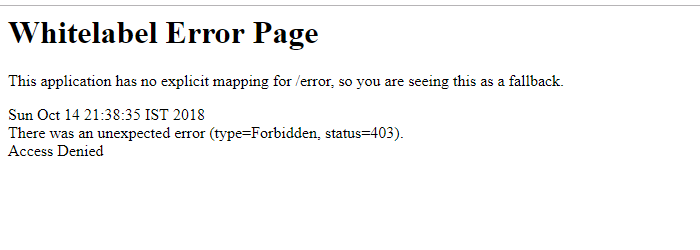
但显示拒绝访问,如下所示。
我的完整项目可在GitHub中获得
MainApplication.java
@EnableSwagger2
@SpringBootApplication
@EnableGlobalMethodSecurity(prePostEnabled = true, securedEnabled = true)
@RestController
public class MainApplication /*extends WebMvcConfigurerAdapter*/
{

    public static void main(String[] args)
    {
        SpringApplication.run(MainApplication.class, args);
    }

    @RequestMapping("/user")
    public Principal user(Principal user) {
        return user;
    }

    @Bean
    SecurityConfiguration security() {
      return SecurityConfigurationBuilder.builder()//<19>
          .clientId("test-app-client-id")
          .build();
    }

    @Bean
    SecurityScheme oauth() {
          List<GrantType> grantTypes = new ArrayList<>();
          ImplicitGrant implicitGrant = new ImplicitGrant(new LoginEndpoint("http://localhost:8080/oauth/authorize"),"access_code");
          grantTypes.add(implicitGrant);
          List<AuthorizationScope> scopes = new ArrayList<>();
          scopes.add(new AuthorizationScope("read","Read access on the API"));
        return new OAuthBuilder()
                .name("SECURITY_SCHEME_OAUTH2")
                .grantTypes(grantTypes)
                .scopes(scopes)
                .build();
    }

    @Bean
    public Docket docket()
    {
        return new Docket(DocumentationType.SWAGGER_2)
            .select()
            .apis(RequestHandlerSelectors.basePackage(getClass().getPackage().getName()))
            .paths(PathSelectors.any())
            .build()
            .securitySchemes(Collections.singletonList(oauth()))
            .apiInfo(generateApiInfo());
    }


    private ApiInfo generateApiInfo()
    {
        return new ApiInfo("Sample Service", "This service is to check Sample Service.", "Version 1.0",
            "Sample Service", "123@test.com", "Apache 2.0", "http://www.apache.org/licenses/LICENSE-2.0");
    }
}
更新1
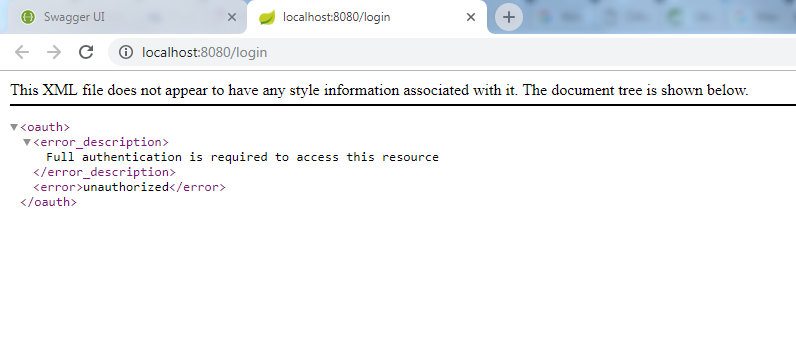
我添加了@AlexanderPetrov.建议的安全性和密码编码配置。一切正常,当我添加@EnableResourceServer时,我的登录屏幕显示需要完全身份验证才能访问这个资源,如下所示
有人能帮我一下吗?
回答 2
Stack Overflow用户
发布于 2018-10-18 11:45:02
您需要在代码中进行以下更改
- 表单登录配置对于隐式流是必要的。
- 另外,如果我们使用隐式流令牌,则将通过授权url而不是令牌url生成令牌。因此,您需要将"/oauth/token“更改为"oauth/authorize”。下面的配置方法 @HttpSecurity http)抛出异常{HttpSecurity .and() .authorizeRequests().anyRequest().permitAll() .and() .formLogin().permitAll() .and() .csrf().disable();}
- 在
SecurityConfig类中添加密码编码器,并调用它在globalUserDetails方法中编码用户密码。编码器是必要的,因为您在内存中使用密码。因此,如果没有密码,编码器应用程序就会出现错误: 编码密码看起来不像BCrypt
下面的代码片段
@Autowired
public void globalUserDetails(AuthenticationManagerBuilder auth) throws Exception {
    PasswordEncoder passwordEncoder = passwordEncoder();
    auth.inMemoryAuthentication().passwordEncoder(passwordEncoder()).
            withUser("bill").password(passwordEncoder.encode("abc123")).roles("ADMIN").and()
            .withUser("$2a$10$TT7USzDvMxMZvf0HUVh9p.er1GGnjNQzlcGivj8CivnaZf9edaz6C")
            .password("$2a$10$TT7USzDvMxMZvf0HUVh9p.er1GGnjNQzlcGivj8CivnaZf9edaz6C").roles("USER");
}

@Bean
public PasswordEncoder passwordEncoder() {
    return new BCryptPasswordEncoder();
}
希望能帮上忙。我已经为你的项目创建了分支,但由于403我无法推动它。所以所有必要的代码都在我的答案里。
Stack Overflow用户
发布于 2018-11-08 16:46:19
启用资源服务器时,需要配置check_token URL,以便它能够到达OAuth2授权服务器并验证给定的access_token。
你可以这样做:
@Configuration
@EnableResourceServer
@EnableGlobalMethodSecurity(prePostEnabled = true)
public class OAuth2ResourceServerConfig extends GlobalMethodSecurityConfiguration {

    @Value("${oauth.url.internal}")    // e.g. http://localhost:8082/oauth
    private String oauthUrl;

    @Value("${oauth.client}")
    private String oauthClient;

    @Value("${oauth.secret}")
    private String oauthSecret;

    @Override
    protected MethodSecurityExpressionHandler createExpressionHandler() {
        return new OAuth2MethodSecurityExpressionHandler();
    }

    @Primary
    @Bean
    public RemoteTokenServices tokenService() {
        RemoteTokenServices tokenService = new RemoteTokenServices();
        tokenService.setCheckTokenEndpointUrl(oauthUrl + "/check_token");
        tokenService.setClientId(oauthClient);
        tokenService.setClientSecret(oauthSecret);
        return tokenService;
    }
}
此外,您可能需要忽略特定于Swagger的端点:
@Configuration
public class SecurityConfig extends WebSecurityConfigurerAdapter {

    @Override
    public void configure(WebSecurity web) throws Exception {
        web.ignoring().antMatchers("/v2/api-docs", "/configuration/ui", "/swagger-resources", "/configuration/security", "/swagger-ui.html", "/webjars/**");
    }
}
以防万一,这是我为Swagger / OAuth2授权实现的类:
@EnableSwagger2
@Configuration
public class SwaggerConfig implements WebMvcConfigurer {

    private static final String BASE_PACKAGE = "com.somepackage.api";

    @Value("${oauth.url}")    // Make sure this is an external URL, i.e. accessible from Swagger UI
    private String oauthUrl;

    @Value("${swagger.scopes}")
    private String swaggerScopes;

    @Value("${swagger.urls}")
    private String swaggerUrls;    // Your v2/api-docs URL accessible from the UI

    @Bean
    public Docket api(){
        return new Docket(DocumentationType.SWAGGER_2)
            .select()
            .apis(RequestHandlerSelectors.basePackage(BASE_PACKAGE))
            .apis(RequestHandlerSelectors.any())
            .paths(PathSelectors.any())
            .build()
            .securitySchemes(Collections.singletonList(securitySchema()))
            .securityContexts(Collections.singletonList(securityContext()));
    }

    private OAuth securitySchema() {
        List<AuthorizationScope> authorizationScopeList = new ArrayList<>();
        authorizationScopeList.add(new AuthorizationScope(swaggerScopes, ""));

        List<GrantType> grantTypes = new ArrayList<>();
        GrantType creGrant = new ResourceOwnerPasswordCredentialsGrant(oauthUrl + "/token");
        grantTypes.add(creGrant);

        return new OAuth("oauth2schema", authorizationScopeList, grantTypes);
    }

    private SecurityContext securityContext() {
        return SecurityContext.builder().securityReferences(defaultAuth()).forPaths(PathSelectors.ant(swaggerUrls)).build();
    }

    private List<SecurityReference> defaultAuth() {
        final AuthorizationScope[] authorizationScopes = new AuthorizationScope[1];
        authorizationScopes[0] = new AuthorizationScope(swaggerScopes, "");
        return Collections.singletonList(new SecurityReference("oauth2schema", authorizationScopes));
    }

    @Override
    public void addResourceHandlers(ResourceHandlerRegistry registry) {

        registry.addResourceHandler("swagger-ui.html")
                .addResourceLocations("classpath:/META-INF/resources/");

        registry.addResourceHandler("/webjars/**")
                .addResourceLocations("classpath:/META-INF/resources/webjars/");
    }
}
版本:
- springSecurityVersion =‘2.0.5’
- swaggerVersion = '2.8.0‘
- springBootVersion =‘2.0.5’
https://stackoverflow.com/questions/52804707
复制相似问题
腾讯云开发者

Copyright © 2013 - 2026 Tencent Cloud. All Rights Reserved. 腾讯云 版权所有
深圳市腾讯计算机系统有限公司 ICP备案/许可证号:粤B2-20090059  粤公网安备44030502008569号
腾讯云计算(北京)有限责任公司 京ICP证150476号 | 京ICP备11018762号