
精灵自动定位与刻度
精灵自动定位与刻度
提问于 2018-10-13 04:30:34
我有4个精灵与对撞机,我想要自动定位和缩放他们到屏幕底部均匀,使他们不超过圈,他们根本不是脱离屏幕。我不能在画布上这样做,它需要作为gameObjects来完成。
我还试图使每个Sprits的高度为1/4-1/5,这取决于它的外观,这就是为什么下面的代码被除以4。
,我怎样才能让它们在瓶装瓶上并排放置?
public class AutoPosition : MonoBehaviour {

public Sprite [] goals;

public float width = Screen.width / 4;
public float height = Screen.height / 4;
// Use this for initialization
void Start () {
    for (int i = 0; i < goals.Length; i++) {
        goals[i]
    }
}回答 1
Stack Overflow用户
回答已采纳
发布于 2018-10-13 07:27:10
您可以对图像使用SpriteRender。并将它们放置在父GameObject中。只需简单地缩放和定位一个父GameObject就足够了(类似于画布,但具有正常的Transform组件)。
public class applySize : MonoBehaviour
{
    private void Apply()
    {
        // Get the main camera position
        var cameraPosition = Camera.main.transform.position;

        // This makes the parent GameObject "fit the screen size"
        float height;
        if (Camera.main.orthographic)
        {
            // Camera projection is orthographic
            height = 2 * Camera.main.orthographicSize;
        }
        else
        {
            // Camera projection is perspective
            height = 2 * Mathf.Tan(0.5f * Camera.main.fieldOfView * Mathf.Deg2Rad) * Mathf.Abs(cameraPosition.z - transform.position.z);
        }

        var width = height * Camera.main.aspect;

        transform.localScale = new Vector3(width, height,1);
        transform.position = cameraPosition - new Vector3(0,height*.375f, cameraPosition.z);

        // Since the 4 images are childs of the parent GameObject there is no need
        // place or scale them separate. It is all done with placing this parent object
    }

    private void Start()
    {
        Apply();
    }
}
使用以下场景设置
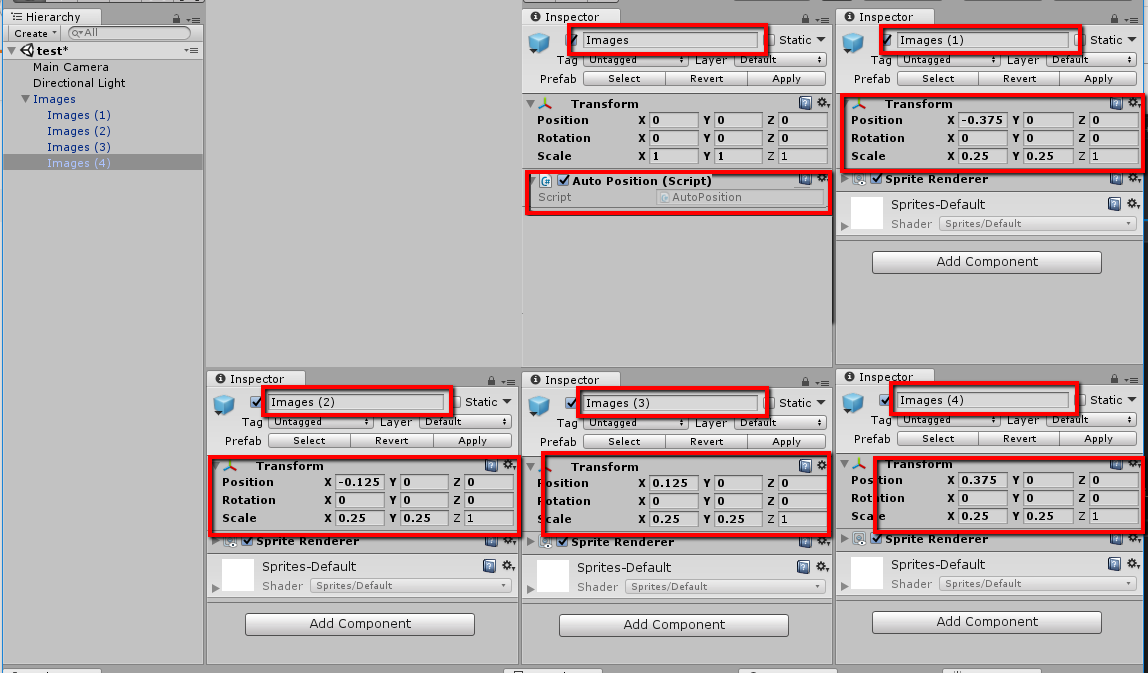
雪碧的X位很简单
- image1:-宽度* 1.5;
- image2:-宽度* 0.5;
- image3:宽度* 0.5;
- image4:宽度* 1.5;
对于四个SpriteRenderers
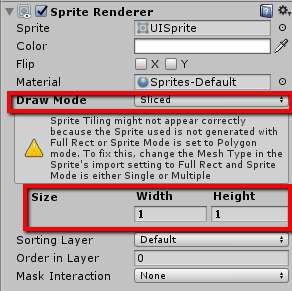
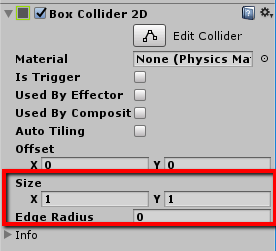
以及对撞机
结果
(在Update中增加一个调用)
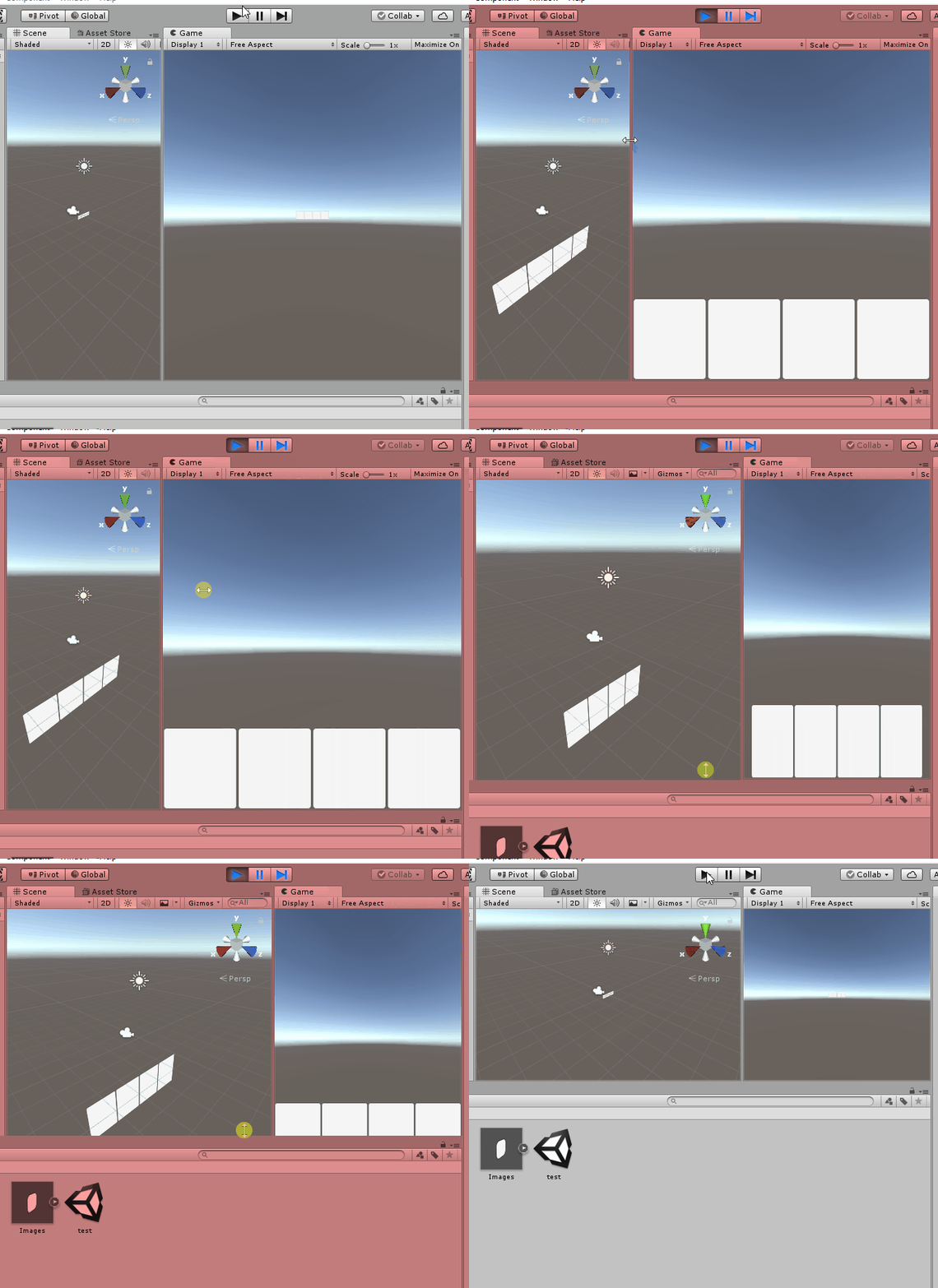
我让父母的职位留在Z = 0上。你可以根据你的需要来改变它。这样,对撞机现在应该能够与其他对象交互。
页面原文内容由Stack Overflow提供。腾讯云小微IT领域专用引擎提供翻译支持
原文链接:
https://stackoverflow.com/questions/52789538
复制相关文章
相似问题
腾讯云开发者

Copyright © 2013 - 2026 Tencent Cloud. All Rights Reserved. 腾讯云 版权所有
深圳市腾讯计算机系统有限公司 ICP备案/许可证号:粤B2-20090059  粤公网安备44030502008569号
腾讯云计算(北京)有限责任公司 京ICP证150476号 | 京ICP备11018762号