
响应图表-间隔更新图表
响应图表-间隔更新图表
提问于 2018-10-01 23:39:56
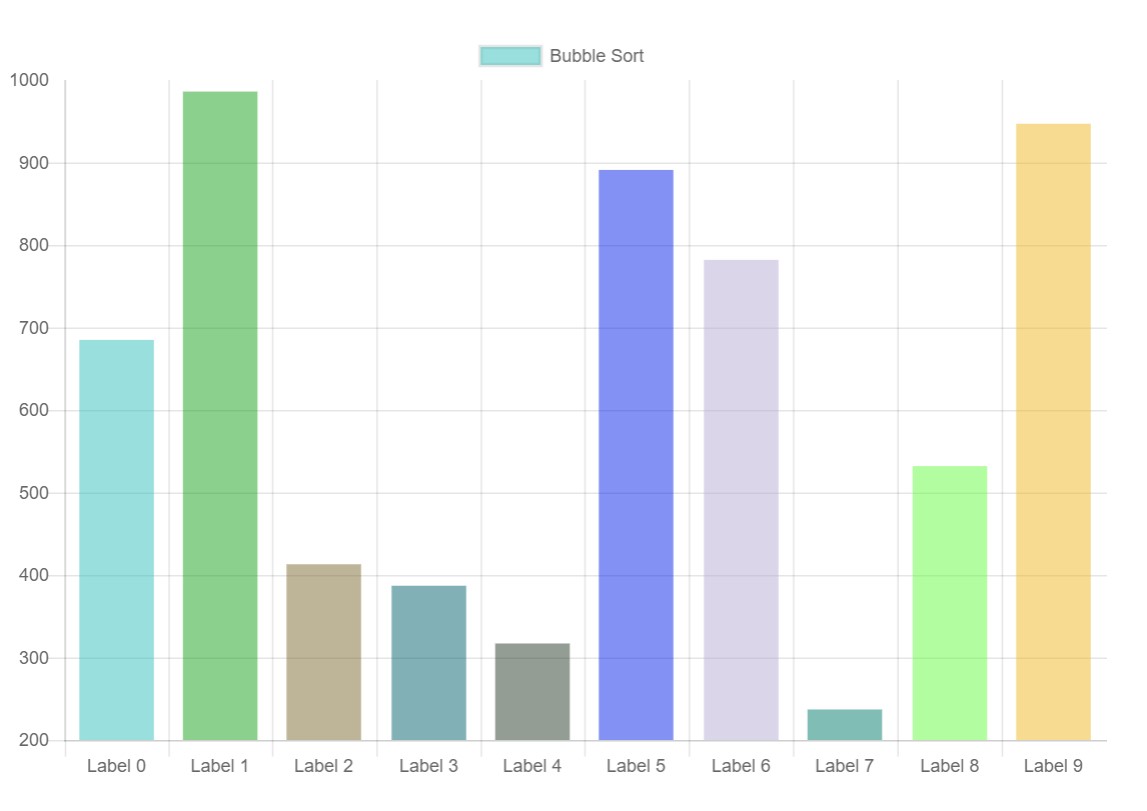
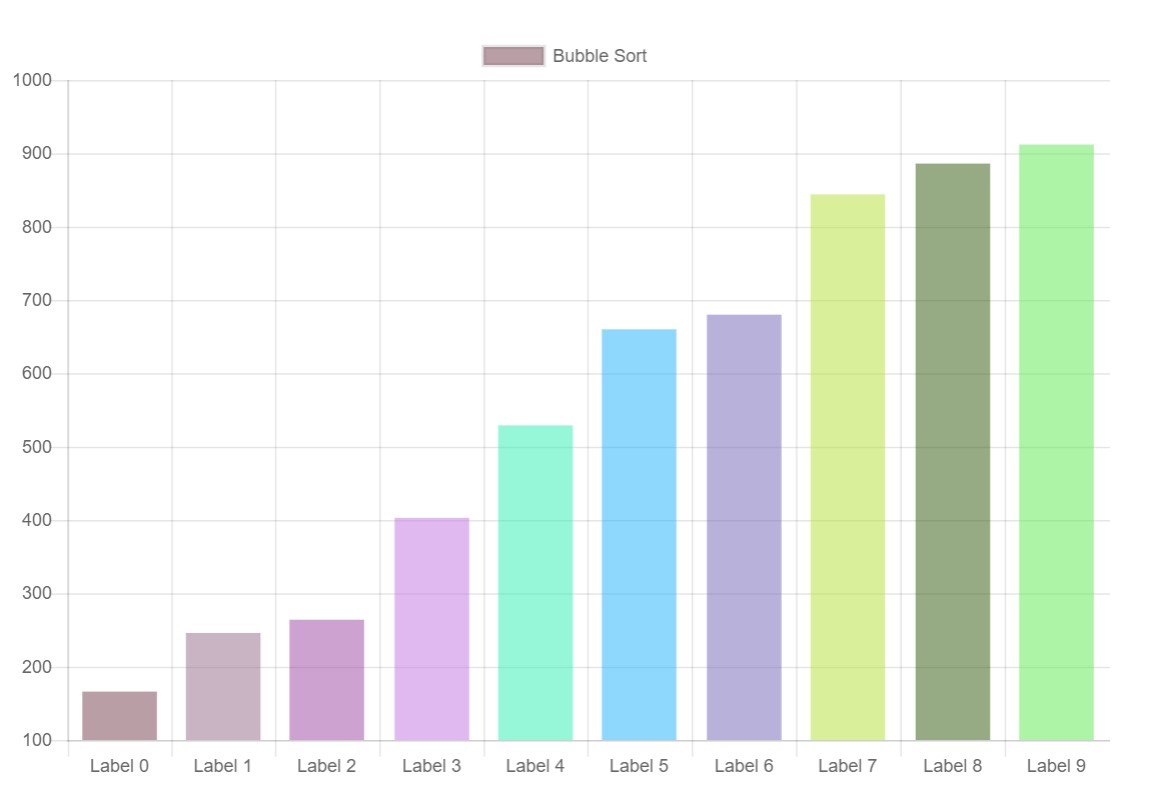
我正在尝试构建一个可视化显示不同排序算法的应用程序。我用的是反应和反应图-2。渲染和更新工作完美,我没有问题,洗牌数据,然后更新图表后,算法完成运行。
然而,我似乎无法在排序过程中更新它。每当发生交换时,我都试图更新状态。
import React, { Component } from 'react';
import { Bar } from 'react-chartjs-2';

export default class BarChart extends Component {
      constructor(props) {
        super(props);
        this.state = {
            data: {
                labels: this.createLabels(),
                datasets: [
                    {
                        label: 'Bubble Sort',
                        data: this.createData(),
                        backgroundColor: this.createBg()
                    }
                ]
            }
        }
    }

    createData() {
        const data = [];
        for (let i = 0; i < 10; i++) {
            data[i] = Math.floor(Math.random() * 1000) + 1;
        }

        return data;
    }

    createLabels() {
        const labels = [];
        for (let i = 0; i < 10; i++) {
            labels[i] = `Label ${i}`;
        }

        return labels;
    }

    createBg() {
        const colors = [];
        for (let i = 0; i < 10; i++) {
            // generate colors
            const red = Math.floor(Math.random() * 255) + 1;
            const green = Math.floor(Math.random() * 255) + 1;
            const blue = Math.floor(Math.random() * 255) + 1;
            colors[i] = `rgba(${red}, ${green}, ${blue}, 0.5)`;
        }

        return colors;
    }

    update() {
        // create copy of dataset
        const datasetsCopy = this.state.data.datasets.slice(0);
        const dataCopy = datasetsCopy[0].data.slice(0);

        // update chartdata with random values
        for (let i = 0; i < dataCopy.length; i++) {
            dataCopy[i] = Math.floor(Math.random() * (100 - 10 + 1)) + 10;
        }

        // set copied updated dataset
        datasetsCopy[0].data = dataCopy;

        // update data state of chart
        this.setState({
            data: Object.assign({}, this.state.data, {
                datasets: datasetsCopy
            })
        });
    }

    componentDidMount() {
        setTimeout(() => {
            this.bubbleSort();
        }, 1000);
    }

    componentWillUnmount() {
        clearInterval(this.timer)
    }

    bubbleSort() {

        // create copy of dataset
        const datasetsCopy = this.state.data.datasets.slice(0);
        const dataCopy = datasetsCopy[0].data.slice(0);

        // update chartdata with random values
        let temp1 = 0;
        let temp2 = 0;
        let timer = 100;
        for (let i = 0; i < dataCopy.length - 1; i++) {
            for (let j = 0; j < dataCopy.length - i - 1; j++) {
                if (dataCopy[j] > dataCopy[j + 1]) {
                    timer += 100;
                    this.timer = setTimeout(
                        () => {

                            temp1 = dataCopy[j];
                            temp2 = dataCopy[j + 1];

                            // swap
                            dataCopy[j] = temp2;
                            dataCopy[j + 1] = temp1;

                            // set copied updated dataset
                            datasetsCopy[0].data = dataCopy;

                            // update data state of chart
                            this.setState({
                                data: Object.assign({}, this.state.data, {
                                    datasets: datasetsCopy
                                })
                            });
                        }
                        , timer
                    )
                }
            }
        }
    }

    render() {

        return (
            <div>
                <Bar
                    data={this.state.data}
                    width={100}
                    height={500}
                    options={{
                        maintainAspectRatio: false
                    }}
                />
            </div>
        )
    }
}
回答 1
Stack Overflow用户
发布于 2021-02-21 12:06:15
我不太了解React,但我知道反应图-2是Chart.js的包装器。当直接使用Chart.js时,更新图表的首选方法是在图表数据或其选项发生更改后调用chart.update()。
因此,在代码中,每次希望在其canvas上重新绘制图表时,您都可以这样做。
要做到这一点,您首先需要像解释的Chart.js实例那样获得对这里实例的引用。
constructor() {
  ...
  this.chartReference = React.createRef();
  ...
}

componentDidMount() {
  this.chart = this.chartReference.current.chartInstance;
  ...
}

render() {
  return (
    <Bar
      ref={this.chartReference}
      ...
    />
  );
}然后,您的bubbleSort方法可以被分割成以下几个单独的方法,并且它应该可以像预期的那样工作。
bubbleSort() {
  let data = this.chart.data.datasets[0].data;
  let swapped;
  let timeout = 0;
  do {
    swapped = false;
    for (let i = 0; i < data.length; i++) {
      if (data[i] > data[i + 1]) {
        let tmp = data[i];
        data[i] = data[i + 1];
        data[i + 1] = tmp;
        timeout += 100;
        this.updateChartDelayed(data.slice(0), timeout);
        swapped = true;
      }
    }
  } while (swapped);
}

updateChartDelayed(data, timeout) {
  this.timer = setTimeout(() => {
    this.chart.data.datasets[0].data = data;
    this.chart.update();
  }, timeout);
}请看一下这个StackBlitz,看看它是如何工作的。
页面原文内容由Stack Overflow提供。腾讯云小微IT领域专用引擎提供翻译支持
原文链接:
https://stackoverflow.com/questions/52600242
复制相关文章
相似问题
腾讯云开发者

Copyright © 2013 - 2026 Tencent Cloud. All Rights Reserved. 腾讯云 版权所有
深圳市腾讯计算机系统有限公司 ICP备案/许可证号:粤B2-20090059  粤公网安备44030502008569号
腾讯云计算(北京)有限责任公司 京ICP证150476号 | 京ICP备11018762号