
应用程序cloudbuild.yaml是否需要自定义运行时?
应用程序cloudbuild.yaml是否需要自定义运行时?
提问于 2018-09-28 12:36:14
使用以下输出生成错误(使用Rails应用程序)
ERROR: (gcloud.app.deploy) There is a cloudbuild.yaml in the current directory, and the runtime field in /workspace/app.yaml is currently set to [runtime: ruby]. To use your cloudbuild.yaml to build a custom runtime, set the runtime field to [runtime: custom]. To continue using the [ruby] runtime, please remove the cloudbuild.yaml from this directory.回答 2
Stack Overflow用户
回答已采纳
发布于 2018-09-28 15:49:38
Cloudbuild.yaml应该灵活地使用App,而不需要使用自定义运行时。正如错误消息中详细介绍的那样,如果要在非自定义运行时部署,则不能将app.yaml和cloudbuild.yaml放在同一个目录中,为了纠正这种情况,请执行以下步骤:
- 将app.yaml和其他ruby文件移动到子目录(使用原始app.yaml,无需使用自定义运行时)
- 在cloudbuild.yaml步骤下,通过添加第三个指定app.yaml路径的参数来修改app部署的参数。
以下是一个例子:
==================FROM:
steps:
- name: 'gcr.io/cloud-builders/gcloud'
args: ['app', 'deploy']
timeout: '1600s'
===================TO:
steps:
- name: 'gcr.io/cloud-builders/gcloud'
args: ['app', 'deploy', '[SUBDIRECTORY/app.yaml]']
timeout: '1600s' Stack Overflow用户
发布于 2019-12-28 18:09:24
处理此问题的一种方法是将cloudbuild.yaml文件的名称更改为cloud_build.yaml (您也可以移动该文件),然后转到Cloud中的触发器:
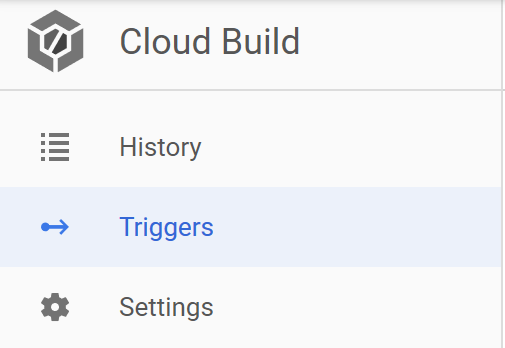
并将其从Autodetected更改为手动选择Cloud Build configuration file:
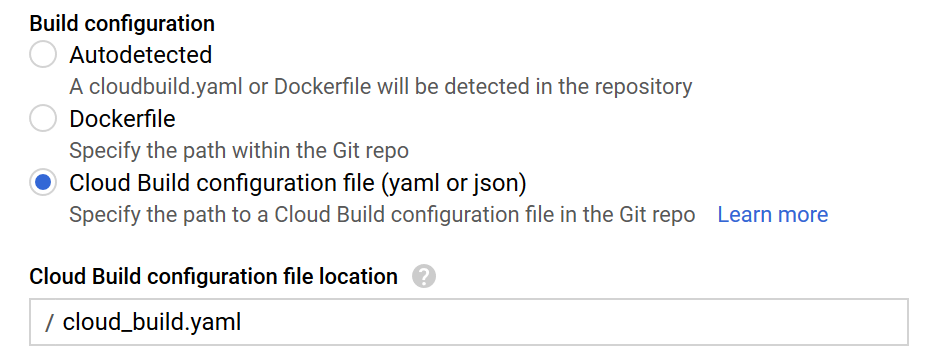
有关更多信息,请参见此Github问题
页面原文内容由Stack Overflow提供。腾讯云小微IT领域专用引擎提供翻译支持
原文链接:
https://stackoverflow.com/questions/52555496
复制相关文章
相似问题
腾讯云开发者

Copyright © 2013 - 2026 Tencent Cloud. All Rights Reserved. 腾讯云 版权所有
深圳市腾讯计算机系统有限公司 ICP备案/许可证号:粤B2-20090059  粤公网安备44030502008569号
腾讯云计算(北京)有限责任公司 京ICP证150476号 | 京ICP备11018762号