
SublimeText与反应
SublimeText与反应
提问于 2018-09-25 11:56:15
我刚开始反应,我正在阅读这教程--这是我正在编写的代码:
import React from 'react'

export default class App extends React.Component {

    render() {

        const person = {
            firstName: 'John',
            lastName: 'Doe'
        };

        function formatName(user) {
            return user.firstName + ' ' + user.lastName;
        }

        function formatDate(date) {
            return date.toLocaleDateString();
        }

        function getGreeting(user) {
            if(user) {
                return <h1>Hello, {formatName(user)}!</h1>;
            }
            return <h1>Hello, Stranger.</h1>;
        }

        function tick() {
            const element = (
                <div>
                    <h1>Hello, world!</h1>
                    <h2>It is {new Date().toLocaleTimeString()}.</h2>
                </div>
            );
        }

        function Welcome(props) {
            return <h1>Hello, {props.name}</h1>;
        }
        function App() {
            return (
                <div>
                    <Welcome name='Sara'/>
                    <Welcome name='Cahal'/>
                    <Welcome name='Edite'/>
                </div>
            );
        }

        // other code...

        const hi = <h1>{getGreeting(person)}</h1>;

        return (hi);
    }
}
我是这样看待代码的:
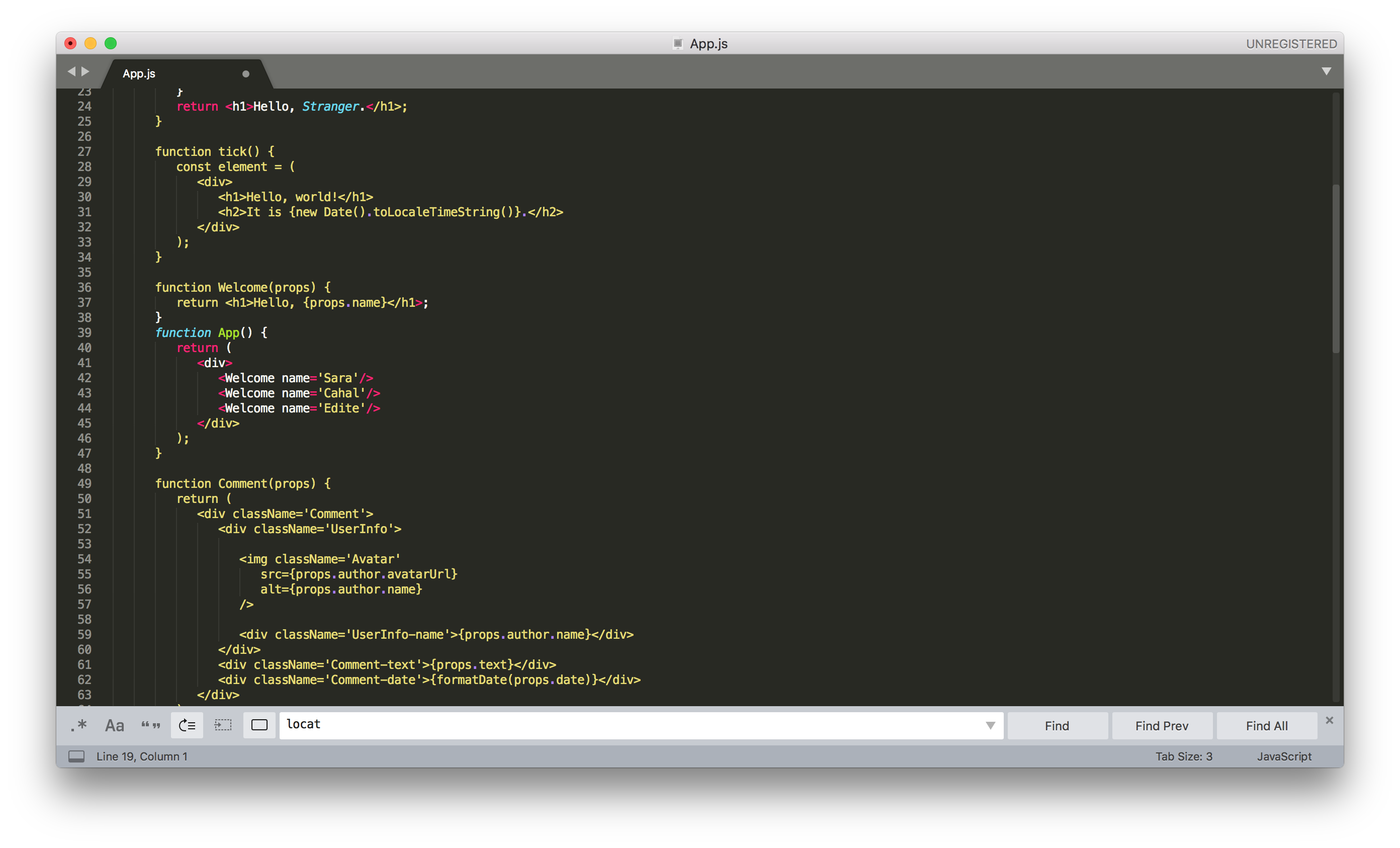
为什么颜色是这样的?这样就很难读懂代码。我怎样才能在教程中看到类似的颜色?我哪里错了?是否有一种将反应设置为语言的方法?
回答 1
Stack Overflow用户
回答已采纳
发布于 2018-09-25 12:17:31
你将需要babel插件的崇高。它将为您提供es6和jsx语法高亮显示。只需遵循他们的文档,默认情况下为.js和.jsx文件启用它。
https://github.com/babel/babel-sublime
干杯!
页面原文内容由Stack Overflow提供。腾讯云小微IT领域专用引擎提供翻译支持
原文链接:
https://stackoverflow.com/questions/52497660
复制相关文章
相似问题
腾讯云开发者

Copyright © 2013 - 2026 Tencent Cloud. All Rights Reserved. 腾讯云 版权所有
深圳市腾讯计算机系统有限公司 ICP备案/许可证号:粤B2-20090059  粤公网安备44030502008569号
腾讯云计算(北京)有限责任公司 京ICP证150476号 | 京ICP备11018762号