
如何理解"TypeError:无法读取未定义的属性'id‘“错误?
我在这里试着理解基本概念。我知道这是一个常见的问题,而且很肯定有一个简单的解释,我似乎不明白。在这里,我试图访问对象的不同属性,但我无法这样做。
下面是使用console.log(val);的数组输出

当我尝试这个console.log(val[0]);时,输出是:

只是得到数组中的第一个对象。
现在,如果我尝试console.log(val[0].id);,我得到:
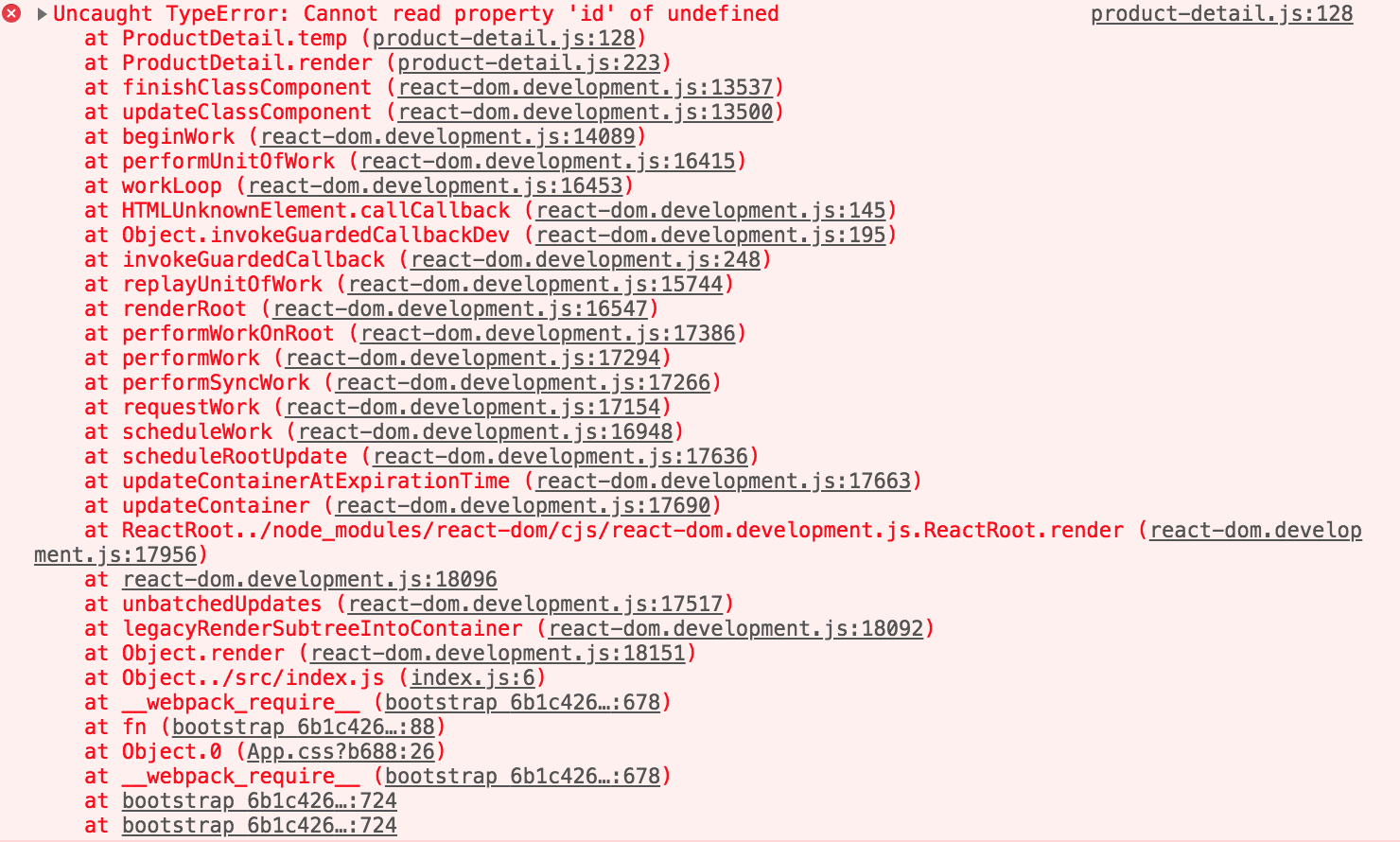
还使用console.log(Object.keys(val));检查键,使用console.log(JSON.stringify(val[0]));检查字符串
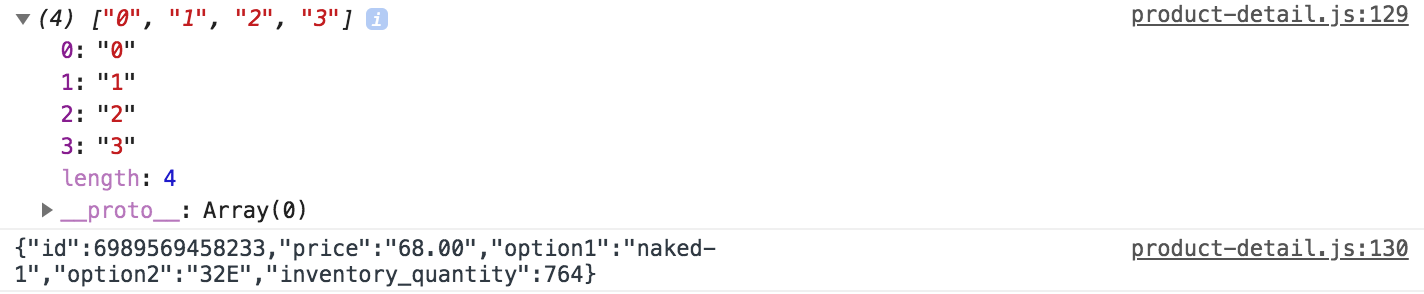
但是,如果我在chrome控制台中尝试完全相同的进程,我就得到了我需要显示的内容。
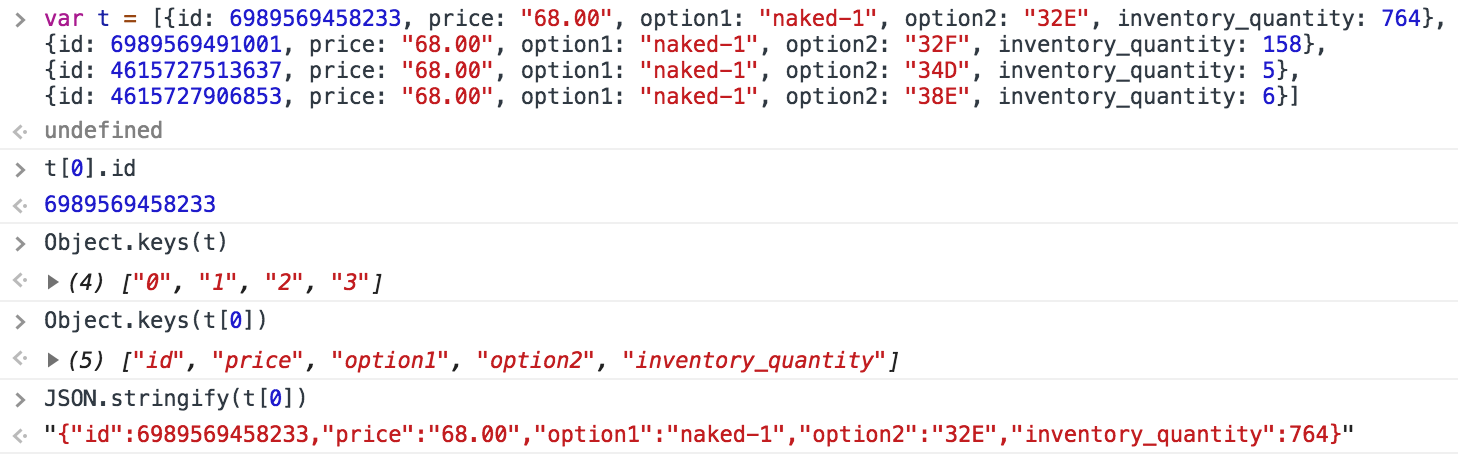
这是一个反应应用程序。我也在VS代码和PyCharm编辑器中尝试过这一点。我肯定我错过了一些简单的东西。
更新
我补充了我的数据和为解决这个问题而采取的步骤。
"variants": [
  {
    "id": 6989569458233,
    "price": "68.00",
    "option1": "color-1",
    "option2": "32",
    "inventory_quantity": 764
  },
  {
    "id": 6989569491001,
    "price": "68.00",
    "option1": "color-1",
    "option2": "32F",
    "inventory_quantity": 158
  },
  {
    "id": 4615727513637,
    "price": "68.00",
    "option1": "color-1",
    "option2": "34D",
    "inventory_quantity": 5
  },
  {
    "id": 4615727906853,
    "price": "68.00",
    "option1": "color-1",
    "option2": "38E",
    "inventory_quantity": 6
  },
  {
    "id": 6989722583097,
    "option1": "color-2",
    "option2": "32E",
    "price": "68.00",
    "inventory_quantity": 1109
  },
  {
    "id": 6989722615865,
    "option1": "color-2",
    "option2": "32F",
    "price": "68.00",
    "inventory_quantity": 1109
  },
  {
    "id": 4615861469221,
    "price": "68.00",
    "option1": "color-2",
    "option2": "34D",
    "inventory_quantity": 1797
  },
  {
    "id": 6989722648633,
    "price": "68.00",
    "option1": "color-2",
    "option2": "34E",
    "inventory_quantity": 0
  },
  {
    "id": 6989722648633,
    "price": "68.00",
    "option1": "color-2",
    "option2": "34F",
    "inventory_quantity": 100
  },
  {
    "id": 6989459193913,
    "price": "68.00",
    "option1": "color-3",
    "option2": "32E",
    "inventory_quantity": 300
  },
  {
    "id": 6989459226681,
    "price": "68.00",
    "option1": "color-3",
    "option2": "32F",
    "inventory_quantity": 320
  },
  {
    "id": 6989459292217,
    "price": "68.00",
    "option1": "color-3",
    "option2": "34F",
    "inventory_quantity": 264
  },
  {
    "id": 4615725842469,
    "price": "68.00",
    "option1": "color-4",
    "option2": "32E",
    "inventory_quantity": 214
  },
  {
    "id": 4615725908005,
    "price": "68.00",
    "option1": "color-4",
    "option2": "34D",
    "inventory_quantity": 133
  },
  {
    "id": 4615725973541,
    "price": "68.00",
    "option1": "color-4",
    "option2": "34F",
    "inventory_quantity": 891
  },
  {
    "id": 6989673398329,
    "price": "68.00",
    "option1": "color-5",
    "option2": "32E(DD)",
    "inventory_quantity": 98
  },
  {
    "id": 6989673431097,
    "price": "68.00",
    "option1": "color-5",
    "option2": "32F",
    "inventory_quantity": 98
  },
  {
    "id": 6989673463865,
    "option1": "color-5",
    "option2": "34D",
    "inventory_quantity": 8
  },
  {
    "id": 6989673496633,
    "price": "68.00",
    "option1": "color-5",
    "option2": "34E",
    "inventory_quantity": 348
  }
] 使用提交在我的类组件中进行分组,如下所示。这是通行证
input,它是'color-1','color-2',。
product-detail.js
export default class ProductDetail extends Component {
constructor(props) {
    super(props)
    console.log('props -- ', props);

    this.state = {
        color: 'color-1',
        stock: ''
    }
}


groupBy(input) {
    const groupByColor = _(this.props.variants)
                        .groupBy(x => x.option1)
                        .map((value, key) => ({ color: key, details: value }))
                        .value();
} 使用groupBy函数,我在下面所示的render()中使用这个函数。基本上,尝试使用下面所示的一系列控制台输出来提取数据,只是为了测试。希望这有助于再现这个问题。
render() {
    const val = this.groupBy(this.state.color);
    console.log(val);
    console.log(val[0]);
    console.log(Object.keys(val));
console.log(JSON.stringify(val[0]));回答 1
Stack Overflow用户
发布于 2018-09-16 04:07:10
cannot read property of undefined意味着您正在寻找ID的对象不在那里。当解释器不理解或找不到您预期存在的对象时,会抛出未定义的对象。
在脚本的特定情况下,这意味着在调用脚本时,对象尚未完全构建并可用,这可能是因为您使用ajax/xhr调用和信息没有同时到达对象的id。
https://stackoverflow.com/questions/52349037
复制相似问题
腾讯云开发者

Copyright © 2013 - 2026 Tencent Cloud. All Rights Reserved. 腾讯云 版权所有
深圳市腾讯计算机系统有限公司 ICP备案/许可证号:粤B2-20090059  粤公网安备44030502008569号
腾讯云计算(北京)有限责任公司 京ICP证150476号 | 京ICP备11018762号