
通过字段‘buildProperties’表示的不满意的依赖关系;嵌套的异常是org.springframework.beans.factory.NoSuchBeanDefinitionException
             <plugin>
            <groupId>org.springframework.boot</groupId>
            <artifactId>spring-boot-maven-plugin</artifactId>
            <executions>
                <execution>
                    <id>build-info</id>
                    <goals>
                        <goal>build-info</goal>
                    </goals>
                </execution>
            </executions>
        </plugin>
这是主修课
public class GetSpaOsmiumVersionClient implements CommandLineRunner{

@Autowired
BuildProperties buildProperties;

public static void main( String[] args ){
     SpringApplication app = new SpringApplication(GetSpaOsmiumVersionClient.class);
     app.setBannerMode(Banner.Mode.OFF);
     app.run(args);
    }

@Override
public void run(String... args) throws Exception {

      Options options = new Options();
      options.addOption("h", "help", false, "prints the help content");
      options.addOption("v", "version", false, "version spa osmium");

      try{
          //Etape 2: Analyse de la ligne de commande
          CommandLineParser parser = new DefaultParser();
          CommandLine commandLine = parser.parse(options, args);

          if(commandLine.hasOption("v")){
              buildProperties.getVersion();
          }else {
                 HelpFormatter formatter = new HelpFormatter();
                 formatter.printHelp( "App" , options );
                 System.exit(1);

}回答 1
Stack Overflow用户
发布于 2021-01-19 07:07:22
在Google搜索中发现了类似的问题,所以我会留下这个答案,这样其他开发人员就可以节省一些时间。
问题标题中的错误消息
Unsatisfied dependency expressed through field 'buildProperties'常常是由于对属性BuildProperties工作方式的误解造成的。
基本上,只有当我们执行了Maven Spring插件的“build”目标(也就是在cmd中运行以下命令)时,BuildProperties才能工作:
mvn spring-boot:build-info原因是BuildProperties不是内置的,而是Maven目标的产物。当执行该目标时,生成一个文件--info.properties--并从该文件中读取代码。
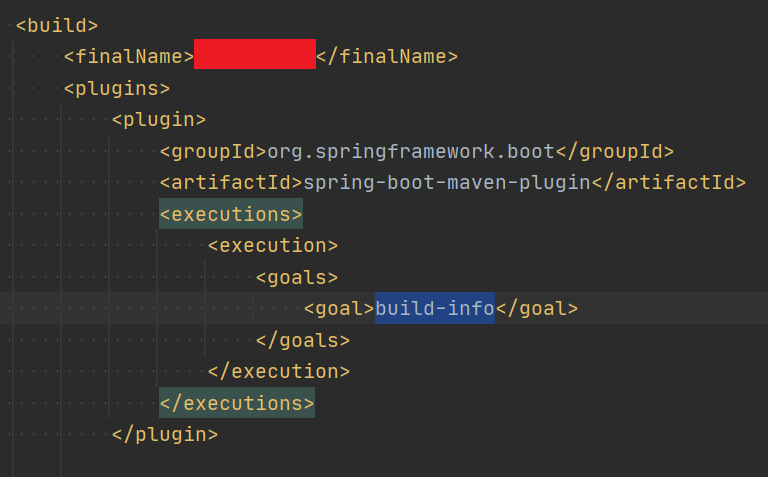
通常,Maven项目的设置是为了在管道上自动执行该目标(在plugins部件中,请参见下面的图片)。但是,当我们在本地IDE上触发运行时,该目标不会自动执行,因此出现了问题。
有关其工作原理的详细说明可在以下参考资料中找到:https://www.vojtechruzicka.com/spring-boot-version/
如果您喜欢使用IDE (例如: IntelliJ)而不是命令行,您可能会找到Maven工具窗口。您的工作是在启动服务器之前“运行”“build”目标。
IntelliJ示例:https://www.jetbrains.com/help/idea/work-with-maven-goals.html
https://stackoverflow.com/questions/52335480
复制相似问题
腾讯云开发者

Copyright © 2013 - 2026 Tencent Cloud. All Rights Reserved. 腾讯云 版权所有
深圳市腾讯计算机系统有限公司 ICP备案/许可证号:粤B2-20090059  粤公网安备44030502008569号
腾讯云计算(北京)有限责任公司 京ICP证150476号 | 京ICP备11018762号