
反应本机:样式相互覆盖,容器离开位置
反应本机:样式相互覆盖,容器离开位置
提问于 2018-08-29 02:18:23
  render() {
    if (this.state.isLoading) {
      return (
        <View style={styles.container}>
          <ActivityIndicator />
        </View>
      );
    } else {
      let launches = this.state.dataSource.map((item, key) => {
        return (
          <View key={key} style={styles.container}>
            <Image
              style={{ width: 350, height: 520, borderRadius: 10 }}
              source={{ uri: item.rocket.imageURL }}
            />
            <Entypo
              name="map"
              color={"white"}
              size={24}
              style={styles.MapIcon}
              onPress={() => Linking.openURL(item.location.pads[0].mapURL)}
            />
            <Entypo
              name="video-camera"
              color={"white"}
              size={24}
              style={styles.VideoIcon}
              onPress={() => Linking.openURL(item.vidURLs[0])}
            />

            <View style={styles.subcontainer}>
              <Text style={styles.Title}>{item.missions[0].name}</Text>
              <Text>
                <Text style={styles.TextHeader}>Location: </Text>
                <Text style={styles.Text}>{item.location.name}</Text>
              </Text>
              <Text>
                <Text style={styles.TextHeader}>Launch Date: </Text>
                <Text style={styles.Text}>{item.net}</Text>
              </Text>
              <Text>
                <Text style={styles.TextHeader}>Service Provider: </Text>
                <Text style={styles.Text}>{item.lsp.name}</Text>
              </Text>
              <Text>
                <Text style={styles.TextHeader}>Rocket: </Text>
                <Text style={styles.Text}>{item.rocket.name}</Text>
              </Text>
            </View>
          </View>
        );
      });

      return (
        <View style={styles.Background}>
          <ScrollView contentContainerStyle={styles.contentContainer}>
            {launches}
          </ScrollView>
        </View>
      );
    }
  }
}

const styles = StyleSheet.create({
  Background: {
    backgroundColor: "#e8e8e8"
  },
  contentContainer: {
    padding: 3,
    backgroundColor: "#e8e8e8"
  },
  subcontainer: {
    backgroundColor: "rgb(249, 249, 249)",
    position: "absolute",
    borderRadius: 2,
    padding: 10,
    marginTop: 420,
    width: "100.65%",
    marginLeft: "2.94%",
    shadowColor: "grey",
    shadowOpacity: 0.5,
    shadowRadius: 2,
    shadowOffset: { width: 0, height: -1 }
  },
  container: {
    flex: 1,
    borderRadius: 10,
    backgroundColor: "rgba(249, 249, 249, 0.8)",
    padding: 10,
    borderWidth: 0.5,
    borderColor: "#CCCCCC",
    marginTop: 4
  },
  Title: {
    color: "#007AFF",
    fontSize: 18,
    textAlign: "center",
    lineHeight: 18,
    paddingBottom: 5,
    fontWeight: "bold"
  },
  Text: {
    color: "black",
    fontSize: 14,
    textAlign: "left"
  },
  TextHeader: {
    color: "#007AFF",
    fontSize: 14,
    textAlign: "left",
    fontWeight: "bold"
  },
  MapIcon: {
    position: "absolute",
    marginTop: "7%",
    marginLeft: "8%"
  },
  VideoIcon: {
    position: "absolute",
    marginTop: "7%",
    marginLeft: "92%"
  }
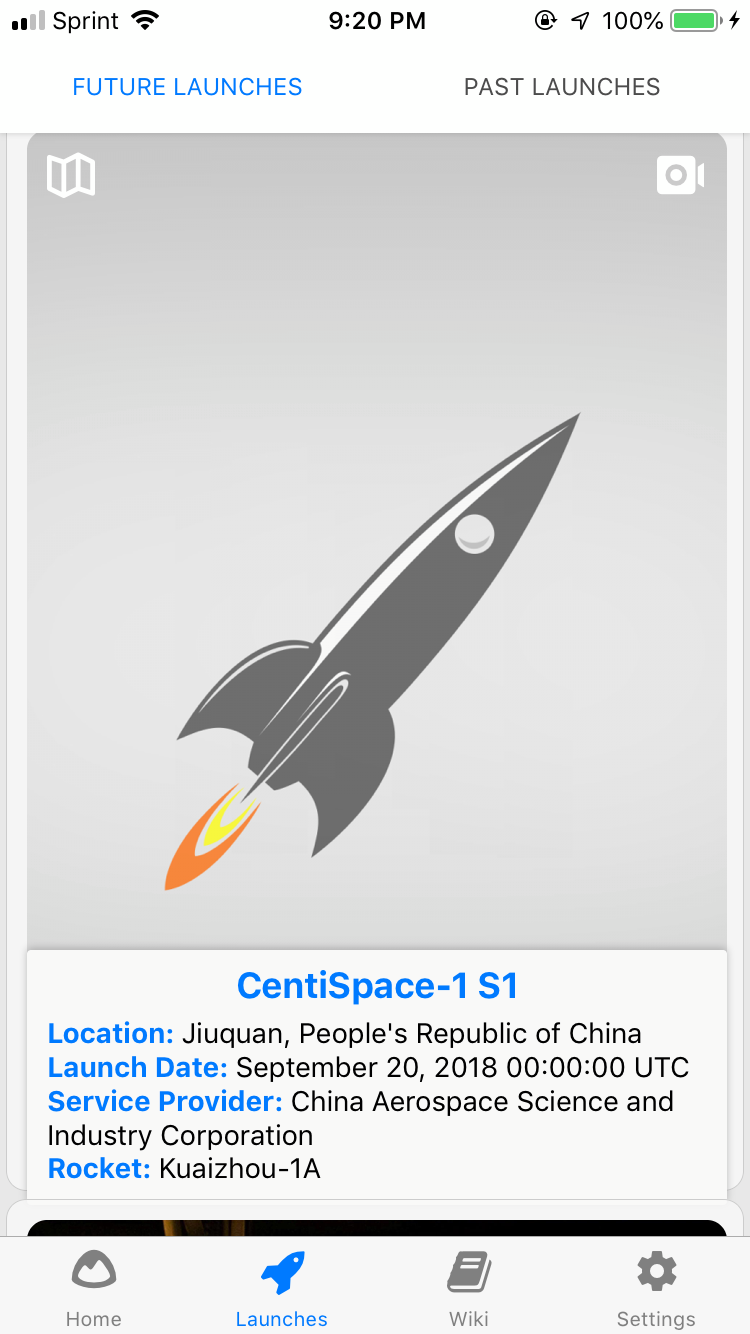
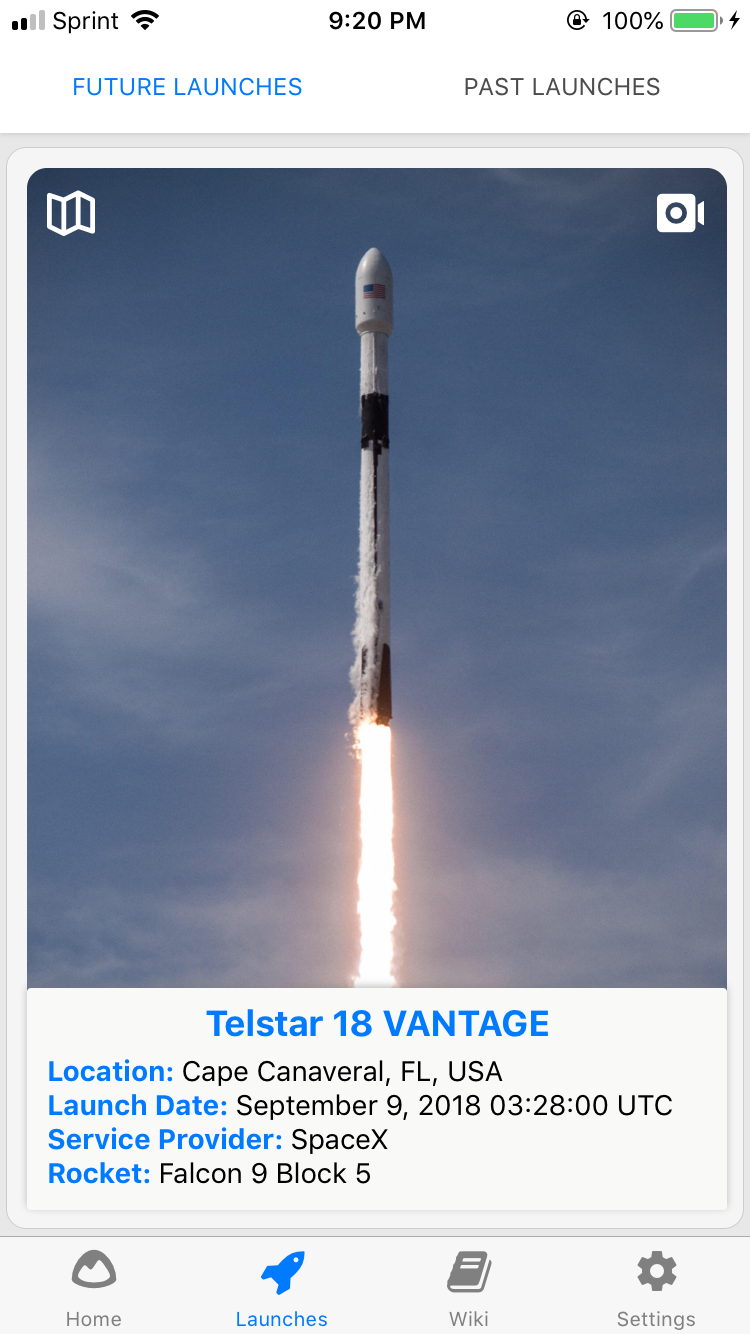
});下面的图片显示了一个更好的表示,但为了彻底解释,我有一个容器,里面有一个子容器,里面有发射名称、位置、日期、火箭等信息,子容器应该很好地融入每个容器/卡(每个火箭发布会的卡片,它有自己的容器和填充物等)。但有时有些文字变得太长,不得不占用另一排。这迫使子容器向下移动(显示在“它不应该是怎样的”图像中,并从容器/卡片中延伸出去。Q:是否有这样一种方式:每当文本需要另一行时,子容器与它中的文本一起向上移动,这样它仍然适合容器/卡片,而不会扩展到它之外?或者另一个解决方案。
回答 1
Stack Overflow用户
回答已采纳
发布于 2018-08-29 09:25:56
解决此问题的一种方法是使用
bottom:0将您的bottom:0绝对定位到容器的底部,而不是提供marginTop:420。这样,subContainer视图将始终停留在容器视图的底部。而提供边缘顶部: 420将使subContainer视图始终具有420的marginTop,这将在它变大时将其向下推下去。您还可以使用左:0和右:0来使subContainer占据父视图(即容器)的全部宽度。
class App extends React.Component {
  render() {
    return (
      <ScrollView style={{marginTop: 25}} >
        {[1,2,3,4,5].map(() => (
          <View style={styles.container}>
            <View style={styles.subContainer} >
              <Text>on every element in the calling array on every element in the calling array on every element in the calling array</Text>
            </View>
          </View>
        ))}
      </ScrollView>
    );
  }
}

const styles = StyleSheet.create({
  container: {
    backgroundColor: 'blue',
    height: 300,
    margin: 10
  },
  subContainer: {
    backgroundColor: '#eee',
    position: 'absolute',
    bottom: 0,
    right: 0,
    left: 0,
    margin: 10,
    padding: 5,
    borderRadius: 2
  },
});查看工作示例:https://snack.expo.io/SyXDLkEDX
检查一下,看看是否有用。
页面原文内容由Stack Overflow提供。腾讯云小微IT领域专用引擎提供翻译支持
原文链接:
https://stackoverflow.com/questions/52068573
复制相关文章
相似问题
腾讯云开发者

Copyright © 2013 - 2026 Tencent Cloud. All Rights Reserved. 腾讯云 版权所有
深圳市腾讯计算机系统有限公司 ICP备案/许可证号:粤B2-20090059  粤公网安备44030502008569号
腾讯云计算(北京)有限责任公司 京ICP证150476号 | 京ICP备11018762号