
Gitlab-Runner on Kubernetes/Openshift
我试图在Openshift/K8S上部署Gitlab -runner,但无法让运行人员与Gitlab通信(它本身部署在OCP上的pods中)。
我遵循了以下几种不同的指令:
- https://www.youtube.com/watch?v=EwbhA53Jpp4
- https://docs.gitlab.com/runner/install/kubernetes.html
- https://github.com/oprudkyi/openshift-templates/blob/master/gitlab-runner/gitlab-runner.yaml
我的正在正常启动,但它总是收到HTTP 404未找到的错误消息。
下面是我的toml配置文件:
# cat /etc/gitlab-runner/config.toml
concurrent = 6
check_interval = 0

[[runners]]
  name = "GitLab Runner"
  url = "http://gitlab-ce.MY_COMAIN.com/ci"
  token = "WHO_CARES?"
  executor = "kubernetes"
  [runners.kubernetes]
    namespace = "MINE"
    privileged = false
    host = ""
    cert_file = ""
    key_file = ""
    ca_file = ""
    image = ""
    cpus = ""
    memory = ""
    service_cpus = ""
    service_memory = ""
    helper_cpus = ""
    helper_memory = ""
    helper_image = ""
  [runners.cache]
    Type = "s3"
    ServerAddress = "minio-service:80"
    AccessKey = "GENERATED"
    SecretKey = "GENERATED"
    BucketName = "bkt-gitlab-runner"
    Insecure = true
一旦吊舱开始,我的日志里就有这个:
Starting multi-runner from /etc/gitlab-runner/config.toml ...  builds=0
Running in system-mode.

Configuration loaded                                builds=0
Metrics server disabled
WARNING: Checking for jobs... failed                runner=WHO_CARES? status=404 Not Found
WARNING: Checking for jobs... failed                runner=WHO_CARES? status=404 Not Found
WARNING: Checking for jobs... failed runner=WHO_CARES? status=404 Not Found在Gitlab中,在runners页面(光盘)中没有“为该项目激活的运行程序”。
我可以在它的终端登录到我的吊舱,启动gitlab-runner register注册一个新的跑步者。
/ # gitlab-runner register
Running in system-mode.

Please enter the gitlab-ci coordinator URL (e.g. https://gitlab.com/):
https://gitlab-ce.MY_COMAIN.com
Please enter the gitlab-ci token for this runner:
WHO_CARES?
Please enter the gitlab-ci description for this runner:
[dc-gitlab-runner-service-1-ktw6v]: test
Please enter the gitlab-ci tags for this runner (comma separated):
test
Registering runner... succeeded                     runner=WHO_CARES?
Please enter the executor: docker+machine, kubernetes, ssh, docker-ssh, parallels, shell, virtualbox, docker-ssh+machine, docker:
kubernetes
Runner registered successfully. Feel free to start it, but if it's running already the config should be automatically reloaded!
但当我试图运行它时..。我也面临着同样的问题。
/ # gitlab-runner run
Starting multi-runner from /etc/gitlab-runner/config.toml ...  builds=0
Running in system-mode.

Configuration loaded                                builds=0
Metrics server disabled
WARNING: Checking for jobs... failed                runner=WHO_CARES? status=404 Not Found
WARNING: Checking for jobs... failed                runner=WHO_CARES? status=404 Not Found
当然,我检查了是否可以从Runner终端访问Gitlab,而且它可以工作。
/ # ping
BusyBox v1.27.2 (2018-06-06 09:08:44 UTC) multi-call binary.

Usage: ping [OPTIONS] HOST

/ # ping gitlab-ce.MY_COMAIN.com
PING gitlab-ce.MY_COMAIN.com (1.2.3.4): 56 data bytes
64 bytes from 1.2.3.4: seq=0 ttl=63 time=0.268 ms
64 bytes from 1.2.3.4: seq=1 ttl=63 time=0.261 ms
64 bytes from 1.2.3.4: seq=2 ttl=63 time=0.288 ms
^C
附带注意:我运行的是OCP3.9/ K8S 1.9
你看到我做错什么了吗?
干杯,奥利维尔
回答 2
Stack Overflow用户
发布于 2018-11-06 01:09:08
好的。这是解决办法。
问题来自于token的一种奇怪行为。在Gitlab中有几个token,必须谨慎地选择要使用的一个。
这个问题在这里也有关联: https://gitlab.com/gitlab-org/gitlab-ce/issues/37807
您必须首先使用管理页面中可用的Runner令牌:https://gitlab-instance/admin/runners。此令牌将在您的config.toml中,在runners.token部分下使用。
展开并启动跑步者。
它出现在Gitlab中,但不可用。只需在管理区域中克里克其名称:https://gitlab-instance/admin/runners/38
在详细信息中找到与此Runner相关联的令牌。
将其复制回config.toml文件,该文件仍然位于完全相同的runners.token部分下,作为替换。重新部署你的跑步者。
应该行得通。
Stack Overflow用户
发布于 2020-12-23 00:00:12
2022年4月:GitLab 14.10确实支持用例:
Kubernetes的GitLab Runner算子 在GitLab 13.10中,我们为Kubernetes的Red容器平台提供了GitLab Runner操作符。 该版本为OpenShift用户提供了操作员框架的自动化和管理功能,并简化了对OpenShift Kubernetes集群中运行程序的持续管理。从14.10开始,您可以在非OpenShift Kubernetes集群中使用GitLab Runner操作符v1.7.0。此GitLab Runner运算符可在OperatorHub.io上使用。 见文档和问题。
使用GitLab 13.7 (2020年12月)避免令牌管理的另一种选择
红帽GitLab OpenShift跑步机 今天可用的是红帽OpenShift集装箱平台的红帽OpenShift集装箱平台 Runner容器映像。 要在OpenShift上安装运行程序,可以使用Red的操作员集线器中的beta通道提供的新GitLab Runner算子 -- OpenShift集群管理员的web控制台,用于发现和选择要安装在集群上的操作员。 操作员集线器默认部署在OpenShift容器平台中。 我们计划在2021年初将GitLab Runner运算符转换为稳定的通道,并扩展为气体。最后,我们还在为GitLab开发一个操作员,所以请继续关注这些公告的未来发布。
GitLab 13.11增强了这一点(2021年4月)
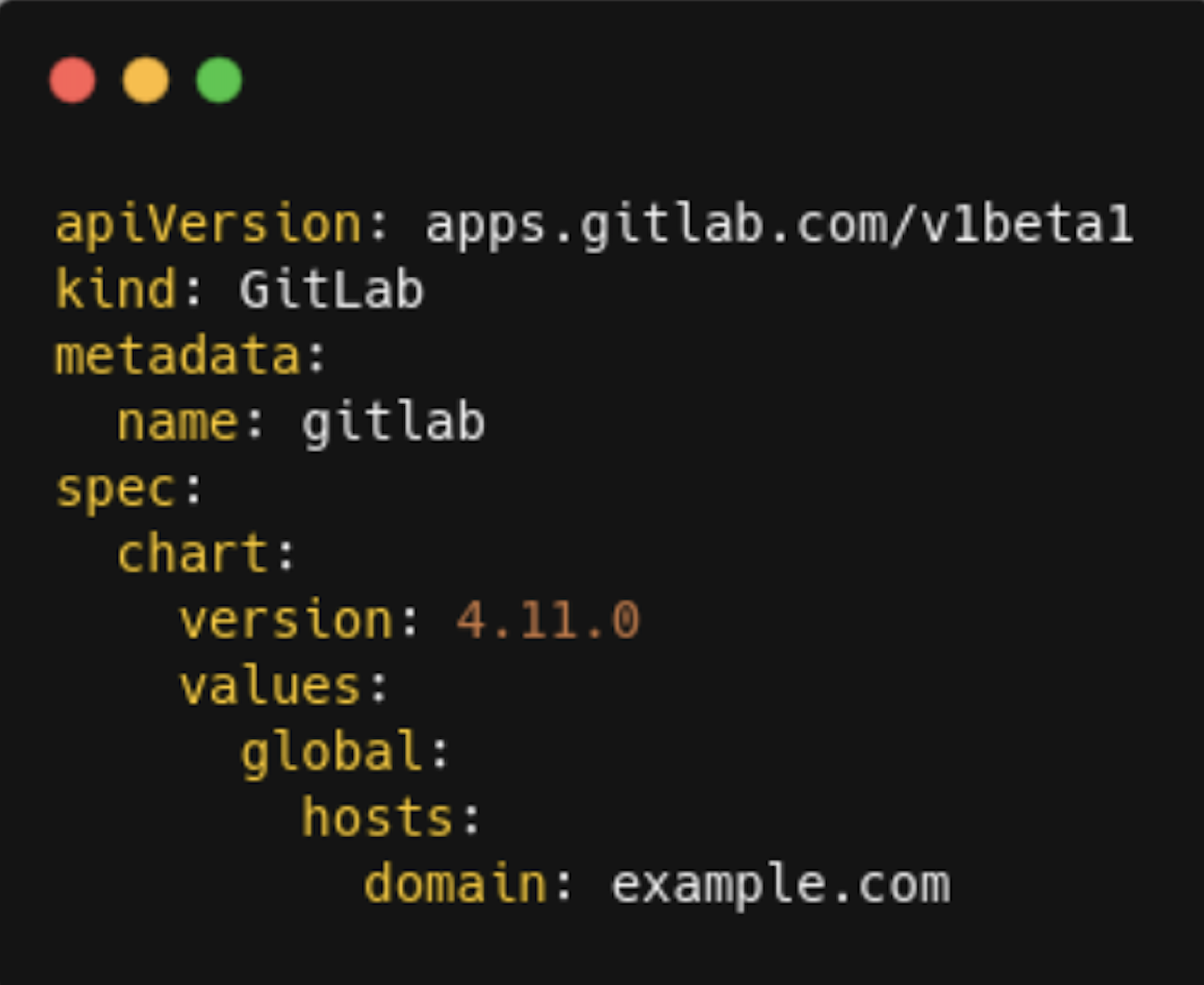
使用GitLab运算符在OpenShift和Kubernetes上部署GitLab (beta) GitLab正在努力提供对OpenShift的全面支持。为了实现这一点,我们发布了MVP GitLab算子。运营商旨在管理Kubernetes和OpenShift容器平台上的OpenShift实例的完整生命周期。 目前,这是一个β释放,不推荐生产使用。 接下来的步骤将是使操作员普遍可用(GA)。将来,运算符将成为Kubernetes和OpenShift的推荐安装方法,尽管GitLab Helm图表仍将得到支持。我们欢迎您尝试这个接线员和提供对我们的问题跟踪器的反馈。
https://stackoverflow.com/questions/51972324
复制相似问题
腾讯云开发者

Copyright © 2013 - 2026 Tencent Cloud. All Rights Reserved. 腾讯云 版权所有
深圳市腾讯计算机系统有限公司 ICP备案/许可证号:粤B2-20090059  粤公网安备44030502008569号
腾讯云计算(北京)有限责任公司 京ICP证150476号 | 京ICP备11018762号