
用于将docx导出到pdf的MacOS Automator + Applescript解决方案
用于将docx导出到pdf的MacOS Automator + Applescript解决方案
提问于 2018-08-14 15:03:48
在阅读了很多不同的线程之后,我抓挠了一下头,尝试了一堆脚本,但似乎都没有用。
我想使用Automator自动Word 2016转换一个选择的docx文件为pdf。
使用下列自动服务:
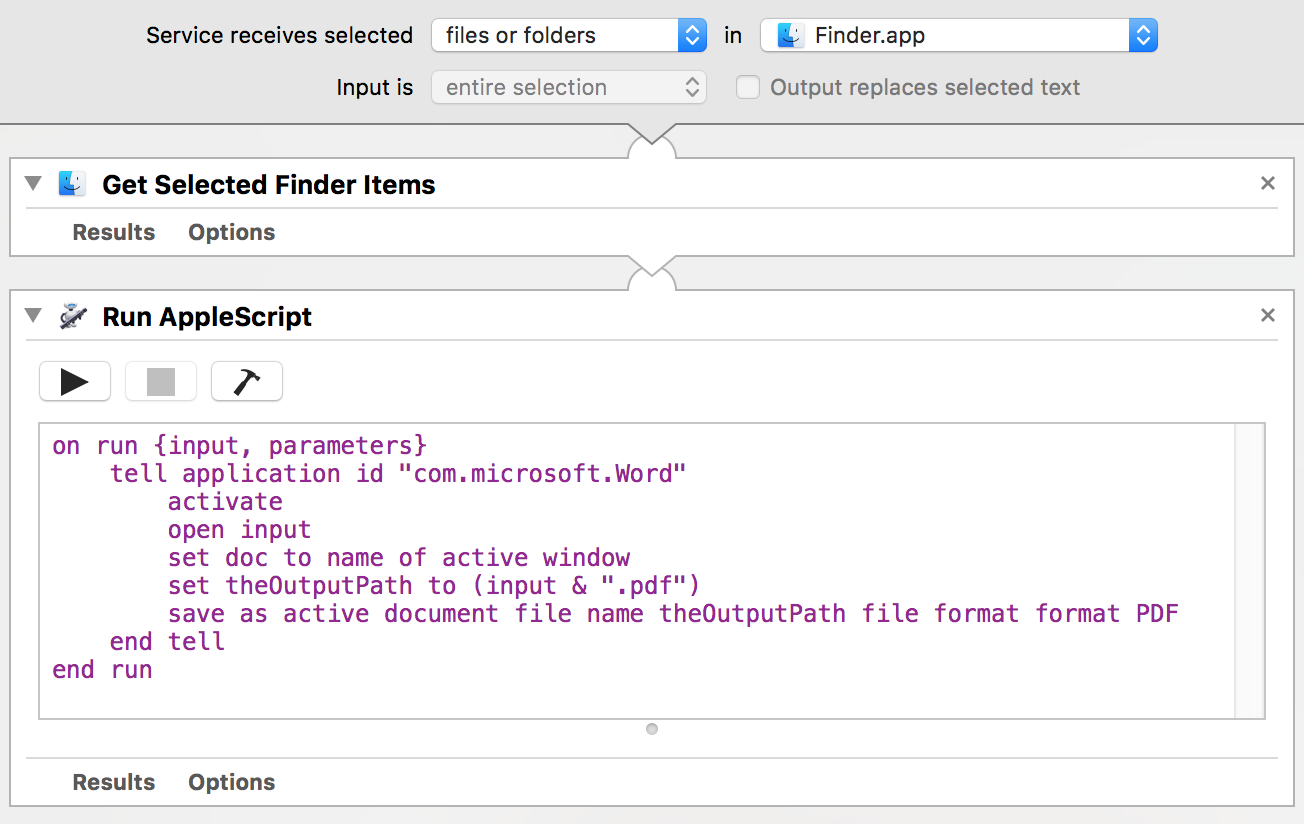
使用了以下脚本:
on run {input, parameters}
    tell application id "com.microsoft.Word"
        activate
        open input
        set doc to name of active window
        set theOutputPath to (input & ".pdf")
        save as active document file name theOutputPath file format format PDF
    end tell
end run这会导致错误:Microsoft Word获得了一个错误: active document不理解“另存为”消息.
回答 2
Stack Overflow用户
回答已采纳
发布于 2018-08-14 15:39:50
主要问题是input是一个列表。您必须使用一个重复循环分别处理每个文件。
我添加了一行,以在转换后关闭当前文档。
on run {input, parameters}
    tell application id "com.microsoft.Word"
        activate
        repeat with aFile in input
            open aFile
            set theOutputPath to ((aFile as text) & ".pdf")
            tell active document
                save as it file name theOutputPath file format format PDF
                close saving no
            end tell
        end repeat
    end tell
end runStack Overflow用户
发布于 2018-09-09 14:40:20
为了防止@vadian的答案中讨论的问题,首先将文件保存到Word的默认文件夹(通常是~/Library/Containers/com.microsoft.Word/Data/Documents) ),然后将文件移到其他地方。
on run {input, parameters}
    repeat with aFile in input
        tell application "System Events"
            set inputFile to disk item (aFile as text)
            set outputFileName to (((name of inputFile) as text) & ".pdf")
        end tell

        tell application id "com.microsoft.Word"
            activate
            open aFile
            tell active document
                save as it file name outputFileName file format format PDF
                close saving no
            end tell
            set defaultPath to get default file path file path type documents path
        end tell

        tell application "System Events"
            set outputPath to (container of inputFile)
            set outputFile to disk item outputFileName of folder defaultPath
            move outputFile to outputPath
        end tell
    end repeat
    return input
end run页面原文内容由Stack Overflow提供。腾讯云小微IT领域专用引擎提供翻译支持
原文链接:
https://stackoverflow.com/questions/51844514
复制相关文章
相似问题
腾讯云开发者

Copyright © 2013 - 2026 Tencent Cloud. All Rights Reserved. 腾讯云 版权所有
深圳市腾讯计算机系统有限公司 ICP备案/许可证号:粤B2-20090059  粤公网安备44030502008569号
腾讯云计算(北京)有限责任公司 京ICP证150476号 | 京ICP备11018762号