
未调用UNNotificationServiceExtension的didRecieve
为了获得丰富的推送通知,我一步一步地移动。它们在这里:
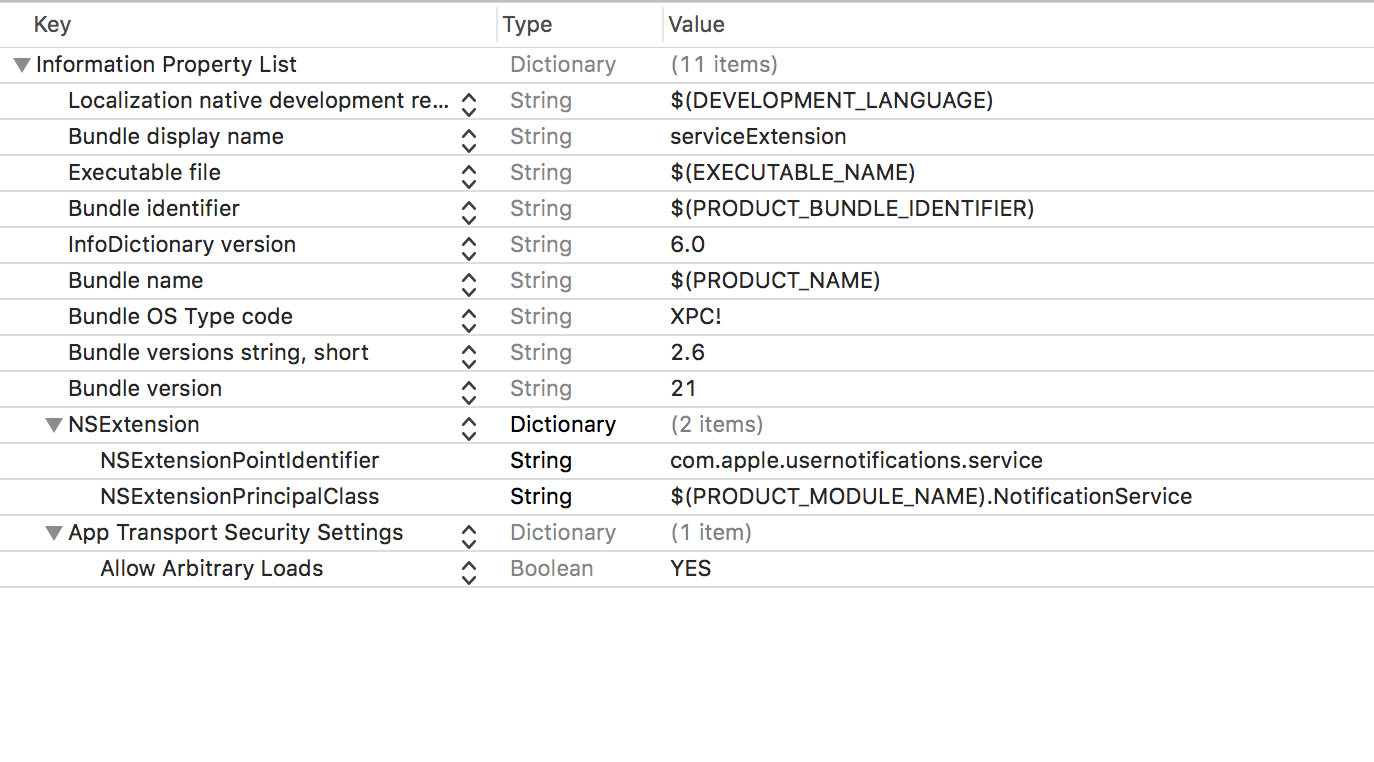
- 用plist创建通知服务扩展:
NotificationService didRecieve:
override func didReceive(_ request: UNNotificationRequest, withContentHandler contentHandler: @escaping (UNNotificationContent) -> Void) {

        func failEarly() {
            contentHandler(request.content)
        }

        self.contentHandler = contentHandler
        bestAttemptContent = (request.content.mutableCopy() as? UNMutableNotificationContent)

        // Get the custom data from the notification payload
        if let data = request.content.userInfo as? [String: AnyObject] {
            // Grab the attachment
            //            let notificationData = data["data"] as? [String: String]
            if let urlString = data["attachment-url"], let fileUrl = URL(string: urlString as! String) {
                // Download the attachment
                URLSession.shared.downloadTask(with: fileUrl) { (location, response, error) in
                    if let location = location {
                        // Move temporary file to remove .tmp extension
                        let tmpDirectory = NSTemporaryDirectory()
                        let tmpFile = "file://".appending(tmpDirectory).appending(fileUrl.lastPathComponent)
                        let tmpUrl = URL(string: tmpFile)!
                        try! FileManager.default.moveItem(at: location, to: tmpUrl)

                        // Add the attachment to the notification content
                        if let attachment = try? UNNotificationAttachment(identifier: "video", url: tmpUrl, options:nil) {
                            self.bestAttemptContent?.attachments = [attachment]
                        }else if let attachment = try? UNNotificationAttachment(identifier: "image", url: tmpUrl, options:nil) {
                            self.bestAttemptContent?.attachments = [attachment]
                        }else if let attachment = try? UNNotificationAttachment(identifier: "audio", url: tmpUrl, options:nil) {
                            self.bestAttemptContent?.attachments = [attachment]
                        }else if let attachment = try? UNNotificationAttachment(identifier: "image.gif", url: tmpUrl, options: nil) {
                            self.bestAttemptContent?.attachments = [attachment]
                        }
                    }
                    // Serve the notification content
                    self.contentHandler!(self.bestAttemptContent!)
                    }.resume()
            }
        }
}- 配置了扩展的AppId和配置配置文件。
正确地发出了丰富的通知:
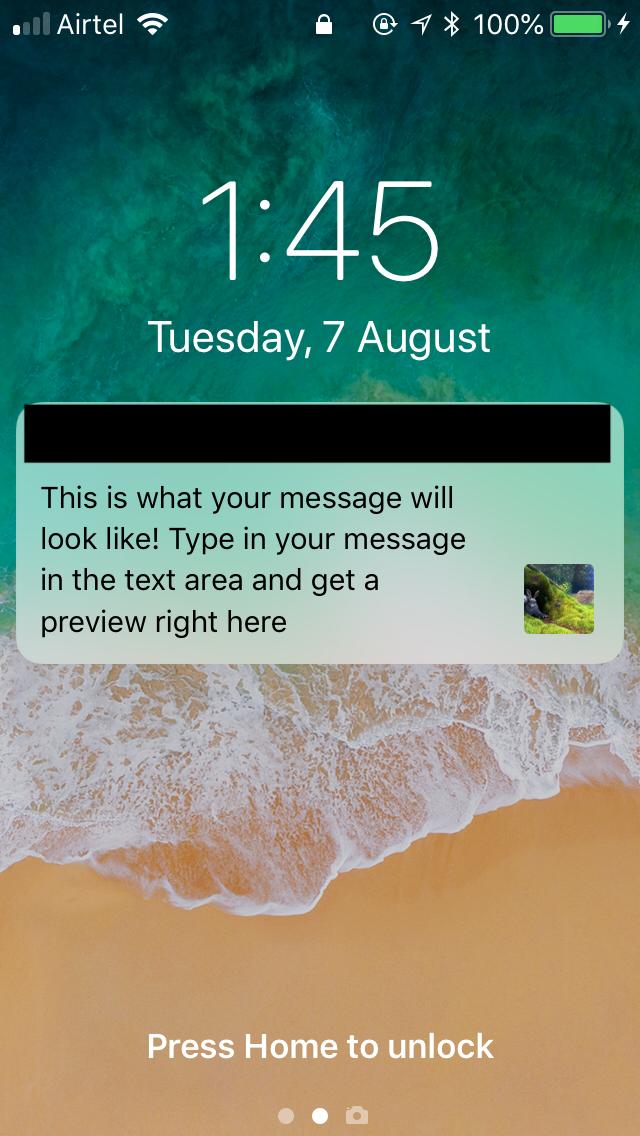
但以下是我所面临的问题:
- didRecieve并没有被称为。为此,我将serviceExtension进程附加到app目标并运行该应用程序。 备注:通知一到,扩展就会被调用,但是didRecieve不会被调用:
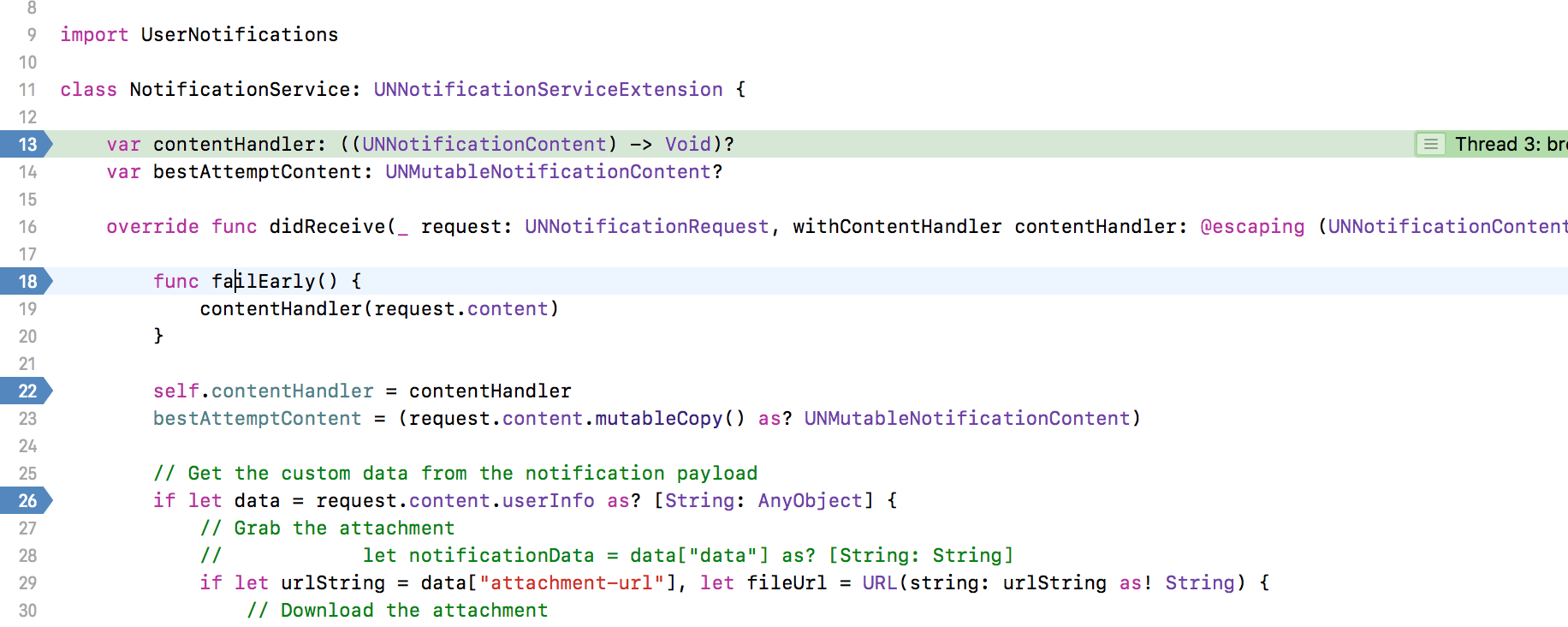
- 在打开推送通知(它有视频附件)时,什么都不会发生。理想情况下应该被播放。
- 如果我必须打开这个视频并播放它,我是否需要显式地做一些事情,或者分机会处理这个问题?
有效载荷:
aps =     {
        alert = "This is what your message will look like! Type in your message in the text area and get a preview right here";
        badge = 1;
        "mutable-content" = 1;
        sound = default;
    };
    "attachment-url" = "https://www.sample-videos.com/video/mp4/720/big_buck_bunny_720p_1mb.mp4";
    deeplinkurl = "";
    "message_id" = 1609;
}
我确实试过了以下几个帖子,但这并没有帮助:
iOS10 UNNotificationServiceExtension未调用
回答 1
Stack Overflow用户
发布于 2018-08-10 04:49:05
好消息!您的服务扩展确实正在被调用--通知上的图像就是这方面的证据。这里可能发生的情况是,您无法使用您习惯于使用应用程序的工作流来调试扩展。
调试通知扩展与调试应用程序不同。扩展是应用程序外部iOS进程的插件。仅仅设置断点并不是调试它们的可靠方法。相反:
调试通知服务扩展
- 从Xcode或设备启动应用程序
- 在Xcode中,从Debug菜单中选择附加到进程或PID的名称.
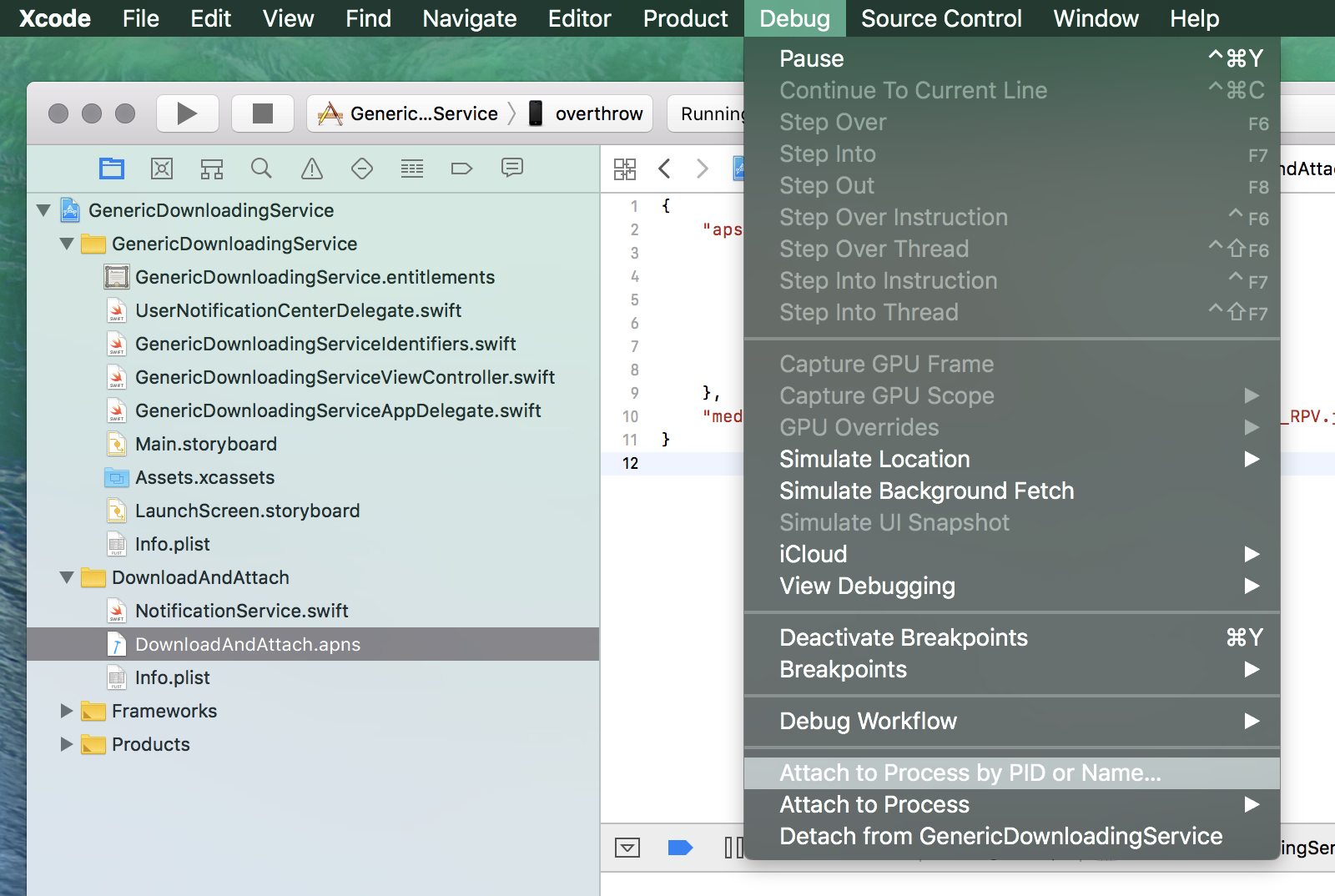
- 输入通知分机的名称
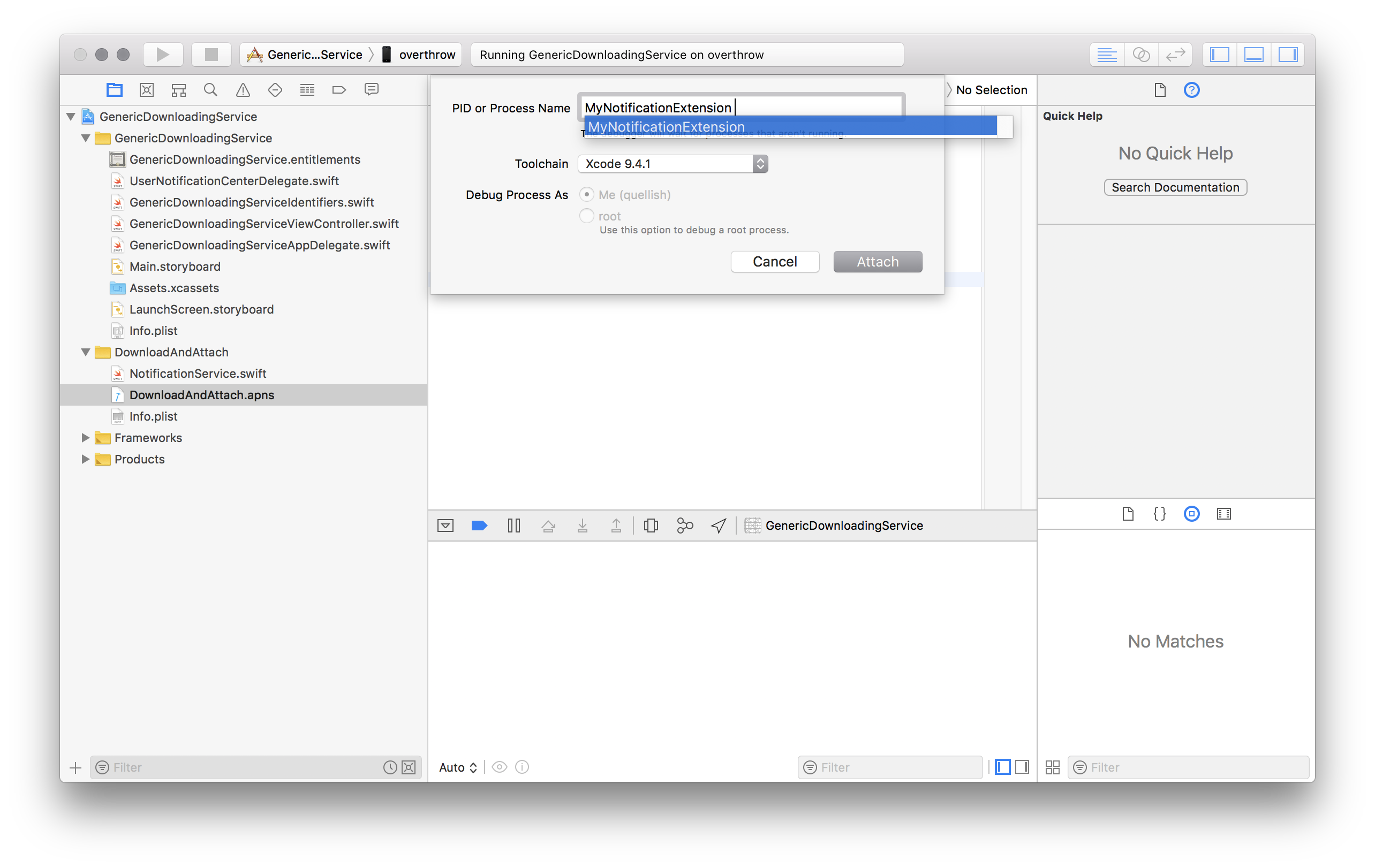
- 触发通知(通过发送推送等)。
当通知传递时,服务扩展应该启动到调试器。服务扩展只与远程(推送)通知相关,因此您需要一个设备来排除它们。
调试通知内容扩展至少有两种方法。上面给出的服务扩展步骤也适用于内容扩展。第二种方法比较熟悉,但不太可靠。
- 使用工具栏在Xcode中选择扩展方案
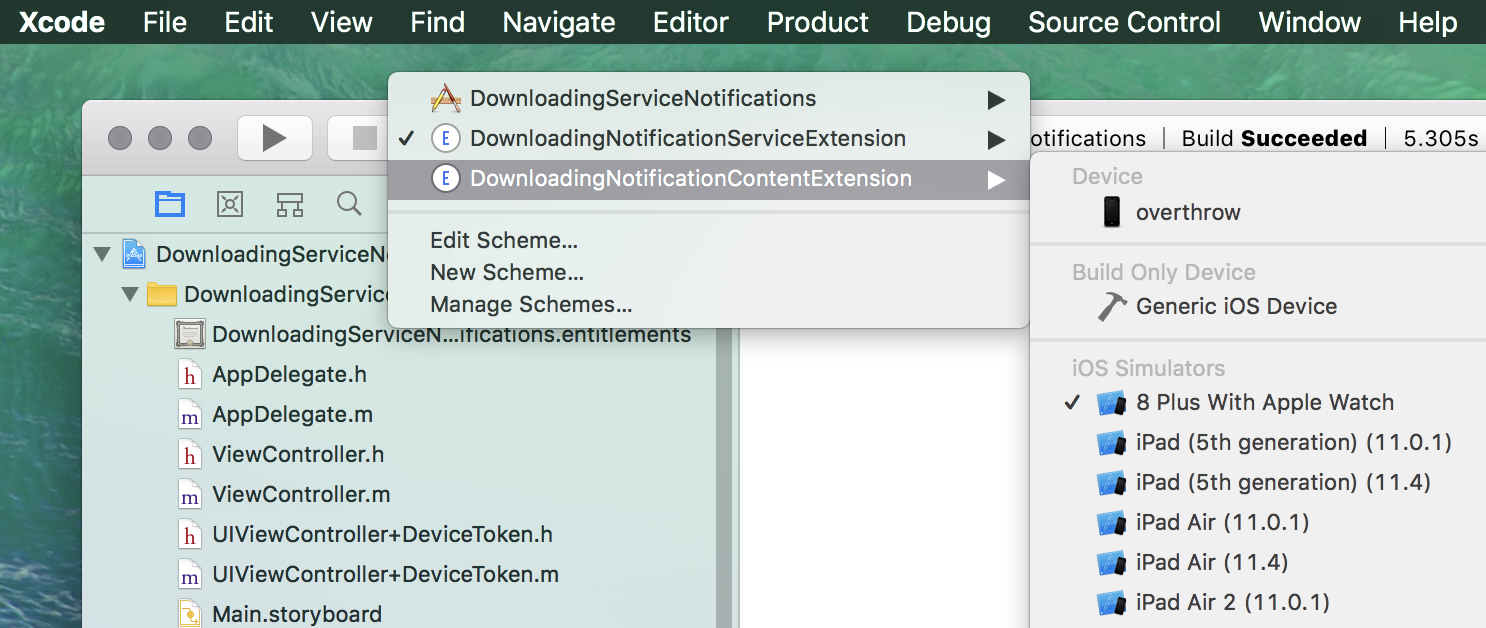
- 在“产品”菜单中,选择“编辑方案”.
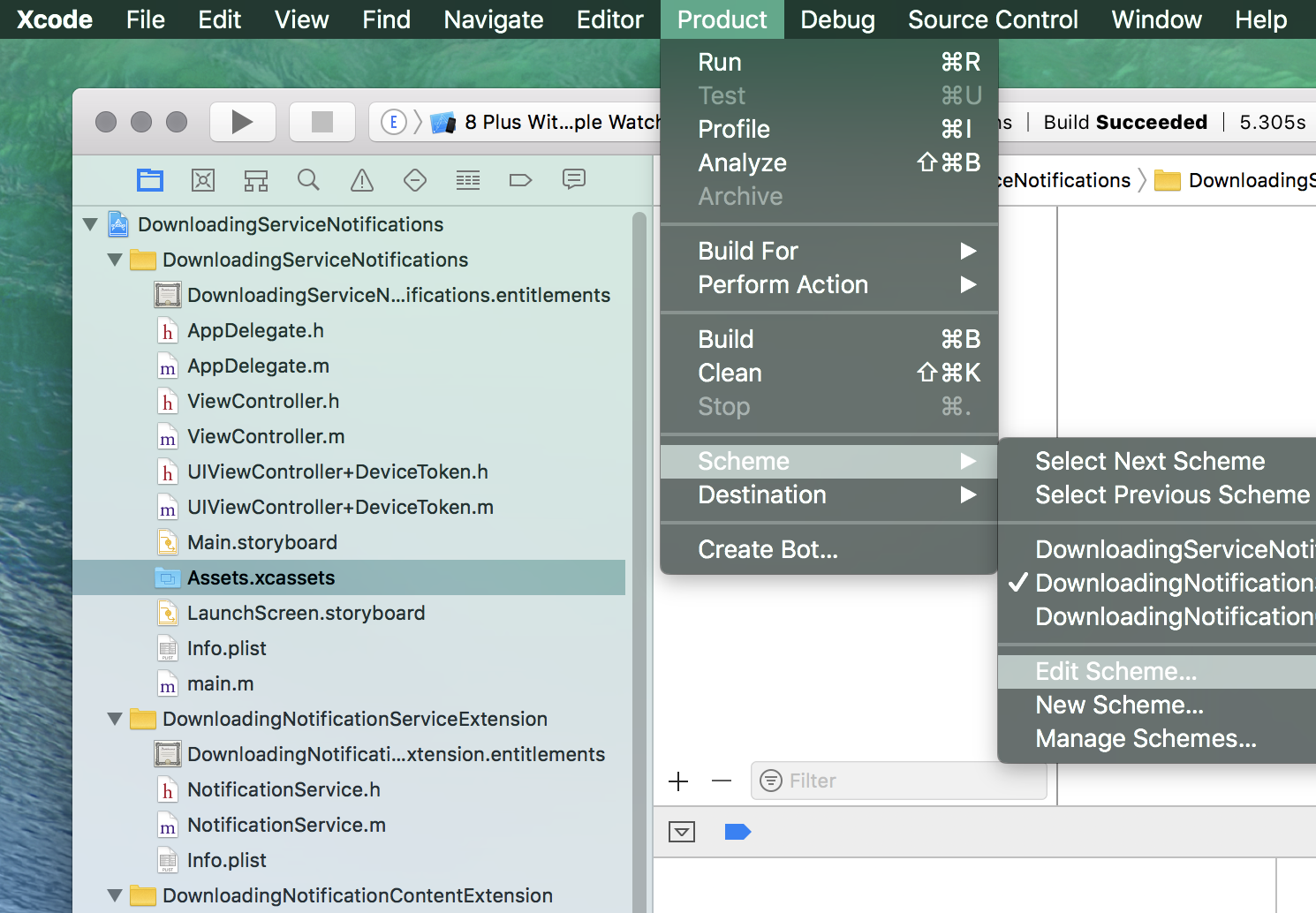
- 将可执行设置为父应用程序。
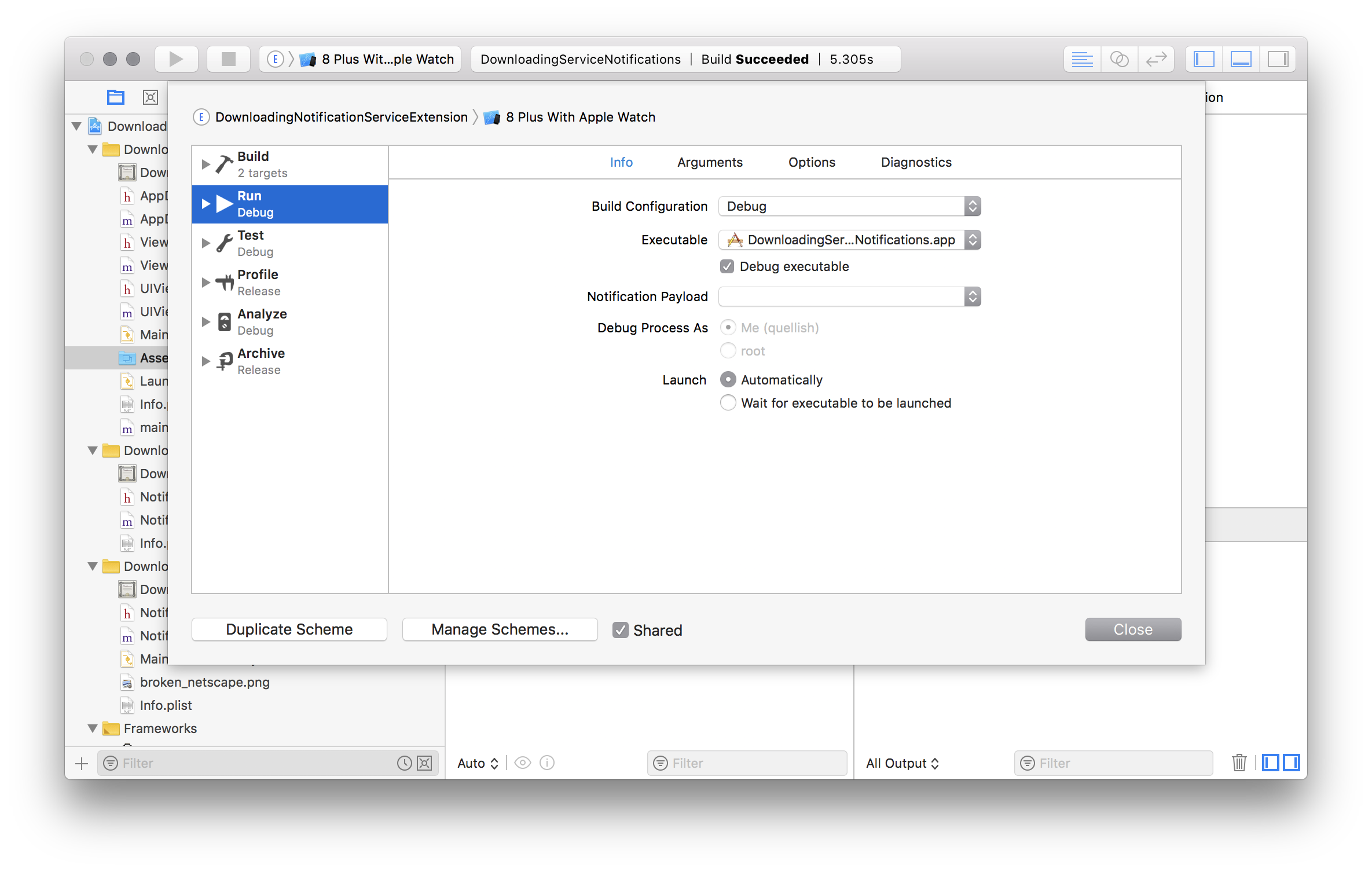
- 在内容扩展内设置一个断点。
- 现在构建并运行您的扩展。它将启动父应用程序。
- 触发将导致内容扩展加载的通知。
值得注意的是,使用日志框架添加日志记录对于调试和故障排除也非常有用。
为什么视频可能不播放
iOS限制可以在通知中显示的内容的大小。这在UNNotificationAttachment的文档中有描述。对于视频,一般是50兆。确保您的视频是尽可能小,你可以使它的字节,当然,提供一个适当大小的设备,它将被播放的视频。不要试图在通知中播放1080 p的视频,那是400点宽!
在实践中,使用HLS来代替下载视频并将其显示在内容扩展中几乎总是更好。
代码中可能有问题的另一件事是要分配给附件的标识符。标识符应该是唯一的。通常,这是一个反向域符号字符串,就像您的包ID一样,后面跟着一个UUID字符串。您还可以使用内容的原始URL,后面跟着一个UUID字符串。如果您提供一个空字符串,iOS将为您创建一个唯一标识符。由于用户通知框架具有非唯一标识符(用于通知、附件等)往往会导致难以跟踪框架内的问题。例如,这可能导致附加的watchOS设备崩溃。
如果你想为你的视频实现“自动播放”--从你的问题中还不清楚你所描述的是什么--你将需要在内容扩展中实现你自己的播放器功能。
如果要这样做,同样,HLS是在通知中显示视频的首选方式。它通常使用较少的RAM,提供更好的用户体验,并且趋向于更稳定。
https://stackoverflow.com/questions/51722109
复制相似问题
腾讯云开发者

Copyright © 2013 - 2026 Tencent Cloud. All Rights Reserved. 腾讯云 版权所有
深圳市腾讯计算机系统有限公司 ICP备案/许可证号:粤B2-20090059  粤公网安备44030502008569号
腾讯云计算(北京)有限责任公司 京ICP证150476号 | 京ICP备11018762号