
表中未显示UIMenuItem
表中未显示UIMenuItem
提问于 2018-08-06 11:33:12
我试图在UIMenuController中添加一个自定义操作,以便在UITableViewCell上使用,并且它在显示菜单时不会出现。
编辑:修改代码。
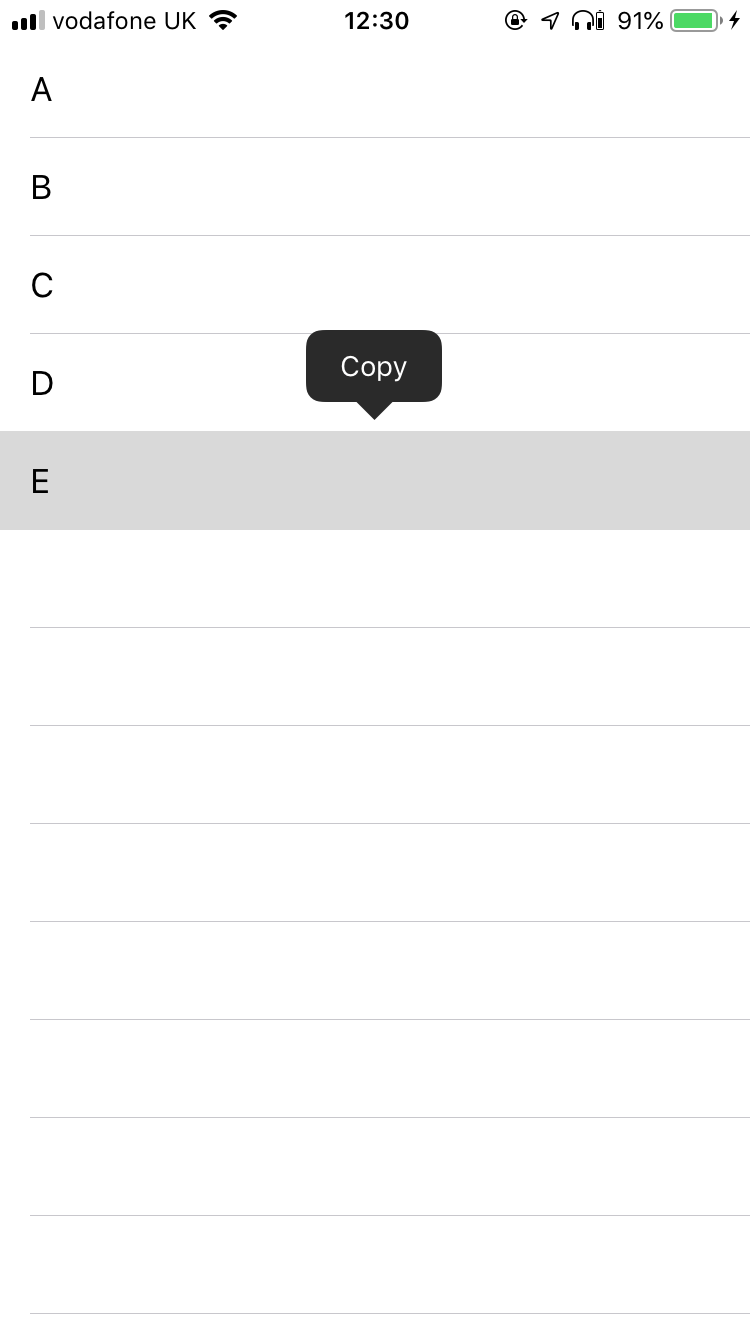
以下是代码:
class ViewController: UIViewController, UITableViewDelegate, UITableViewDataSource {
    override func viewDidLoad() {
        ...
        UIMenuController.shared.menuItems = [UIMenuItem(title: "Test", action: #selector(test))]
        UIMenuController.shared.update()
    }

    // Table view setup
    // ...
    func tableView(_ tableView: UITableView, shouldShowMenuForRowAt indexPath: IndexPath) -> Bool {
        return true
    }
    func tableView(_ tableView: UITableView, canPerformAction action: Selector, forRowAt indexPath: IndexPath, withSender sender: Any?) -> Bool {
        return action == #selector(copy(_:)) || action == #selector(test)
    }
    func tableView(_ tableView: UITableView, performAction action: Selector, forRowAt indexPath: IndexPath, withSender sender: Any?) {
    }

    override func canPerformAction(_ action: Selector, withSender sender: Any?) -> Bool {
        return action == #selector(test)
    }

    @objc func test() {
        print("Hello, world!")
    }
}回答 1
Stack Overflow用户
回答已采纳
发布于 2018-08-06 11:47:16
- 您的
test函数需要在UITableViewCell子类中。 - 您需要在那个
canPerformAction(action: Selector, withSender sender: AnyObject?) -> Bool子类中实现UITableViewCell并返回return action == #selector(test) - 在
UIMenuController.shared.menuItems = [UIMenuItem(title: "Test", action: #selector(test))]中,将#selector(test)更改为#selector(YourCellSubclass.test)。 - 保留视图控制器中的UITableViewDelegate方法,并将
|| action == #selector(test)更改为|| action == #selector(YourCellSubclass.test)
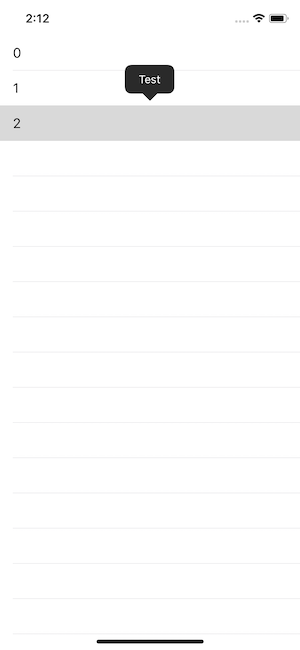
编辑:添加工作示例。
ViewController:
class ViewController: UITableViewController {

    override func viewDidLoad() {
        super.viewDidLoad()

        UIMenuController.shared.menuItems = [UIMenuItem(title: "Test", action: #selector(MyCell.test))]
        UIMenuController.shared.update()

        tableView.register(MyCell.self, forCellReuseIdentifier: "my")
        // Do any additional setup after loading the view, typically from a nib.
    }

    override func tableView(_ tableView: UITableView, numberOfRowsInSection section: Int) -> Int {
        return 3
    }

    override func tableView(_ tableView: UITableView, cellForRowAt indexPath: IndexPath) -> UITableViewCell {
        let cell = tableView.dequeueReusableCell(withIdentifier: "my", for: indexPath) as! MyCell
        cell.textLabel?.text = "\(indexPath.row)"
        return cell
    }

    override func tableView(_ tableView: UITableView, shouldShowMenuForRowAt indexPath: IndexPath) -> Bool {
        return true
    }

    override func tableView(_ tableView: UITableView, canPerformAction action: Selector, forRowAt indexPath: IndexPath, withSender sender: Any?) -> Bool {
        return action == #selector(MyCell.test)
    }

    override func tableView(_ tableView: UITableView, performAction action: Selector, forRowAt indexPath: IndexPath, withSender sender: Any?) {
        // needs to be here
    }

}
牢房:
class MyCell: UITableViewCell {

    override func canPerformAction(_ action: Selector, withSender sender: Any?) -> Bool {
        return action == #selector(test)
    }

    @objc func test() {
        print("works")
    }

}
页面原文内容由Stack Overflow提供。腾讯云小微IT领域专用引擎提供翻译支持
原文链接:
https://stackoverflow.com/questions/51706678
复制相关文章
相似问题
腾讯云开发者

Copyright © 2013 - 2026 Tencent Cloud. All Rights Reserved. 腾讯云 版权所有
深圳市腾讯计算机系统有限公司 ICP备案/许可证号:粤B2-20090059  粤公网安备44030502008569号
腾讯云计算(北京)有限责任公司 京ICP证150476号 | 京ICP备11018762号