
AngularJS UI-路由器不会显示所有组件(只显示一些组件)
AngularJS UI-路由器不会显示所有组件(只显示一些组件)
提问于 2018-08-04 20:09:23
我已经成功地复制了我的问题与叉的“你好银河!”嵌入到UI-路由器教程页中。
My plunk:https://plnkr.co/edit/2GqCtEJ4mhBIdJOFHy9c?p=preview
关于现有的“直升机银河!”我添加了以下模块和路由配置:
// file: hello.js
//     existing "Hello Galaxy!" hello module code above this ↑↑↑
//     then my new module below...

angular.module('hello.product-management', ['ui.router']).config(function($stateProvider) {
    // An array of state definitions
    var states = [
    {
        name: 'product-management-template',
        url: '/product-management-template',
        // Using component: instead of template:
        template: '<h1>Product Management</h1>'
    },
    {
        name: 'product-management-component',
        url: '/product-management-component',
        // Using component: instead of template:
        component: 'product-management'
    },

    ]

    // Loop over the state definitions and register them
    states.forEach(function(state) {
        $stateProvider.state(state);
    });
});问题:您可以单击选项卡查看产品管理模板,如下所示:
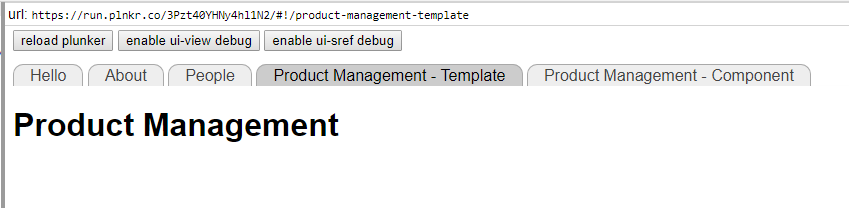
但是您不能使用选项卡查看component模板。它只显示一个空视图:
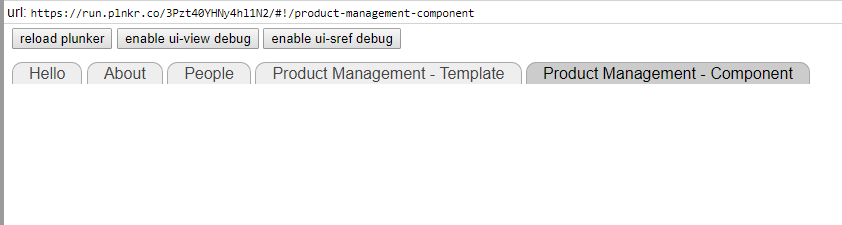
我留下了原来的“你好银河!”普伦克的组件和路线,它们仍然可以正常工作:
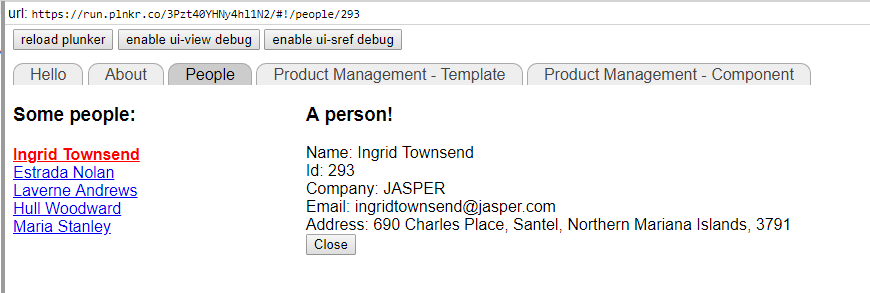
回答 1
Stack Overflow用户
回答已采纳
发布于 2018-08-04 20:54:21
在状态定义中,使用camelCase作为组件名称:
{
    name: 'product-management-component',
    url: '/product-management-component',
    // Using component: instead of template:
    ̶c̶o̶m̶p̶o̶n̶e̶n̶t̶:̶ ̶'̶p̶r̶o̶d̶u̶c̶t̶-̶m̶a̶n̶a̶g̶e̶m̶e̶n̶t̶'̶
    component: 'productManagement'
},并使用camelCase定义组件
̶a̶p̶p̶.̶c̶o̶m̶p̶o̶n̶e̶n̶t̶(̶'̶p̶r̶o̶d̶u̶c̶t̶-̶m̶a̶n̶a̶g̶e̶m̶e̶n̶t̶'̶,̶ ̶{̶
app.component('productManagement', {

  template: '<h1>Product Management</h1>',
  controller: function () {
    console.log("product management component");
  }
});有关更多信息,请参阅AngularJS开发人员指南-指令规范化
页面原文内容由Stack Overflow提供。腾讯云小微IT领域专用引擎提供翻译支持
原文链接:
https://stackoverflow.com/questions/51689211
复制相关文章
相似问题
腾讯云开发者

Copyright © 2013 - 2026 Tencent Cloud. All Rights Reserved. 腾讯云 版权所有
深圳市腾讯计算机系统有限公司 ICP备案/许可证号:粤B2-20090059  粤公网安备44030502008569号
腾讯云计算(北京)有限责任公司 京ICP证150476号 | 京ICP备11018762号