
Android仿真器配置文件和设备配置文件非常不同
当我问了一个不同的问题时,我发现了这一点,为什么Android仿真程序显示的性能配置文件与可比的设备配置文件如此不同?
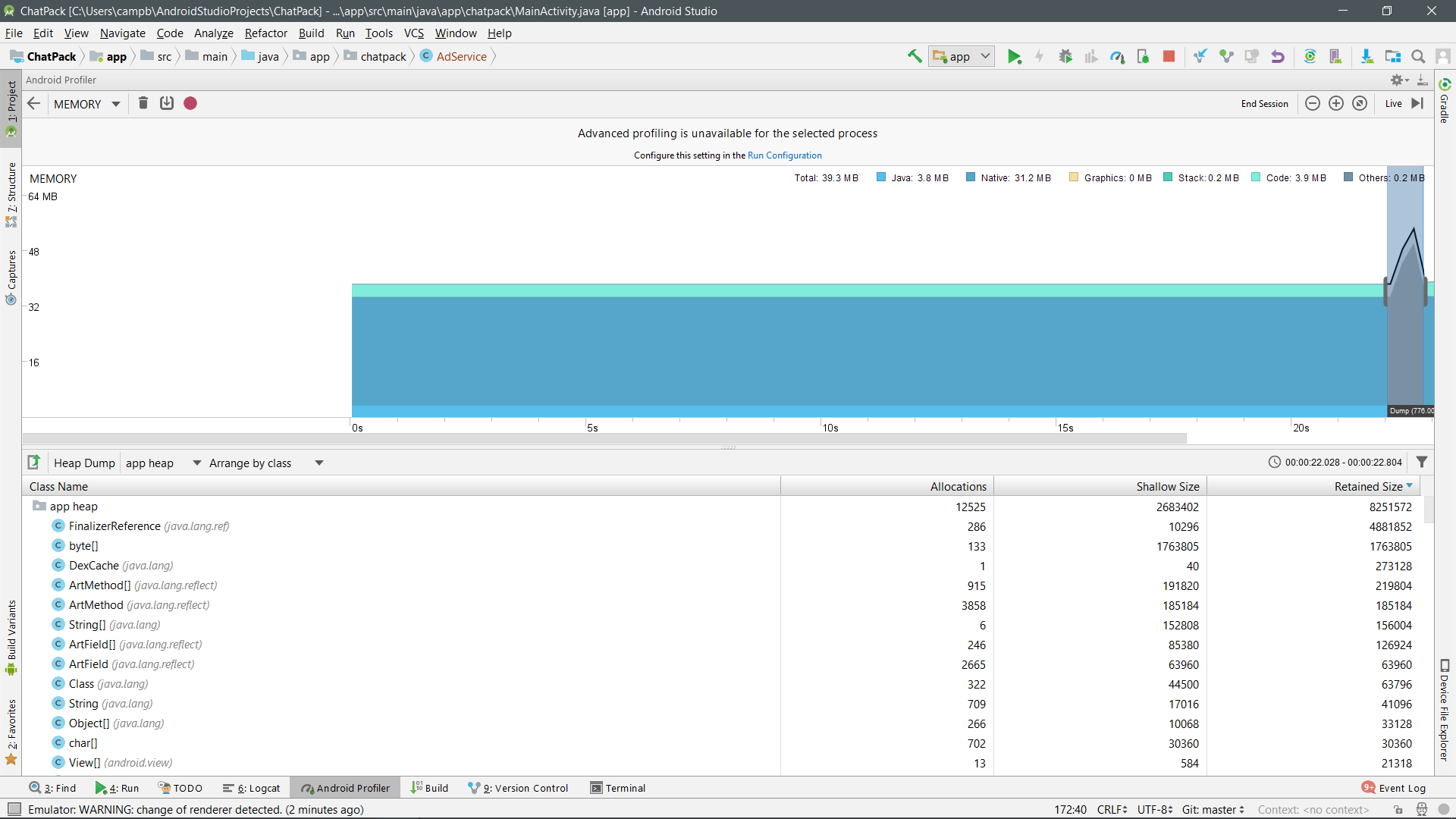
具体来说,设备调用一个在模拟器上不可见的巨大图形部分.这有什么原因吗?
装置- 26api -48兆b
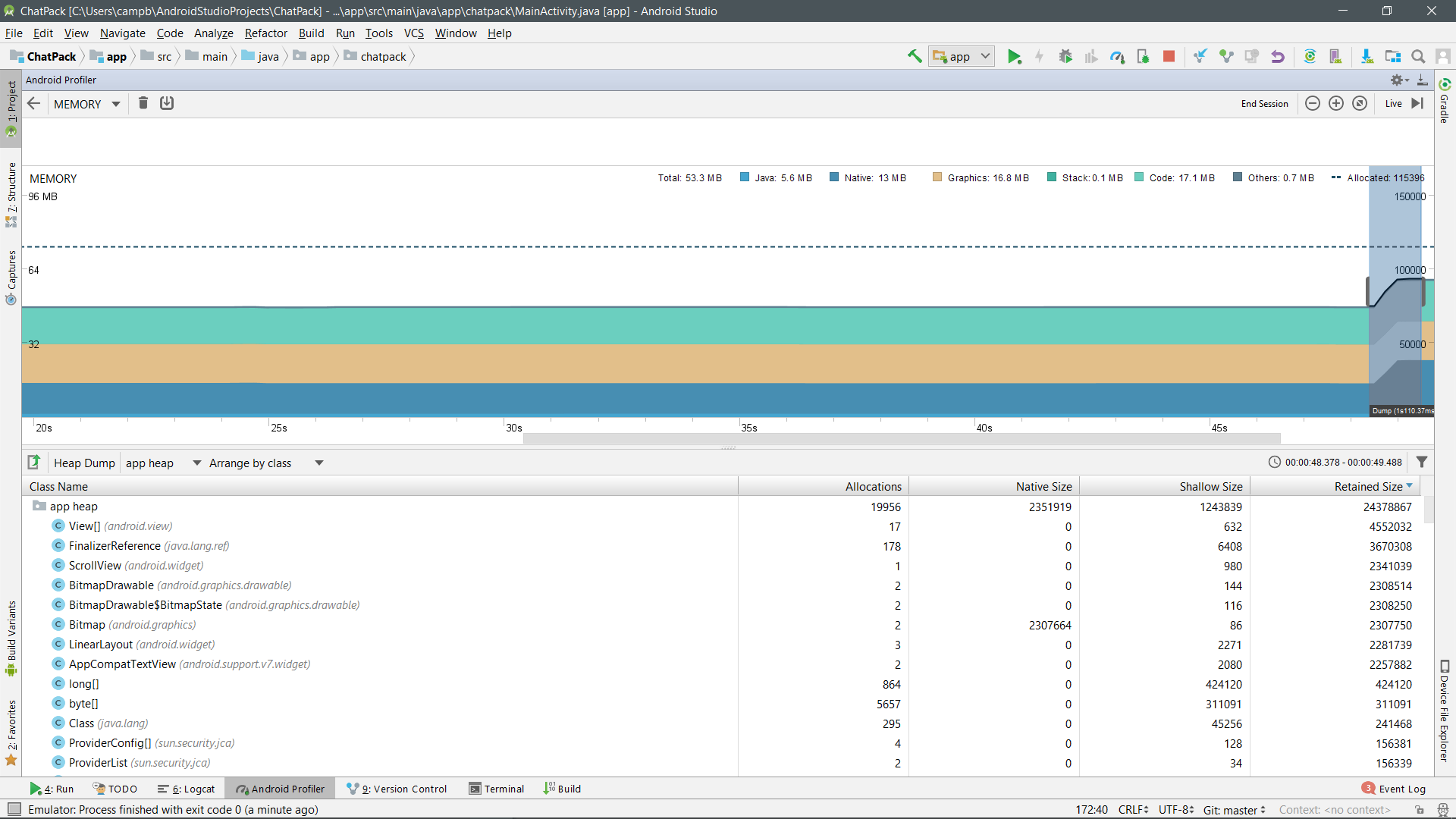
仿真器(Pixel2) -26api-24MB-硬件图形
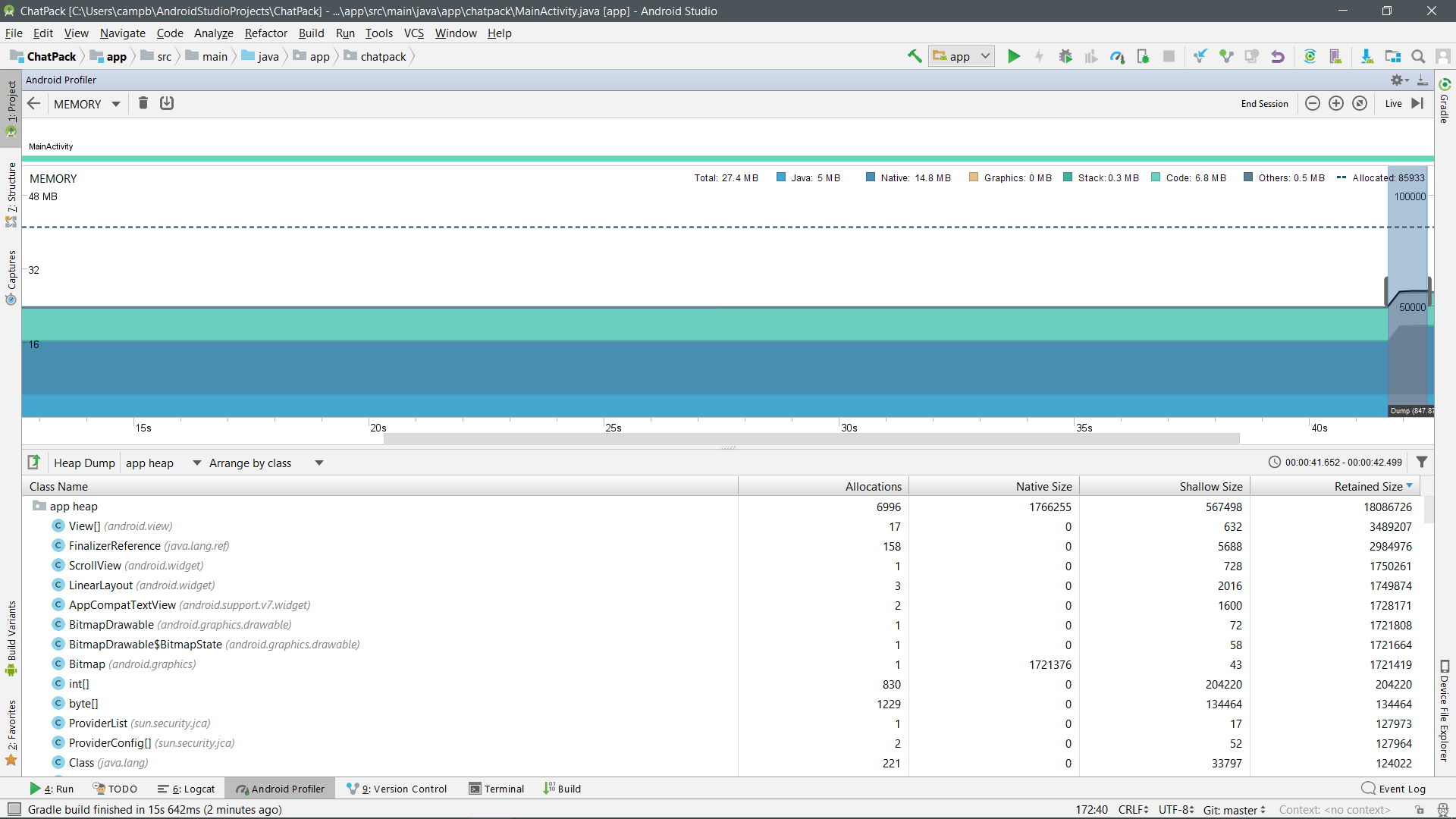
仿真器(Pixel2) -26api-54MB-软件图形
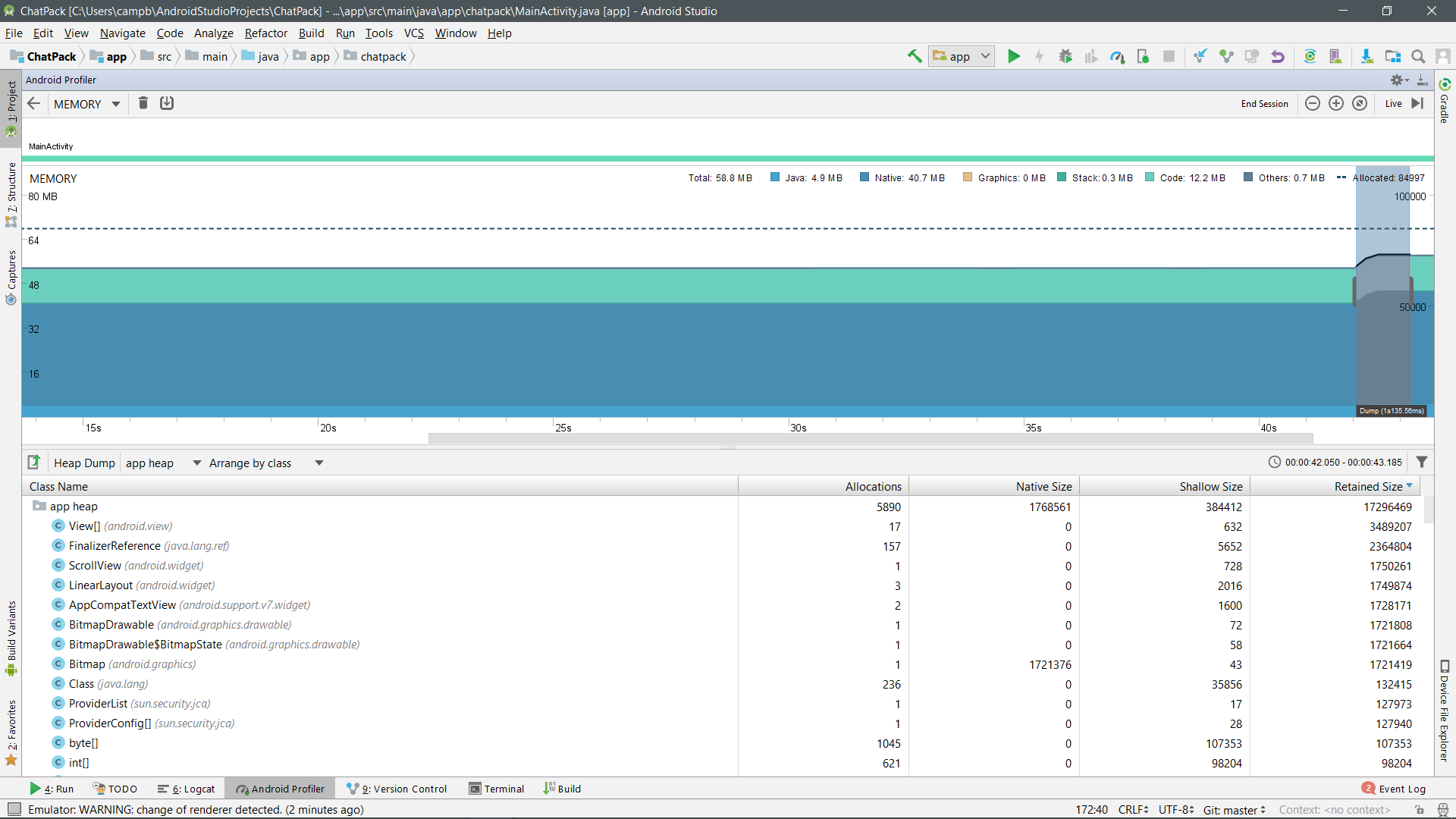
设备-24 24api 52
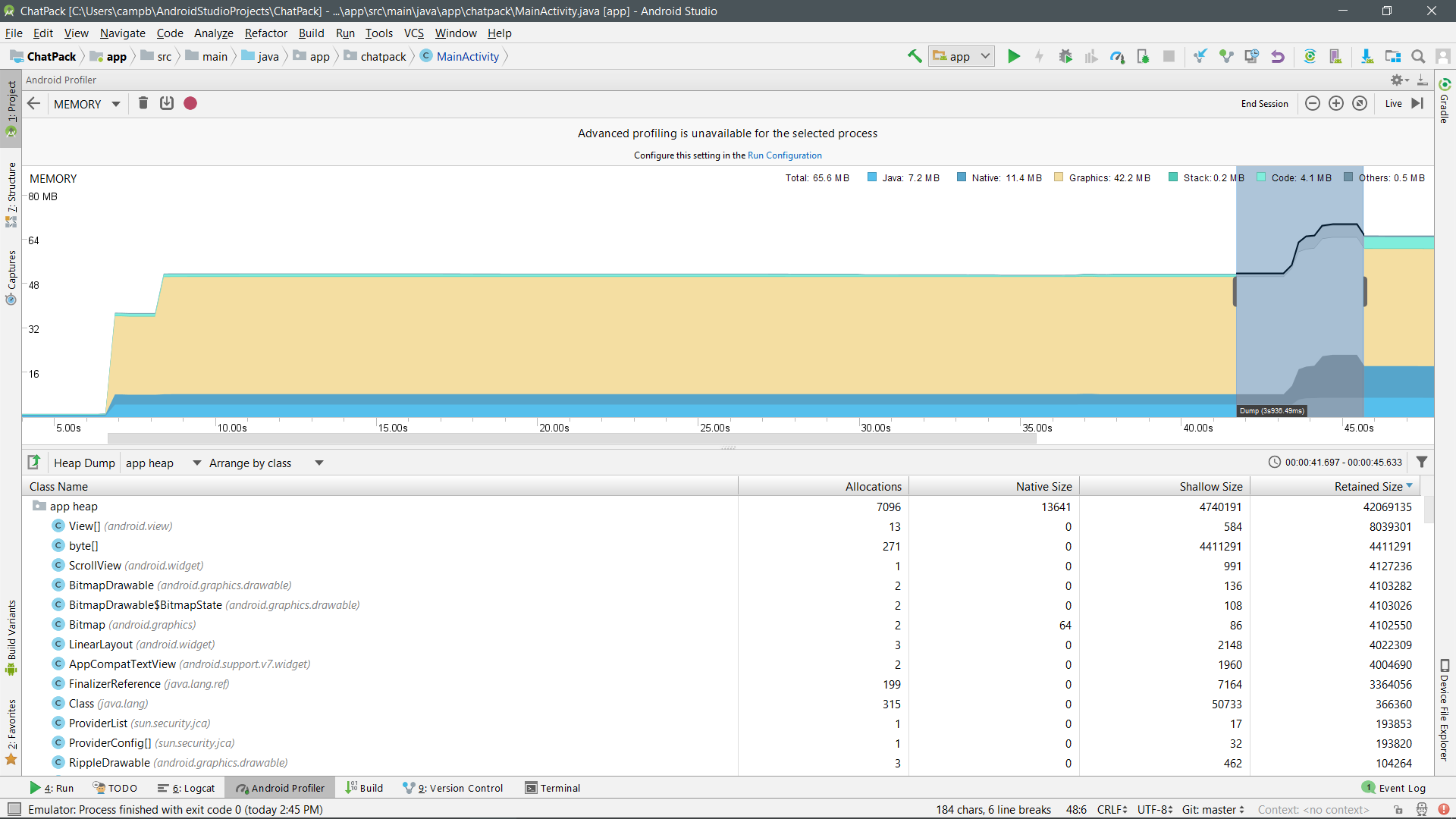
仿真器(Pixel2) -24 24api硬件图形-15
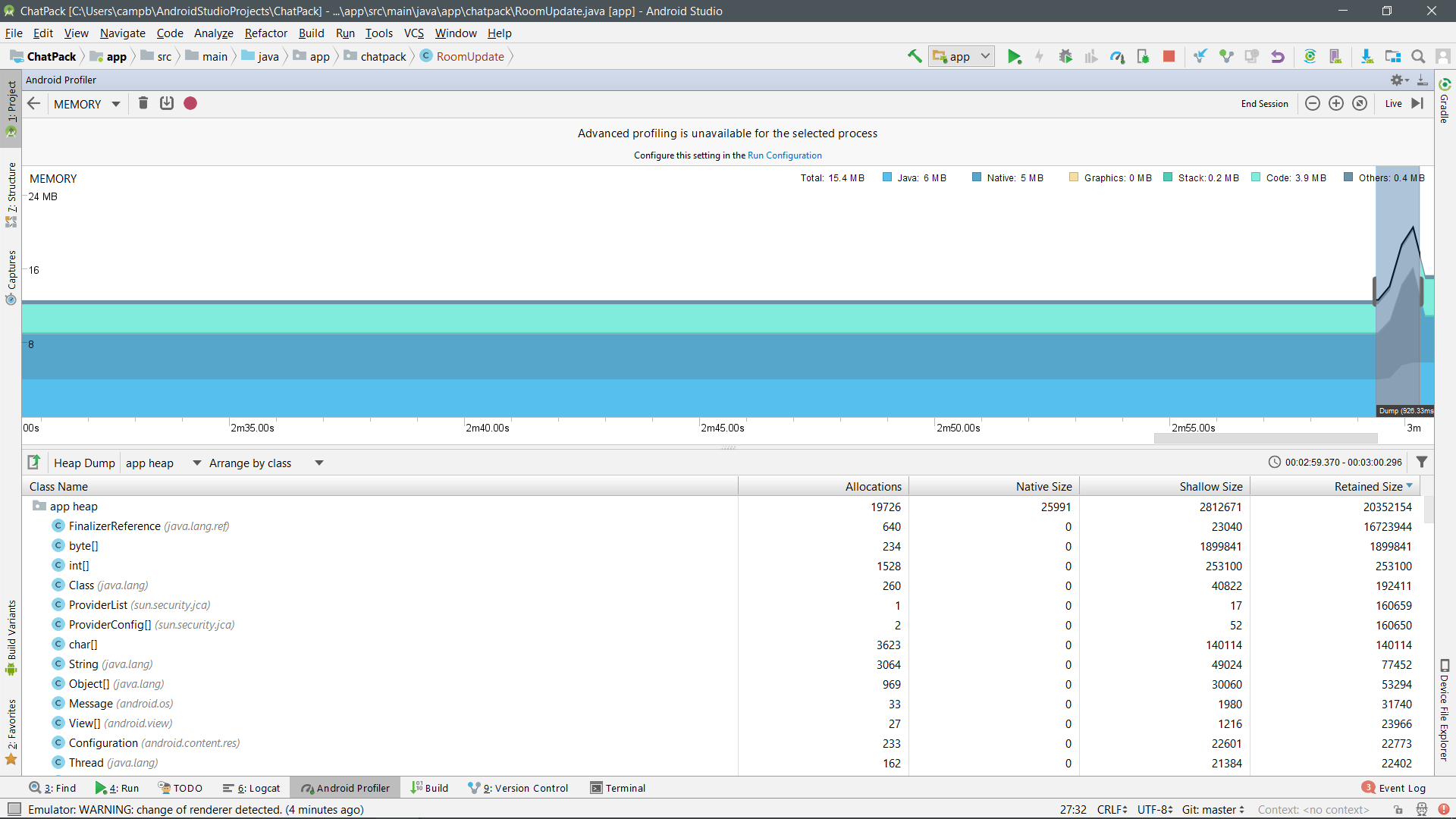
仿真器(Pixel2) -24 24api软件图形-40
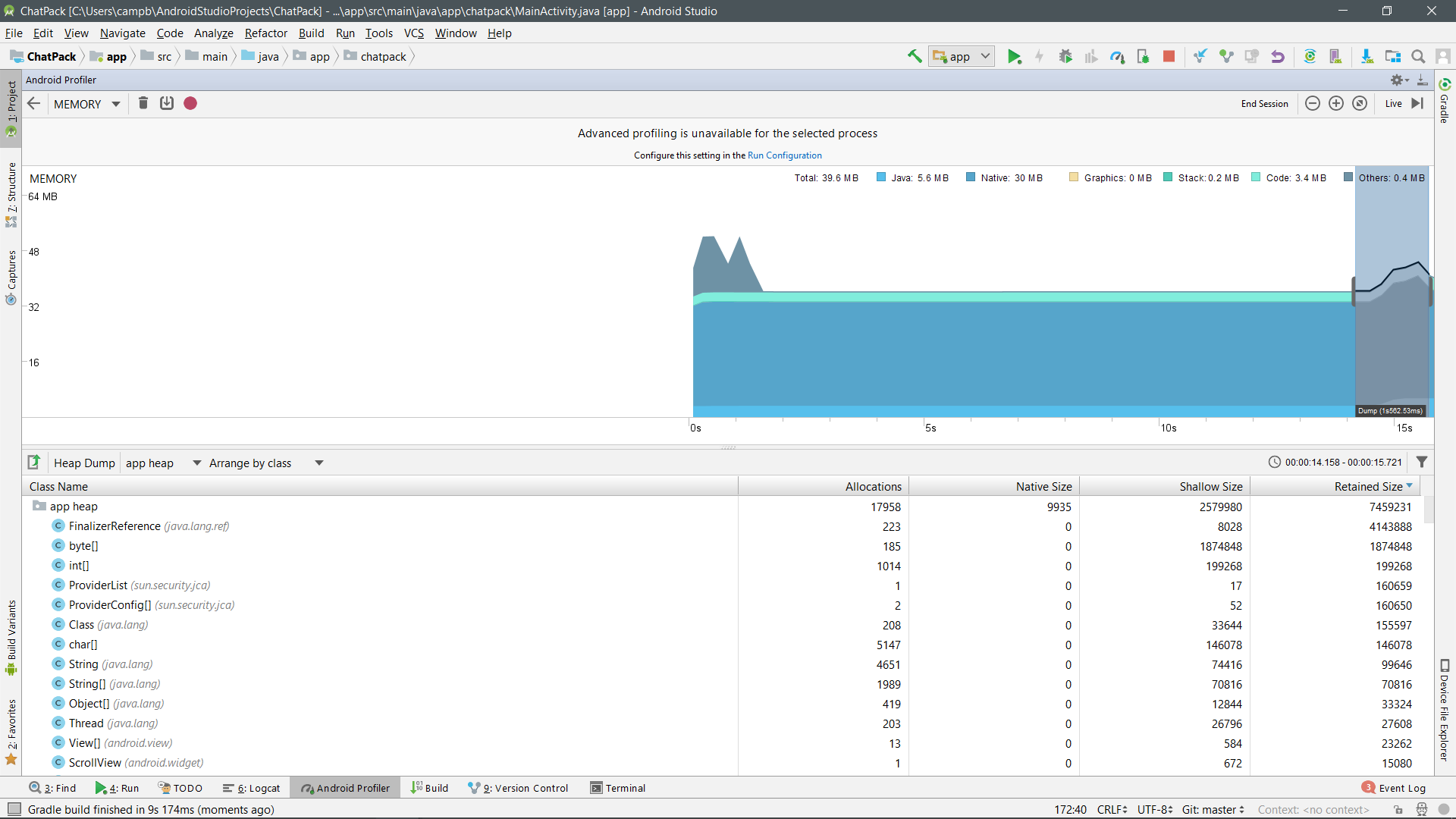
装置-22 22Api 50
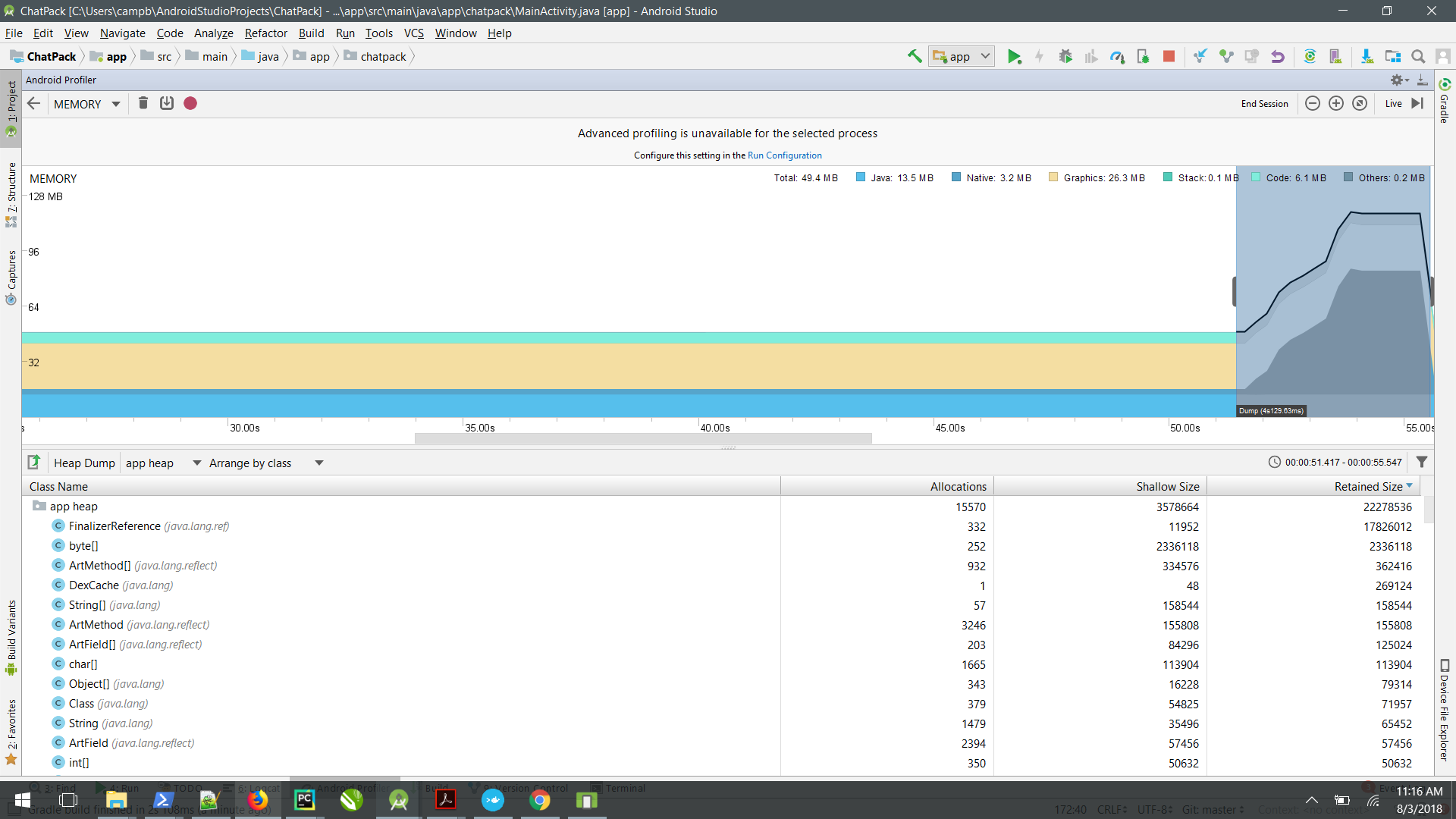
仿真器(Pixel2) -22 22api硬件图形-14
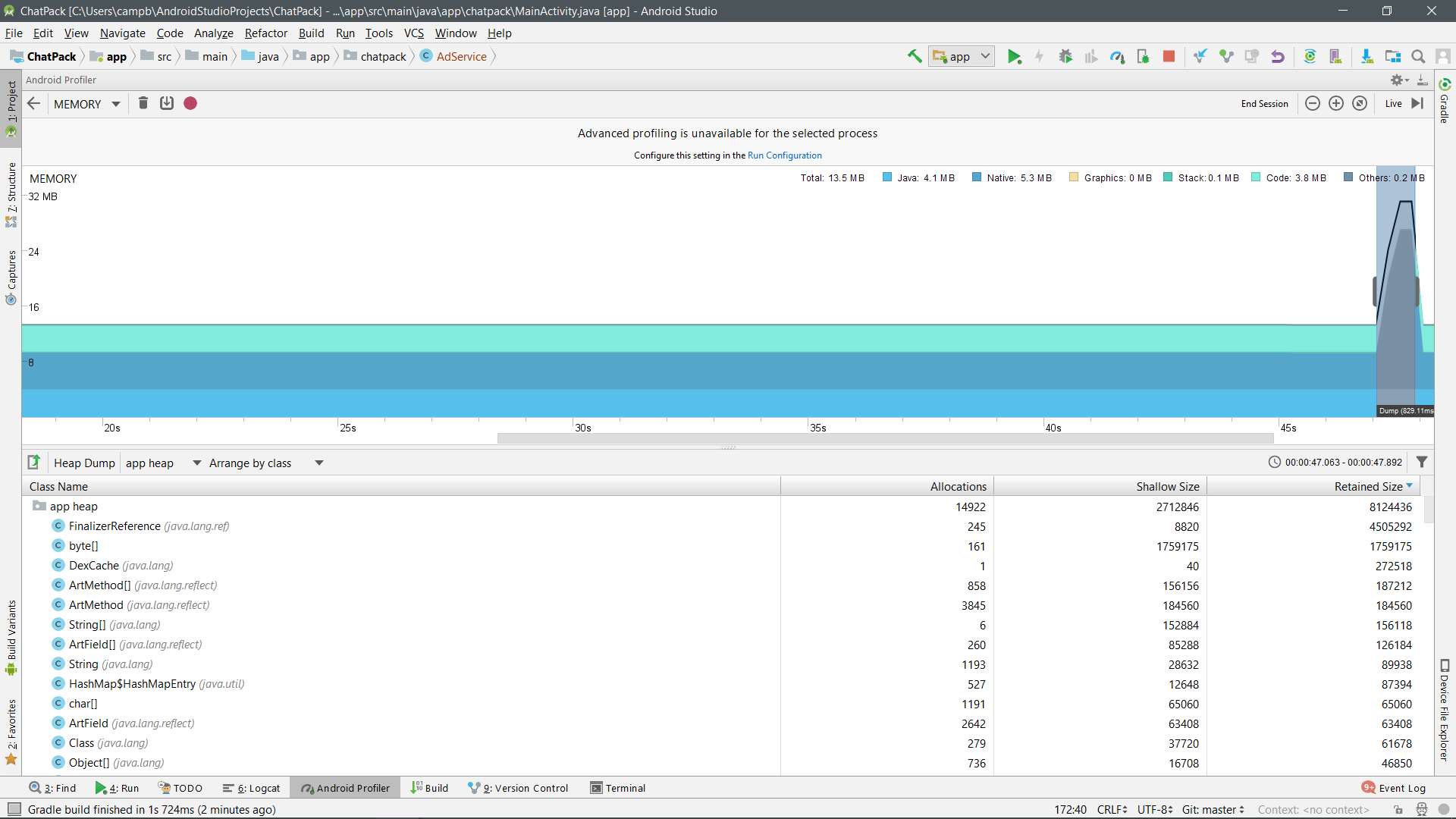
仿真器(Pixel2) - 22api -软件图形-40
回答 1
Stack Overflow用户
发布于 2018-08-03 00:16:26
这取决于您如何配置Emulator,如果您使用HAXM配置了大量的HAXM。
如果Emulator RAM比Device更多的话,这可以提高您的性能应用程序有更少的Device。
但是并不是唯一的事情,你可以配置你的HAXM加速HAXM加速医生。
解释
Without acceleration, the emulator takes the machine code from the VM and translates it block by block to conform to the architecture of the host computer. This process can be quite slow. But, if the VM and the architecture of the host computer match (such as x86 on x86), the emulator can skip translating the code and simply run it directly on the actual CPU using a hypervisor. In this case, the emulator can approach the speed of the host computer.
解释2
When you create an Android Virtual Device (AVD) in the AVD Manager, you can specify that graphics acceleration occur in hardware or software to emulate the GPU of the virtual device. Hardware acceleration is typically faster. Software acceleration is useful if your computer uses graphics drivers that aren't compatible with the emulator, in which case hardware graphics rendering can be poor or cause the emulator to crash.
The default is to let the emulator decide if it should use hardware or software graphics acceleration based on your computer setup. If the GPU hardware and drivers are compatible, the emulator uses the GPU; otherwise, the emulator uses the CPU to simulate GPU processing.
Graphics: Memory used for graphics buffer queues to display pixels to the screen, including GL surfaces, GL textures, and so on. (Note that this is memory shared with the CPU, not dedicated GPU memory.)
所以您的Graphic use是0Mb的原因是,计算CPU和GPU之间共享内存的Memory Profiler不是专门用于GPU的。
0Mb也是如此,因为我认为您使用的是hardware,而不是software to emulate the GPU。
https://stackoverflow.com/questions/51622841
复制相似问题
腾讯云开发者

Copyright © 2013 - 2026 Tencent Cloud. All Rights Reserved. 腾讯云 版权所有
深圳市腾讯计算机系统有限公司 ICP备案/许可证号:粤B2-20090059  粤公网安备44030502008569号
腾讯云计算(北京)有限责任公司 京ICP证150476号 | 京ICP备11018762号