
如何实现动画的海运图解
如何实现动画的海运图解
提问于 2018-07-23 06:49:45
嗨
我试图用新的数据更新lmplot,但是无法找到将其连接到现有图形/轴的方法,因为它们有自己的数据。到目前为止,我已经尝试过这样的方法:
%matplotlib notebook

import matplotlib.animation as animation
import numpy as np

#fig, ax = plt.subplots(1,1,figsize=(5,4))

df = get_data()
g = sns.lmplot( x='Mean', y='Variance', data=df, fit_reg=False, hue='Size', legend=False, palette=cmap)

def get_data():
    takeRandomSample(population, popSize, popVar)
    current_elem = len(sampleStats)-1
    current_size = sampleStats[current_elem][0]
    current_mean = sampleStats[current_elem][1]
    current_var =  sampleStats[current_elem][2]

    data = {'Size' : current_size, 'Mean' : current_mean, 'Variance' : current_var}
    df = pd.DataFrame(data, index=[0])

    return df


def prep_axes(g):
    g.set(xlim=(0, 20), ylim=(0, 100), xticks=range(0,21))

    ax = g.axes[0,0]
    ax.axvline(x=popMean, color='#8c8ca0', ls='dashed')
    ax.axhline(y=popVar, color='#8c8ca0', ls='dashed')
    ax.set_title('Sample Statistics :{}'.format(i))
    ax.set_facecolor(backgroundColour)

def animate(i):
    df = get_data()
    g = sns.lmplot( x='Mean', y='Variance', data=df, fit_reg=False, hue='Size', legend=False, palette=cmap)
    prep_axes(g, i)


# initialize samples
sampleStats = []

plt.tight_layout()

ani = animation.FuncAnimation(g.fig, animate, frames = np.arange(1,100), interval=100)
输出:
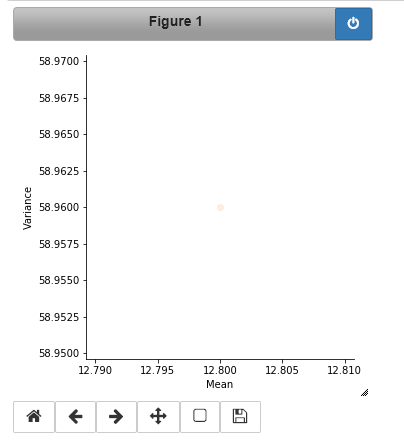
问题:
- 这只会产生一个静态图,因为我找不到一种方法来更新现有的g,并在相同g的图形上重新绘制图形,即lmsplot。动画功能正在创建新的g
- 我不得不不必要地初始化一次,才能让g对象将g.fig传递给函数动画,但由于第1点的原因,这也没有帮助。
我们如何使用lmplot动画?由于色调特性,我想使用这个而不是常规的matplotlib。
我也尝试直接使用facetgrid (并在g.map中传递lmplot ),但这也无济于事。
回答 1
Stack Overflow用户
发布于 2018-07-23 08:31:03
为了记录在案,这里是如何动画一个lmplot(),只要你没有任何方面,你不关心回归:
import seaborn as sns; sns.set(color_codes=True)
tips = sns.load_dataset("tips")
g = sns.lmplot(x="total_bill", y="tip", hue="smoker", data=tips, fit_reg=False)
fig = g.fig
ax = g.axes[0,0]
scatters = [c for c in ax.collections if isinstance(c, matplotlib.collections.PathCollection)]
txt = ax.text(0.1,0.9,'frame=0', transform=ax.transAxes)

def animate(i):
    for c in scatters:
        # do whatever do get the new data to plot
        x = np.random.random(size=(50,1))*50
        y = np.random.random(size=(50,1))*10
        xy = np.hstack([x,y])
        # update PathCollection offsets
        c.set_offsets(xy)
    txt.set_text('frame={:d}'.format(i))
    return scatters+[txt]

ani = matplotlib.animation.FuncAnimation(fig, animate, frames=10, blit=True)
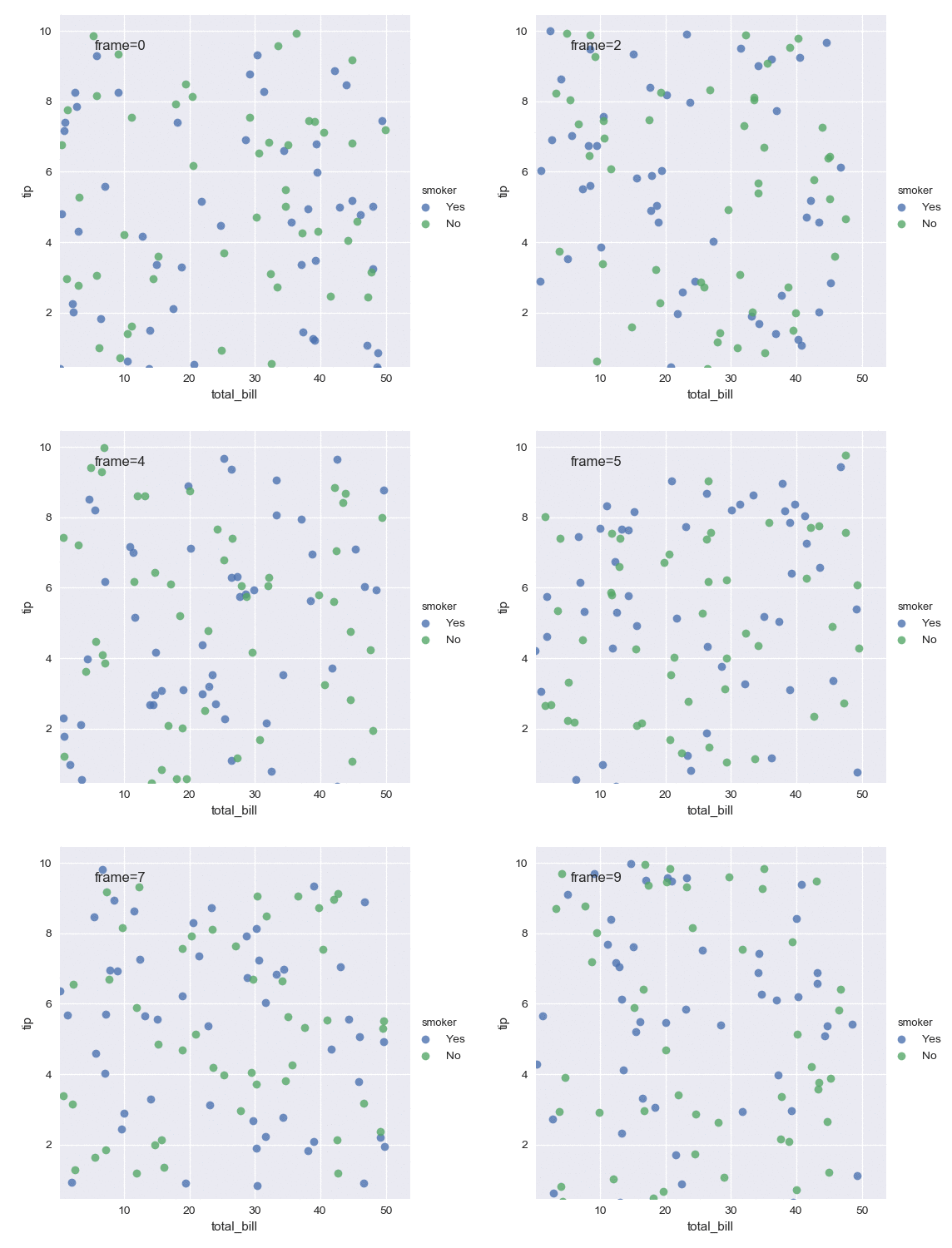
然而,在本例中,您可以以一种更简单的方式获得几乎完全相同的结果,方法是不完全使用almost::。
import seaborn as sns; sns.set(color_codes=True)
tips = sns.load_dataset("tips")

fig, ax = plt.subplots()
scatters = []
for g,d in tips.groupby('smoker'):
    s = ax.scatter(x="total_bill", y="tip", data=tips, label=g)
    scatters.append(s)
ax.legend(bbox_to_anchor=(1.,1.), loc=1)
txt = ax.text(0.1,0.9,'frame=0', transform=ax.transAxes)

def animate(i):
    for c in scatters:
        x = np.random.random(size=(50,1))*50
        y = np.random.random(size=(50,1))*10
        xy = np.hstack([x,y])
        c.set_offsets(xy)
    txt.set_text('frame={:d}'.format(i))
    return scatters+[txt]

ani = matplotlib.animation.FuncAnimation(fig, animate, frames=10, blit=True)
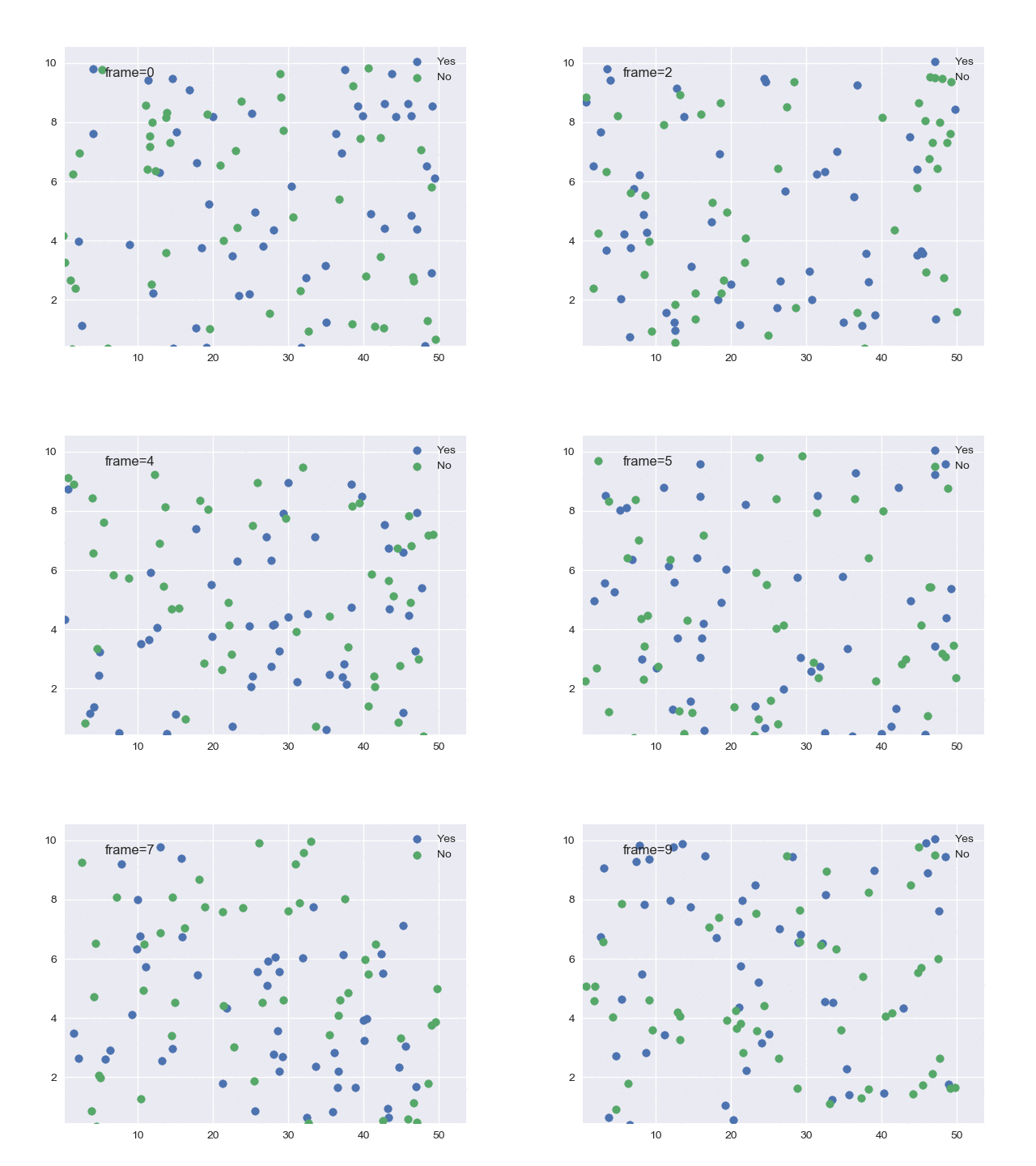
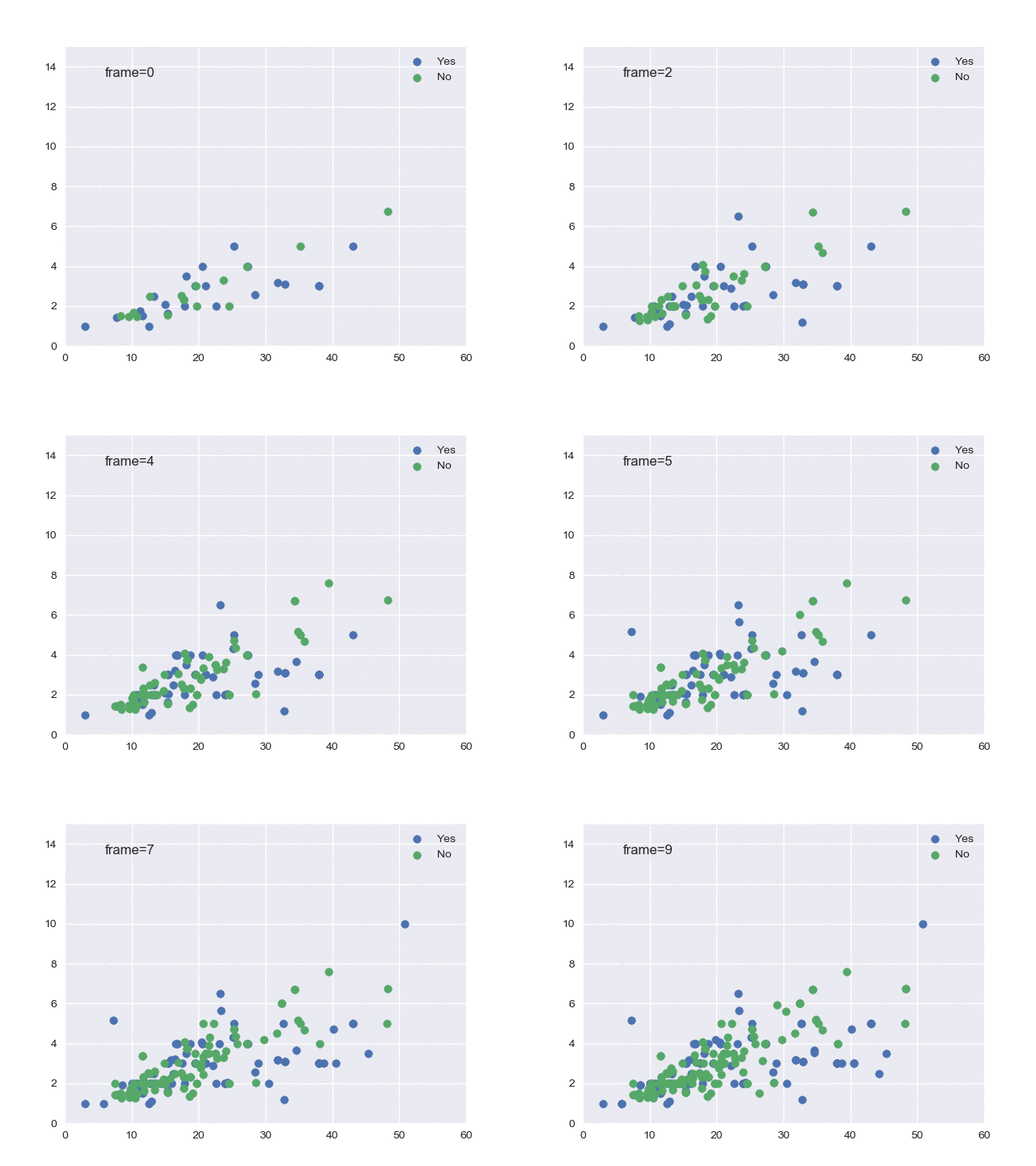
从上面的代码中,向以前的数据添加新值相当简单,而不是替换所有点:
import seaborn as sns; sns.set(color_codes=True)
tips = sns.load_dataset("tips")

fig, ax = plt.subplots()
scatters = []
for g,d in tips.groupby('smoker'):
    s = ax.scatter([], [], label=g)
    scatters.append(s)
ax.legend(bbox_to_anchor=(1.,1.), loc=1)
txt = ax.text(0.1,0.9,'frame=0', transform=ax.transAxes)
ax.set_xlim((0,60))
ax.set_ylim((0,15))

def animate(i, df, x, y, hue):
    new_data = df.sample(20) # get new data here
    for c,(groupname,subgroup) in zip(scatters,new_data.groupby(hue)):
        xy = c.get_offsets()
        xy = np.append(xy,subgroup[[x,y]].values, axis=0)
        c.set_offsets(xy)
    txt.set_text('frame={:d}'.format(i))
    return scatters+[txt]

ani = matplotlib.animation.FuncAnimation(fig, animate, fargs=(tips, "total_bill", "tip", 'smoker'), frames=10, blit=True)
页面原文内容由Stack Overflow提供。腾讯云小微IT领域专用引擎提供翻译支持
原文链接:
https://stackoverflow.com/questions/51473032
复制相关文章
相似问题
腾讯云开发者

Copyright © 2013 - 2026 Tencent Cloud. All Rights Reserved. 腾讯云 版权所有
深圳市腾讯计算机系统有限公司 ICP备案/许可证号:粤B2-20090059  粤公网安备44030502008569号
腾讯云计算(北京)有限责任公司 京ICP证150476号 | 京ICP备11018762号