
不应用角5的Froala编辑器CSS
不应用角5的Froala编辑器CSS
提问于 2018-07-13 10:15:41
我与Froala编辑器是新的,并试图将它集成在我的角5项目,但在集成风格和Froala Editor没有应用后。遵循这里指南
我试过如下。
angular.json
"styles": [
              "src/styles.css",
              "node_modules/froala-editor/css/froala_editor.pkgd.min.css",
              "node_modules/froala-editor/css/froala_style.min.css",
              "node_modules/font-awesome/css/font-awesome.css"
            ],
            "scripts": [
              "node_modules/jquery/dist/jquery.min.js",
              "node_modules/froala-editor/js/froala_editor.pkgd.min.js"
            ],
文件夹结构
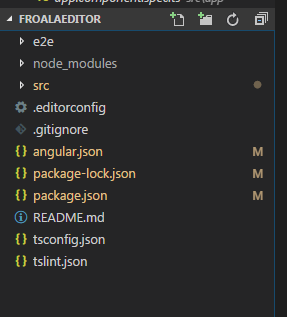
app.module.ts
//..Other Imports

import "froala-editor/js/froala_editor.pkgd.min.js";
import { FroalaEditorModule, FroalaViewModule } from 'angular-froala-wysiwyg';

@NgModule({
  declarations: [
    AppComponent,
  ],
  imports: [
    BrowserModule,
    FroalaEditorModule.forRoot(),
    FroalaViewModule.forRoot()
  ],
  providers: [],
  bootstrap: [AppComponent]
})
export class AppModule { }
Main.ts
import { enableProdMode } from '@angular/core';
import { platformBrowserDynamic } from '@angular/platform-browser-dynamic';

import { AppModule } from './app/app.module';
import { environment } from './environments/environment';
import * as $ from 'jquery';
window["$"] = $;
window["jQuery"] = $;


if (environment.production) {
  enableProdMode();
}

platformBrowserDynamic().bootstrapModule(AppModule)
  .catch(err => console.log(err));
app.component.html
<div [froalaEditor]>Hello, Froala!</div>输出
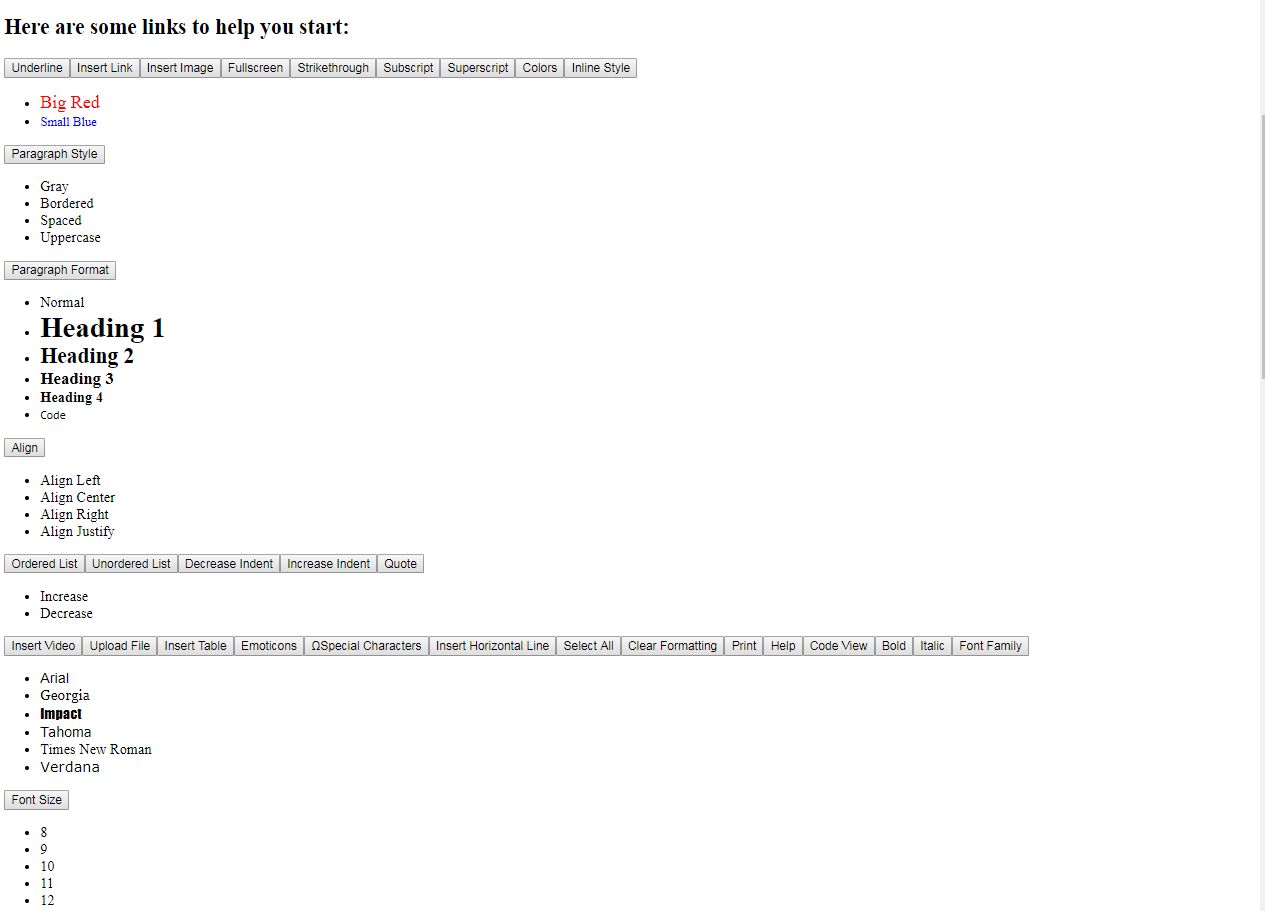
描述
不知道为什么结果很奇怪。如果有任何想法,请与我们分享。
回答 2
Stack Overflow用户
回答已采纳
发布于 2018-07-13 11:21:52
最后,我找到了答案,我犯了一个愚蠢的错误,但我想详细回答我自己的问题,这样它会对其他人有所帮助。
安装@/cli
注意:如果您已经生成了应用程序,您可以跳过这个部分。
npm install -g @angular/cli
ng new my-app
cd my-app
添加角形框-wysiwyg
npm install angular-froala-wysiwyg --save

open src/app/app.module.ts and add

// Import Angular plugin.
import { FroalaEditorModule, FroalaViewModule } from 'angular-froala-wysiwyg';

@NgModule({
   ...
   imports: [FroalaEditorModule.forRoot(), FroalaViewModule.forRoot() ... ],
   ...
})
打开angular.json文件并在样式数组中插入一个新条目。
"styles": [
  "styles.css",
  "../node_modules/froala-editor/css/froala_editor.pkgd.min.css",
  "../node_modules/froala-editor/css/froala_style.min.css",
  "../node_modules/font-awesome/css/font-awesome.css"
]
在angular.json文件中,在脚本数组中插入一个新条目
"scripts": [
  "../node_modules/jquery/dist/jquery.min.js",
  "../node_modules/froala-editor/js/froala_editor.pkgd.min.js"
]
打开src/app/app.component.html并添加
<div [froalaEditor]>Hello, Froala!</div>注:
确保在build部分中添加了和scrips,如下所示。因为我犯了同样的错误我在这里问了问题。所以请你不要那样做。
"build": {
          //..other code
            "styles": [
              "src/styles.css",
              "./node_modules/froala-editor/css/froala_editor.pkgd.min.css",
              "./node_modules/froala-editor/css/froala_style.min.css",
              "./node_modules/font-awesome/css/font-awesome.css"
            ],
            "scripts": [
              "./node_modules/jquery/dist/jquery.min.js",
              "./node_modules/froala-editor/js/froala_editor.pkgd.min.js"
            ]
          },
          //..other Code
},Stack Overflow用户
发布于 2019-02-04 14:26:41
我也遇到了同样的问题,解决方案甚至更基本:记住重新启动你的开发服务器。不会自动检测到angular.json上的更改,因此需要手动重新启动。
页面原文内容由Stack Overflow提供。腾讯云小微IT领域专用引擎提供翻译支持
原文链接:
https://stackoverflow.com/questions/51322855
复制相关文章
相似问题
腾讯云开发者

Copyright © 2013 - 2026 Tencent Cloud. All Rights Reserved. 腾讯云 版权所有
深圳市腾讯计算机系统有限公司 ICP备案/许可证号:粤B2-20090059  粤公网安备44030502008569号
腾讯云计算(北京)有限责任公司 京ICP证150476号 | 京ICP备11018762号