
如何认证到Google云打印
我正在制作一个应用程序,需要通过Google云打印将打印作业发送给我拥有的两台打印机(也就是说,打印机总是相同的,不属于用户)。我已经设置了与谷歌云打印打印机,它现在可以从我的谷歌帐户访问。
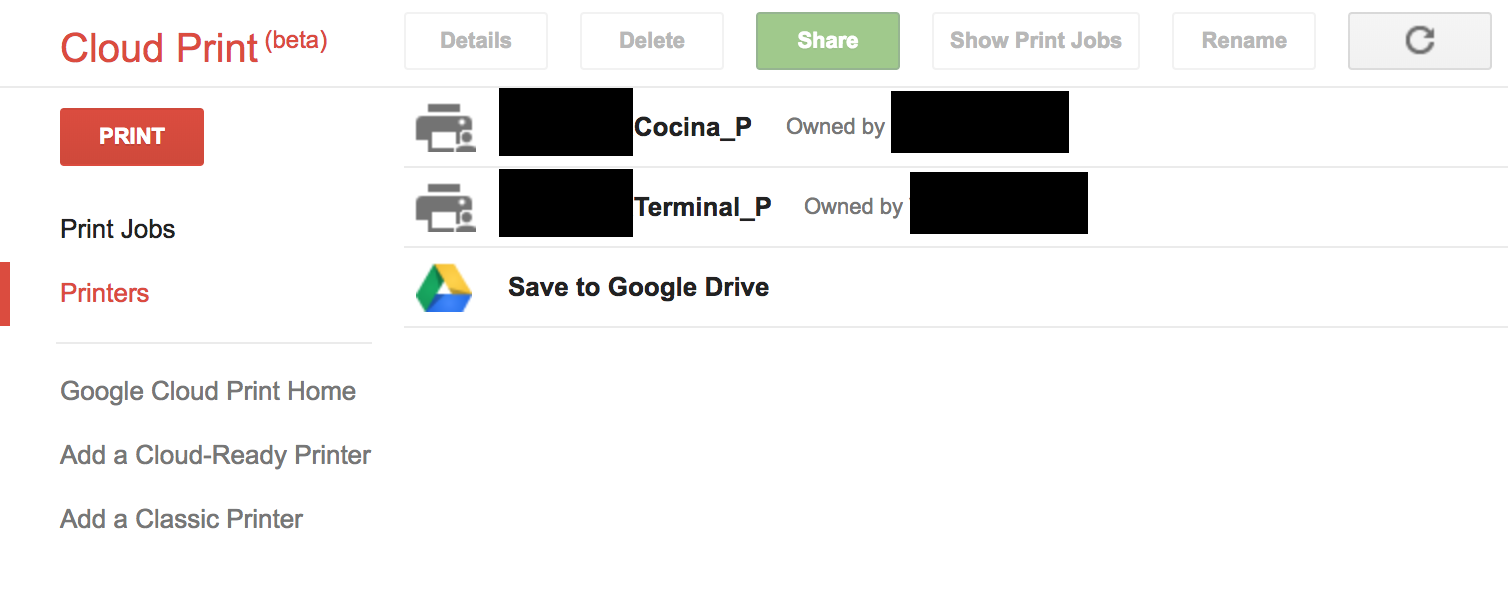
现在,我如何通过API访问这个帐户的打印机?我找到了一些文档这里,其中说我在提出请求时需要对自己进行身份验证。在我看来,认为身份验证应该用OAuth2来完成。但是对于初学者来说,关于如何做到这一点的指导是缺乏的。我已经获得了我的OAuth客户端ID和秘密( OAuth链接中的步骤1)。但是对于第二步,我不知道该怎么做。
上面写着:
在应用程序使用Google访问私有数据之前,它必须获得授予对该API的访问权限的访问令牌。单个访问令牌可以授予对多个API的不同程度的访问。
但是没有解释如何获得这个访问令牌。我查看了这,所以询问OP在哪里获得了这个访问令牌,但我不明白他是如何做到的。
请有人解释一下如何获得一个访问令牌与谷歌云打印一起使用吗?或者是一个很好的资源来解释怎么做的?
PS。打印功能由firebase函数触发。这会不会帮助我们获得访问令牌,考虑到防火墙也是由谷歌制造的?
回答 2
Stack Overflow用户
发布于 2019-04-25 16:10:54
我遇到了同样的问题,并提出了一个两步的解决方案:
- 按照OAuth2的描述,在Google控制台中创建一个这里客户端,并从控制台下载其客户端凭据,并在下面的代码片段中将其json内容复制到
credJSON。 - 运行下面的代码。
- 按照auth链接并授权您的OAuth2客户端使用您的Google帐户访问谷歌云打印机。
- 将auth代码复制并粘贴到脚本
- 获得刷新令牌后,请确保将其存储在变量
refreshToken中 - 不要忘记更新代理名称。
package main

import (
    "context"
    "fmt"
    "log"

    "github.com/google/cloud-print-connector/gcp"
    "github.com/google/cloud-print-connector/lib"
    "github.com/google/uuid"
    "golang.org/x/oauth2"
    "golang.org/x/oauth2/google"
)

var (
    credJSON     = ``
    refreshToken = ""

    // Find the proxy in the Advanced Details of your printer at https://www.google.com/cloudprint#printers
    proxy = "HP"
)

func main() {
    // Obtain the OAuth config
    config, err := google.ConfigFromJSON([]byte(credJSON), gcp.ScopeCloudPrint)
    if err != nil {
        log.Fatalf("Failed to obtain OAuth config: %v", err)
    }

    // If no request token is present, obtain a new one
    if refreshToken == "" {
        // Get the auth link
        authLink := config.AuthCodeURL(uuid.New().String(), oauth2.AccessTypeOffline)
        log.Printf("Follow the link to obtain an auth code: %s", authLink)

        fmt.Printf("Paste your auth code here: ")
        var code string
        fmt.Scanln(&code)

        // Get a token form the auth code
        token, err := config.Exchange(context.Background(), code, oauth2.AccessTypeOffline)
        if err != nil {
            log.Fatalf("Failed to obtain OAuth token: %v", err)
        }
        if token.RefreshToken != "" {
            refreshToken = token.RefreshToken
        } else {
            refreshToken = token.AccessToken
        }
        log.Printf("Refresh token: %s", refreshToken)
    }

    // Connect to Google Cloud Print
    jobCh := make(chan *lib.Job)
    client, err := gcp.NewGoogleCloudPrint(lib.DefaultConfig.GCPBaseURL, refreshToken, refreshToken, proxy, config.ClientID, config.ClientSecret, config.Endpoint.AuthURL, config.Endpoint.TokenURL, lib.DefaultConfig.NativeJobQueueSize, jobCh, true)
    if err != nil {
        log.Fatalf("Failed to connect to GCP: %v", err)
    }

    // List all printers
    printers, _, err := client.ListPrinters()
    if err != nil {
        log.Fatalf("Failed to list printers: %v", err)
    }
    for _, p := range printers {
        log.Printf("Name: %s UUID: %s", p.Name, p.UUID)
    }
}Stack Overflow用户
发布于 2019-03-28 10:07:52
请参阅下列文件:
https://developers.google.com/identity/protocols/OAuth2ServiceAccount?authuser=1我遵循了文档中指定的相同步骤,并能够获得访问令牌。首先创建帐户,选择“提供新的私钥”。您将有服务帐户,电子邮件地址和私钥。使用这些凭据,您可以获得访问令牌。下面是戈朗的源代码,这对你一定有帮助。
package main

import (
"fmt"
"github.com/dgrijalva/jwt-go"
"net/http"
"encoding/json"
"bytes"
)

type MyCustomClaims struct {
    Scope string `json:"scope,omitempty"`
    jwt.StandardClaims
}

type Toke struct {
    Access string `json:"access_token,omitempty"`
    Type string `json:"token_type,omitempty"`
    Expire string `json:"expires_in,omitempty"`
}

func main() {

    key := []byte("<your private key>")

    key1, _ := jwt.ParseRSAPrivateKeyFromPEM(key)

    claims := MyCustomClaims{
        "https://www.googleapis.com/auth/cloudprint",
        jwt.StandardClaims{
            IssuedAt: <currrent-epoch-time>,         // eg 1234566000
            ExpiresAt: <currrent-epoch-time + 3600>, // 3600 secs = 1hour, so expires in 1 hour, eg 1234569600
            Issuer:    "<your service account email>",
            Audience: "https://www.googleapis.com/oauth2/v4/token",
        },
    }
    token := jwt.NewWithClaims(jwt.SigningMethodRS256, claims)
    ss, err := token.SignedString(key1)
    if err != nil {
        fmt.Println(err)
    }

    fmt.Println(ss)
    url := "https://www.googleapis.com/oauth2/v4/token"
    any := "grant_type=urn%3Aietf%3Aparams%3Aoauth%3Agrant-type%3Ajwt-bearer&assertion=" + ss
    a := []byte(any)
    b := bytes.NewBuffer(a)
    var tok Toke

    req, err := http.NewRequest("POST", url, b)
    req.Header.Set("Content-Type", "application/x-www-form-urlencoded")

    client := &http.Client{}

    resp, err := client.Do(req)
    if err != nil {
        panic(err)
    } else {
        json.NewDecoder(resp.Body).Decode(&tok)
    }
    fmt.Println("----------- Access Token -----------------")
    fmt.Println("Access: ", tok.Access)
}https://stackoverflow.com/questions/51307302
复制相似问题
腾讯云开发者

Copyright © 2013 - 2026 Tencent Cloud. All Rights Reserved. 腾讯云 版权所有
深圳市腾讯计算机系统有限公司 ICP备案/许可证号:粤B2-20090059  粤公网安备44030502008569号
腾讯云计算(北京)有限责任公司 京ICP证150476号 | 京ICP备11018762号