
如何在azure上托管和部署ASP.Net核心2.0 webapi?
我在visual studio 2017中创建了一个解决方案,在其中我创建了以下项目:
- 客户端(使用核心2.1的角度模板)
- 服务器(使用核心2.0的web)
因为我刚开始在天蓝色上部署我的应用程序。因此,通过在internet上使用引用,我成功地在azure上部署了我的客户端应用程序,并在https://ebarvo.azurewebsites.net上启动和运行。
现在我需要做的是在azure上部署我的服务器。
我在我的web中实现了IdentityServer 4资源所有者密码授予客户端。在本地iis服务器上,我的(客户机和web )服务器应用程序是单独运行的。
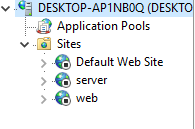
根据[可选]第4步:创建自己的Web点。我已经在B2C设置中注册了我的web。下面是屏幕截图:
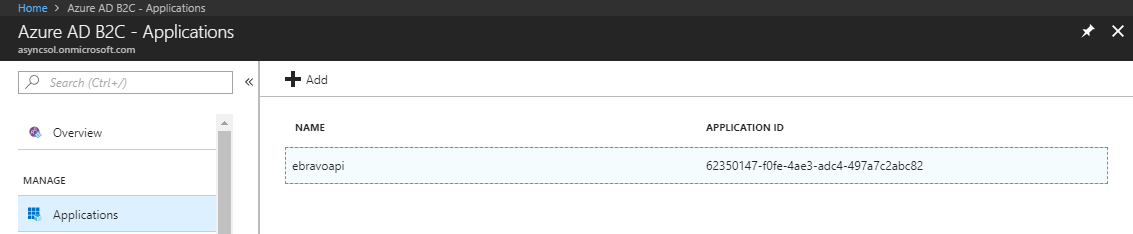
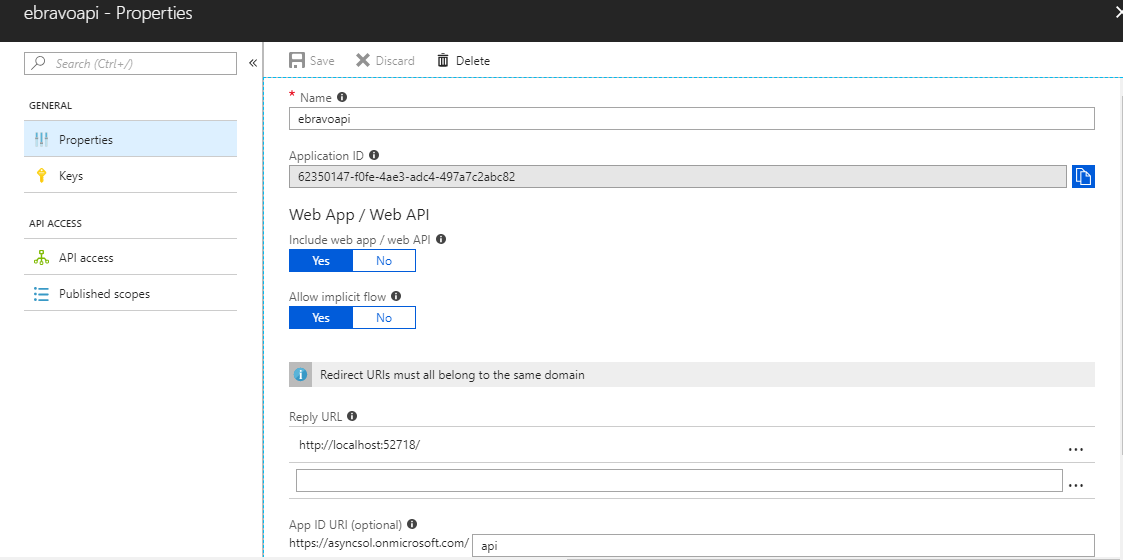
现在,在根据此链接注册我的web之后,我的第一个问题是如何在我的应用程序代码中使用我的应用程序客户机ID?
在这里,我将向您展示web (服务器) config.cs / startup.cs / program.cs文件代码:
config.cs
public class Config
{
    public static IEnumerable<IdentityResource> GetIdentityResources()
    {
        return new List<IdentityResource>
        {
            new IdentityResources.OpenId(),
            new IdentityResources.Email(),
            new IdentityResources.Profile(),
        };
    }


    public static IEnumerable<ApiResource> GetApiResources()
    {
        return new List<ApiResource>
        {
            new ApiResource("api1", "My API")
        };
    }

    public static IEnumerable<Client> GetClients()
    {
        // client credentials client
        return new List<Client>
        {

            // resource owner password grant client
            new Client
            {
                ClientId = "ro.angular",
                AllowedGrantTypes = GrantTypes.ResourceOwnerPassword,

                ClientSecrets =
                {
                    new Secret("secret".Sha256())
                },
                AllowedScopes = {
                    IdentityServerConstants.StandardScopes.OpenId,
                    IdentityServerConstants.StandardScopes.Profile,
                    IdentityServerConstants.StandardScopes.Email,
                    IdentityServerConstants.StandardScopes.Address,
                    "api1"
                },
                AllowOfflineAccess = true,
                AccessTokenLifetime = 1
            }
        };
    }
}
Startup.cs
public class Startup
{
    public Startup(IConfiguration configuration)
    {
        Configuration = configuration;
    }

    public IConfiguration Configuration { get; }

    // This method gets called by the runtime. Use this method to add services to the container.
    public void ConfigureServices(IServiceCollection services)
    {
        services.AddDbContext<ApplicationDbContext>(options =>
           options.UseSqlServer(Configuration.GetConnectionString("DefaultConnection")));

        services.AddIdentity<ApplicationUser, IdentityRole>()
            .AddEntityFrameworkStores<ApplicationDbContext>()
            .AddDefaultTokenProviders();

        services.AddIdentityServer()
            .AddDeveloperSigningCredential()
            .AddInMemoryPersistedGrants()
            .AddInMemoryIdentityResources(Config.GetIdentityResources())
            .AddInMemoryApiResources(Config.GetApiResources())
            .AddInMemoryClients(Config.GetClients())
            .AddAspNetIdentity<ApplicationUser>();

        services.AddCors(options =>
        {
            options.AddPolicy("AllowClient",
                builder => builder.WithOrigins("https://localhost:44335")
                                  .AllowAnyHeader()
                                  .AllowAnyMethod());
        });

        services.AddMvc();


        services.AddAuthentication(options =>
        {
            options.DefaultAuthenticateScheme = JwtBearerDefaults.AuthenticationScheme;
            options.DefaultChallengeScheme = JwtBearerDefaults.AuthenticationScheme;
        })
        .AddJwtBearer(options =>
        {
            // base-address of your identityserver
            options.Authority = "http://localhost:52718/";

            // name of the API resource
            options.Audience = "api1";

            options.RequireHttpsMetadata = false;
        });
    }

    // This method gets called by the runtime. Use this method to configure the HTTP request pipeline.
    public void Configure(IApplicationBuilder app, IHostingEnvironment env)
    {
        if (env.IsDevelopment())
        {
            app.UseDeveloperExceptionPage();
        }
        app.UseIdentityServer();
        app.UseAuthentication();
        app.UseMvc(routes =>
        {
            routes.MapRoute(
                name: "areas",
                template: "{area:exists}/{controller=Home}/{action=Index}/{id?}"
            );
            routes.MapRoute(
                name: "default",
                template: "{controller=Home}/{action=Index}/{id?}");
        });
    }
}
Program.cs
public class Program
{
    public static void Main(string[] args)
    {
        BuildWebHost(args).Run();
    }

    public static IWebHost BuildWebHost(string[] args) =>
        WebHost.CreateDefaultBuilder(args)
            .UseUrls("http://localhost:52718/")
            .UseStartup<Startup>()
            .Build();
}
现在,如果我把我的webapi发布到下面这样的天青
步骤1
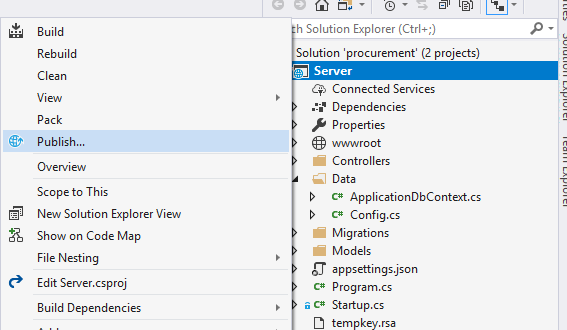
步骤2
在选择现有的应用程序服务之后
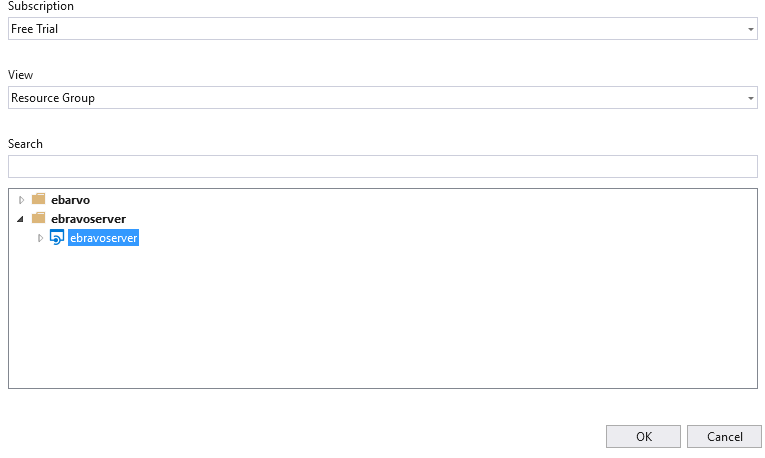
步骤3
出版后
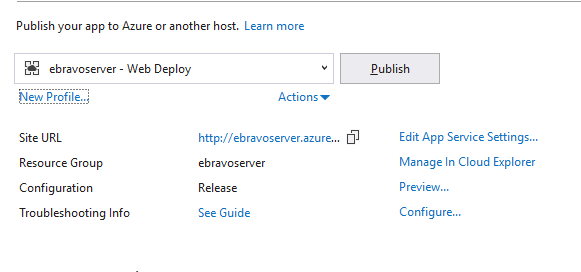
我收到一条消息:
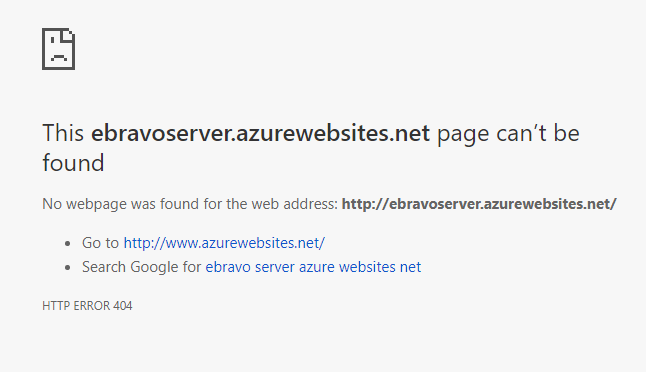
如果我通过邮递员提出邮件请求:
论局部运行的良好性
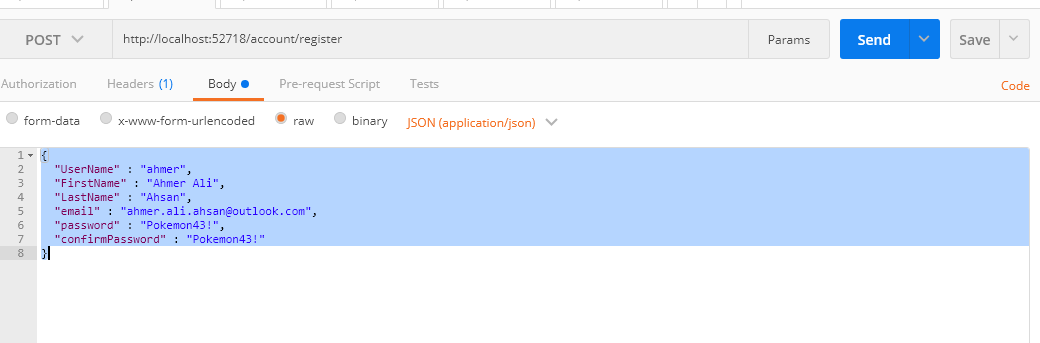
但是在azure上部署之后,它显示了500个内部服务器错误。
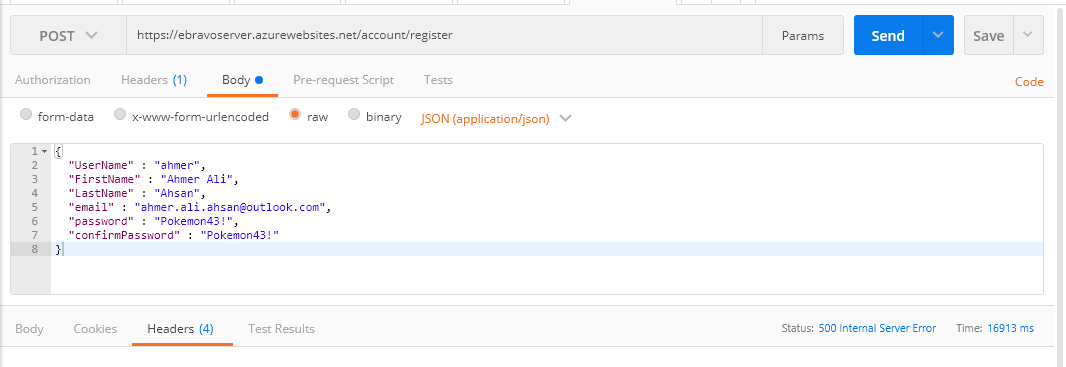
现在,我更多地解释我的问题:什么是正确的方式,以及如何在azure上托管和部署ASP.Net核心2.0 webapi?此外,我在代码或步骤中做错了什么,所以我的服务器没有响应我?我想我会解释这里的每一步,向你们展示我在做什么,我想做什么。请在这件事上帮助我,我将非常感谢你们所有人。
回答 1
Stack Overflow用户
发布于 2018-07-08 20:06:08
我想你的问题是:
public static IWebHost BuildWebHost(string[] args) =>
    WebHost.CreateDefaultBuilder(args)
        .UseUrls("http://localhost:52718/")
        .UseStartup<Startup>()
        .Build();
尝试删除.UseUrls(…))
public static IWebHost BuildWebHost(string[] args) =>
    WebHost.CreateDefaultBuilder(args)
        .UseStartup<Startup>()
        .Build();
我从未使用该命令,在azure上发布时也没有出现问题,如果需要在本地计算机上指定端口,请继续使用properties -> Debug -> Web Server设置-> azure
https://stackoverflow.com/questions/51235511
复制相似问题
腾讯云开发者

Copyright © 2013 - 2026 Tencent Cloud. All Rights Reserved. 腾讯云 版权所有
深圳市腾讯计算机系统有限公司 ICP备案/许可证号:粤B2-20090059  粤公网安备44030502008569号
腾讯云计算(北京)有限责任公司 京ICP证150476号 | 京ICP备11018762号