
用python从左到右解码qr码
用python从左到右解码qr码
提问于 2018-07-05 15:54:36
我有一个png,它有几个qr码,基本上如下所示
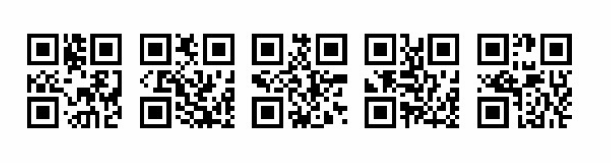
为了解码qr码,我使用zbarlight。
from PIL import Image
import zbarlight

file_path = './tests/qr_codes.png'
with open(file_path, 'rb') as image_file:
    image = Image.open(image_file)
    image.load()

codes = zbarlight.scan_codes(['qrcode'], image)
print('QR codes: %s' % codes)
我的目标是从左到右解码qr码,所以列表应该是这样的: url1、url2、url3、url4、url5、ulr6。
问题:在我看来,zbarlight扫描过程的结果(列表)就像一个随机顺序。有从左到右扫描的方法吗?
回答 1
Stack Overflow用户
回答已采纳
发布于 2018-07-05 18:24:17
我现在在windows上,现在无法在linux上进行测试,但这似乎像预期的那样工作。
import sys, os
try:
    from pyzbar.pyzbar import decode, ZBarSymbol
except:
    cmd = ('py -m pip install "pyzbar"')
    os.system(cmd)
    from pyzbar.pyzbar import decode, ZBarSymbol

try:
    from PIL import Image
except:
    cmd = ('py -m pip install "Pillow"')
    os.system(cmd)
    from PIL import Image

decoded = decode(Image.open("C:/Temp/13AZQ.png"), symbols=[ZBarSymbol.QRCODE])
qr_dic = {}
for qr in decoded:
    x = qr[2][0] # The Left position of the QR code
    qr_dic[x] = qr[0] # The Data stored in the QR code

for qr in sorted(qr_dic.keys()):
    print(qr_dic[qr])
输出:
b'url1'
b'url2'
b'url3'
b'url4'
b'url5'页面原文内容由Stack Overflow提供。腾讯云小微IT领域专用引擎提供翻译支持
原文链接:
https://stackoverflow.com/questions/51195584
复制相关文章
相似问题
腾讯云开发者

Copyright © 2013 - 2026 Tencent Cloud. All Rights Reserved. 腾讯云 版权所有
深圳市腾讯计算机系统有限公司 ICP备案/许可证号:粤B2-20090059  粤公网安备44030502008569号
腾讯云计算(北京)有限责任公司 京ICP证150476号 | 京ICP备11018762号