
VSTS测试、JUnit和
VSTS测试、JUnit和
提问于 2018-07-04 22:48:08
备注:请记住,我从来没有使用过VSTS测试,所以我的一些评论可能是错的。我与VSTS的其他成员进行了广泛的合作。
我的任务是将一些JUnit测试结果发布到中:
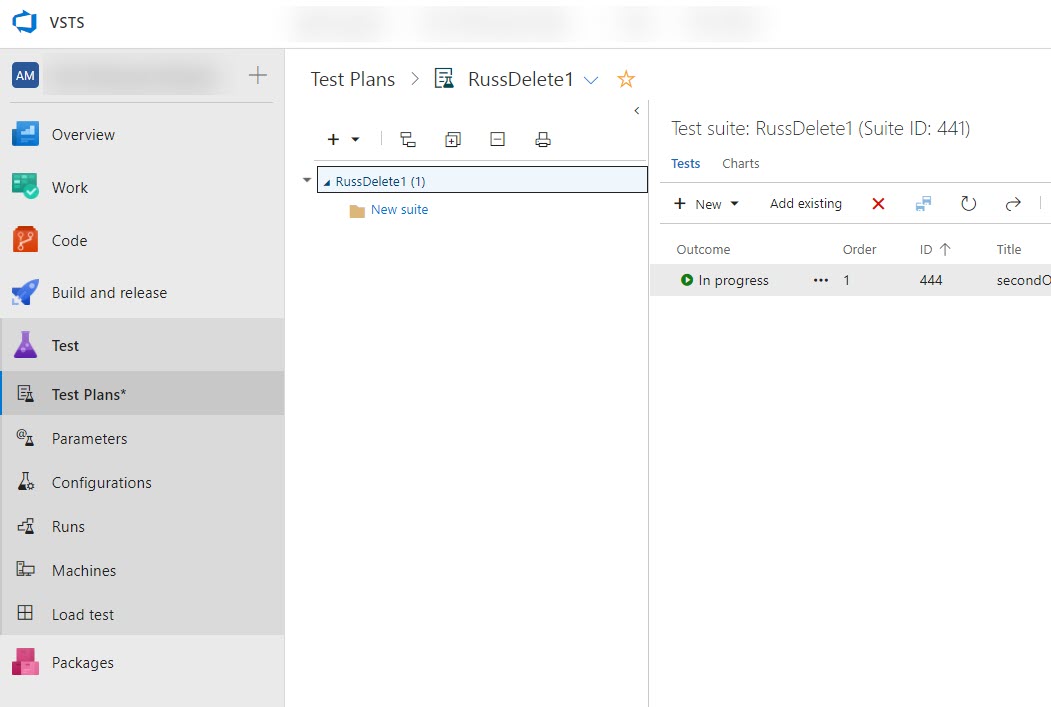
我的测试是在Ubuntu容器中运行的,所以我想使用VSTS来发布它们。这里是rest文档:
https://learn.microsoft.com/en-us/rest/api/vsts/test/?view=vsts-rest-5.0
POST https://{accountName}.visualstudio.com/{project}/_apis/test/Runs/{runId}/results?api-version=5.0-preview.5它工作得很好,但POST body示例是json:
[
 {
  "testCaseTitle": "VerifyWebsiteTheme",
  "automatedTestName":
  "FabrikamFiber.WebSite.TestClass.VerifyWebsiteTheme",
  "priority": 1,
  "outcome": "Passed"
 },
 {
  "testCaseTitle": "VerifyWebsiteLinks",
  "automatedTestName":
  "FabrikamFiber.WebSite.TestClass.VerifyWebsiteLinks",
  "priority": 2,
  "outcome": "Failed",
  "associatedBugs": [
  {
    "id": 30
  }
]
}]
然而,我的测试人员和他的测试输出给了我XML:
<?xml version="1.0" encoding="utf-8"?>
<testsuite errors="10" failures="0" name="pytest" skips="12" tests="53" time="16.073">
  <testcase classname="tests.test_api" file="tests/test_api.py" line="5" name="test_GETNotFound" time="0.4054398536682129"></testcase>
  <testcase classname="tests.test_api" file="tests/test_api.py" line="10" name="test_POSTBadRequest[]" time="0.41185760498046875"></testcase>
  <testcase classname="tests.test_api" file="tests/test_api.py" line="10" name="test_POSTBadRequest[req1]" time="0.48476719856262207"></testcase>
  <testcase classname="tests.test_api" file="tests/test_api.py" line="10" name="test_POSTBadRequest[{}]" time="0.44095635414123535"></testcase>
  <testcase classname="tests.test_api" file="tests/test_api.py" line="10" name="test_POSTBadRequest[TEST]" time="0.4718012809753418"></testcase>
  <testcase classname="tests.test_azureFileService" file="tests/test_azureFileService.py" line="0" name="test_readFilesDirs" time="0.22459125518798828"></testcase>
</testsuite>
我不知道如何从VSTS文件获得使用所需的方法。
会喜欢一些指导的。
谢谢
回答 1
Stack Overflow用户
回答已采纳
发布于 2018-07-05 00:05:12
选项1:从容器中复制测试结果并使用Publish Test Results任务,该任务可以解析JUnit格式的XML测试结果。docker cp containerName:/path/to/testresults.xml ./testresults.xml应该能做到这一点。
选项2:编写一个简单的程序来解析测试结果并输出一个JSON文档,然后在容器中运行它。
我会说选择1更好,但这只是我的观点。我正是用其他工具的测试结果做到了这一点。
页面原文内容由Stack Overflow提供。腾讯云小微IT领域专用引擎提供翻译支持
原文链接:
https://stackoverflow.com/questions/51181523
复制相关文章
相似问题
腾讯云开发者

Copyright © 2013 - 2026 Tencent Cloud. All Rights Reserved. 腾讯云 版权所有
深圳市腾讯计算机系统有限公司 ICP备案/许可证号:粤B2-20090059  粤公网安备44030502008569号
腾讯云计算(北京)有限责任公司 京ICP证150476号 | 京ICP备11018762号