
如何在运行UsbRegDeviceList的.NET应用程序中填充LibUsbDotNet“入门示例”
如何在运行UsbRegDeviceList的.NET应用程序中填充LibUsbDotNet“入门示例”
提问于 2018-07-04 02:39:36
当我运行它时,allDevices列表是空的。
我启动了一个新的VB.NET控制台项目,并安装了Nuget LibUsbDotNet。
我的代码是:
Imports System
Imports LibUsbDotNet
Imports LibUsbDotNet.Info
Imports LibUsbDotNet.Main
Imports System.Collections.ObjectModel


Module Module1

        Public  MyUsbDevice As UsbDevice

        Public  Sub Main(args As String())
            ' Dump all devices and descriptor information to console output.
            Dim allDevices As UsbRegDeviceList = UsbDevice.AllDevices
            For Each usbRegistry As UsbRegistry In allDevices
                If usbRegistry.Open(MyUsbDevice) Then
                    Console.WriteLine(MyUsbDevice.Info.ToString())
                    For iConfig As Integer = 0 To MyUsbDevice.Configs.Count - 1
                        Dim configInfo As UsbConfigInfo = MyUsbDevice.Configs(iConfig)
                        Console.WriteLine(configInfo.ToString())

                        Dim interfaceList As ReadOnlyCollection(Of UsbInterfaceInfo) = configInfo.InterfaceInfoList
                        For iInterface As Integer = 0 To interfaceList.Count - 1
                            Dim interfaceInfo As UsbInterfaceInfo = interfaceList(iInterface)
                            Console.WriteLine(interfaceInfo.ToString())

                            Dim endpointList As ReadOnlyCollection(Of UsbEndpointInfo) = interfaceInfo.EndpointInfoList
                            For iEndpoint As Integer = 0 To endpointList.Count - 1
                                Console.WriteLine(endpointList(iEndpoint).ToString())
                            Next
                        Next
                    Next
                End If
            Next


            ' Free usb resources.
            ' This is necessary for libusb-1.0 and Linux compatibility.
            UsbDevice.[Exit]()

            ' Wait for user input..
            Console.ReadKey()
        End Sub

End Module
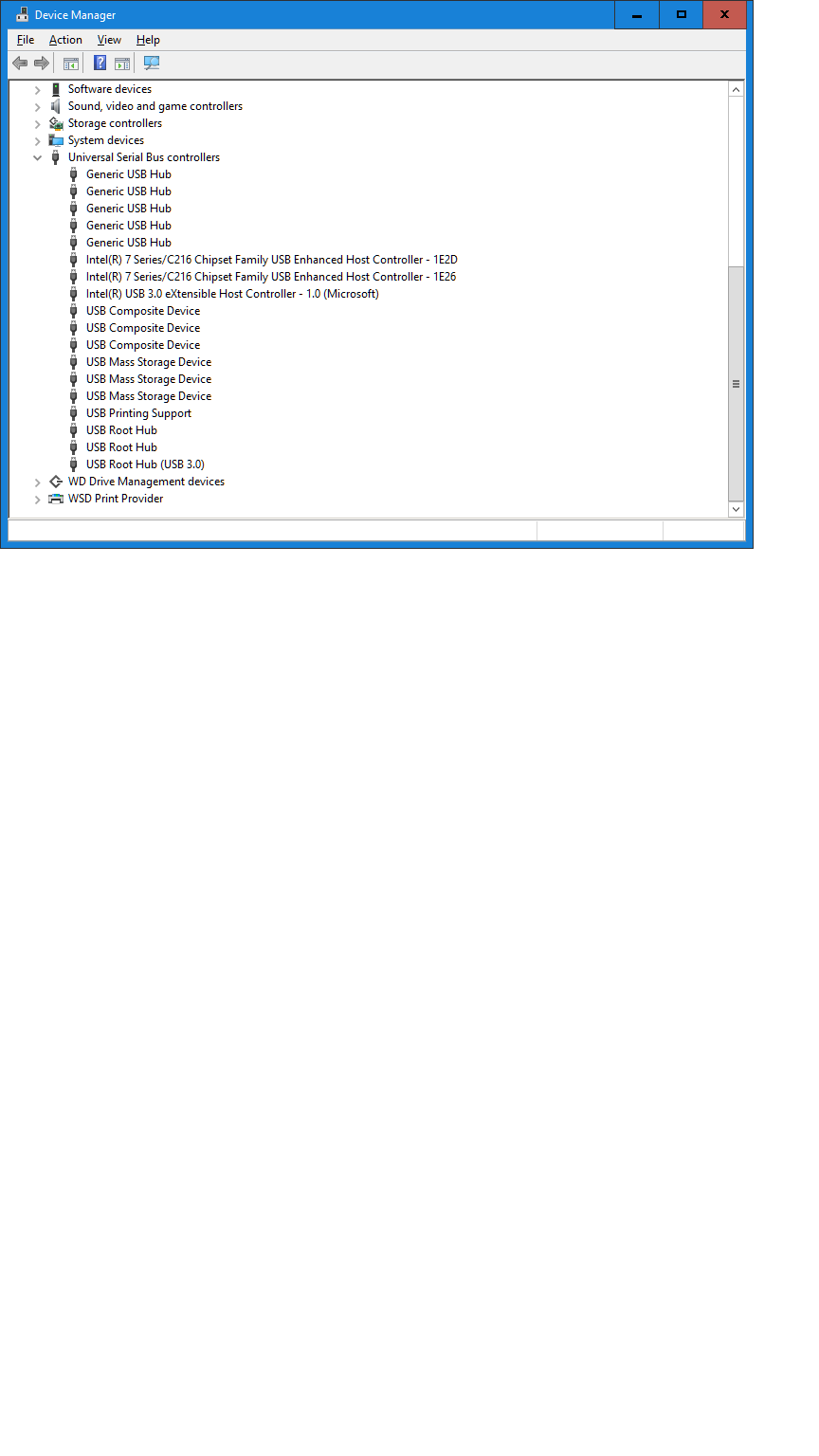
我的桌面USB设备..。
回答 1
Stack Overflow用户
回答已采纳
发布于 2018-07-07 17:32:26
我认为我正在做这件事的台式机太旧了,虽然我最近升级到了10台。所以解决问题,我使用了新的Win 10笔记本电脑,安装并运行了filter (子)驱动程序,并选择了我的笔记本电脑的网络摄像头(作为测试VID&PID),安装了libUsb-Win32,创建了一个.NET控制台项目(我做了VB和C#),做了VS > proj >Ref> NUGET >浏览LibUsbDotNet,安装了它,从Sourceforge的libUsbDotNet中传递了第一个示例,它运行得很好:它连接到网络摄像头驱动程序(由过滤器子驱动程序选择),并阅读正确的VID&PID。(例如,报告错误是因为摄像头驱动程序没有响应轮询,但这是预期的)。
页面原文内容由Stack Overflow提供。腾讯云小微IT领域专用引擎提供翻译支持
原文链接:
https://stackoverflow.com/questions/51165073
复制相关文章
相似问题
腾讯云开发者

Copyright © 2013 - 2026 Tencent Cloud. All Rights Reserved. 腾讯云 版权所有
深圳市腾讯计算机系统有限公司 ICP备案/许可证号:粤B2-20090059  粤公网安备44030502008569号
腾讯云计算(北京)有限责任公司 京ICP证150476号 | 京ICP备11018762号