
我怎么能点击同一按钮99次或直到代码结束?
我怎么能点击同一按钮99次或直到代码结束?
提问于 2018-06-27 13:19:39
需要一个解决办法,请帮忙。
我有相同的Skip按钮类型,所有产品的名称id属性。只有Xpath更改。请指导我,我如何能很快点击99跳按钮和一个取消弹出式按钮。
这是我的Skip Button形象

在这里,我的图片,点击SKip后,我会得到这样的流行。我需要点击取消
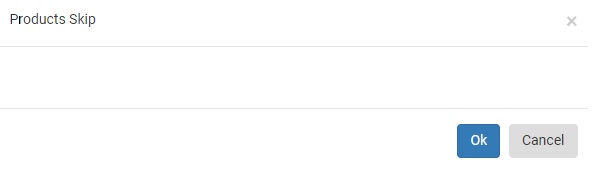
向下,我将附加的代码跳过和取消。
从Skip Button的Html代码中,我使用了一个Xpath,它只起作用,
我的Xpath是
//input[@id='CustomPaging_GridView_gv_edit1_0'])-Product1
 //input[@id='CustomPaging_GridView_gv_edit1_1'])-Product2
  //input[@id='CustomPaging_GridView_gv_edit1_2'])-Product3

Like this 99 Products I Have To Write Xpath. It's Going Too Lengthy
跳按钮的Html代码是
<input type="submit" name="CustomPaging_GridView$ctl02$gv_edit1" value="SKIP" onclick="product_skip(37639 );" id="CustomPaging_GridView_gv_edit1_0" class="button2">取消按钮的HTML代码,
<div class="modal-footer">
                <span id="prcid" style="display:none;">processing...</span>
                <button type="button" id="skipok" onclick="skipoverall(this)" class="btn btn-primary" data-id="37639">Ok</button>
                <button type="button" class="btn btn-secondary" data-dismiss="modal">Cancel</button>
            </div>
PS:每次我点击跳按钮时,我都需要同时点击“取消按钮”。就像这样,我需要点击Skip按钮,取消99种产品的按钮
回答 2
Stack Overflow用户
回答已采纳
发布于 2018-06-28 06:43:31
试着-
public void clickSkipAndCancel(){
            List<WebElement> elements = driver.findElements(By.xpath("//input[contains(@id, 'CustomPaging_GridView_gv_edit1_')]"));
            for (Iterator<WebElement> iterator = elements.iterator(); iterator.hasNext();) {
                WebElement webElement = (WebElement) iterator.next();
                new WebDriverWait(driver, 10)
                .ignoring(StaleElementReferenceException.class)
                .until(new Predicate<WebDriver>()
                       {
                         @Override
                         public boolean apply(@Nullable WebDriver driver) {
                         webElement.click();
                         return true;
                       }
});

                driver.findElement(By.xpath("//button[text()='Cancel']")).click();
            }
        }
你得进口-
import org.openqa.selenium.WebElement;
import java.util.Iterator;
import java.util.List;
让我知道它是否适合你。
Stack Overflow用户
发布于 2018-06-28 06:11:15
因此,考虑到这些信息,我会尝试下面的代码。由于您没有提到语言,所以我将在python中给出逻辑。
elems = driver.find_elements_by_xpath("//input[starts-with(@id, 'CustomPaging_GridView_gv_edit1_')]")

for elem in elems:
    elem.click()
driver.find_element_by_xpath("//button[text()='Cancel']").click()页面原文内容由Stack Overflow提供。腾讯云小微IT领域专用引擎提供翻译支持
原文链接:
https://stackoverflow.com/questions/51063880
复制相关文章
相似问题
腾讯云开发者

Copyright © 2013 - 2026 Tencent Cloud. All Rights Reserved. 腾讯云 版权所有
深圳市腾讯计算机系统有限公司 ICP备案/许可证号:粤B2-20090059  粤公网安备44030502008569号
腾讯云计算(北京)有限责任公司 京ICP证150476号 | 京ICP备11018762号