
将x86和x64构件部署到上的AppVeyor上
我有一个Visual 2017解决方案,它由一个C++项目组成。
我想让AppVeyor为x86和x64构建,部署,这是GitHub Releases上的两个可执行文件。
虽然只为一个拱门部署似乎很好,但我发现,一旦作业完成,另一个开始,我的appveyor.yml文件就会替换可执行文件。
这是我第一次部署,所以我需要一些指导。
以下是关于Github Releases https://www.appveyor.com/docs/deployment/github/的一些信息
这是我的appveyor.yml文件
version: '{build}'
image: Visual Studio 2017
configuration: Release
platform:
- x86
- x64
build:
  verbosity: minimal
artifacts:
- path: Release\pathfinding.exe
  name: pathfinding-x86.exe
- path: x64\Release\pathfinding.exe
  name: pathfinding-x64.exe
deploy:
- provider: GitHub
  auth_token:
    secure: the-token-is-hidden-on-purpose
  force_update: true
  on:
APPVEYOR_REPO_TAG: true回答 1
Stack Overflow用户
发布于 2018-06-01 13:27:07
我想出来了!
顺便提一句,这里是我的存储库:https://github.com/xorz57/pathfinding
问题是我的视觉工作室构建树。如果使用默认的visual studio项目属性,则可执行文件具有完全相同的文件名,即使它们在为x86和x64构建时位于不同的目录上,这也是为什么appveyor从未将第二个可执行文件上载到GitHub Releases。所以我去了visual,打开了我的项目设置来更改构建树。
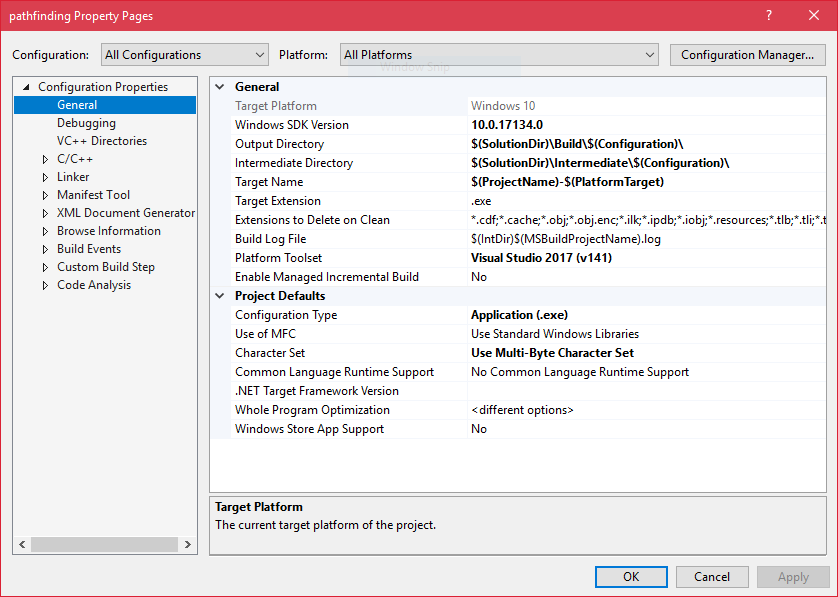
确保将配置更改为All Configurations,将平台更改为All Platforms。然后继续更改以下三个选项:Output Directory、Intermediate Directory、Target Name。在上面的图片中,我向您展示了如何配置我自己的项目。当然,这不是唯一的方法,也不是我建议的,这是组织你的项目的最好的方式。
的重点是为可执行文件设置不同的文件名。
现在,我推送一个新的标签,一切都按预期进行。
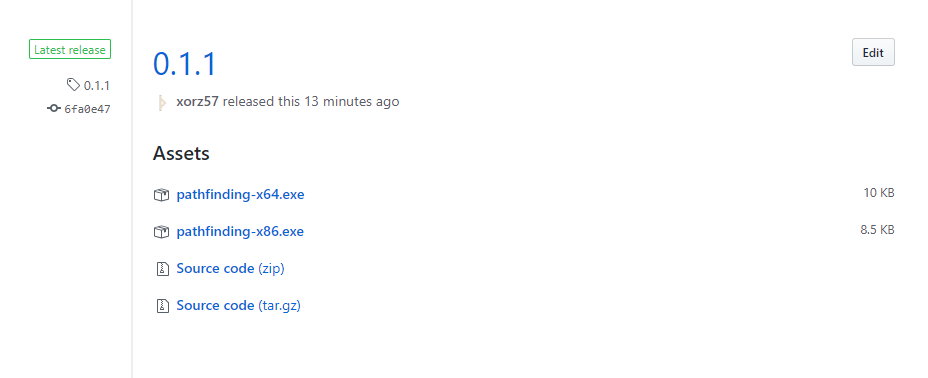
这是我更新的appveyor.yml文件
version: '{build}'
image: Visual Studio 2017
configuration: Release
platform:
- x86
- x64
build:
  parallel: true
  verbosity: minimal
artifacts:
- path: Build\Release\pathfinding-x86.exe
  name: pathfinding-x86.exe
- path: Build\Release\pathfinding-x64.exe
  name: pathfinding-x64.exe
deploy:
- provider: GitHub
  auth_token:
    secure: the-token-is-hidden-on-purpose
  force_update: true
  on:
APPVEYOR_REPO_TAG: truehttps://stackoverflow.com/questions/50642121
复制相似问题
腾讯云开发者

Copyright © 2013 - 2026 Tencent Cloud. All Rights Reserved. 腾讯云 版权所有
深圳市腾讯计算机系统有限公司 ICP备案/许可证号:粤B2-20090059  粤公网安备44030502008569号
腾讯云计算(北京)有限责任公司 京ICP证150476号 | 京ICP备11018762号