
在CLI中成功地将云函数部署到火基,但仪表板中没有出现云函数。
我一直在遵循codelabs教程这里将我的第一个函数部署到firebase。我已经进入了教程的第8步(“欢迎新用户”)。
在函数子目录中运行firebase deploy --only functions时,部署看起来是成功的:
马克-MacBook-Air-3: mf$ firebase部署功能-仅限功能 ===部署到“友好聊天-21221”。 我部署函数运行命令: npm -前缀"$RESOURCE_DIR“运行lint functions@ lint /Users/mf/Desktop/friendlychat-web/cloud-functions-start/functions eslint✔函数:完成运行预部署脚本。I功能:确保启用必要的API..。✔函数:所有必要的API都启用了I函数:准备函数目录上传. ✔部署完成!
但是,看看我的火炉仪表板,它看上去并不像他们部署的那样:
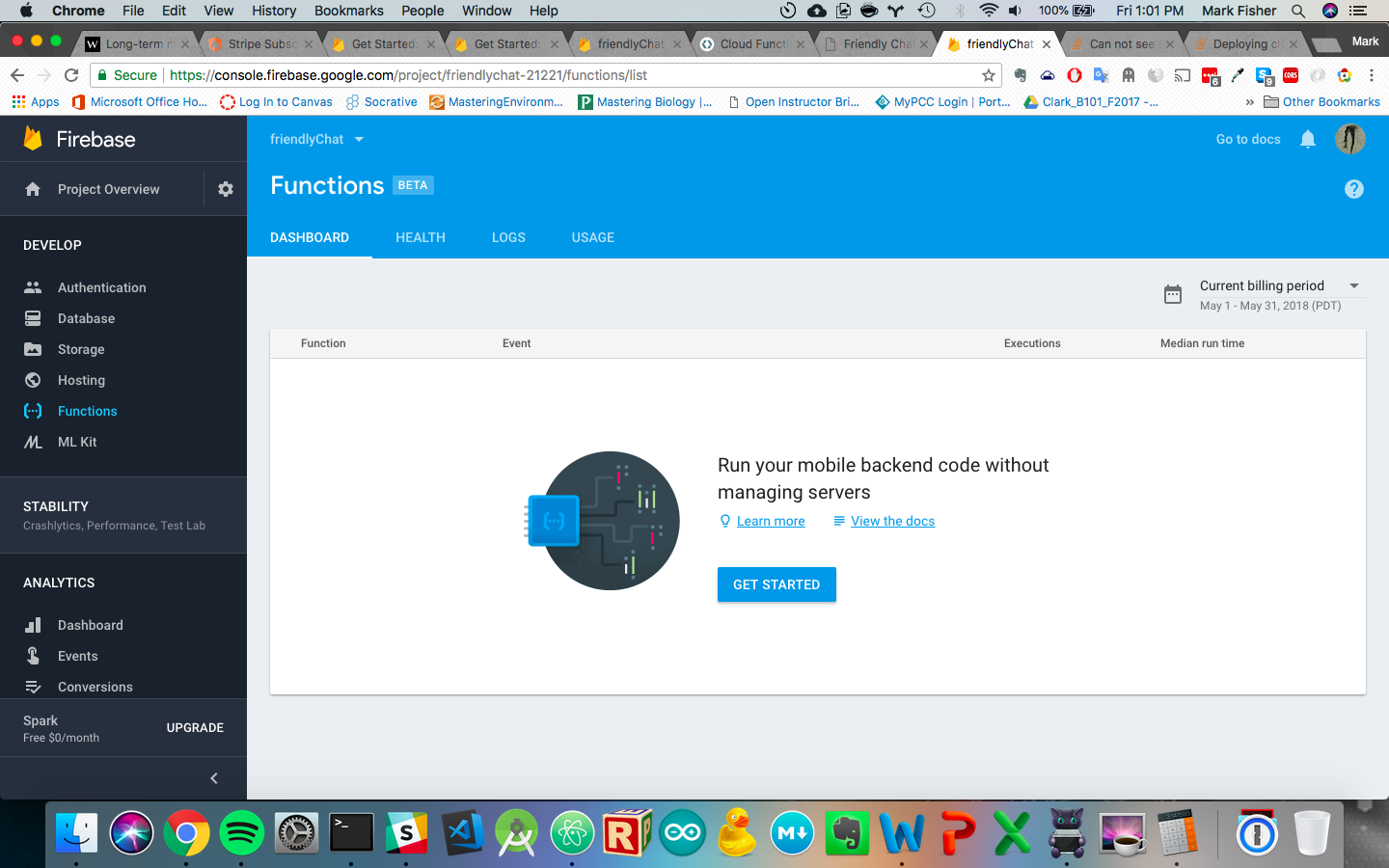
我甚至不知道从哪里开始故障排除,因为云函数选项卡中的日志是空的。
以前有没有人遇到过这种情况和/或有一个很好的故障排除策略?
更新1:15 2018年5月25日星期五下午1:15:这是函数子目录中的index.js文件:
const functions = require('firebase-functions');
const admin = require('firebase-admin');
admin.initializeApp();

// TODO(DEVELOPER): Write the addWelcomeMessages Function here.
// Adds a message that welcomes new users into the chat.
exports.addWelcomeMessages = functions.auth.user().onCreate(user => {
  console.log('A new user signed in for the first time.');
  const fullName = user.displayName || 'Anonymous';

  // Saves the new welcome message into the database
  // which then displays it in the FriendlyChat clients.
  return admin.database().ref('messages').push({
    name: 'Firebase Bot',
    photoUrl: '/images/firebase-logo.png', // Firebase logo
    text: `${fullName} signed in for the first time! Welcome!`, // Using back-ticks.
  }).then(() => {
    console.log('Welcome message written to database.');
  });
});
// TODO(DEVELOPER): Write the blurOffensiveImages Function here.

// TODO(DEVELOPER): Write the sendNotifications Function here.
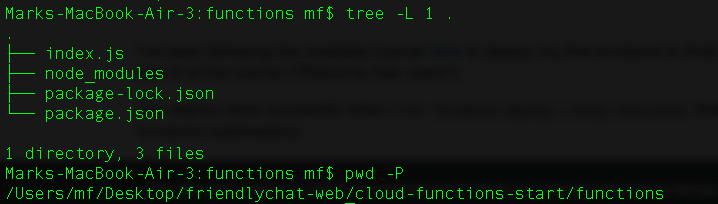
下面是函数子目录的内容:
回答 2
Stack Overflow用户
发布于 2018-06-01 20:17:54
最后,我改变了两件事情(我不确定哪一件解决了这个问题,也许两者都解决了),我就让它开始工作了:
- 在部署函数之前,从函数目录中运行
npm install(应该在父目录中完成)。 - 请注意,当您运行
firebase init并导致覆盖您的index.js文件时,该文件可能只具有注释掉的'helloWorld‘函数.
Stack Overflow用户
发布于 2018-05-25 20:46:42
尝试Firebase list列出您在防火墙中已签名的帐户下的所有项目,并查看部署到的项目是否出现。在没有显示的情况下,请尝试如下:
firebase logout && firebase loginfirebase listfirebase use <alias_or_project_id>firebase deploy --only functions或firebase deploy --only functions:<function_name>
希望这能有所帮助!
https://stackoverflow.com/questions/50536136
复制相似问题
腾讯云开发者

Copyright © 2013 - 2026 Tencent Cloud. All Rights Reserved. 腾讯云 版权所有
深圳市腾讯计算机系统有限公司 ICP备案/许可证号:粤B2-20090059  粤公网安备44030502008569号
腾讯云计算(北京)有限责任公司 京ICP证150476号 | 京ICP备11018762号