
如何将计数值绑定到单个属性?
我目前正在处理单个瓷砖,并希望从Northwind OData服务中添加一些计数值。这个应用程序只包含一个视图和一个控制器。
视图
<mvc:View
  controllerName="customtileapp.controller.CustomTile1"
  xmlns="sap.m"
  xmlns:mvc="sap.ui.core.mvc"
>
  <GenericTile
    class="sapUiTinyMarginBegin sapUiTinyMarginTop tileLayout"
    header="Country-Specific Profit Margin"
    subheader="Expenses" press="press"
  >
    <TileContent
      unit="EUR"
      footer="Current Quarter"
    >
      <NumericContent
        scale="M"
        value="{
          path: '/Customers',
          formatter: '.formatTile'
        }"
        valueColor="Error"
        indicator="Up"
        formatterValue="true"
      />
    </TileContent>
  </GenericTile>
</mvc:View>
控制器
sap.ui.define([
  "sap/ui/core/mvc/Controller",
  "sap/m/MessageToast",
  "sap/ui/model/odata/v2/ODataModel"
], function (Controller, MessageToast, ODataModel){
  "use strict";

  return Controller.extend("customtileapp.controller.CustomTile1", {
    onInit: function() {
      this.oView = this.getView();
      this.oModel = new ODataModel("/northwind/V2/Northwind/Northwind.svc");
      this.oView.setModel(this.oModel);
    },

    formatTile: function() {
      var counter;
      this.oModel.read("/Customers/$count", {
        async : true,
        success : function(oData, response) {
          counter = response.body;
          MessageToast.show(counter);
        }
      });
      return counter;
    }
  });
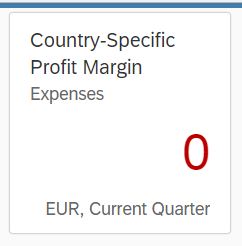
});格式化程序函数中的MessageToast工作正常,并显示正确的客户数量("91")。但是我想在瓷砖上显示的数字总是显示"0"。
回答 3
Stack Overflow用户
发布于 2018-05-13 23:51:00
类似于南丹之前的响应,我通常使用独立的方法来获取瓷砖的值。
        getTileValue: function () {
            var oTileValue = this.myView.byId('tileValue');
            this.getModel().read('/Dealers/$count', {
                success: $.proxy(function (oEvent, oResponse) {
                    var count = Number(oResponse.body);
                    oTileValue.setValue(count);
                }, this)
            });
        },
我喜欢这个,因为我可以设置一个定时器来定期更新计数器。
Stack Overflow用户
发布于 2018-05-12 20:17:09
这是一个非常不同的方法,你正在努力实现。然而,以下是我可以得到的一些信息:
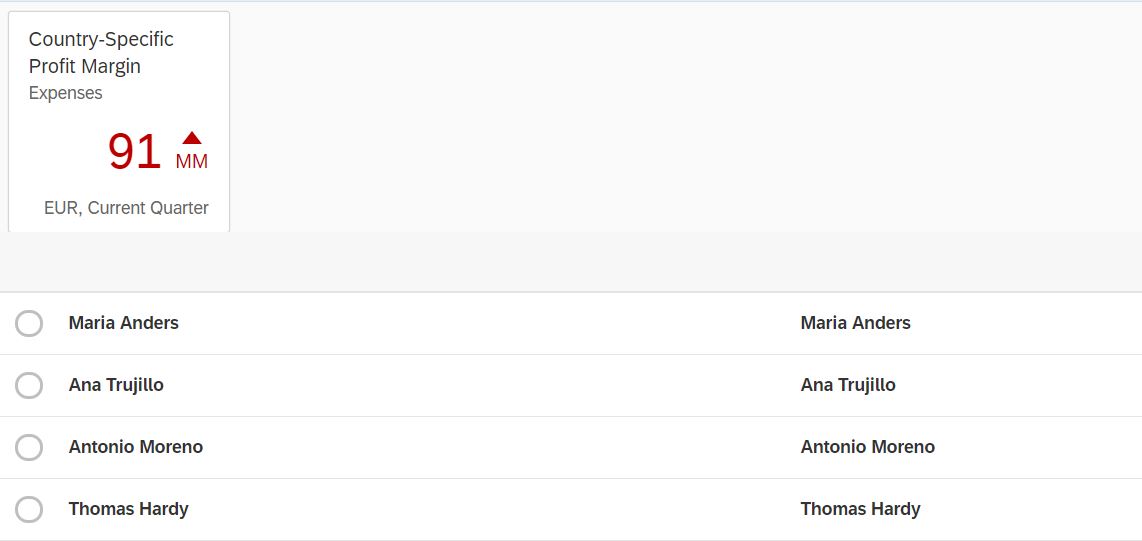
- 为什么格式化程序返回的值没有显示在绑定中?答:这个不会出现的!原因:Binding at view 不等待格式化程序函数返回值。默认情况下,格式化程序中执行的读取请求是“异步”。但是,即使它必须同步工作,您也可以尝试这样的方法: formatTile:函数(){ var计数器;this.oModel.read("/Customers/$count“),{异步:真,成功:函数(oData,响应){oData= response.body;返回计数器; });}
但是,这不会像读一样好,可能需要一段时间,并且绑定不会等待。
- 更新$count通常用于列表和表标题中。它的工作原理如下(我也应用它作为解决办法)
在我的示例中应该有一个事件trigger(onUpdateFinishedMaster ),以获取客户的数量,然后可以更新NumericContent中的值。
主计长:
sap.ui.define(['sap/m/MessageToast', 'sap/ui/core/mvc/Controller'],
	function(MessageToast, Controller) {
		"use strict";

		return Controller.extend("tilesGenericTIles.controller.View1", {
			onInit: function() {
				this.oView = this.getView();
				this.oModel = new sap.ui.model.odata.v2.ODataModel("/destinations/northwind/V2/Northwind/Northwind.svc/", true);
				this.oView.setModel(this.oModel);
			},
			formatTile: function(sCount) {

				var counter;
				this.oModel.read("/Customers/$count", {
					async: true,
					success: function(oData, response) {

						counter = response.body;
						return counter;
						MessageToast.show(sCount);
					}
				});

				return 'test' ;

			},
			onUpdateFinishedMaster: function(oEvent){
				//
				var count,
				oTable = oEvent.getSource();
				var iTotalItems = oEvent.getParameter("total");

				this.getView().byId("idNumericContent").setValue(iTotalItems);
			}

		});
	});

View:<mvc:View controllerName="tilesGenericTIles.controller.View1" xmlns:l="sap.ui.layout" xmlns:html="http://www.w3.org/1999/xhtml" xmlns:mvc="sap.ui.core.mvc"
displayBlock="true" xmlns="sap.m">
<App>
<pages>
<Page title="{i18n>title}">
<content>
<l:VerticalLayout>
<GenericTile class="sapUiTinyMarginBegin sapUiTinyMarginTop tileLayout" header="Country-Specific Profit Margin" subheader="Expenses"
press="press">
<TileContent unit="EUR" footer="Current Quarter">
<NumericContent scale="MM" value="{path: 'Customers', formatter: '.formatTile'}" valueColor="Error" indicator="Up" id="idNumericContent"/>
</TileContent>
</GenericTile>
<Table id="idMasterTable" width="auto" items="{ path: '/Customers'}" noDataText="{i18n>masterTableNoDataText}"
busyIndicatorDelay="{worklistView>/tableBusyDelay}" growing="true" growingScrollToLoad="true" updateFinished="onUpdateFinishedMaster"
mode="SingleSelectLeft" inset="false" selectionChange="onMasterTableSelectionChange">
<columns>
<Column vAlign="Middle" id="idColumnAppGrp">
<header>
<Text text="{Customer Name}"/>
</header>
</Column>
<Column vAlign="Middle" id="idColumnAppGrp1">
<header>
<Text text="{Customer Name}"/>
</header>
</Column>
</columns>
<items>
<ColumnListItem type="Navigation" press="handleMasterPress" tooltip="{i18n>masterColumnItemTooltip}">
<cells>
<ObjectIdentifier title="{ContactName}"/>
<ObjectIdentifier title="{ContactName}"/>
</cells>
</ColumnListItem>
</items>
</Table>
</l:VerticalLayout>
</content>
</Page>
</pages>
</App>
</mvc:View>
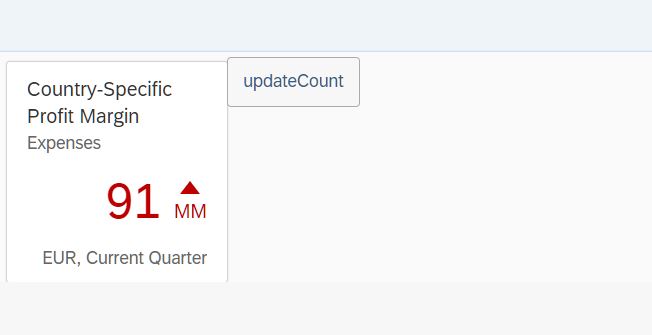
- 在通用瓷砖旁边添加一个按钮:
						<l:HorizontalLayout>
						<GenericTile class="sapUiTinyMarginBegin sapUiTinyMarginTop tileLayout" header="Country-Specific Profit Margin" subheader="Expenses"
							press="press">
							<TileContent unit="EUR" footer="Current Quarter">
								<NumericContent scale="MM" value="{path: 'Customers', formatter: '.formatTile'}" valueColor="Error" indicator="Up" id="idNumericContent"/>
							</TileContent>
						</GenericTile>
						<Button text="updateCount" press="updateCount" />
						</l:HorizontalLayout>
- 按下事件上瓷砖的更新计数。
			updateCount: function(oEvent){

				var counter;
				this.oModel.read("/Customers/$count", {
					async: true,
					success: function(oData, response) {

						counter = response.body;
						this.getView().byId("idNumericContent").setValue(counter);
					}.bind(this)
				});
此外,函数"updateCounter“也可以通过计时器定期调用。
如果这有帮助,请告诉我。
Stack Overflow用户
发布于 2020-07-08 08:05:08
如果您使用的是JSON模型(而不是OData),则可以通过在XML视图中直接进行表达式绑定来解决这个问题。不需要任何花哨的控制器数学:
  <NumericContent
    ...
    value="{= ${/Customers}.length }"
    ...
/>有关在不同的this SO answer数据模型(JSON、OData v2、OData v4)中计数记录的所有选项,请参见JSON。
https://stackoverflow.com/questions/50306605
复制相似问题
腾讯云开发者

Copyright © 2013 - 2026 Tencent Cloud. All Rights Reserved. 腾讯云 版权所有
深圳市腾讯计算机系统有限公司 ICP备案/许可证号:粤B2-20090059  粤公网安备44030502008569号
腾讯云计算(北京)有限责任公司 京ICP证150476号 | 京ICP备11018762号