
Firebase动态链接@短链接不会在移动上直接打开
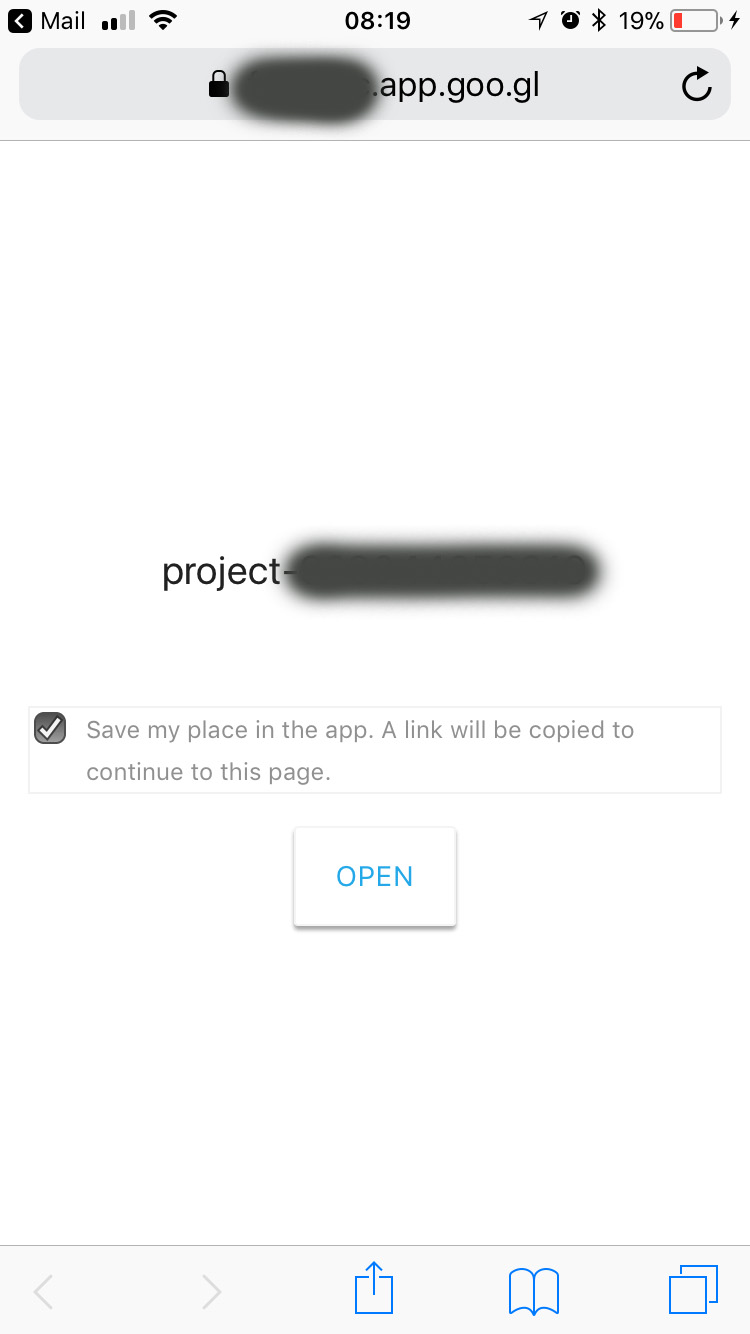
我要从goo.gl搬到FDL。我只是用它来为竞选活动生成短链接。问题是当在移动设备上打开短链接时,它会显示一个屏幕,上面写着“在应用程序中保存我的位置。一个链接将被复制到这个页面上”,并打开一个按钮继续运行。
我如何跳过这个屏幕,直接进入长网址。
当我在桌面浏览器上打开相同的短链接时,它不会显示这个屏幕,而是直接进入long url。
回答 2
Stack Overflow用户
发布于 2018-09-26 13:43:15
我在这里找到了解决方案:https://firebase.google.com/support/guides/url-shortener
如果您只想为web URL创建简短的链接,请从Firebase控制台的项目概述页面在Firebase项目中创建占位符iOS应用程序。(为包ID指定任何值,并跳过后续步骤)。
此外,在使用REST API创建短url时,不要添加应用程序信息,比如iosInfo或iosBundleId。只发送这个:
{
  "dynamicLinkInfo": {
    "dynamicLinkDomain": "yourdomain.page.link",
    "link": "https://the_link_you_want_to_short.com"
  }
}
它将返回一个简短的URL,它将跳过我在上面的问题上提到的屏幕。
Stack Overflow用户
发布于 2020-05-26 12:58:10
通过将enableForcedRedirect设置为true,您可以跳过这个步骤(应用预览页面),如下面的示例代码所示。然而,这是不推荐的防火墙,因为他们声称应用预览页面增加了您的点击安装率。
下面是API的完整列表:防火墙动态链接短链接API参考
{
  "dynamicLinkInfo": {
    "domainUriPrefix": "https://example.page.link",
    "link": "https://example.come?referral_code=123",
    "androidInfo": {
      "androidPackageName": "com.example",
      "androidFallbackLink": "https://play.google.com/store/apps/details?id=com.example"
    },
    "iosInfo": {
      "iosBundleId": "org.reactjs.native.example",
      "iosFallbackLink": "https://apps.apple.com/my/app/example/id1234567890",
    },
    "navigationInfo": {
      "enableForcedRedirect": true
    },
    "socialMetaTagInfo": {
      "socialTitle": "My Website Title",
      "socialDescription": "I am dummy description.",
      "socialImageLink": "https://example.com/imgs/example.png"
    }
  },
  "suffix": {
    "option": "SHORT"
  }
}
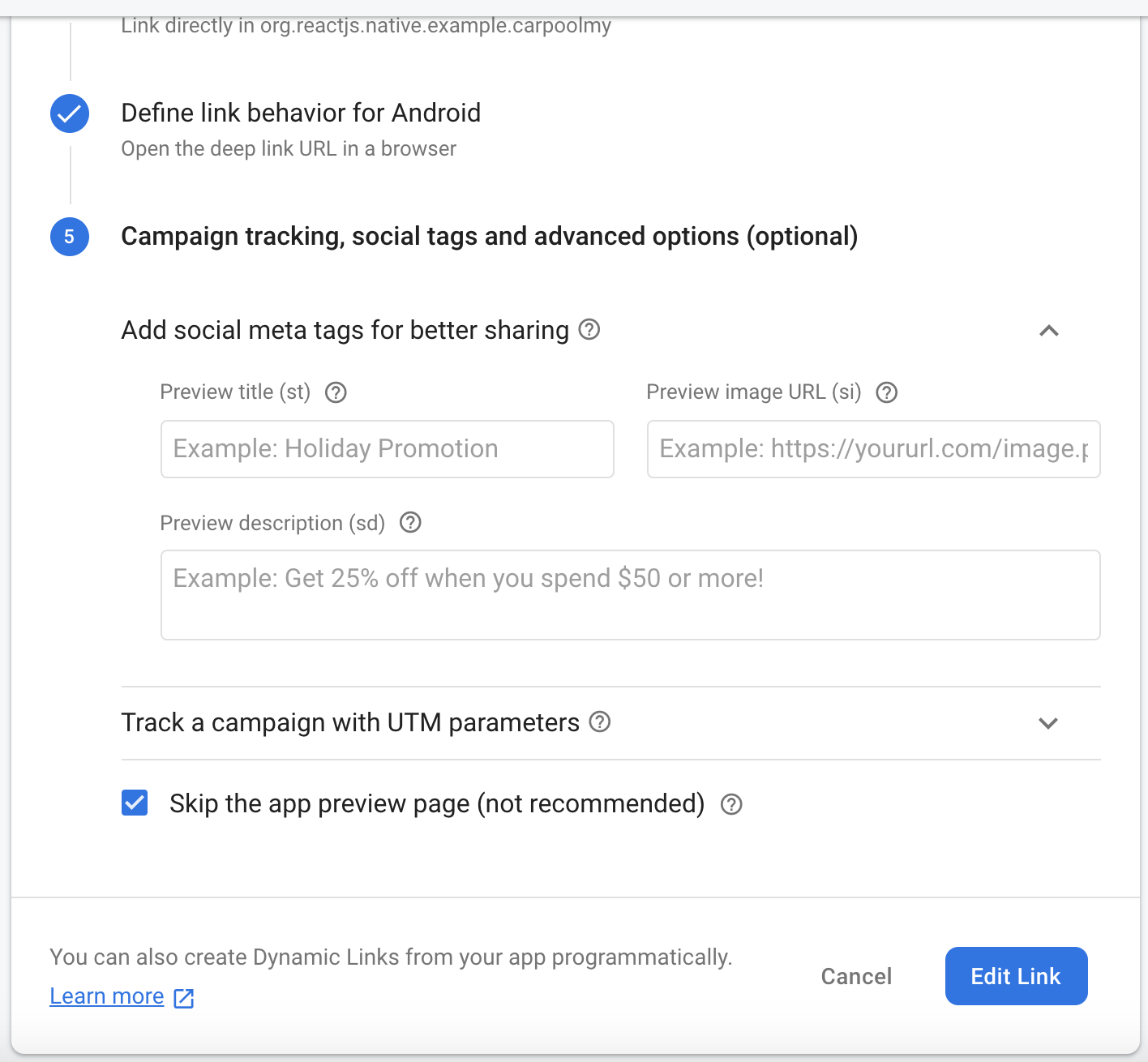
如果您在Firebase控制台上创建动态链接,您可以选择"Skip预览页面“。如果链接已经创建,只需单击“编辑”即可。
https://stackoverflow.com/questions/50115748
复制相似问题
腾讯云开发者

Copyright © 2013 - 2026 Tencent Cloud. All Rights Reserved. 腾讯云 版权所有
深圳市腾讯计算机系统有限公司 ICP备案/许可证号:粤B2-20090059  粤公网安备44030502008569号
腾讯云计算(北京)有限责任公司 京ICP证150476号 | 京ICP备11018762号