
Linux和OSX在使用Batik进行SVG转换时的文本差异
Linux和OSX在使用Batik进行SVG转换时的文本差异
提问于 2018-04-27 04:20:49
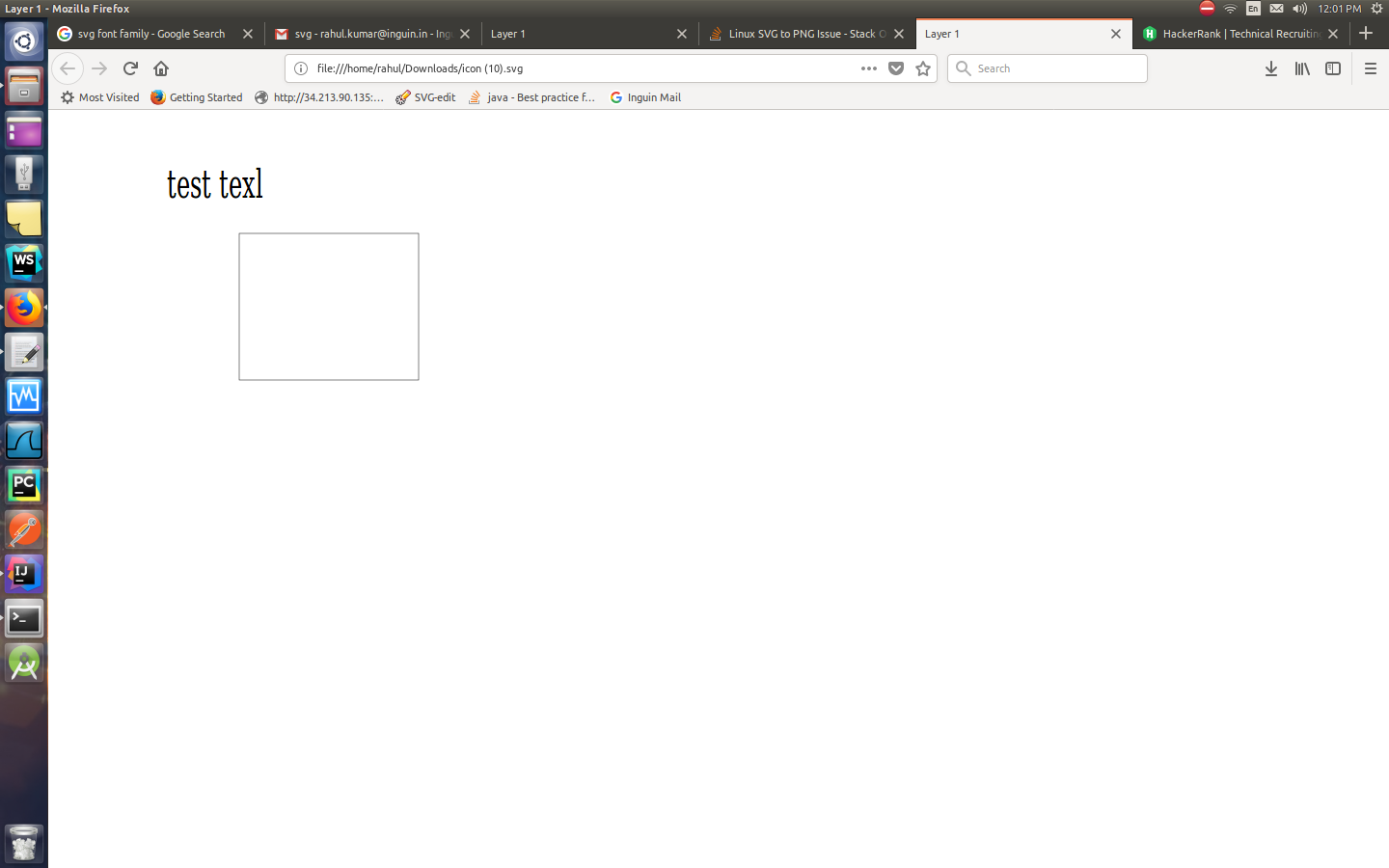
当我在Linux环境中运行相同的代码并尝试使用batik将svg转换为png时,文本的位置会被移动。
OSX中的相同代码给出了正确的png。在Linux中,所有文本元素的位置似乎都在向右移动。
Linux
OS X
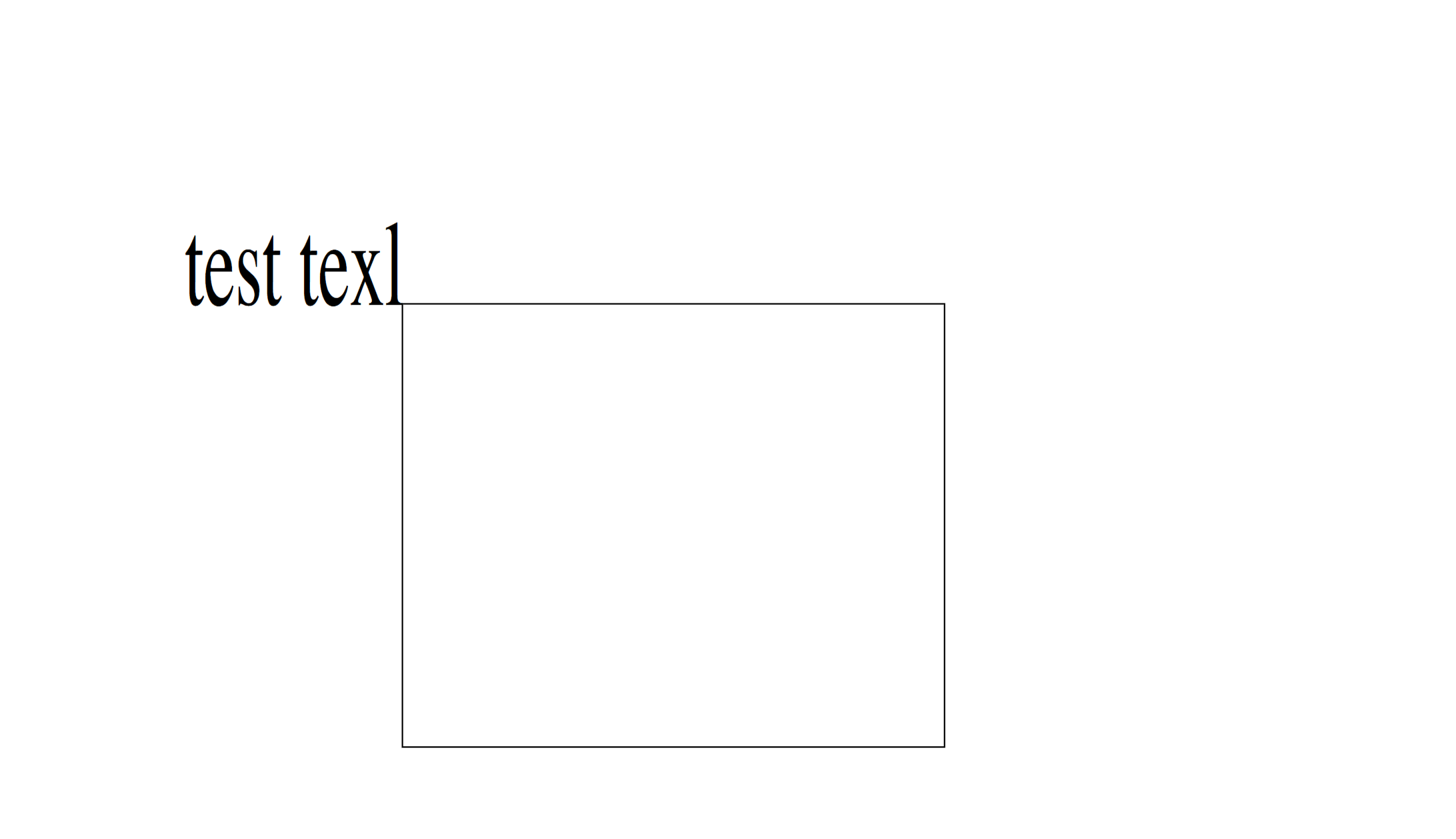
为什么Linux上的映像是错误的?
以下是代码:
TranscoderInput input = new TranscoderInput(svgPath);
// define OutputStream to PNG Image and attach to TranscoderOutput
OutputStream ostream = null;
File tempOutputFile = File.createTempFile(svgPath, ".png");
tempOutputFile.deleteOnExit();
try {
    ostream = new FileOutputStream(tempOutputFile);
} catch (FileNotFoundException e) {
    e.printStackTrace();
}
TranscoderOutput output = new TranscoderOutput(ostream);
// create a JPEG transcoder
PNGTranscoder t = new PNGTranscoder();
// set the transcoding hints
// convert and write output
t.transcode(input, output);
// flush and close the stream then exit
ostream.flush();
ostream.close();
return tempOutputFile;
SVG文件
<svg width="640" height="480" xmlns="http://www.w3.org/2000/svg" xmlns:svg="http://www.w3.org/2000/svg">
  <!-- Created with SVG-edit - https://github.com/SVG-Edit/svgedit-->

  <title>Layer 1</title>
  <rect display-height="NaN" display-width="NaN" display-y="125.5" display-x="65.25" rect-id="0" id="svg_1" height="194" width="316" y="115" x="129" stroke-width="0.5" stroke="#000000" fill="none"/>
  <text alignment-baseline="text-before-edge" xml:space="preserve" text-anchor="start" font-family="serif" font-size="24" id="svg_2" y="125.5" x="65.25" stroke-width="0" stroke="#000000" fill="#000000">sssssss</text>

</svg>回答 1
Stack Overflow用户
发布于 2018-04-28 06:08:13
首先,我不知道你到底想要达到什么结果。这两个截图和问题中的片段都显示了一些不同的东西。您是否试图使文本的结尾与矩形的左手边重合?
这里有几个潜在的问题:
- 您并不是在所有环境中使用相同的字体。从截图可以看出这一点。在不同的操作系统中,"sans-serif“并不一定是相同的字体。特别是如果两种字体都没有安装相同的字体。
- 即使使用完全相同的字体,不同的字体呈现引擎,呈现文本的方式也略有不同。你不一定会得到像素完美的定位。
- 我可能错了,但我怀疑巴蒂克可能不支持
alignment-baseline。因此,这将影响您的文本定位。 - 如果您希望文本的结尾与某个点完全一致,那么使用
text-anchor="end"使文本正确地对齐。见下文。
<svg width="640" height="480" xmlns="http://www.w3.org/2000/svg" xmlns:svg="http://www.w3.org/2000/svg">
  <rect id="svg_1" height="194" width="316" y="115" x="129" stroke-width="0.5" stroke="#000000" fill="none"/>
  <text text-anchor="end" font-family="serif" font-size="24" id="svg_2" y="115" x="129" stroke-width="0" stroke="#000000" fill="#000000">Exact corner</text>
</svg>
页面原文内容由Stack Overflow提供。腾讯云小微IT领域专用引擎提供翻译支持
原文链接:
https://stackoverflow.com/questions/50055191
复制相关文章
相似问题
腾讯云开发者

Copyright © 2013 - 2026 Tencent Cloud. All Rights Reserved. 腾讯云 版权所有
深圳市腾讯计算机系统有限公司 ICP备案/许可证号:粤B2-20090059  粤公网安备44030502008569号
腾讯云计算(北京)有限责任公司 京ICP证150476号 | 京ICP备11018762号