
本机反应: Axios不是在ios上工作,而是在android上工作。错误:<null>类型的JSON值“NSNull”不能转换为NSString
我运行了调试器,axios在发送请求时失败了。同样的东西在Android系统中也能很好的工作。一旦通过axios发送请求,这些红色屏幕就会在模拟器上弹出:
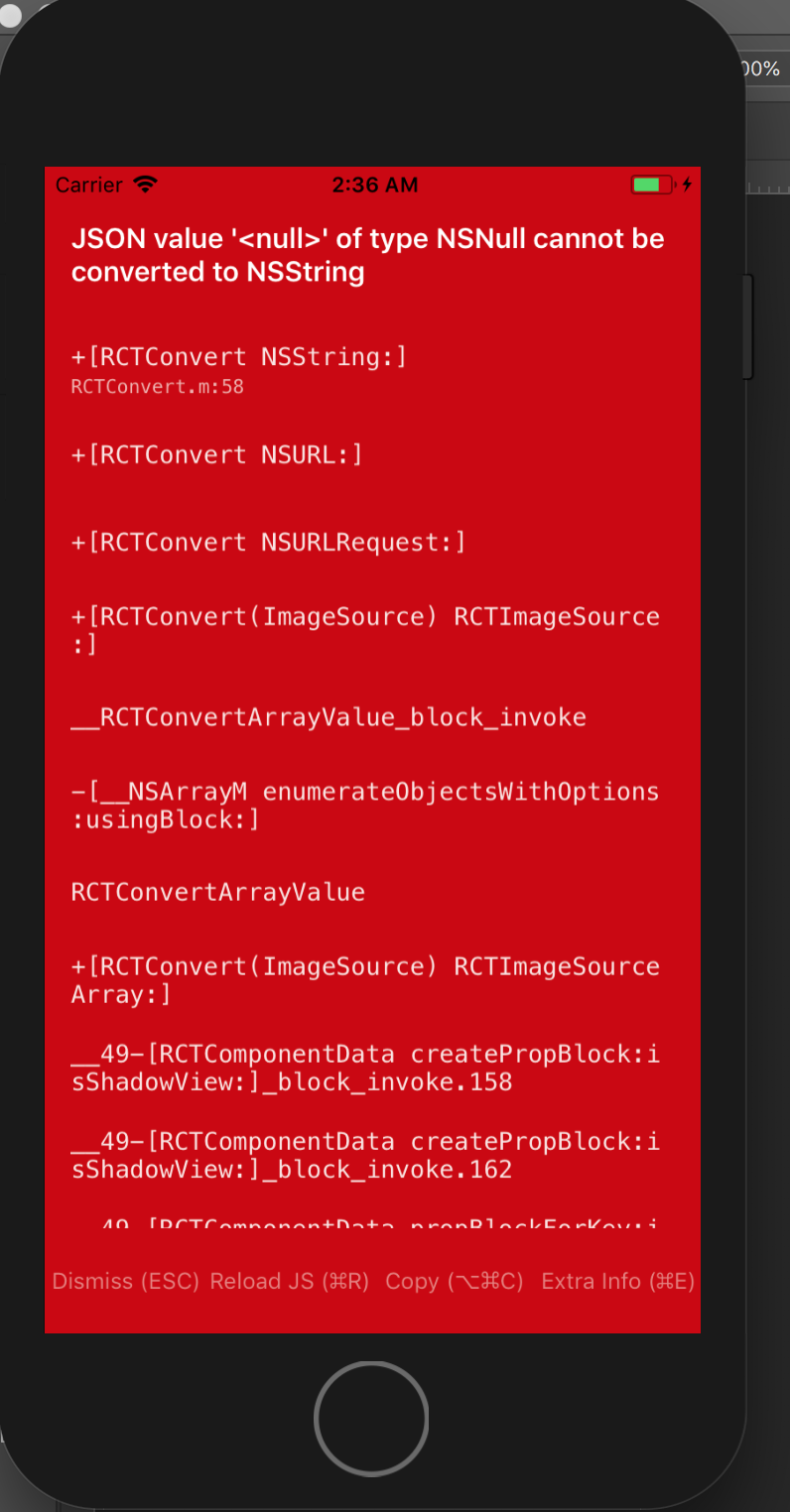
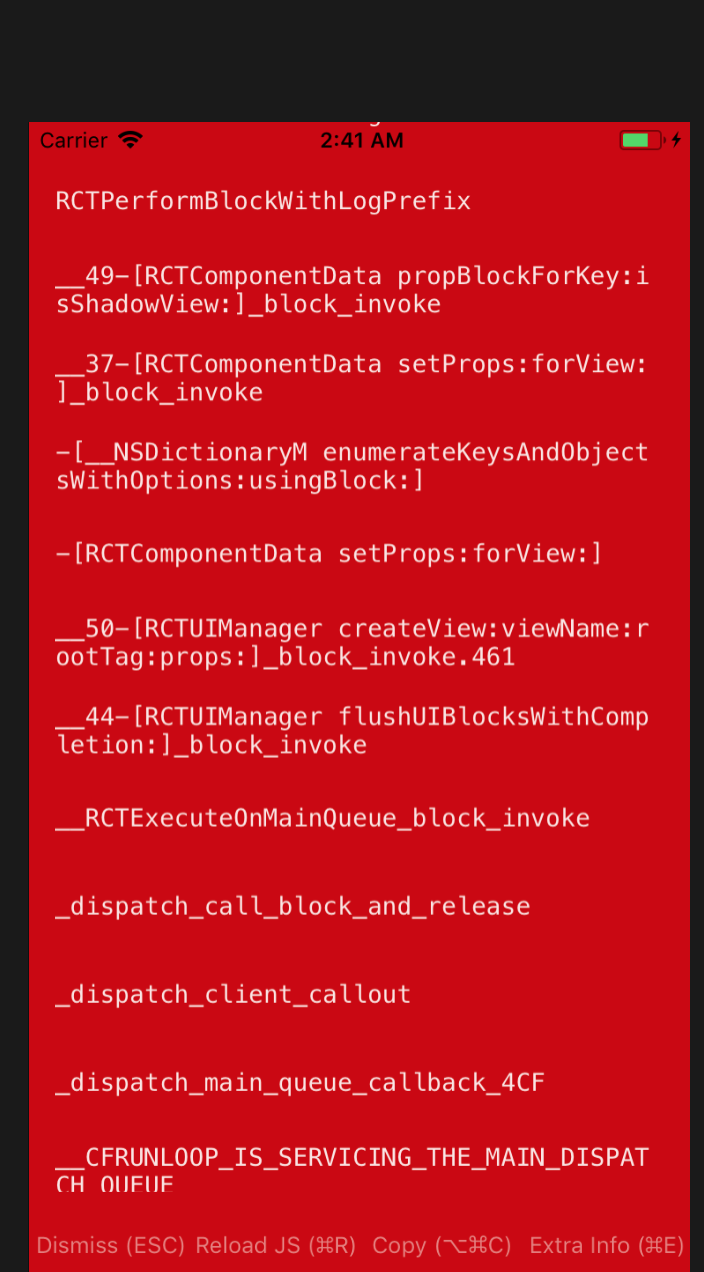
这是给出错误的代码:
 /*red screen here after request send*/return axios.get(config.backend_url + '/api/firebase-user/' + firebaseId)
          .then((userDataFetchResult) => {
            dispatch(setUserGeneralData(userDataFetchResult.data.data));
            dispatch(authOperationFinished());
            return userData;
          })
          .catch(err => {
            console.log(err);
            dispatch(authOperationFailed(err));

          });
我的package.json:
 "dependencies": {
    "axios": "^0.18.0",
    "lodash": "^4.17.5",
    "native-base": "^2.4.1",
    "react": "16.3.1",
    "react-native": "0.54.1",
    "react-native-app-intro-slider": "^0.2.4",
    "react-native-datepicker": "^1.7.1",
    "react-native-fbsdk": "^0.7.0",
    "react-native-firebase": "^4.0.0",
    "react-native-image-picker": "^0.26.7",
    "react-native-navigation": "^1.1.444",
    "react-native-twitter-signin": "^1.0.2",
    "react-native-vector-icons": "^4.6.0",
    "react-redux": "^5.0.6",
    "redux": "^3.7.2",
    "redux-thunk": "^2.2.0"
  }
我的info.plist:
<?xml version="1.0" encoding="UTF-8"?>
<!DOCTYPE plist PUBLIC "-//Apple//DTD PLIST 1.0//EN" "http://www.apple.com/DTDs/PropertyList-1.0.dtd">
<plist version="1.0">
<dict>
    <key>CFBundleURLTypes</key>
    <array>
        <dict>
            <key>CFBundleURLSchemes</key>
            <array>
                <string>fbXXXXXXX</string>
            </array>
        </dict>
    </array>
    <key>LSApplicationQueriesSchemes</key>
    <array>
        <string>fbapi</string>
        <string>fb-messenger-share-api</string>
        <string>fbauth2</string>
        <string>fbshareextension</string>
    </array>
    <key>NSCameraUsageDescription</key>
    <string>Camera Permissions</string>
    <key>NSPhotoLibraryUsageDescription</key>
    <string>Gallery Permissions</string>
    <key>UIAppFonts</key>
    <array>
        <string>Ionicons.ttf</string>
    </array>
    <key>CFBundleDevelopmentRegion</key>
    <string>en</string>
    <key>CFBundleDisplayName</key>
    <string>FFFF</string>
    <key>CFBundleExecutable</key>
    <string>$(EXECUTABLE_NAME)</string>
    <key>CFBundleIdentifier</key>
    <string>org.reactjs.native.example.$(PRODUCT_NAME:rfc1034identifier)</string>
    <key>CFBundleInfoDictionaryVersion</key>
    <string>6.0</string>
    <key>CFBundleName</key>
    <string>$(PRODUCT_NAME)</string>
    <key>CFBundlePackageType</key>
    <string>APPL</string>
    <key>CFBundleShortVersionString</key>
    <string>1.0</string>
    <key>CFBundleSignature</key>
    <string>????</string>
    <key>CFBundleVersion</key>
    <string>1</string>
    <key>LSRequiresIPhoneOS</key>
    <true/>
    <key>UILaunchStoryboardName</key>
    <string>LaunchScreen</string>
    <key>UIRequiredDeviceCapabilities</key>
    <array>
        <string>armv7</string>
    </array>
    <key>UISupportedInterfaceOrientations</key>
    <array>
        <string>UIInterfaceOrientationPortrait</string>
        <string>UIInterfaceOrientationLandscapeLeft</string>
        <string>UIInterfaceOrientationLandscapeRight</string>
    </array>
    <key>UIViewControllerBasedStatusBarAppearance</key>
    <false/>
    <key>NSLocationWhenInUseUsageDescription</key>
    <string></string>
    <key>NSAppTransportSecurity</key>
    <dict>
        <key>NSAllowsArbitraryLoads</key>
        <true/>
        <key>NSExceptionDomains</key>
        <dict>
            <key>localhost</key>
            <dict>
                <key>NSExceptionAllowsInsecureHTTPLoads</key>
                <true/>
            </dict>
        </dict>
    </dict>
    <key>FacebookAppID</key>
    <string>XXXXXX</string>
    <key>FacebookDisplayName</key>
    <string>FF</string>
</dict>
</plist>
我的助理代表:
#import "AppDelegate.h"
#import <React/RCTBundleURLProvider.h>
#import <FBSDKCoreKit/FBSDKCoreKit.h>

// **********************************************
// *** DON'T MISS: THE NEXT LINE IS IMPORTANT ***
// **********************************************
#import <TwitterKit/TwitterKit.h>

// IMPORTANT: if you're getting an Xcode error that RCCManager.h isn't found, you've probably ran "npm install"
// with npm ver 2. You'll need to "npm install" with npm 3 (see https://github.com/wix/react-native-navigation/issues/1)

#import <Firebase.h>
#import "RCCManager.h"

#import <React/RCTRootView.h>

@implementation AppDelegate

- (BOOL)application:(UIApplication *)application didFinishLaunchingWithOptions:(NSDictionary *)launchOptions
{
  [FIRApp configure];

  [[FBSDKApplicationDelegate sharedInstance] application:application
                           didFinishLaunchingWithOptions:launchOptions];


  NSURL *jsCodeLocation;
#ifdef DEBUG
  jsCodeLocation = [[RCTBundleURLProvider sharedSettings] jsBundleURLForBundleRoot:@"index" fallbackResource:nil];
#else
  jsCodeLocation = [[NSBundle mainBundle] URLForResource:@"main" withExtension:@"jsbundle"];
#endif

  self.window = [[UIWindow alloc] initWithFrame:[UIScreen mainScreen].bounds];
  self.window.backgroundColor = [UIColor whiteColor];
  [[RCCManager sharedInstance] initBridgeWithBundleURL:jsCodeLocation launchOptions:launchOptions];

  return YES;
}

- (BOOL)application:(UIApplication *)application
            openURL:(NSURL *)url
            options:(NSDictionary<NSString *,id> *)options {

  BOOL handled = [[FBSDKApplicationDelegate sharedInstance] application:application
                                                                openURL:url
                                                      sourceApplication:options[UIApplicationOpenURLOptionsSourceApplicationKey]
                                                             annotation:options[UIApplicationOpenURLOptionsAnnotationKey]
                  ];

  BOOL handledT = [[Twitter sharedInstance] application:application openURL:url options:options];
  // Add any custom logic here.
  return handled || handledT;
}


- (void)applicationDidBecomeActive:(UIApplication *)application {
  [FBSDKAppEvents activateApp];
}

@end
知道有什么问题吗?非常感谢!
编辑:请求数据明显到达,但它还是抛出了红色屏幕。在抛出错误之前,调用它的组件的呈现方法也会多次运行。我在componentDidMount上叫它。呈现方法是
render() {

    let content = (
      <CausesList
        causes={this.props.causes}
        onItemSelected={this.itemSelectedHandler}
        onLoadMore={this.onLoadMoreHandler}
      />
    );


    let spinner = null;

    if (this.props.causesFetchLoading || this.state.checkingFirebaseAuth) {
      spinner = <ActivityIndicator />
    }

     return (
      <View>
           <SearchBar onSearch={this.onShearchHandler} />
           <CauseCategoriesList causeCategories={this.props.causeCategories} onCategoryPressed={this.onCategoryPressedHandler} />
          {content}
          {spinner}
      </View>
    );
  }
}
编辑2:这似乎与网络无关。我一直在使用调试器跟踪程序,当它呈现组件时,它会失败。它一定是在做一些在android中被接受的转换,但在ios中却没有.
回答 1
Stack Overflow用户
发布于 2018-04-22 07:36:40
我通过使用调试器进行大量挖掘来解决这个问题,因为错误消息非常神秘,根本没有帮助。遗憾的是,它没有显示出更具体的东西。
最后,这与人际关系无关。数据到了,但在渲染的时候失败了。我开始每次删除一个组件,直到问题指向具有图像组件的卡组件为止。
问题是,如果您将图像源设置为使用null值值,那么Android将毫无问题地接受它。但是如果在IOS中这样做,它将抛出上面看到的错误(红色屏幕)。
解决方案是在路径不为空的情况下有条件地呈现图像。下面是我解决这个问题的方法,供以后参考:
if(props.cause.pic_url){
    image = (<Image source={{uri: props.cause.pic_url}} style={{height: 200, width: 200, flex: 1}}/>)

  }

  return (<TouchableOpacity onPress={props.onItemPressed}>
    <Card style={{flex: 0}}>
            <CardItem>
              <Left>
                  { thumbnail }
                <Body>
                <Text>{props.cause.name}</Text>
                <Text>{props.cause.hashtag}</Text>
                </Body>
              </Left>
            </CardItem>
            <CardItem>
              <Body>
                   { image }
                <Text>
                  {props.cause.short_description}
                </Text>
              </Body>
            </CardItem>
            <CardItem>
              <Left>
                <Button transparent textStyle={{color: '#87838B'}}>
                  <Icon name="logo-github" />
                  <Text>1,926 stars</Text>
                </Button>
              </Left>
            </CardItem>
          </Card>

</TouchableOpacity>)https://stackoverflow.com/questions/49963150
复制相似问题
腾讯云开发者

Copyright © 2013 - 2026 Tencent Cloud. All Rights Reserved. 腾讯云 版权所有
深圳市腾讯计算机系统有限公司 ICP备案/许可证号:粤B2-20090059  粤公网安备44030502008569号
腾讯云计算(北京)有限责任公司 京ICP证150476号 | 京ICP备11018762号