
在enaml中有绘图/画布小部件吗?
在enaml中有绘图/画布小部件吗?
提问于 2018-04-17 06:33:18
我想让UI基本上是一张图片,用户可以在上面画出一条由直线连接的点的路径。我希望它是跨平台的,所以我正在考虑试用enaml。不过,我不知道如何做到这一点。
我查看了文档和示例,找不到任何类似于画布小部件的东西。是否可以在表面进行任意绘制(点、线等)?
回答 1
Stack Overflow用户
回答已采纳
发布于 2018-05-17 00:21:19
enaml没有画布小部件,但是您可以使用RawWidget以及自定义QWidget和QPainter来绘制所需的任何东西。
from atom.api import Typed, Event
from enaml.widgets.api import Window, Container, RawWidget
from enaml.core.declarative import d_
from enaml.qt.QtCore import Qt
from enaml.qt.QtGui import QPainter, QPainterPath, QMouseEvent
from enaml.qt.QtWidgets import QWidget


class QtPaintWidget(QWidget):
    """ A widget that delegates drawing to enaml """
    def __init__(self, parent, widget):
        super(QtPaintWidget, self).__init__(parent)
        self.widget = widget

    def paintEvent(self, e):
        qp = QPainter()
        qp.begin(self)
        # Trigger the 'paint' event on th PaintWidget
        self.widget.paint(qp)
        qp.end()

    def mouseReleaseEvent(self, e):
        super(QtPaintWidget, self).mouseReleaseEvent(e)
        self.widget.mouse_event(e)


class PaintWidget(RawWidget):

    #: Push the paint event up to enaml
    paint = d_(Event(QPainter))

    #: Handle mouse event in enaml
    mouse_event = d_(Event(QMouseEvent))

    def create_widget(self, parent):
        return QtPaintWidget(parent, self)

    def update(self):
        self.proxy.widget.update()


enamldef Main(Window):
    Container:
        padding = 0
        PaintWidget: canvas:
            attr points = []
            minimum_size = (500, 500)
            paint ::
                # See https://doc.qt.io/qt-5/qpainter.html
                # for how to use the QPainter
                qp = change['value']
                qp.setBrush(Qt.white)
                qp.drawRect(0, 0, 500,  500)
                qp.setBrush(Qt.NoBrush)
                qp.setPen(Qt.blue)
                for p in points:
                    qp.drawPoint(p)
                qp.setPen(Qt.red)
                path = QPainterPath()
                if len(points) > 1:
                    for i, p in enumerate(points):
                        if i==0:
                            path.moveTo(p)
                        else:
                            path.lineTo(p)
                qp.drawPath(path)
            mouse_event ::
                # Save the position
                e = change['value']
                print(e)
                if e.button() == Qt.RightButton:
                    del points[:]
                else:
                    points.append(e.pos())
                canvas.update()
和瓦拉
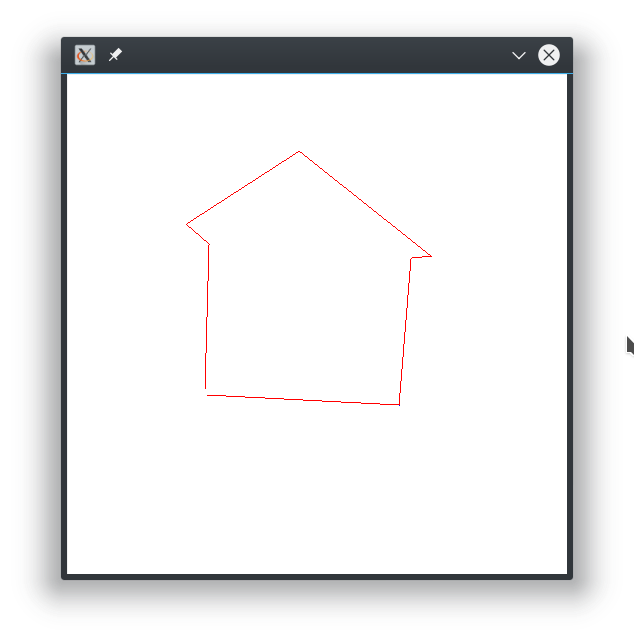
您不必将have事件推到enaml,它只会使与其他小部件的交互变得更容易。有关Qt中绘图的更多信息,请参见QtPainter文档和http://zetcode.com/gui/pyqt5/painting/。
页面原文内容由Stack Overflow提供。腾讯云小微IT领域专用引擎提供翻译支持
原文链接:
https://stackoverflow.com/questions/49871342
复制相关文章
相似问题
腾讯云开发者

Copyright © 2013 - 2026 Tencent Cloud. All Rights Reserved. 腾讯云 版权所有
深圳市腾讯计算机系统有限公司 ICP备案/许可证号:粤B2-20090059  粤公网安备44030502008569号
腾讯云计算(北京)有限责任公司 京ICP证150476号 | 京ICP备11018762号