
带FreshTabbedNavigationContainer的可滚动选项卡条
带FreshTabbedNavigationContainer的可滚动选项卡条
提问于 2018-04-13 06:57:04
对于FreshMVVM的FreshTabbedNavigationContainer,所有选项卡都希望同时可见并截断:
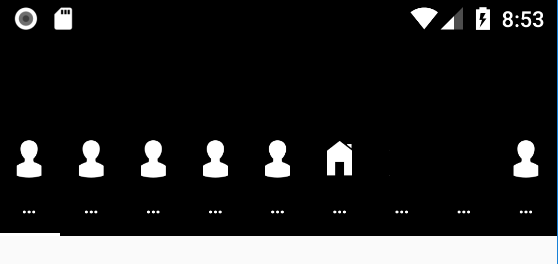
我希望它们是全宽度的,并且像普通的TabbedPage一样可以滚动。
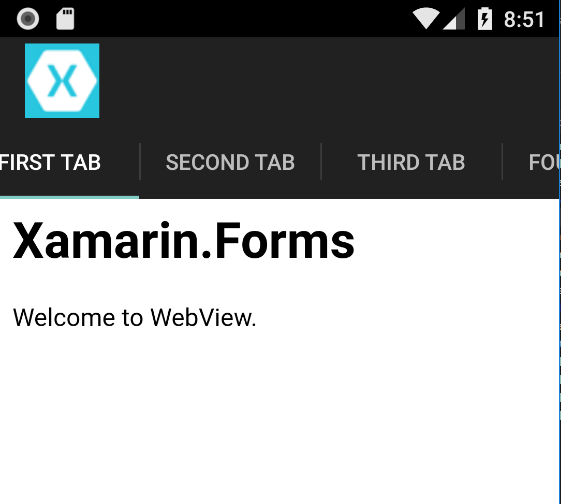
我其实没有那么多标签。这只是一个例子来说明我的意思。
回答 1
Stack Overflow用户
回答已采纳
发布于 2018-04-16 07:36:37
您需要使用CustomRednerer。
例如:
在Droid项目中:
[assembly: ExportRenderer(typeof(ScrollableTabbedPage), typeof(ScrollableTabbedPageRenderer))]
namespace ScrollableFreshTabbed.Droid
{
    class ScrollableTabbedPageRenderer : TabbedPageRenderer
    {
        public ScrollableTabbedPageRenderer(Context context) : base(context)
        {

        }
        public override void OnViewAdded(Android.Views.View child)
        {
            base.OnViewAdded(child);
            var tabLayout = child as TabLayout;
            if (tabLayout != null)
            {
                tabLayout.TabMode = TabLayout.ModeScrollable;
            }
        }
    }
}
在便携式项目中:
public class ScrollableTabbedPage :  FreshTabbedNavigationContainer
{
    public ScrollableTabbedPage ()
    {

    }
}
App.xaml.cs:
        public App ()
        {
            InitializeComponent();
            var tabbedNavigation = new ScrollableTabbedPage();
            tabbedNavigation.AddTab<QuotePageModel>("Contacts", null);
            tabbedNavigation.AddTab<QuotePageModel>("Contacts", null);
            tabbedNavigation.AddTab<QuotePageModel>("Contacts", null);
            tabbedNavigation.AddTab<QuotePageModel>("Contacts", null);
            tabbedNavigation.AddTab<QuotePageModel>("Contacts", null);
            tabbedNavigation.AddTab<QuotePageModel>("Contacts", null);
            tabbedNavigation.AddTab<QuotePageModel>("Contacts", null);
            tabbedNavigation.AddTab<QuotePageModel>("Contacts", null);
            tabbedNavigation.AddTab<QuotePageModel>("Contacts", null);
            tabbedNavigation.AddTab<QuotePageModel>("Contacts", null);
            tabbedNavigation.AddTab<QuotePageModel>("Contacts", null);
            tabbedNavigation.AddTab<QuotePageModel>("Contacts", null);
            tabbedNavigation.AddTab<QuotePageModel>("Contacts", null);
            tabbedNavigation.AddTab<QuotePageModel>("Contacts", null);
            tabbedNavigation.AddTab<QuotePageModel>("Contacts", null);
            tabbedNavigation.AddTab<QuotePageModel>("Contacts", null);

            MainPage = tabbedNavigation;
        }
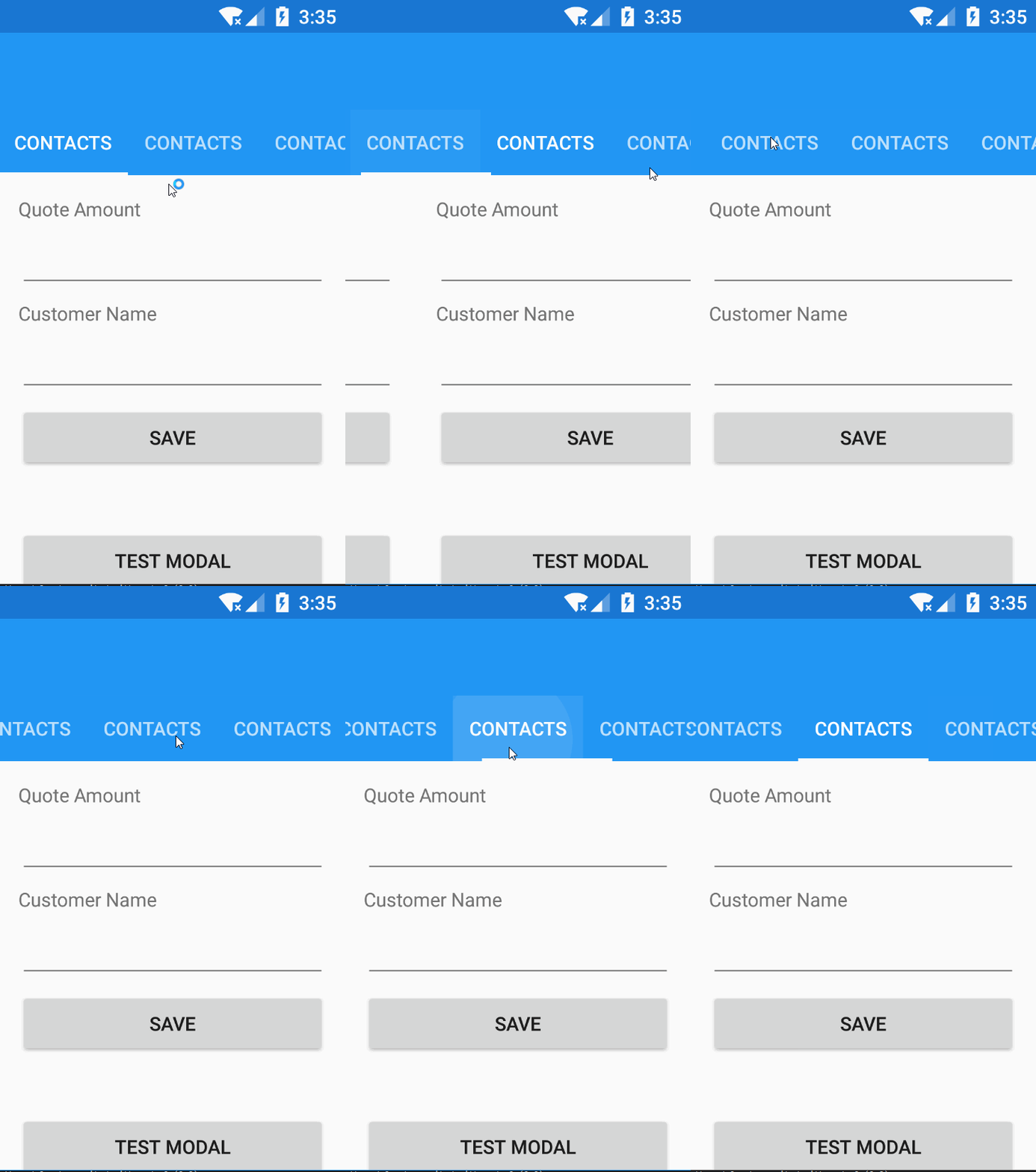
结果是:
页面原文内容由Stack Overflow提供。腾讯云小微IT领域专用引擎提供翻译支持
原文链接:
https://stackoverflow.com/questions/49811022
复制相关文章
相似问题
腾讯云开发者

Copyright © 2013 - 2026 Tencent Cloud. All Rights Reserved. 腾讯云 版权所有
深圳市腾讯计算机系统有限公司 ICP备案/许可证号:粤B2-20090059  粤公网安备44030502008569号
腾讯云计算(北京)有限责任公司 京ICP证150476号 | 京ICP备11018762号