
Google Appengine上的RPC支持“超时等待”吗?
我试图在上实现以下逻辑:
rpc = call_external_service(timeout=T)
rpc.wait(timeout=T/2)
if rpc.done:
   return rpc.result
rpc2 = call_backup_service(timeout=T/2)
finished_rpc = wait_any([rpc, rpc2], timeout=T/2)
return finished_rpc.result也就是说,调用超时为T的服务(使用urlfetch)。如果服务在T/2中没有完成,请尝试调用备份服务,然后等待它们中的任何一个完成。
问题是RPC机制似乎没有提供“等待和超时”原语。也就是说,如果我创建一个带有截止日期T的RPC,我不能说“等待T/2秒并查看RPC是否完成”。
有人能解决这个问题吗?
编辑:@TarunLalwani发布了一个潜在的解决方案。其想法是有一个特殊的处理程序,它可以在预定的时间内睡眠(类似于/sleep?delay=5),并将其作为第二个参数添加到UserRPC.wait_any中。即。类似于:
rpc = call_external_service(timeout=T)
rpc2 = create_wait_rpc(timeout=T/2)
finished_rpc = wait_any([rpc, rpc2])
if finished_rpc == finished_rpc:
  return rpc.result
rpc2 = call_backup_service(timeout=T/2)
finished_rpc = wait_any([rpc, rpc2])
return finished_rpc.result不幸的是,UserRPC.wait_any的实现方式如下所示:
def wait_any(rpcs):
    last_rpc = rpcs[-1]
    last_rpc.wait()
return last_rpc也就是说,它总是等待最后一个RPC完成,这在我们的例子中是一个问题,因为如果初始调用在少于T/2的时间内完成,我们希望立即返回结果,而不是必须等待最少的T/2。我在本地dev_appserver和生产中测试了这一点(可以从https://github.com/cdman/gae-rpc-test抓取快速测试代码)。
仍然可以通过对rpc2使用一些非常小的超时来使其工作,比如:
rpc = call_external_service(timeout=T)
end_time = time.time() + T/2
while time.time() < end_time:
    wait_any([rpc, create_wait_rpc(timeout=0.1)])
    if rpc.status == 2:
        return rpc.result
# else, call backup service
但是,在这里,我仍然人为地将我的时间分辨率限制在100 my (因此,如果初始调用在230 my内结束,我们只在300 my之后返回结果),我将向/sleep发送大量请求。此外,这可能会增加项目的运行成本。
或者,如果有某种非op/低开销RPC可以作为UserRPC.wait_any的第二个参数传入以保持事件循环的移动,那么这个半忙等待解决方案可能会工作:-)
编辑2:我使用来自ndb的memcache.get异步版本实现了繁忙等待版本。您可以在这里查看源代码:https://github.com/cdman/gae-rpc-test/blob/ndb-async/main.py
从理论上讲,这应该是免费的(参见https://cloud.google.com/appengine/pricing#other-resources),但仍然感觉像黑客一样。
编辑3:下面的内容应该可以工作:
from google.appengine.ext.ndb import eventloop
# ...
ev = eventloop.get_event_loop()
while time.time() < end_time:
  ev.run1()
  if rpc.done():
    break
  time.sleep(0.001)
(即显式地运行事件循环,检查RPC,它没有完成,稍微睡一会儿,然后再试一次)
不幸的是,“运行事件循环”步骤只是阻塞,直到urlfetch在某个点完成:(
回答 2
Stack Overflow用户
发布于 2018-04-16 09:29:17
TL;DR;
在深入研究的源代码之后,下面是我的观察结果,并将其删除。
wait_any并不像那样
当您在2 wait_any上使用RPCs时,您希望先完成该任务,但逻辑似乎并非如此
assert iter(rpcs) is not rpcs, 'rpcs must be a collection, not an iterator'
finished, running = cls.__check_one(rpcs)
if finished is not None:
  return finished
if running is None:
  return None
try:
  cls.__local.may_interrupt_wait = True
  try:
    running.__rpc.Wait()
  except apiproxy_errors.InterruptedError, err:
    err.rpc._exception = None
    err.rpc._traceback = None
finally:
  cls.__local.may_interrupt_wait = False
finished, runnning = cls.__check_one(rpcs)
return finished
在下面的代码行
finished, running = cls.__check_one(rpcs)方法__check_one的代码如下
rpc = None
for rpc in rpcs:
  assert isinstance(rpc, cls), repr(rpc)
  state = rpc.__rpc.state
  if state == apiproxy_rpc.RPC.FINISHING:
    rpc.__call_user_callback()
    return rpc, None
  assert state != apiproxy_rpc.RPC.IDLE, repr(rpc)
return None, rpc因此,它只检查其中任何一个是否已经完成,如果没有,则返回最后一个集合,即最后一个return None, rpc。
然后wait_any打电话给running.__rpc.Wait()。因此创建了一个简单的sleep/delay处理程序。
类SleepHandler(webapp2.RequestHandler):
def get(self):
    delay = float(self.request.get('delay')) if self.request.get('delay') else 10
    sleep(delay)
    self.response.status_int = 200
self.response.write('Response delayed by {}'.format(delay))并在MainHandler下面添加以测试deadline
class MainHandler(webapp2.RequestHandler):
    def get(self):
        # rpc = UserRPC('dummywait', 5, stubmap=MyStubMap)

        rpc = urlfetch.create_rpc(deadline=2.0)
        rpc2 = urlfetch.create_rpc(deadline=6.0)
        urlfetch.make_fetch_call(rpc, self.request.host_url + "/sleep?delay=1")
        urlfetch.make_fetch_call(rpc2, self.request.host_url + "/sleep?delay=5")
        try:
            print(datetime.now())
            finished = apiproxy_stub_map.UserRPC.wait_any([rpc, rpc2])
            print(finished.request.url_)
            print(datetime.now())
            i = 0
        except Exception as ex:
            print_exception(ex)
        # ... do other things ...
        try:
            print(datetime.now())
            result = finished.get_result()
            print(datetime.now())
            if result.status_code == 200:
                text = result.content
                self.response.write(text)
            else:
                self.response.status_int = result.status_code
                self.response.write('URL returned status code {}'.format(
                    result.status_code))
        except urlfetch.DownloadError:
            print(datetime.now())
            self.response.status_int = 500
            self.response.write('Error fetching URL')


app = webapp2.WSGIApplication([
    ('/', MainHandler),
    ('/sleep', SleepHandler),
], debug=True)
下面是上面代码中的要点
rpc的截止日期为2.0sec,实际请求以1.0完成rpc2的截止日期为6.0sec,实际请求以5.0完成
现在,理想的情况是,我们将获得rpc作为已完成的任务,并在url响应中显示数据。但输出是
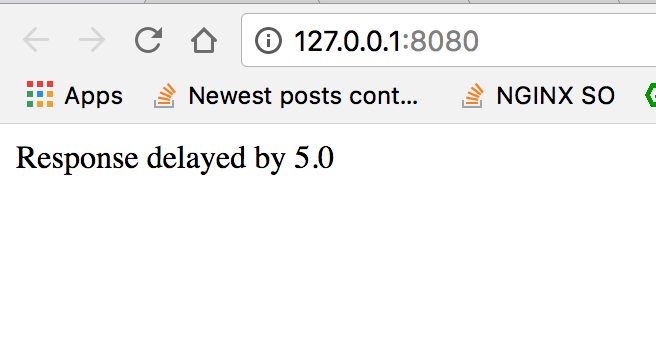
现在,如果我们将wait_any参数的顺序从
finished = apiproxy_stub_map.UserRPC.wait_any([rpc, rpc2])至
finished = apiproxy_stub_map.UserRPC.wait_any([rpc2, rpc])输出更改为下面
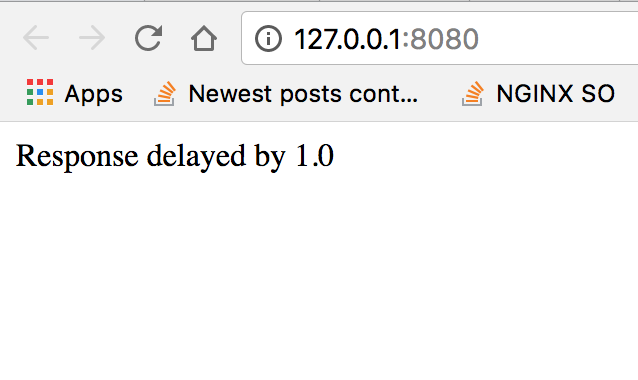
因此,这意味着,如果您创建了T和T/2的最后期限,那么如果您使用该参数作为最后一个参数,那么您的最小等待时间将始终是T/2。
因此,不管你想在谷歌应用程序中解决这个问题,它们仍然是肮脏的伎俩。现在可能的诀窍是做间隔期。以下一个这样的样本
    T = 10.0
    # Deadline T
    rpc_main = urlfetch.create_rpc(deadline=T)

    # Deadline T/2
    rpc_backup = urlfetch.create_rpc(deadline=T / 2)

    urlfetch.make_fetch_call(rpc_main, self.request.host_url + "/sleep?delay=7")

    i = 0.0

    while i < T / 2:
        rpc_compare = urlfetch.create_rpc()
        urlfetch.make_fetch_call(rpc_compare, self.request.host_url + "/sleep?delay=0.5")

        finished = apiproxy_stub_map.UserRPC.wait_any([rpc_main, rpc_compare])
        i += 0.5
        if finished == rpc_main:
            break

    if finished != rpc_main:
        # we need to fire a backup request
        urlfetch.make_fetch_call(rpc_backup, self.request.host_url + "/sleep?delay=1")

        finished = apiproxy_stub_map.UserRPC.wait_any([rpc_backup, rpc_main])

    try:
        finished.get_result()
    except DeadlineExceededError as ex:
        # Rpc main finished with error then we need to switch to Backup request
finished = rpc_backup在这里,我们将rpc_main作为优先级而不是备份,即使在本例中备份将首先完成,我们还是从rpc_main获得响应。
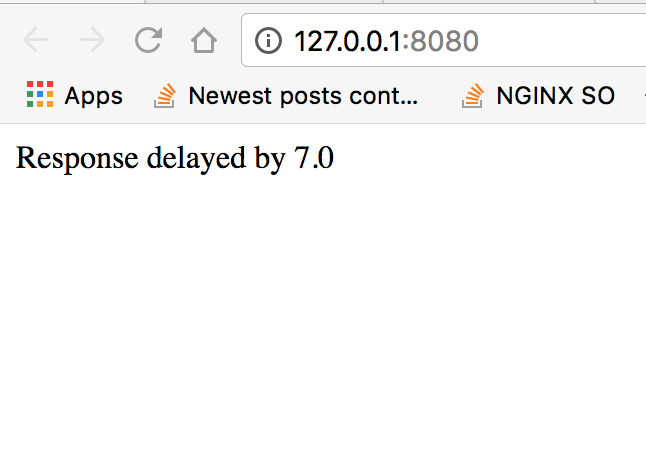
现在,如果我将RPC主目录更改为低于截止日期
urlfetch.make_fetch_call(rpc_main, self.request.host_url + "/sleep?delay=20")输出将更改为
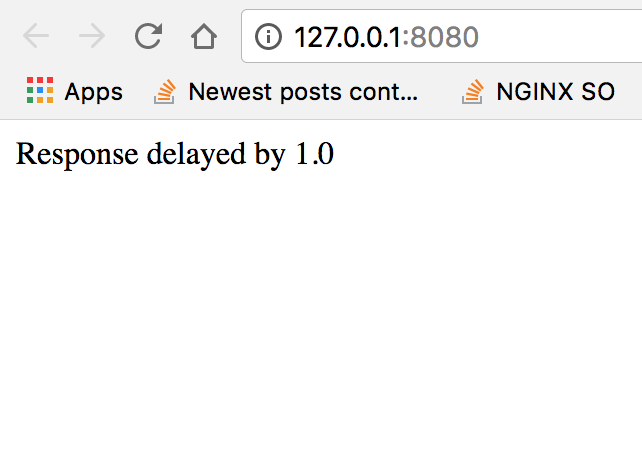
因此,它既显示了轮询,也显示了最坏的等待场景。这是我能够解决的唯一可能的解决办法/实现,看看原始的源代码。
Stack Overflow用户
发布于 2018-04-15 20:14:30
可以使用以下urlfetch 函数设置自定义请求超时
urlfetch.set_default_fetch_deadline(value)
请注意,此函数将新的默认截止日期存储在线程局部变量上,因此必须为每个请求设置它,例如,在自定义中间件中。值参数是操作的截止日期(以秒为单位);默认值是特定于系统的截止日期(通常为5秒)。
实际的实现将取决于您的语言,但是一旦您设置了一个自定义超时,您就可以轻松地为您对备份服务的调用设置一个期限/2的值。
https://stackoverflow.com/questions/49774483
复制相似问题
腾讯云开发者

Copyright © 2013 - 2026 Tencent Cloud. All Rights Reserved. 腾讯云 版权所有
深圳市腾讯计算机系统有限公司 ICP备案/许可证号:粤B2-20090059  粤公网安备44030502008569号
腾讯云计算(北京)有限责任公司 京ICP证150476号 | 京ICP备11018762号