
Arduino Leonardo:退出引导加载程序错误
Arduino Leonardo:退出引导加载程序错误
提问于 2018-04-09 13:50:47
我试图通过theArduino IDE将我的代码上传给Arduino Leonardo,但是:
avrdude: butterfly_recv(): programmer is not responding
avrdude: butterfly_recv(): programmer is not responding
avrdude: butterfly_recv(): programmer is not responding
avrdude: butterfly_recv(): programmer is not responding
avrdude: butterfly_recv(): programmer is not responding
Found programmer: Id = "ю"; type = ё
Software Version = h.; Hardware Version = u.M
avrdude: butterfly_recv(): programmer is not responding
avrdude: butterfly_recv(): programmer is not responding
avrdude: error: buffered memory access not supported. Maybe it isn't
a butterfly/AVR109 but a AVR910 device?
avrdude: initialization failed, rc=-1
         Double check connections and try again, or use -F to override
         this check.

avrdude: butterfly_recv(): programmer is not responding
avrdude: error: programmer did not respond to command: leave prog mode
avrdude: butterfly_recv(): programmer is not responding
avrdude: error: programmer did not respond to command: exit bootloader
avrdude: error: programmer did not respond to command: exit bootloader
怎么啦?我该怎么解决这个问题?
回答 2
Stack Overflow用户
回答已采纳
发布于 2018-04-10 22:34:02
这里有一些提示:
- 当您使用损坏的电缆上传代码时,这通常是错误消息。用另一根电缆试试。
- 如果您正在使用AVRISP mkII,请尝试切换到USBasp。
- 检查是否有当前版本的Arduino IDE。
- 检查你的电路。可能会影响通讯。
- 去找董事会经理:
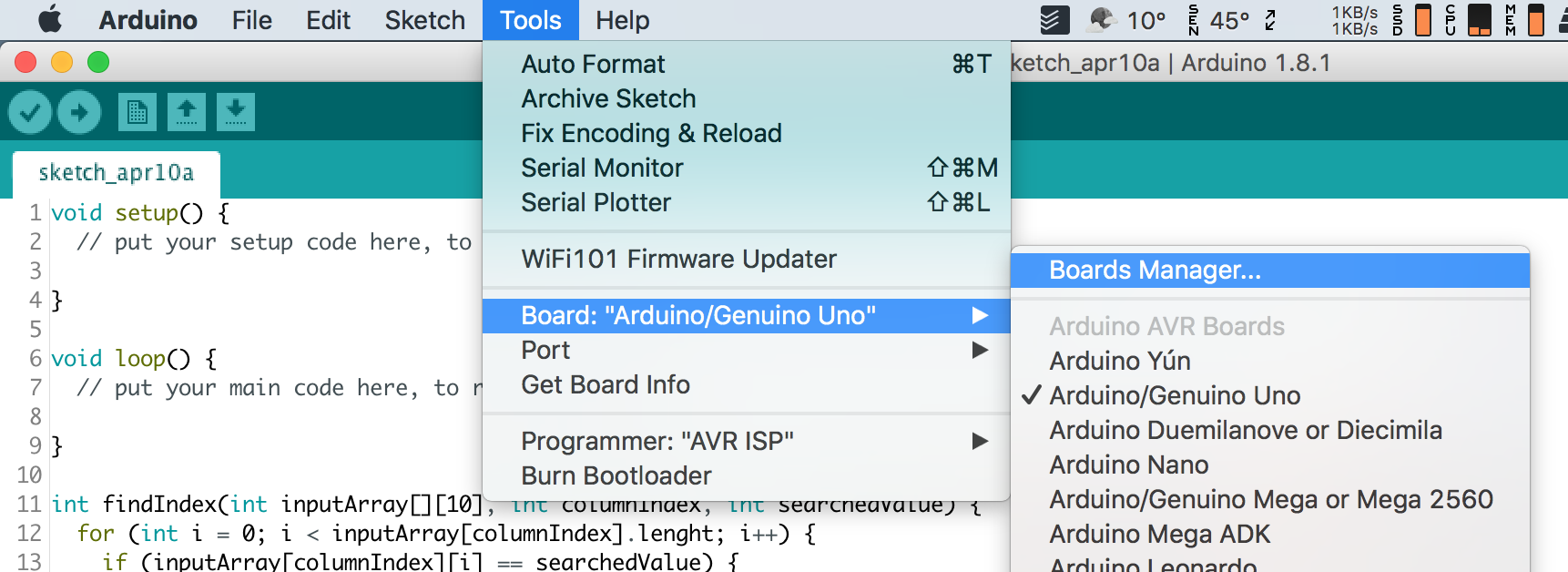
而不是选择最新版本的支持板,然后单击安装按钮。
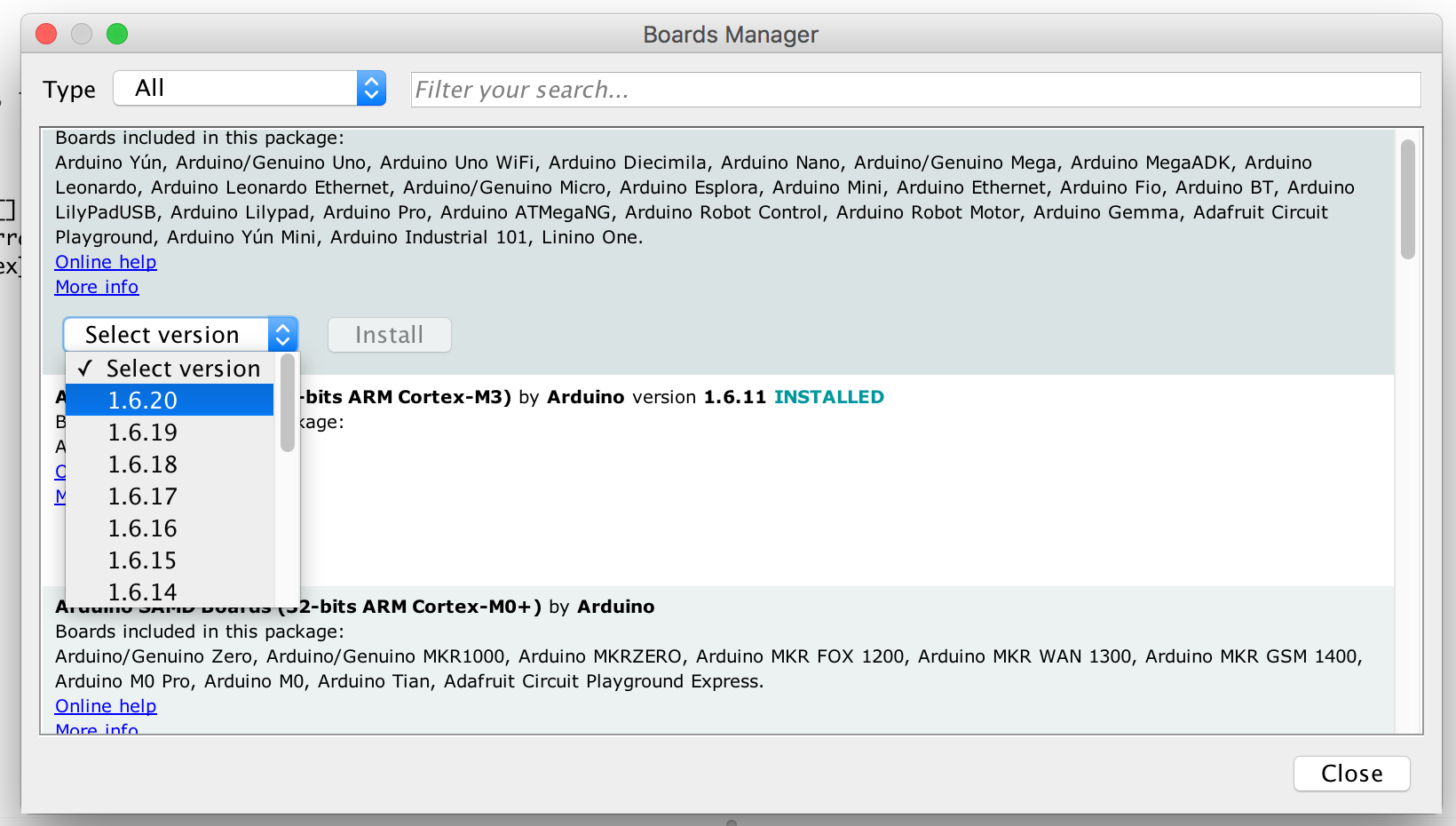
- 您可以尝试刻录新的引导加载程序:
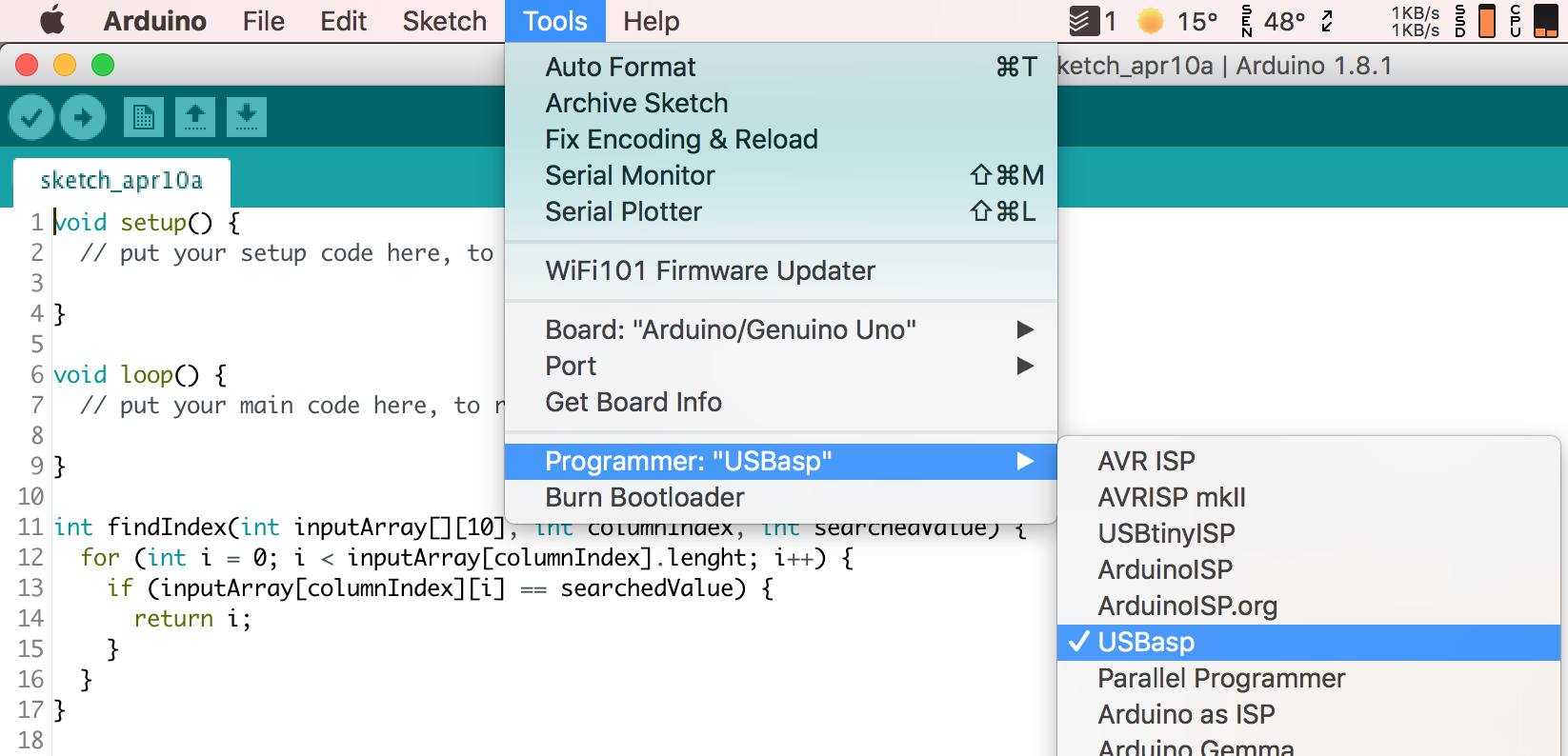
- 将AVR从计算机连接到arduino板后,打开arduino IDE并单击“工具”菜单,然后在“程序员”子菜单下选择“USBasp”。确保安装了USBasp驱动程序!
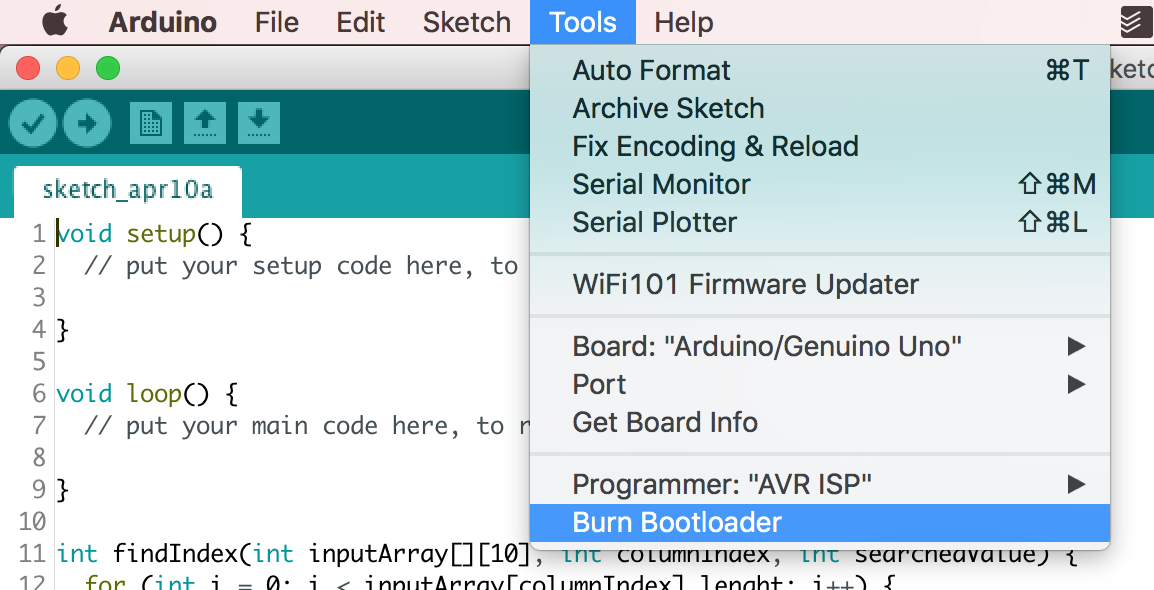
- 然后,单击Burn引导加载程序,开始在Tools菜单下燃烧引导加载程序。
- 几分钟后,Arduino IDE将显示以下消息:
完成燃烧引导加载程序
Stack Overflow用户
发布于 2022-11-10 18:37:09
我也有同样的问题,这似乎是因为全局变量占用了太多的内存空间。我通过以下操作来管理上传: 1.缩小草图大小(<60%的动态内存可以) 2.在上传开始之前连接USB电缆。这样做,问题就消失了。(我用的是莱昂纳多甲虫板)
页面原文内容由Stack Overflow提供。腾讯云小微IT领域专用引擎提供翻译支持
原文链接:
https://stackoverflow.com/questions/49734618
复制相关文章
相似问题
腾讯云开发者

Copyright © 2013 - 2026 Tencent Cloud. All Rights Reserved. 腾讯云 版权所有
深圳市腾讯计算机系统有限公司 ICP备案/许可证号:粤B2-20090059  粤公网安备44030502008569号
腾讯云计算(北京)有限责任公司 京ICP证150476号 | 京ICP备11018762号