
如何使UITableViewCell具有两个垂直UILabels的大小
我认为我做的一切都是正确的,但是我的表视图单元格没有被调整大小,所以我的标签被截断了。
下面是我在单元格中的设置:
                20 (1000)
                   |
                   |
  20 (1000) ---- Title ---- 20 (1000)
                   |
                   |
                20 (1000)
                   |
                   |
  20 (1000) ---- Quote ---- 20 (1000)
                   |
                   |
               >= 20 (1000)
标题:
Content Hugging Priority: H 251, V 251
Content Compression Resistance Priority: H 750, V 750
引用:
Content Hugging Priority: H 251, V 251
Content Compression Resistance Priority: H 750, V 750我在viewDidLoad里面也有这套
    tableView.estimatedRowHeight = 44
tableView.rowHeight = UITableViewAutomaticDimension最后,标题和引号标签都将numberOfLines设置为0。
我遗漏了什么吗?引号标签总是被截断。
回答 3
Stack Overflow用户
发布于 2018-04-07 18:10:58
将estimatedRowHeight = 250和tableView rowHeight保持为UITableViewAutomaticDimension
顶部标签的垂直约束:
顶部= 20 >= 20高度 底部= 20 不是的。行数=0 lineBreak = wordWrap
底部标签的垂直约束:
>= 20高度 底部= 20 (优先级=低) 不是的。行数=0 lineBreak = wordWrap
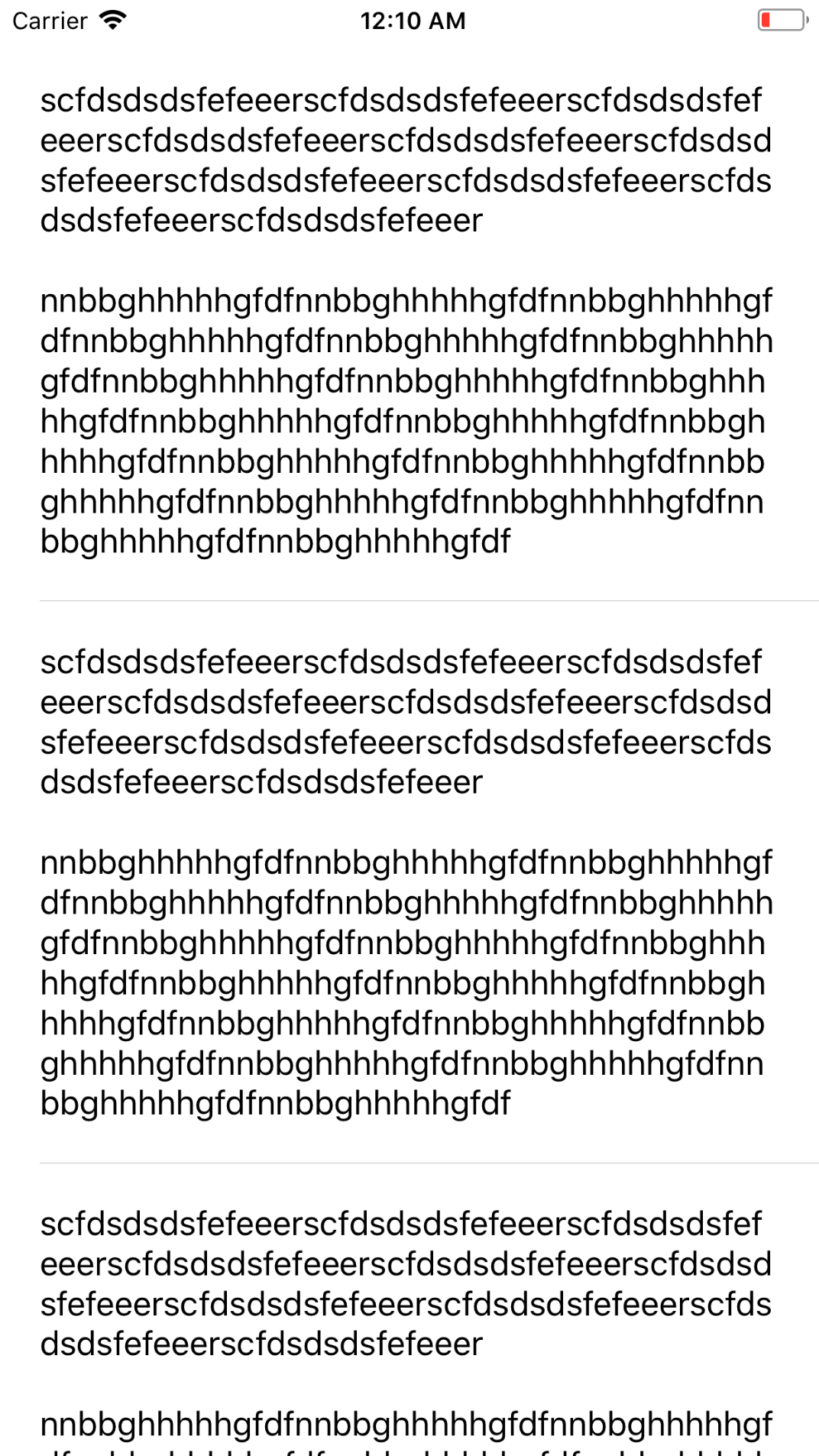
截图:
1.顶部标签词包装(下标签相同) :
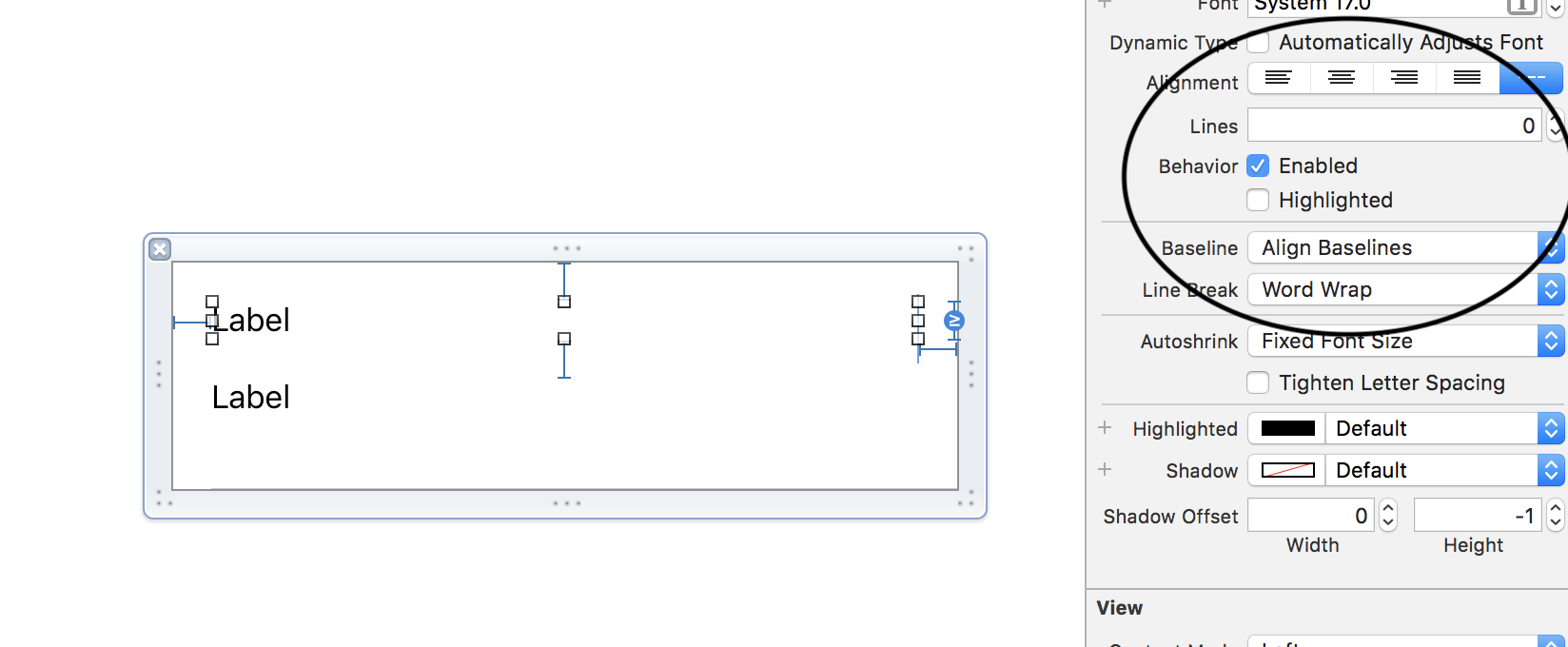
2.顶部标签约束:
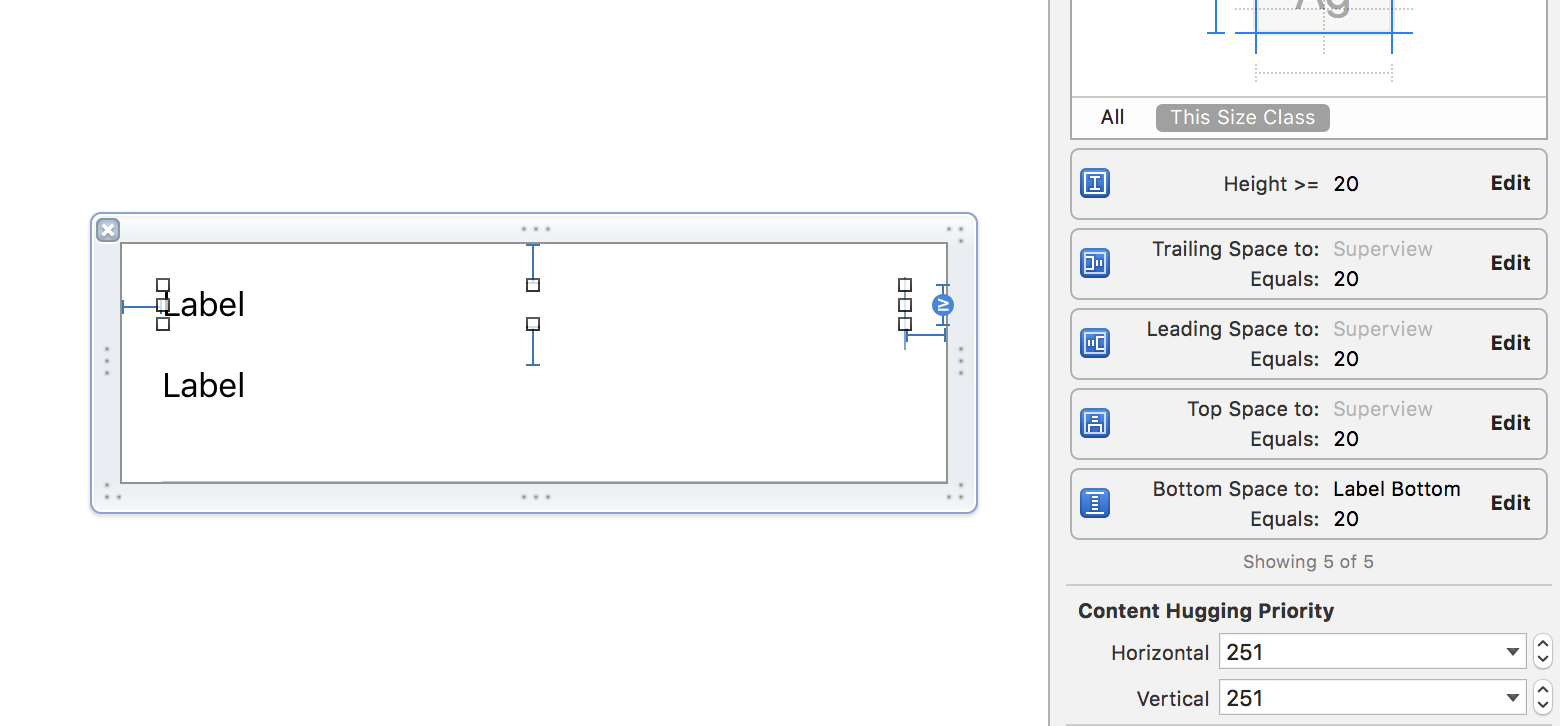
3.底部标签约束:
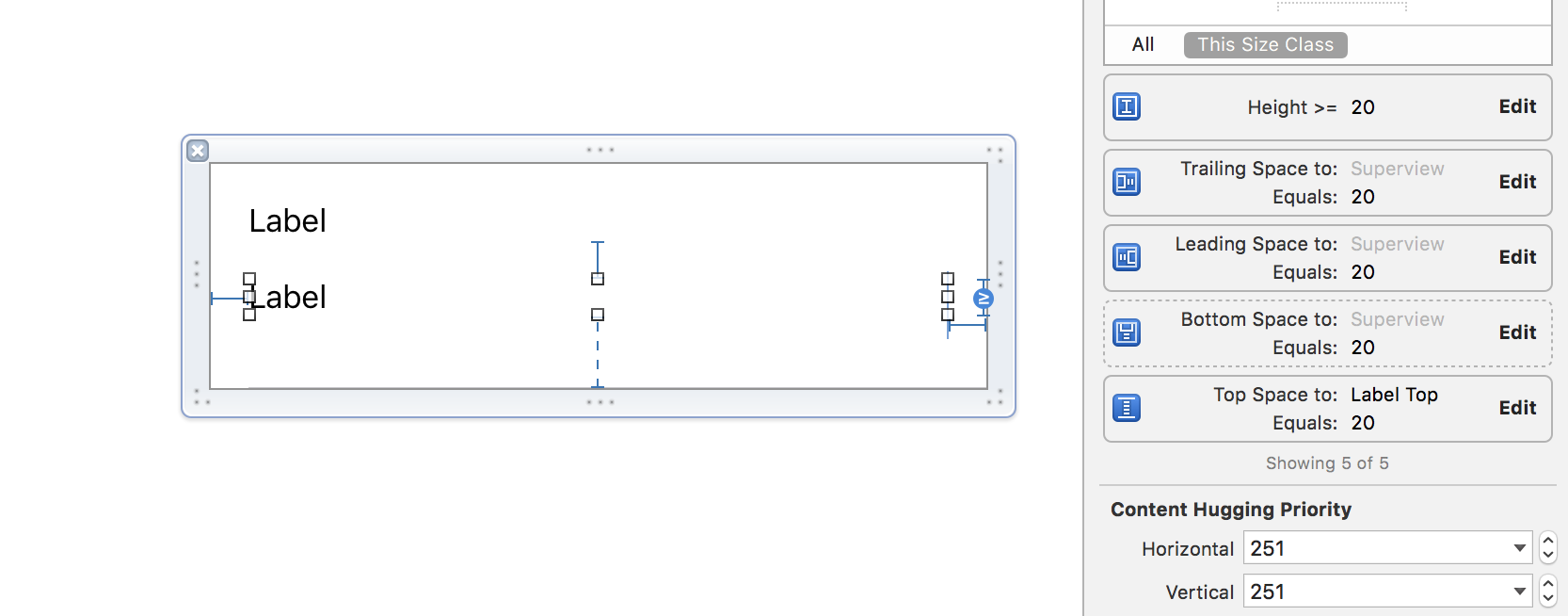
4.底部标签的底部空间优先级:
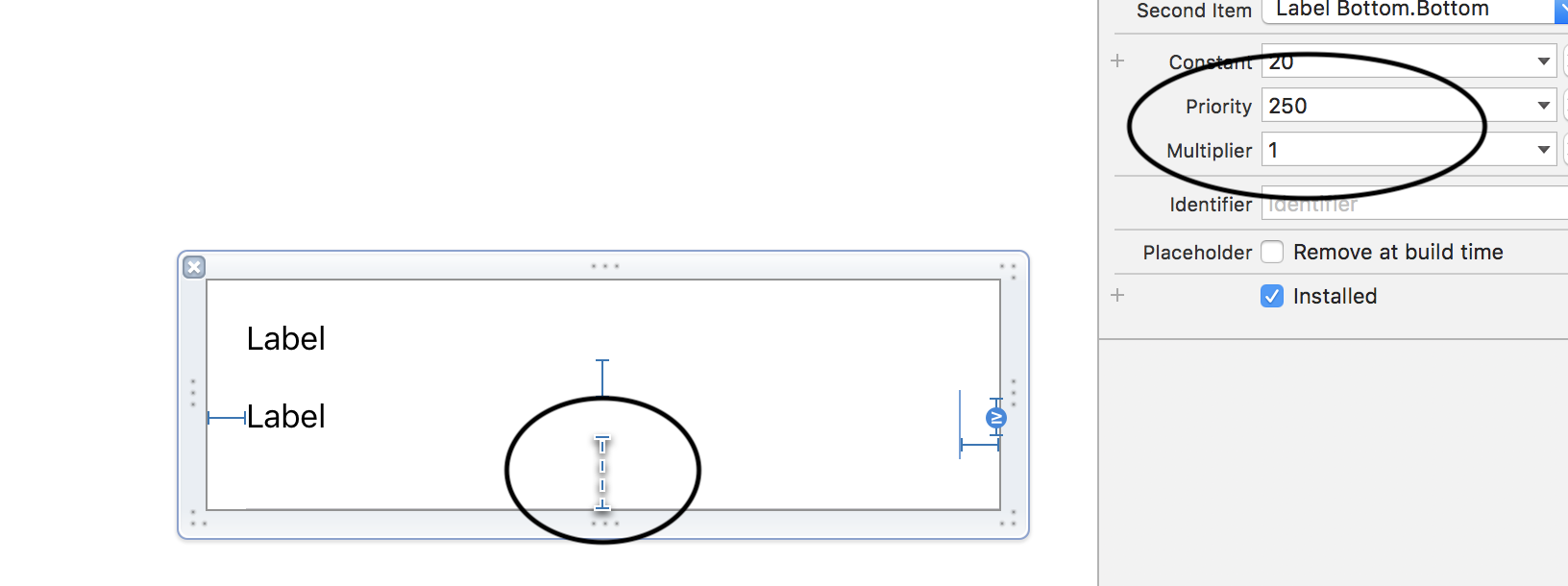
5.模拟器上的输出:
Stack Overflow用户
发布于 2018-04-07 17:46:49
1-在estimatedRowHeight中放置一个当前在xib中寻址单元格高度的数字
tableView.estimatedRowHeight = 250
tableView.rowHeight = UITableViewAutomaticDimension
2-在cellForRow中返回单元格放置
cell.layoutIfNeeded()参见这里的演示cellSize
Stack Overflow用户
发布于 2018-04-07 18:10:01
我在一个答案中看到了这个技巧,但是现在找不到链接,所以我将在这里发布我修改过的版本。
基本上,您是强迫单元格布局到最大界限,并计算标签所需的高度(在设置文本之后)。
In cellForRowAtIndex:
cell.bounds = CGRect(x: 0, y: 0, width: tableView.bounds.width, height: 99999)
cell.contentView.bounds = cell.bounds;
cell.layoutIfNeeded()
另一件可以尝试的事
cell.titleLabel.preferredMaxLayoutWidth = cell.titleLabel.frame.width
cell.quoteLabel.preferredMaxLayoutWidth = cell.quoteLabel.frame.width或者,您也可以根据tableView的宽度计算它,因为前导空间和尾随空间是定义的。
希望这能有所帮助。
https://stackoverflow.com/questions/49710135
复制相似问题
腾讯云开发者

Copyright © 2013 - 2026 Tencent Cloud. All Rights Reserved. 腾讯云 版权所有
深圳市腾讯计算机系统有限公司 ICP备案/许可证号:粤B2-20090059  粤公网安备44030502008569号
腾讯云计算(北京)有限责任公司 京ICP证150476号 | 京ICP备11018762号