
在Pythonista 3中创建自动完成的TextField
我想要创建一个自动完成的TextField。
我的意思是-当您在字段中键入某项内容并看到下面的提示列表时。提示符列表是一个具有可能值的数组。解释它的最好方法是显示类似的图片。
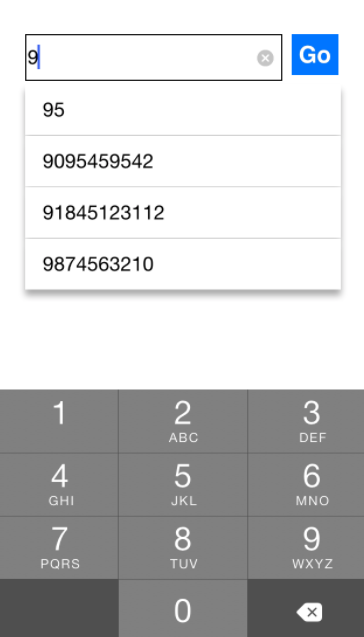
我已经在Pythonista 3方面有了一些经验,但这不是UI编程经验。
我知道这很复杂,也许我应该使用一个额外的视图和代理机制,但我不知道如何开始。我已经花了几天在谷歌寻找解决方案,但我不能,在Pythonista的背景下。
有人做过这个吗?或者有人能提供有用的阅读链接?
回答 1
Stack Overflow用户
发布于 2018-04-02 20:55:51
可以使用TableView在Pythonista中创建下拉列表。TableViews实际上只是单列列表,而不仅仅是表。
因此,这些步骤是:
- 创建一个表视图。
- 将其与文本字段对齐。
- 隐藏表视图,直到输入开始。
- 每当输入更改时,使用自动完成选项更新tableview的项列表。
- 在键入ends时,可能会再次隐藏表视图。
您可以通过将其.hidden属性设置为True来隐藏任何视图。
在TextField中输入开始时,您可以通过创建实现textfield_did_change的委托对象来进行操作。
通过为TableView提供一个data_source (可能是ui.ListDataSource的一个实现),您可以将一个ui.ListDataSource设置为有一个项目列表。每当数据源上的items属性发生更改时,选项列表也会自动更改。
您可以通过在TableView的TableView上设置一个action来对用户从delegate中选择一个选项做出反应。
TableView、TextField、ListDataSource、委托和操作的文档可以在Pythonista的用于iOS的本地图形用户界面文档中找到。
下面是一个基本的例子:
# documentation at http://omz-software.com/pythonista/docs/ios/ui.html
import ui

# the phoneField delegate will respond whenever there is typing
# the delegate object will combine phoneField delegate, tableview delegate, and data source, so that it can share data
class AutoCompleter(ui.ListDataSource):
    def textfield_did_change(self, textfield):
        dropDown.hidden = False
        # an arbitrary list of autocomplete options
        # you will have a function that creates this list
        options = [textfield.text + x for x in textfield.text]

        # setting the items property automatically updates the list
        self.items = options
        # size the dropdown for up to five options
        dropDown.height = min(dropDown.row_height * len(options), 5*dropDown.row_height)

    def textfield_did_end_editing(self, textfield):
        #done editing, so hide and clear the dropdown
        dropDown.hidden = True
        self.items = []

        # this is also where you might act on the entered data
        pass

    def optionWasSelected(self, sender):
        phoneField.text = self.items[self.selected_row]
        phoneField.end_editing()

autocompleter = AutoCompleter(items=[])
autocompleter.action = autocompleter.optionWasSelected

# a TextField for phone number input
phoneField = ui.TextField()
phoneField.delegate = autocompleter
phoneField.keyboard_type = ui.KEYBOARD_PHONE_PAD
phoneField.clear_button_mode = 'while_editing'

# the drop-down menu is basically a list of items, which in Pythonista is a TableView
dropDown = ui.TableView()
dropDown.delegate = autocompleter
dropDown.data_source = autocompleter
# hide the dropdown until typing starts
dropDown.hidden = True

# create interface
mainView = ui.View()
mainView.add_subview(phoneField)
mainView.add_subview(dropDown)

# present the interface before aligning fields, so as to have the window size available
mainView.present()

# center text field
phoneField.width = mainView.width*.67
phoneField.height = 40

phoneField.x = mainView.width/2 - phoneField.width/2
phoneField.y = mainView.height/3 - phoneField.height/2

# align the dropdown with the phoneField
dropDown.x = phoneField.x
dropDown.y = phoneField.y + phoneField.height
dropDown.width = phoneField.width
dropDown.row_height = phoneField.height
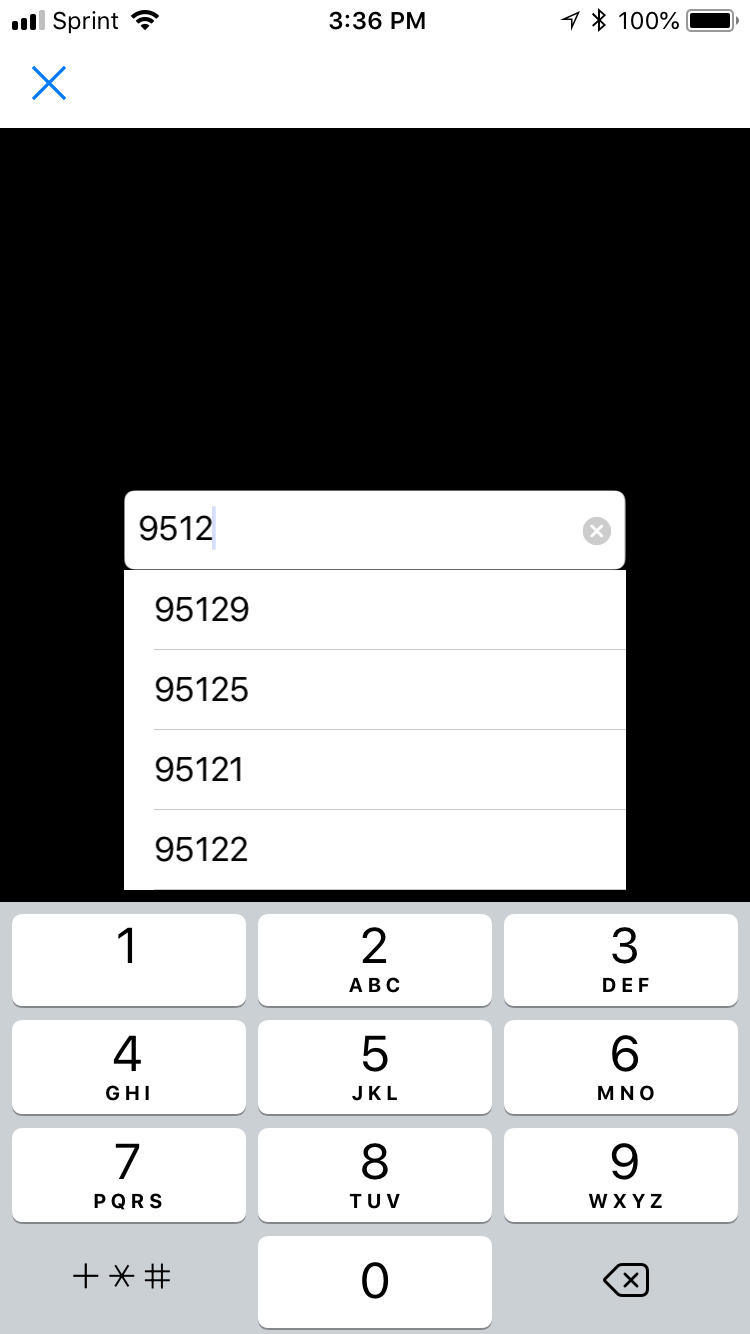
在我的iPhone上,这段代码创建了如下所示的接口:
https://stackoverflow.com/questions/49349033
复制相似问题
腾讯云开发者

Copyright © 2013 - 2026 Tencent Cloud. All Rights Reserved. 腾讯云 版权所有
深圳市腾讯计算机系统有限公司 ICP备案/许可证号:粤B2-20090059  粤公网安备44030502008569号
腾讯云计算(北京)有限责任公司 京ICP证150476号 | 京ICP备11018762号