
虚拟现实添加运动:步行
虚拟现实添加运动:步行
提问于 2018-03-07 10:19:57
使用Unity2017.3.1f1个人(64位)为Android构建VR应用程序,使用Cardboard VR SDK。该应用程序的目的是让用户以身临其境的方式可视化数据。
目前,想做一些类似的场景视图,一个人可以前进,走到一个人看到的地方,但与卡板单一按钮,我只是提供能力向前推进。
在画布中,用户可以选择他/她想要的移动方式:传送或步行。
如你所见,传送器工作得很好。。
当用户选择walk时,控制台中会显示以下错误:
NullReferenceException:未设置为对象实例的对象引用 Player.TryWalk () (atAsset/Player.cs:44) Player.Update () (at Asset/Player.cs:37)
我的玩家剧本:
using System.Collections;
using System.Collections.Generic;
using UnityEngine;

public enum InputMode
{
    NONE,
    TELEPORT,
    WALK
}

public class Player : MonoBehaviour {

    public static Player instance; //Singleton design pattern: only one instance of the class appears
    public InputMode activeMode = InputMode.NONE;

    [SerializeField]
    private float playerSpeed = 3.0f;

    void Awake()
    {
        if(instance != null)
        {
            GameObject.Destroy(instance.gameObject);
        }
        instance = this;
    }

    // Use this for initialization
    void Start () {

    }

    // Update is called once per frame
    void Update ()
    {
        TryWalk();
    }

    public void TryWalk()
    {
        if(Input.GetMouseButton(0) && activeMode == InputMode.WALK)
        {
            Vector3 forward = Camera.main.transform.forward;

            Vector3 newPosition = transform.position + forward * Time.deltaTime * playerSpeed;

            transform.position = newPosition;
        }
    }
}
作为Player的组件添加了Player脚本:
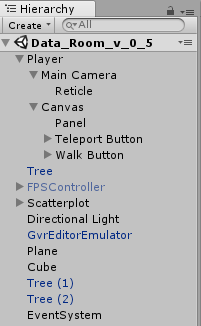
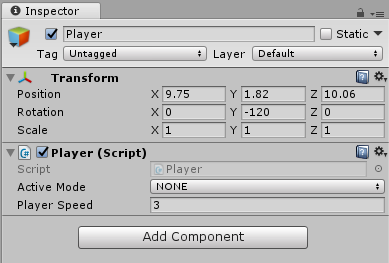
当按下“行走”按钮时,活动模式将更改为“步行”,如您在下一个图像中所看到的那样。
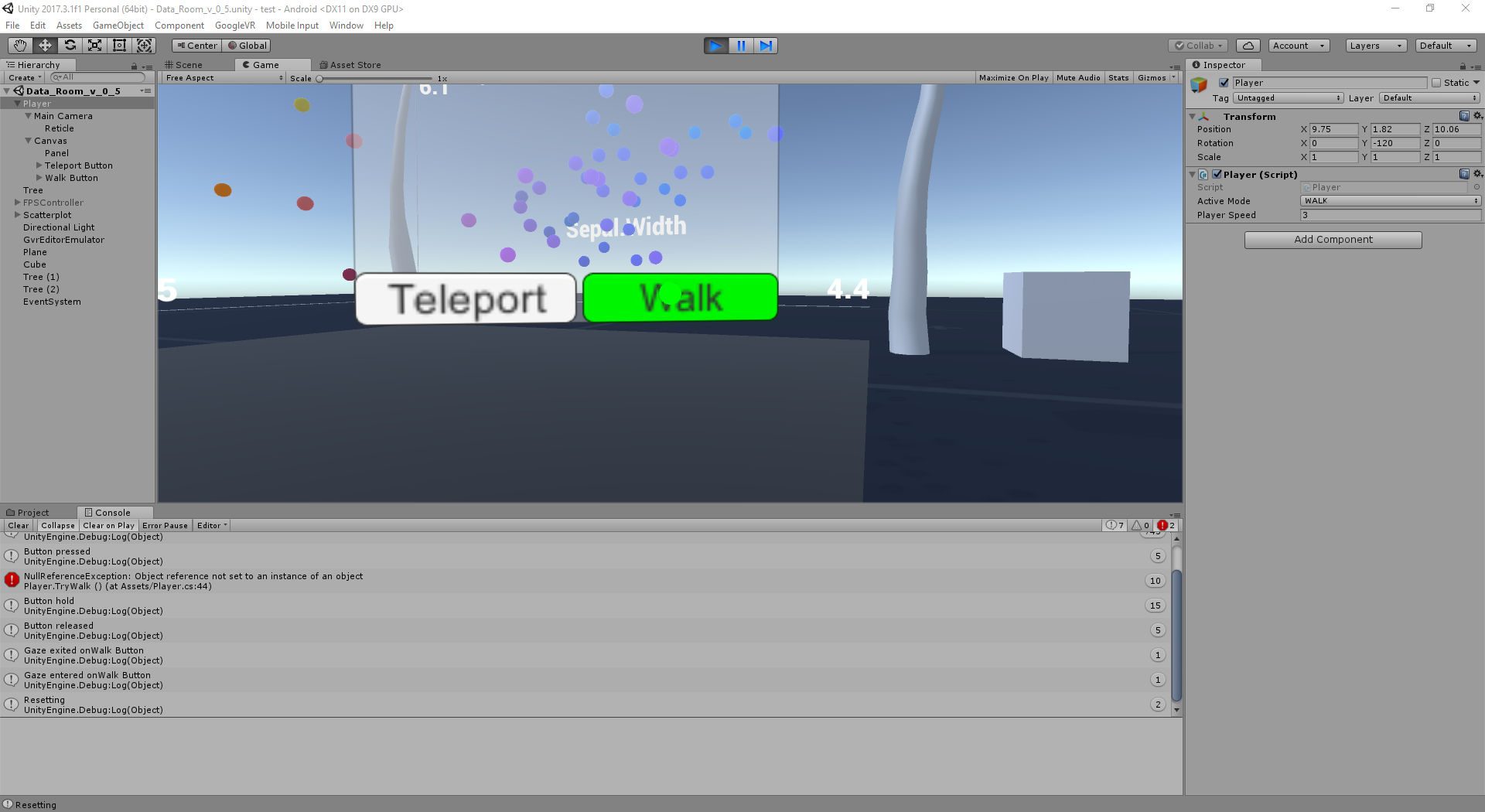
不过,即使发生了这种情况,用户也无法行走。
,我能做些什么来解决这个问题?
回答 1
Stack Overflow用户
回答已采纳
发布于 2018-03-07 10:30:56
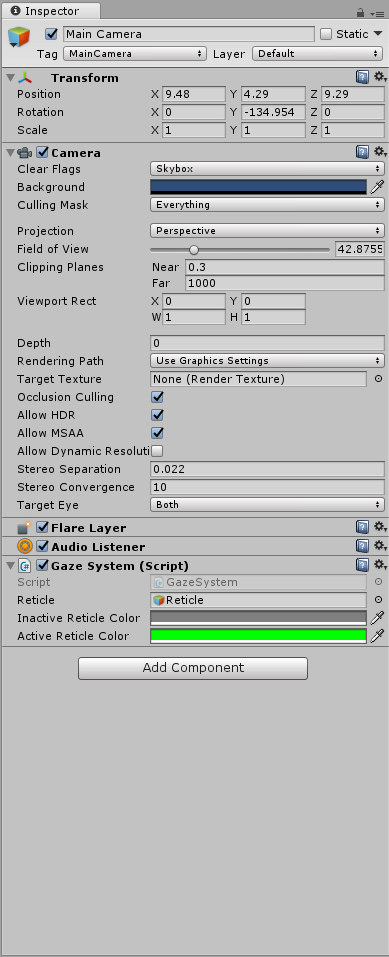
页面原文内容由Stack Overflow提供。腾讯云小微IT领域专用引擎提供翻译支持
原文链接:
https://stackoverflow.com/questions/49149424
复制相关文章
相似问题
腾讯云开发者

Copyright © 2013 - 2026 Tencent Cloud. All Rights Reserved. 腾讯云 版权所有
深圳市腾讯计算机系统有限公司 ICP备案/许可证号:粤B2-20090059  粤公网安备44030502008569号
腾讯云计算(北京)有限责任公司 京ICP证150476号 | 京ICP备11018762号