
如何查询sar(sysstat)多于一天的数据点
如何查询sar(sysstat)多于一天的数据点
提问于 2018-02-19 14:37:44
- 我不认为'sar‘命令接受日期和时间作为开始时间(-s)或结束时间(-e),而只是接受时间。因此,如何通过传递旧的日期时间值来查询“sar”超过一天的数据点(-f在这里没有帮助)。“sar”命令的输出对于数据点也应该具有日期值,而不是仅以小时和分钟为单位。
- 我看到sysstat每天对saXX数据文件进行拆分。是否可以修改默认的sysstat cron条目,以便每周在一个sa文件中收集sysstat(sa1/sa2)数据?
sysstat配置:
cat /etc/sysconfig/sysstat
# sysstat-9.0.4 configuration file.

# How long to keep log files (in days).
# If value is greater than 28, then log files are kept in
# multiple directories, one for each month.
HISTORY=7

# Compress (using gzip or bzip2) sa and sar files older than (in days):
COMPRESSAFTER=10

# Parameters for the system activity data collector (see sadc manual page)
# which are used for the generation of log files.
SADC_OPTIONS="-S DISK"
sysstat cron条目:
cat /etc/cron.d/sysstat
# Run system activity accounting tool every 10 minutes
*/10 * * * * root /usr/lib64/sa/sa1 1 1
# 0 * * * * root /usr/lib64/sa/sa1 600 6 &
# Generate a daily summary of process accounting at 23:53
53 23 * * * root /usr/lib64/sa/sa2 -A回答 2
Stack Overflow用户
发布于 2022-04-25 06:17:21
您可以积累所需期间的统计数据,并使用SARChart显示特定时间段的良好图形报表:https://sarchart.dotsuresh.com/。
#For RedHat based distros:
ls /var/log/sa/sa?? | xargs -i sar -A -f {}  >  /tmp/sar_$(uname -n).txt
#For Debian based distros:
ls /var/log/sysstat/sa?? | xargs -i sar -A -f {}  >  /tmp/sar_$(uname -n).txt
生成报告后,您需要上传到网站,它将生成图表。
Stack Overflow用户
发布于 2021-07-30 12:41:26
您不能直接使用sar工具执行此操作。有各种工具可以加载sar数据和显示跨日期的数据。
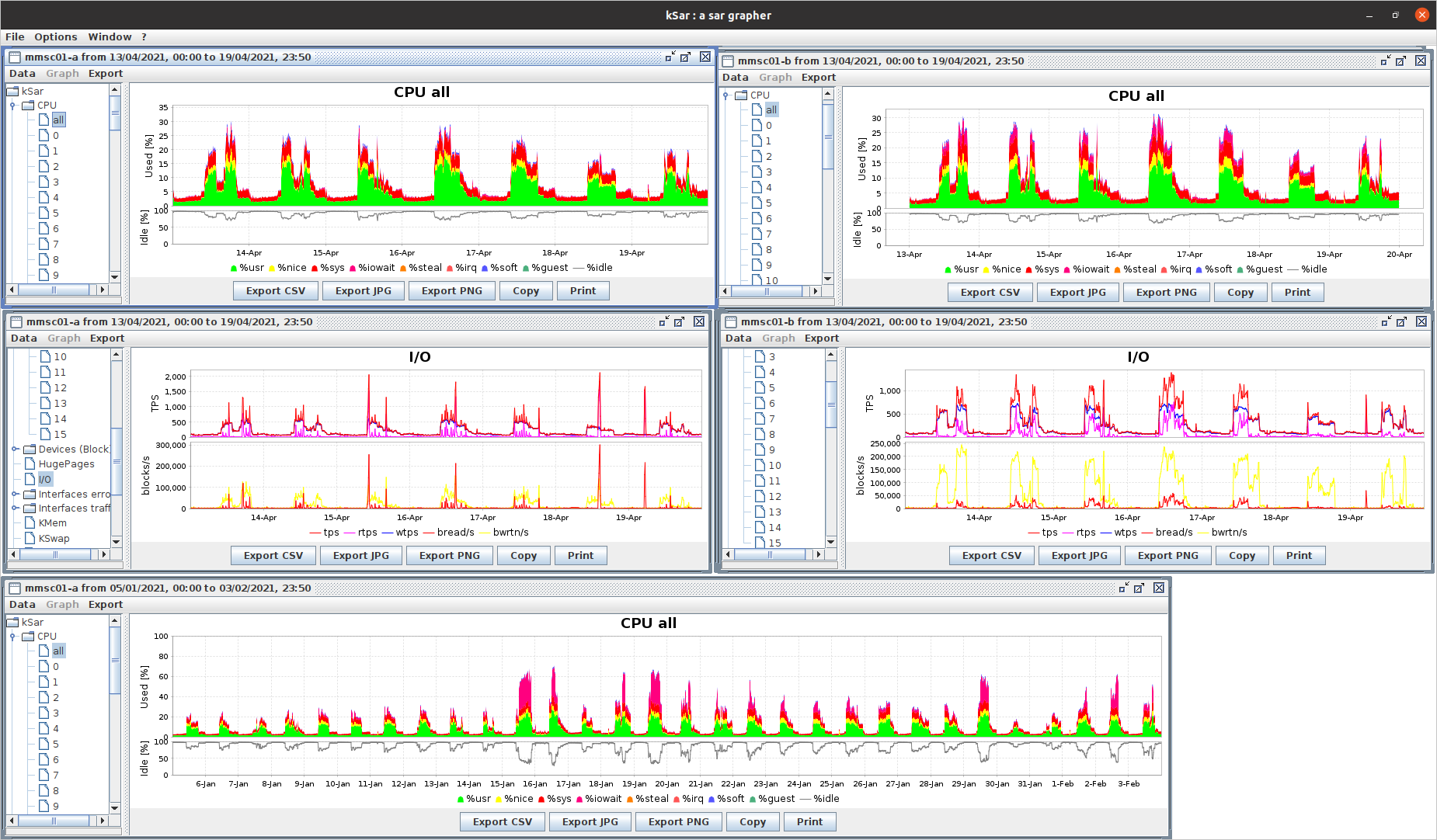
例如,java工具grapher)
- 将sar二进制数据转换为文本格式
   for day in $(seq 27 31) $(seq -f %02g 1 4); do
       LC_ALL=C sar -A -f /var/log/sa/sa$day > /tmp/sa$day.ALL.$(hostname);
   done;
tar -zcvf /tmp/sar_for_$(hostname).tgz /tmp/sa*.$(hostname)- scp/rsync将.tgz复制回带有ksar的主机并提取
- 加载每个sar文件
* Data > Load file
    e.g. load sa29.ALL.host1
* Repeat:
  Data > Append from file
    e.g. load sa30.ALL.host1 sa31.ALL.host1 sa01.ALL.host1 ...
如果你按正确的日间顺序附加,速度会更快。
是的,这很烦人,也有点痛苦。我玩过附加文件到一个文件,到目前为止,这是最好的方式。很晚的回答无论如何好的问题,应该有一个答案在网上!
页面原文内容由Stack Overflow提供。腾讯云小微IT领域专用引擎提供翻译支持
原文链接:
https://stackoverflow.com/questions/48868438
复制相关文章
相似问题
腾讯云开发者

Copyright © 2013 - 2026 Tencent Cloud. All Rights Reserved. 腾讯云 版权所有
深圳市腾讯计算机系统有限公司 ICP备案/许可证号:粤B2-20090059  粤公网安备44030502008569号
腾讯云计算(北京)有限责任公司 京ICP证150476号 | 京ICP备11018762号