
UITextView不完全适合NSTextContainer
我只是使用TextKit堆栈创建了一个自定义方法,但对NSTextContainer的大小和NSTextView帧大小之间的差异感到困惑。文本有一个白色边框,我想知道如何摆脱它(参见更新)。最后一个字符后面的区域也是白色的。我已经使用与字符串长度匹配的范围为backgroundColor设置了一个属性,但到目前为止,我还没有找到将该属性应用于整个区域的方法。
我尝试了NSTextContainer设置和UITextView文本框架的各种组合。下面的语句最接近所需的结果,但白色边框仍然存在。
    // A
    textContainer = [[NSTextContainer alloc] initWithSize:textFrame.size];

    // D
    UITextView *textView = [[UITextView alloc] initWithFrame: textFrame textContainer: textContainer];
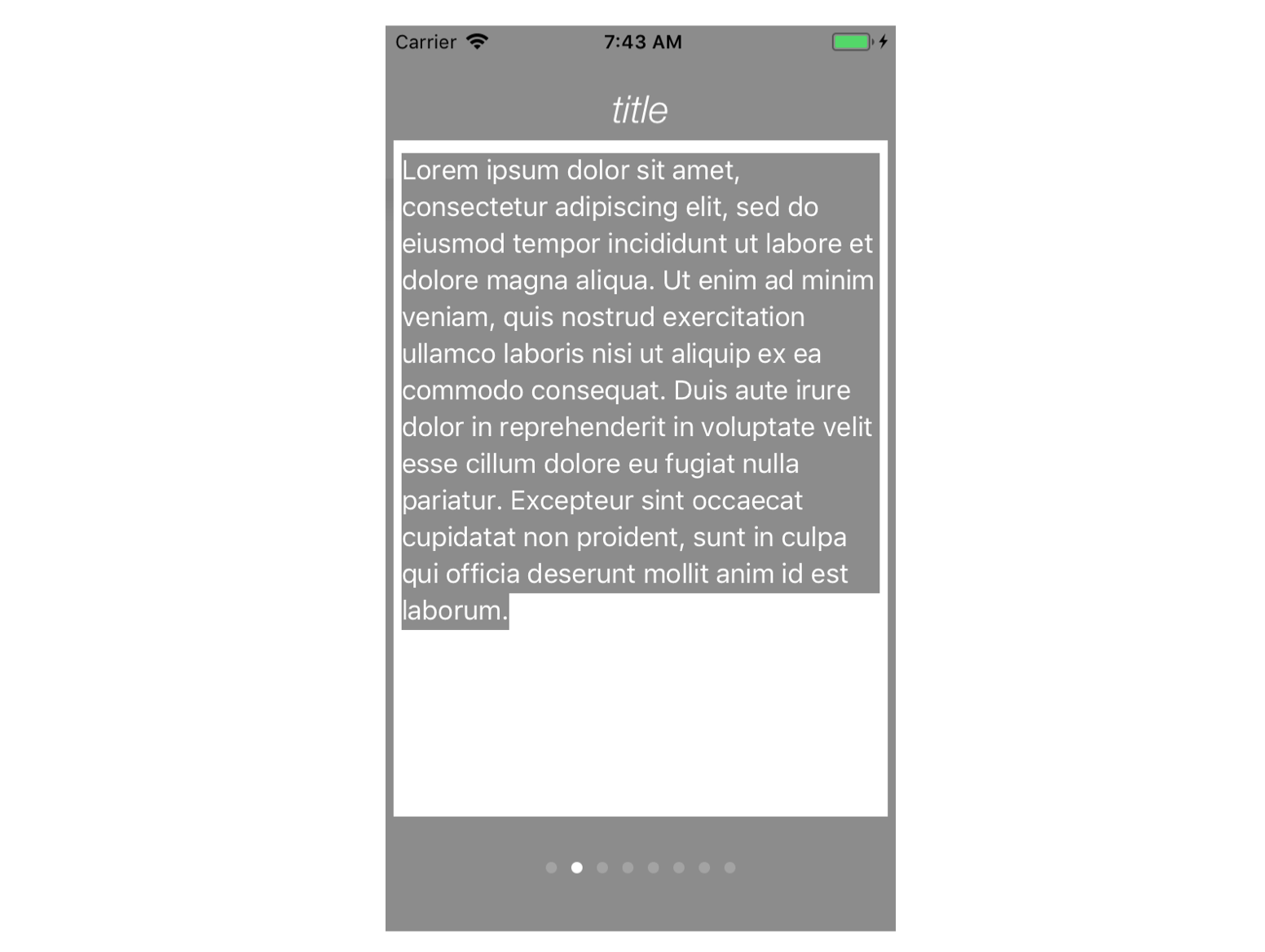
我学习了关于TextKit、这里和这里的教程,并搜索了苹果文档、这里、这里和这里。我还检查了最近的问题,是的,我的appDelegate
[self.window makeKeyAndVisible];更新
在回答这里之后,白色边框已经被删除(谢谢Larme)。
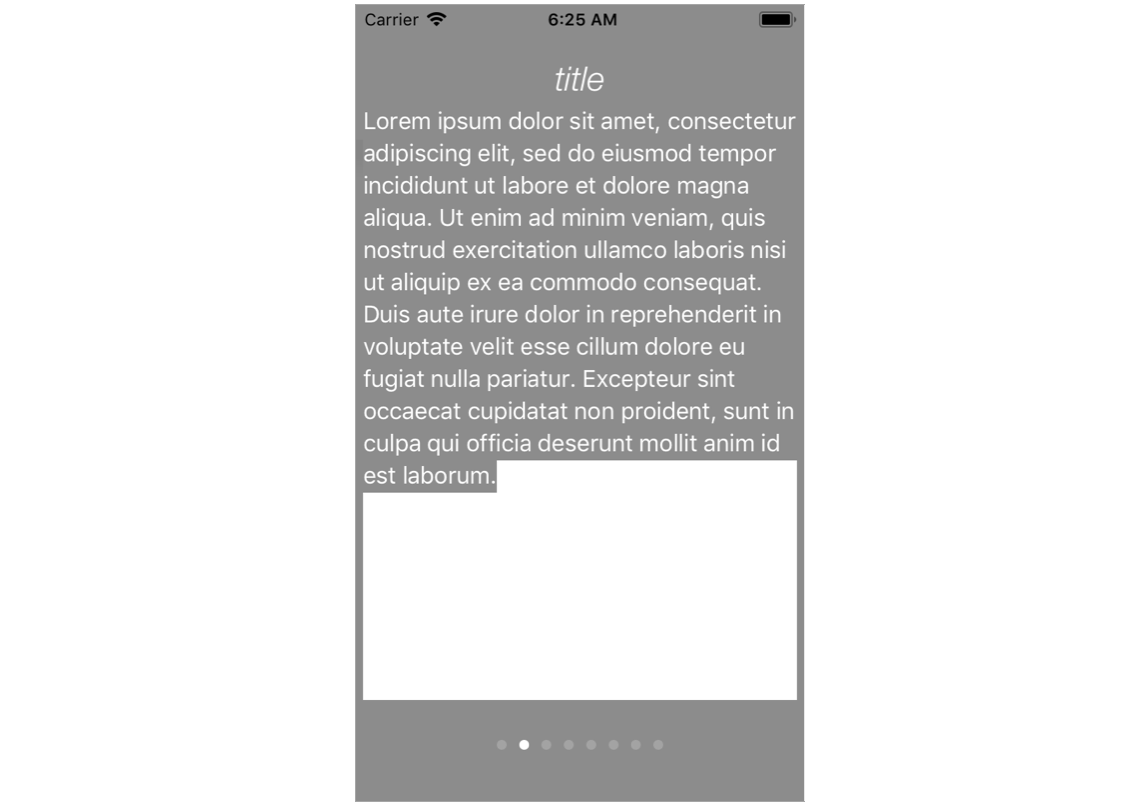
在方法的末尾将下列语句添加到textView中
    textView.textContainerInset = UIEdgeInsetsZero;
    textView.textContainer.lineFragmentPadding = 0;
如果与此相关,该应用程序是在iOS 4中启动的,现在它使用Xcode版本9.2运行iOS 11。它已经使用了textView,而TextKit现在正被考虑(不情愿地)作为一种方式来处理来自应用测试人员的许多请求。因此,任何可能帮助解释和解决这个问题的指针都是受欢迎的。
感谢你的期待。
下面是该方法的代码。helpMessage从数组中读取(未显示)。
    -(id)formatHelpText:(NSString*)helpMessage
{
    float sideMargin   = 5;
    float topMargin    = 72;

    CGFloat textWidth  = [UIScreen mainScreen].bounds.size.width - (sideMargin * 2);
    CGFloat textHeight = [UIScreen mainScreen].bounds.size.height - (topMargin * 2);
    CGRect  textFrame  = CGRectMake(sideMargin, topMargin, textWidth, textHeight); // used for A & D


    NSMutableAttributedString *attributedText = [[NSMutableAttributedString alloc] initWithString:helpMessage];

// define paragraph attributes

    NSMutableParagraphStyle *style = [[NSMutableParagraphStyle alloc] init];
    [style setLineSpacing:1.5];
    [style setAlignment:NSTextAlignmentLeft];

// use attributedText to define character attributes

    float spacing        = 0.0f;
    float baselineOffSet = 1.0f;

    [attributedText setAttributes:@{
                                NSFontAttributeName:[UIFont preferredFontForTextStyle:UIFontTextStyleBody],
                                NSBaselineOffsetAttributeName:[NSNumber numberWithFloat:baselineOffSet],
                                NSForegroundColorAttributeName:[UIColor whiteColor],
                                NSBackgroundColorAttributeName:[UIColor grayColor],
                                NSParagraphStyleAttributeName:style,
                                NSKernAttributeName:@(spacing)
                                }
                        range:range];


// TextKit - non-view

    NSTextStorage *textStorage;
    NSLayoutManager *layoutManager;
    NSTextContainer *textContainer;

    textStorage   = [[NSTextStorage alloc] initWithAttributedString:attributedText];
    layoutManager = [[NSLayoutManager alloc] init];
    textContainer = [[NSTextContainer alloc] init];

    [textStorage addLayoutManager:layoutManager];


// A
    textContainer = [[NSTextContainer alloc] initWithSize:textFrame.size];
// B
//    textContainer = [[NSTextContainer alloc] initWithSize:[UIScreen mainScreen].bounds.size];
    [layoutManager addTextContainer:textContainer];


// C
//    UITextView *textView = [[UITextView alloc] initWithFrame: [UIScreen mainScreen].bounds textContainer: textContainer];
// D
    UITextView *textView = [[UITextView alloc] initWithFrame: textFrame textContainer: textContainer];


// update

    textView.textContainerInset = UIEdgeInsetsZero;
    textView.textContainer.lineFragmentPadding = 0;

    return textView;
}回答 1
Stack Overflow用户
发布于 2018-02-11 07:08:46
这两个问题现在都解决了。使用UIEdgeInsetsZero清除默认设置和textContainer.lineFragmentPadding = 0 (谢谢,Larme),删除白色边框。我隐藏了UITextView最后一行中未突出显示的部分,将背景颜色作为字符属性删除,并将其定义为添加了textView. sizeToFit的属性,以尽量减少textView中的行数。这是最后的代码
#import "HelpTextView.h"

@implementation HelpTextView

-(id)formatHelpText:(NSString*)helpMessage
{
    float sideMargin   = 5;
    float topMargin    = 72;

    CGFloat textWidth  = [UIScreen mainScreen].bounds.size.width - (sideMargin * 2);
    CGFloat textHeight = [UIScreen mainScreen].bounds.size.height - (topMargin * 2);
    CGRect  textFrame  = CGRectMake(sideMargin, topMargin, textWidth, textHeight);

    NSMutableAttributedString *attributedText = [[NSMutableAttributedString alloc] initWithString:helpMessage];

    // define paragraph attributes

    NSMutableParagraphStyle *style = [[NSMutableParagraphStyle alloc] init];
    [style setLineSpacing:0.5];
    [style setAlignment:NSTextAlignmentLeft];

    float spacing = 0.0f;
    float baselineOffSet = 1.0f;
    NSRange range = (NSRange){0,[attributedText length]};

    // use attributedText to define character attributes

    [attributedText setAttributes:@{
                                NSFontAttributeName:[UIFont preferredFontForTextStyle:UIFontTextStyleBody],
                                NSBaselineOffsetAttributeName:[NSNumber numberWithFloat:baselineOffSet],
                                NSForegroundColorAttributeName:[UIColor whiteColor],
                                NSParagraphStyleAttributeName:style,
                                NSKernAttributeName:@(spacing)
                                }
                        range:range];

    NSTextStorage* textStorage = [[NSTextStorage alloc] initWithAttributedString:attributedText];
    NSLayoutManager *layoutManager = [NSLayoutManager new];
    [textStorage addLayoutManager:layoutManager];

    CGSize containerSize = CGSizeMake(textFrame.size.width, CGFLOAT_MAX);
    NSTextContainer *textContainer = [[NSTextContainer alloc] initWithSize:containerSize];

    [layoutManager addTextContainer:textContainer];

    UITextView *textView = [[UITextView alloc] initWithFrame: textFrame textContainer: textContainer];
    textView.textContainerInset = UIEdgeInsetsZero;
    textView.textContainer.lineFragmentPadding = 0;
    textView.editable = NO;
    textView.scrollEnabled = NO;
    textView.backgroundColor = [UIColor grayColor];
    [textView sizeToFit];

    return textView;
}https://stackoverflow.com/questions/48715001
复制相似问题
腾讯云开发者

Copyright © 2013 - 2026 Tencent Cloud. All Rights Reserved. 腾讯云 版权所有
深圳市腾讯计算机系统有限公司 ICP备案/许可证号:粤B2-20090059  粤公网安备44030502008569号
腾讯云计算(北京)有限责任公司 京ICP证150476号 | 京ICP备11018762号