
如何向Aptible提供SSH证书和私钥
我正在尝试一个符合HIPAA的PaaS,不可能,通过跟踪他们的Django快速启动指南。我使用aptible CLI来执行创建应用程序和提供数据库步骤,但在添加一个Dockerfile上遇到了麻烦。
这个步骤要求在存储库的根部添加一个Dockerfile,但是前面的步骤还没有创建任何存储库。我想我必须使用在“Create”中生成的Git远程链接克隆存储库。但是,如果我这样做(忽略关于主机真实性的警告),就会得到一个Please make sure you have the right access rights and the repository exists
Kurts-MacBook-Pro:Scratch kurtpeek$ git clone git@beta.aptible.com:lucy/test_app.git
Cloning into 'test_app'...
The authenticity of host 'beta.aptible.com (52.21.95.179)' can't be established.
ECDSA key fingerprint is SHA256:FsLUs5U/cZ0nGgvy/OorvGSaLzvLRSAo4+xk6+jNg8k.
Are you sure you want to continue connecting (yes/no)? yes
Warning: Permanently added 'beta.aptible.com,52.21.95.179' (ECDSA) to the list of known hosts.
Connection closed by 52.21.95.179 port 22
fatal: Could not read from remote repository.

Please make sure you have the correct access rights
and the repository exists.根据Aptible的FAQ,https://www.aptible.com/documentation/enclave/troubleshooting/permission-denied-git-push.html,我推断我还没有向Enclave注册我的SSH公钥。
事实上,如果我访问Aptible的仪表板并单击“证书”,我会发现我还没有任何证书。如果然后单击“上传证书”,我将得到以下菜单:
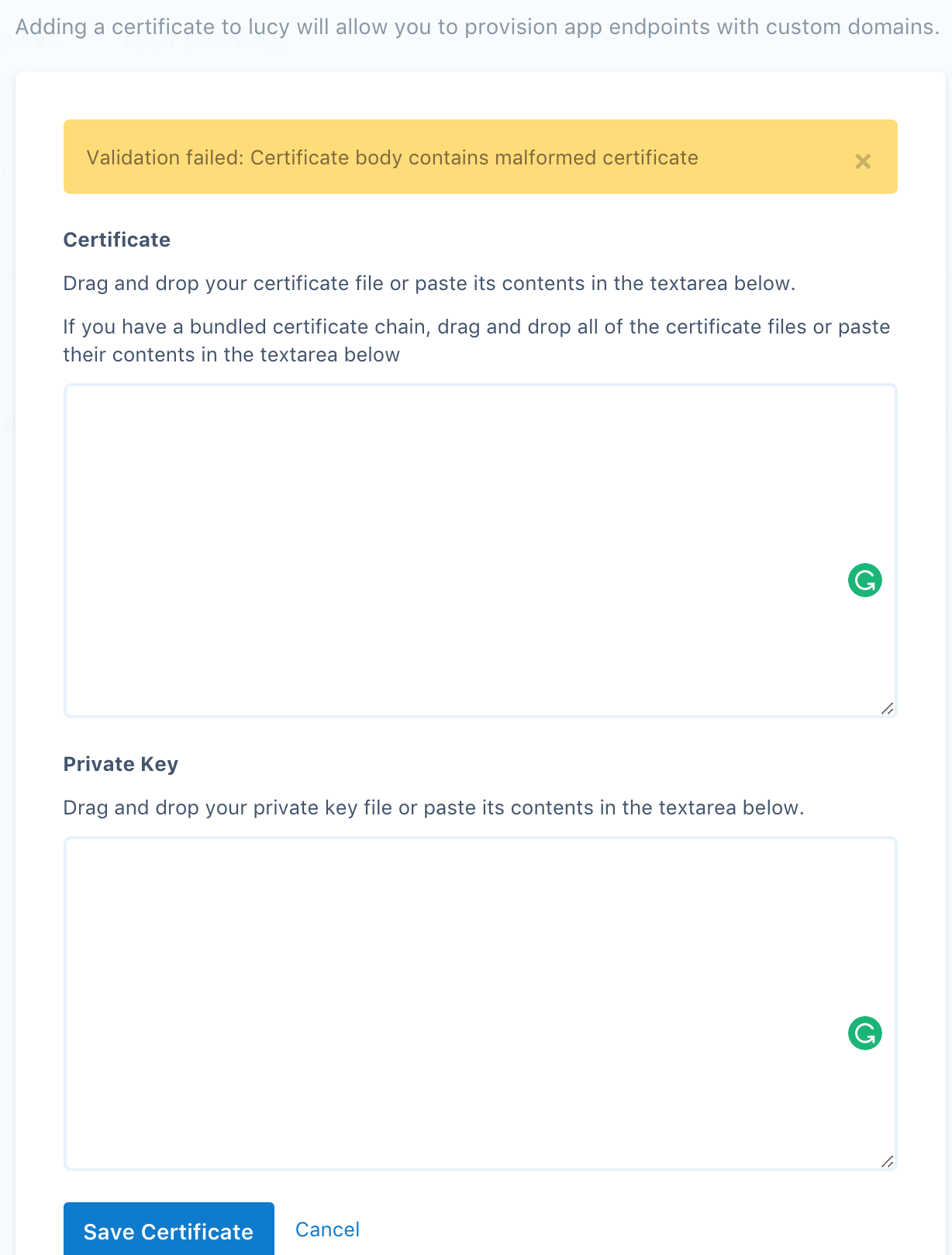
这可能是一个相当普遍的SSH问题,但我不知道如何继续。我尝试了以下ssh-keygen命令:
Kurts-MacBook-Pro:~ kurtpeek$ ssh-keygen -t rsa
Generating public/private rsa key pair.
Enter file in which to save the key (/Users/kurtpeek/.ssh/id_rsa):
Enter passphrase (empty for no passphrase):
Enter same passphrase again:
Your identification has been saved in /Users/kurtpeek/.ssh/id_rsa.
Your public key has been saved in /Users/kurtpeek/.ssh/id_rsa.pub.这样生成的id_rsa似乎对应于请求的私钥。但是,在哪里可以找到(相应的)证书
(我仔细阅读了https://support.ssh.com/manuals/server-admin/64/userauth-cert.html,但找不到答案)。
回答 1
Stack Overflow用户
发布于 2018-02-02 17:36:29
事实证明,为了遵循Django Quickstart指南,提供SSH密钥(而不是证书)就足够了。这可以通过单击仪表板右上角的名称、选择"SSH键“和复制粘贴表单中~/.ssh/id_rsa.pub的内容来输入。
https://stackoverflow.com/questions/48574748
复制相似问题
腾讯云开发者

Copyright © 2013 - 2026 Tencent Cloud. All Rights Reserved. 腾讯云 版权所有
深圳市腾讯计算机系统有限公司 ICP备案/许可证号:粤B2-20090059  粤公网安备44030502008569号
腾讯云计算(北京)有限责任公司 京ICP证150476号 | 京ICP备11018762号