
尝试显示一定大小的弹出控制器
尝试显示一定大小的弹出控制器
提问于 2018-01-21 08:10:32
找到了几个如何使用弹出框的视频,并试图用故事板制作同样的视频,所以我得到了它:
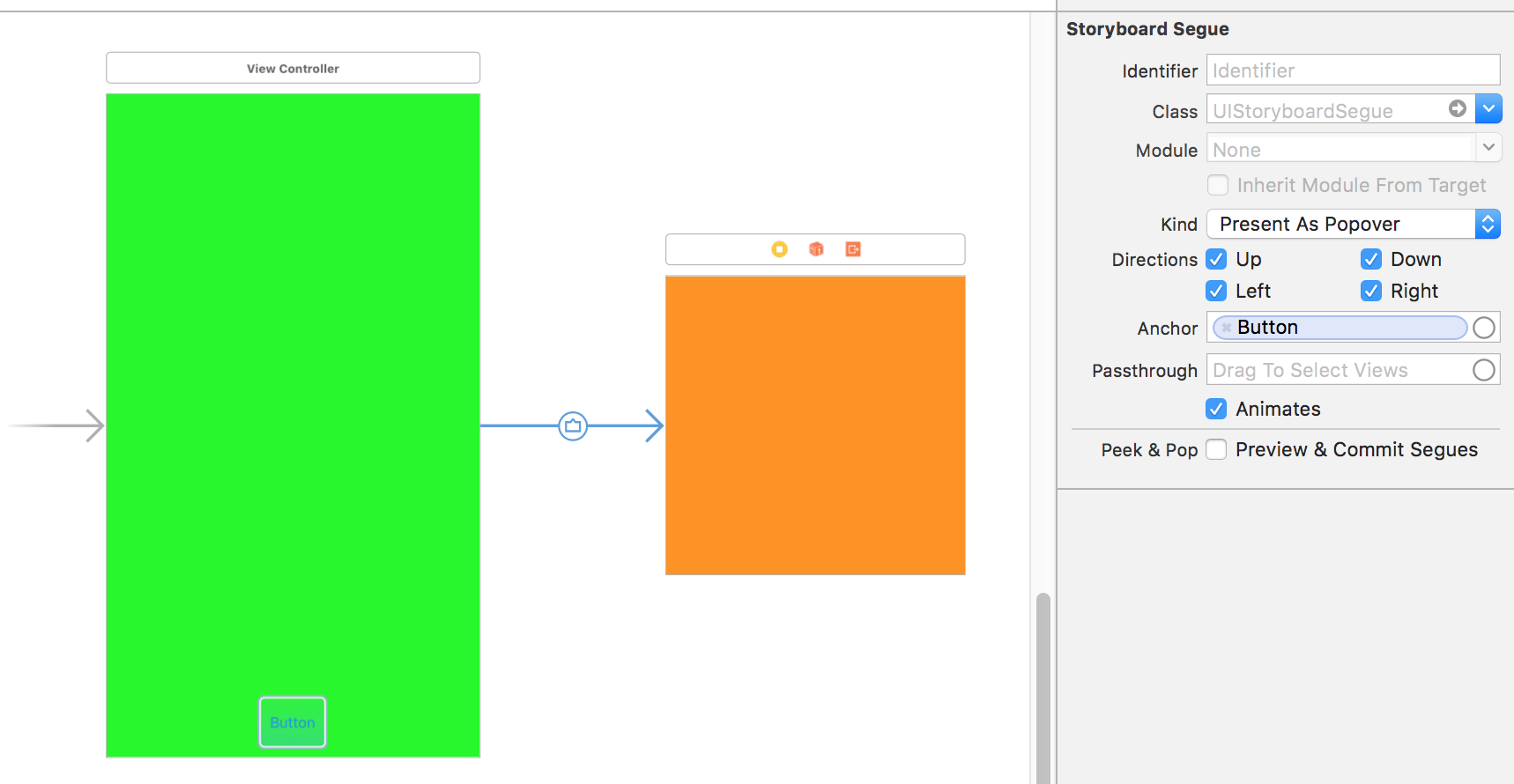
但是,随着应用程序的运行,当我按下按钮时,这个橙色的小控制器会把所有的绿色屏幕都拿出来,而不像我想象的那样像一个带有箭头的小弹射器。
回答 2
Stack Overflow用户
回答已采纳
发布于 2018-01-21 08:26:27
为了能够在弹出窗口中显示这样的ViewController (橙色的),您必须将modalPresentationStyle定义为popover:
class ParentViewController: UIViewController, UIPopoverPresentationControllerDelegate {
    func adaptivePresentationStyle(for controller: UIPresentationController) -> UIModalPresentationStyle {
        return .none
    }

    override func prepare(for segue: UIStoryboardSegue, sender: Any?) {
        if segue.identifier == "PopoverSegue" {
            let popoverVc = segue.destination
            popoverVc.modalPresentationStyle = .popover
            popoverVc.popoverPresentationController?.delegate = self;
            popoverVc.preferredContentSize = CGSize(width: 250, height: 250)
        }
    }
}记住在接口构建器中设置segue标识符(PopoverSegue或其他什么):
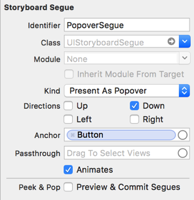
下面的自由格式大小(在运行时被忽略)对于模拟界面构建器中的popover视图非常重要:
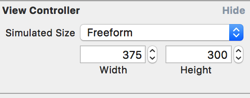
最终结果是:
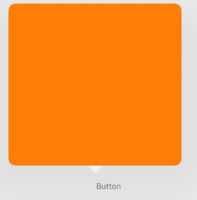
Stack Overflow用户
发布于 2018-01-21 08:43:32
根据需要调整大小、箭头和sourceRect
 override func prepare(for segue: UIStoryboardSegue, sender: Any?) {

   var des = segue.destination

    des.modalPresentationStyle = UIModalPresentationStyle.popover

    des.popoverPresentationController?.permittedArrowDirections = .left

    des.popoverPresentationController?.delegate = self

    des.popoverPresentationController?.sourceView = self.view

    des.popoverPresentationController?.sourceRect = CGRect.init(x: 300, y: 0, width: 50, height: 8 )

    des.preferredContentSize = CGSize.init(width: 200, height: 200)

}页面原文内容由Stack Overflow提供。腾讯云小微IT领域专用引擎提供翻译支持
原文链接:
https://stackoverflow.com/questions/48364881
复制相关文章
相似问题
腾讯云开发者

Copyright © 2013 - 2026 Tencent Cloud. All Rights Reserved. 腾讯云 版权所有
深圳市腾讯计算机系统有限公司 ICP备案/许可证号:粤B2-20090059  粤公网安备44030502008569号
腾讯云计算(北京)有限责任公司 京ICP证150476号 | 京ICP备11018762号