
流明- Postgresql安装-编写器
流明- Postgresql安装-编写器
提问于 2017-12-19 15:00:30
在这个问题上我真的很不自信,这不是我第一次尝试设置这个,但我真的不明白为什么它不起作用。
这是我的app.docker文件:
FROM php:7-fpm
# Install modules
RUN buildDeps="libpq-dev libzip-dev libfreetype6-dev libjpeg62-turbo-dev libpng-dev " && apt-get update && apt-get install -y $buildDeps --no-install-recommends && rm -rf /var/lib/apt/lists/* \
    && docker-php-ext-configure gd --with-freetype-dir=/usr/include/ --with-jpeg-dir=/usr/include/ \
    && docker-php-ext-install pdo pdo_pgsql pgsql gd

WORKDIR /var/www

COPY . /var/www

RUN chown www-data:www-data -R ./storage

RUN ln -s /storage/app/public /public
很简单。接下来是phpinfo()的输出。
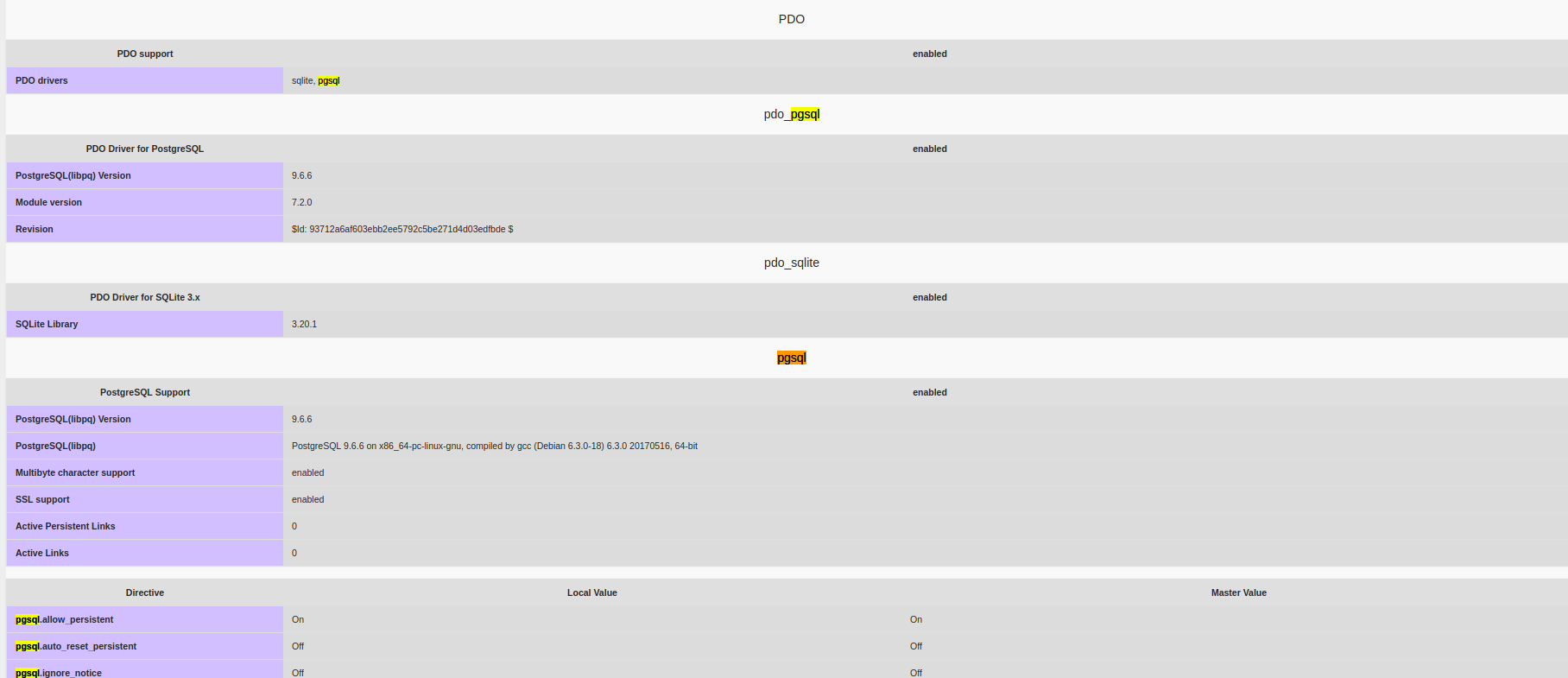
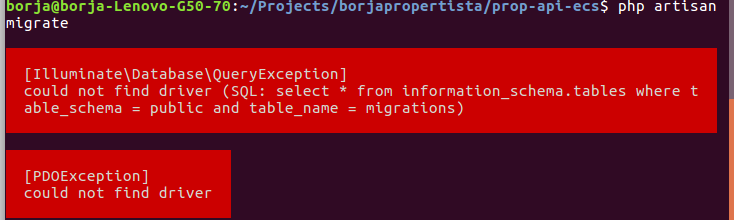
我了解到现在已经安装了pgsql驱动程序,但是在运行php artisan迁移时,我仍然可以得到
这是我的config/database.php文件。
return [
    'default' => 'postgres',
    'migrations' => 'migrations',
    'connections' => [
        'mysql' => [
            'driver'    => 'mysql',
            'host'      => env('DB_HOST'),
            'database'  => env('DB_DATABASE'),
            'port'      => env('DB_PORT'),
            'username'  => env('DB_USERNAME'),
            'password'  => env('DB_PASSWORD'),
            'charset'   => 'utf8',
            'collation' => 'utf8_unicode_ci',
            'prefix'    => '',
            'strict'    => false,
        ],
        'mysql_postal_code' => [
            'driver'    => 'mysql',
            'host'      => env('DB_HOST', 'localhost'),
            'database'  => env('DB_DATABASE_POSTAL_CODE'),
            'port'      => env('DB_PORT'),
            'username'  => env('DB_USERNAME'),
            'password'  => env('DB_PASSWORD'),
            'charset'   => 'utf8',
            'collation' => 'utf8_unicode_ci',
            'prefix'    => '',
            'strict'    => false,
        ],
        'postgres' => [
            'driver'   => 'pgsql',
            'host'     => env('DB_PG_HOST', 'database_p'),
            'database' => env('DB_PG_DATABASE', 'dockerApp'), // This seems to be ignored
            'port'     => env('DB_PG_PGSQL_PORT', 5432),
            'username' => env('DB_PG_USERNAME', 'postgres'),
            'password' => env('DB_PG_PASSWORD', 'secret'),
            'charset'  => 'utf8',
            'prefix'   => '',
            'schema'   => 'public'
        ]
    ],
    'redis' => [
        'cluster' => false,
        'default' => [
            'host' => env('REDIS_HOST', 'localhost'),
            'password' => env('REDIS_PASSWORD', null),
            'port' => env('REDIS_PORT', 6379),
            'database' => 0,
        ],
    ],
];
我还能错过什么?
回答 1
Stack Overflow用户
发布于 2022-04-23 14:11:44
解决方案:您需要在终端上运行以下命令;
php :为了获得确切的-version版本,例如,在我的例子中,我获得了
mykmyk@skynet:/var/www/practicefolder/BooksCharactersAPI$ php -version
PHP 8.0.18 (cli) (built: Apr 21 2022 10:14:36) ( NTS )
Copyright (c) The PHP Group
Zend Engine v4.0.18, Copyright (c) Zend Technologies
    with Zend OPcache v8.0.18, Copyright (c), by Zend Technologies
mykmyk@skynet:/var/www/practicefolder/BooksCharactersAPI$
如上面所示,我的php-version是8.0.18,然后在下面的命令中使用这个"php版本号“,仍然在您的终端上:
sudo apt-get install php8.0-pgsql注意,我插入了确切的PHP版本8.0.18,在php8.0-pgsql命令中省略了最后一个数字。因此,在您的例子中,您的是"sudo apt install phpx.x-pgsql",x.x指定您的PHP版本号。
在此之后,再次尝试一下迁移命令。
页面原文内容由Stack Overflow提供。腾讯云小微IT领域专用引擎提供翻译支持
原文链接:
https://stackoverflow.com/questions/47889724
复制相关文章
相似问题
腾讯云开发者

Copyright © 2013 - 2026 Tencent Cloud. All Rights Reserved. 腾讯云 版权所有
深圳市腾讯计算机系统有限公司 ICP备案/许可证号:粤B2-20090059  粤公网安备44030502008569号
腾讯云计算(北京)有限责任公司 京ICP证150476号 | 京ICP备11018762号