
在apache2上托管Vue路由器
我在apache服务器上托管vuejs项目。
- init项目
- 设置路由器
- 构建并托管到apache服务器
const router = new VueRouter({
  routes: Routes,
  // relative: true,
  mode: 'history'
});
这在本地运行良好,但vue路由器在服务器上中断。示例
如果我运行http://example.com并转到http://exmaple.com/sub,它可以正常工作。
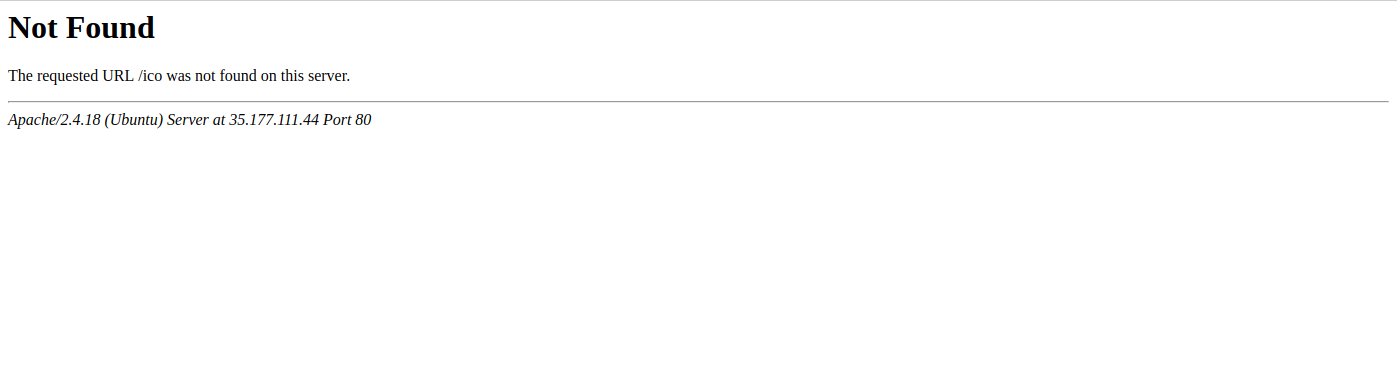
但是如果我刷新页面,它将抛出404错误。
错误:
回答 5
Stack Overflow用户
发布于 2017-12-19 10:06:58
当使用历史模式时,URL看起来“正常”,例如http://oursite.com/user/id。漂亮的! 但是,这里有一个问题:因为我们的应用程序是一个单一页面的客户端应用程序,如果没有适当的服务器配置,那么如果用户在浏览器中直接访问http://oursite.com/user/id,就会得到404错误。这太丑了。 不要担心:要解决这个问题,您所需要做的就是添加一个简单的catch-所有回退路由到您的服务器。如果URL不匹配任何静态资产,它应该提供与应用程序所在的相同的index.html页面。又漂亮了!
阿帕奇
<IfModule mod_rewrite.c>
  RewriteEngine On
  RewriteBase /
  RewriteRule ^index\.html$ - [L]
  RewriteCond %{REQUEST_FILENAME} !-f
  RewriteCond %{REQUEST_FILENAME} !-d
  RewriteRule . /index.html [L]
</IfModule>Stack Overflow用户
发布于 2020-05-24 22:40:50
这对我来说是可行的,因为我的SPA位于.htaccess文件中的一个.htaccess文件中。
<IfModule mod_rewrite.c>
RewriteEngine On
RewriteBase /subdirectoryName
RewriteRule ^subdirectoryName/index\.html$ - [L]
RewriteCond %{REQUEST_FILENAME} !-f
RewriteCond %{REQUEST_FILENAME} !-d
RewriteRule . /subdirectoryName/index.html [L]
</IfModule>网站文件夹:C:\xampp\htdocs\dist
C:\xampp\htdocs\dist.htaccess:.htaccess文件备份
学分:https://gist.github.com/Prezens/f99fd28124b5557eb16816229391afee
Stack Overflow用户
发布于 2020-08-12 06:34:08
嗨,我的朋友,如果您使用的是Linux操作系统,请走以下路线:/etc/apache2/sites-enabled/000-default.conf并添加以下代码:
<IfModule mod_rewrite.c>
  RewriteEngine On
  RewriteRule ^index\.html$ - [L]
  RewriteCond /var/www/html/%{REQUEST_FILENAME} !-f
  RewriteCond /var/www/html/%{REQUEST_FILENAME} !-d
  RewriteRule . /index.html [L]
</IfModule>https://stackoverflow.com/questions/47879936
复制相似问题
腾讯云开发者

Copyright © 2013 - 2026 Tencent Cloud. All Rights Reserved. 腾讯云 版权所有
深圳市腾讯计算机系统有限公司 ICP备案/许可证号:粤B2-20090059  粤公网安备44030502008569号
腾讯云计算(北京)有限责任公司 京ICP证150476号 | 京ICP备11018762号