
浮动保持重叠相邻块
浮动保持重叠相邻块
提问于 2017-12-15 15:00:12
我有一个包含文本的块,这个文本的左边有一个图标。当块只包含一行文本时,图标比文本块高。如果下一个文本块具有相同的结构,则图标将相互重叠。我在尽量避免这种情况。我尝试使用clear="both" -but,这显然只适用于浮动的左/右,而不适用于顶部或底部。
我如何避免我的图标互相重叠?
<fo:block clear="both" start-indent="0mm" border="1pt solid black">
    <fo:float float="left" clear="both" >
        <fo:block-container position="absolute"  left="5mm" width="10mm" height="12mm" clear="both">
            <fo:block>
                <fo:external-graphic src="Icon.pdf"  width="10mm" height="10mm" content-width="scale-to-fit"/>
            </fo:block>
        </fo:block-container>
    </fo:float>

    <fo:block margin-left="25mm" clear="both">
        <fo:block>
            <xsl:text>text is inserted here</xsl:text>
        </fo:block>
    </fo:block>
</fo:block>
<fo:block clear="both" start-indent="0mm" border="1pt solid black">
    <fo:float float="left" clear="both" >
        <fo:block-container position="absolute"  left="5mm" width="10mm" height="12mm" clear="both">
            <fo:block>
                <fo:external-graphic src="Icon.pdf"  width="10mm" height="10mm" content-width="scale-to-fit"/>
            </fo:block>
        </fo:block-container>
    </fo:float>

    <fo:block margin-left="25mm" clear="both">
        <fo:block>
            <xsl:text>text is inserted here</xsl:text>
        </fo:block>
    </fo:block>
</fo:block>回答 1
Stack Overflow用户
回答已采纳
发布于 2017-12-16 09:09:32
如果您希望避免图标图像重叠,那么使用带@position=“绝对值”的fo:块容器不是一个好主意,因为它生成的区域类“xsl:绝对值”不影响主文本流,因此@clear属性无效。如果所需经费是:
- 若要将图标图像放置在文本左侧,请执行以下操作。
- 避免图标图像和文本序列之间的图像重叠。
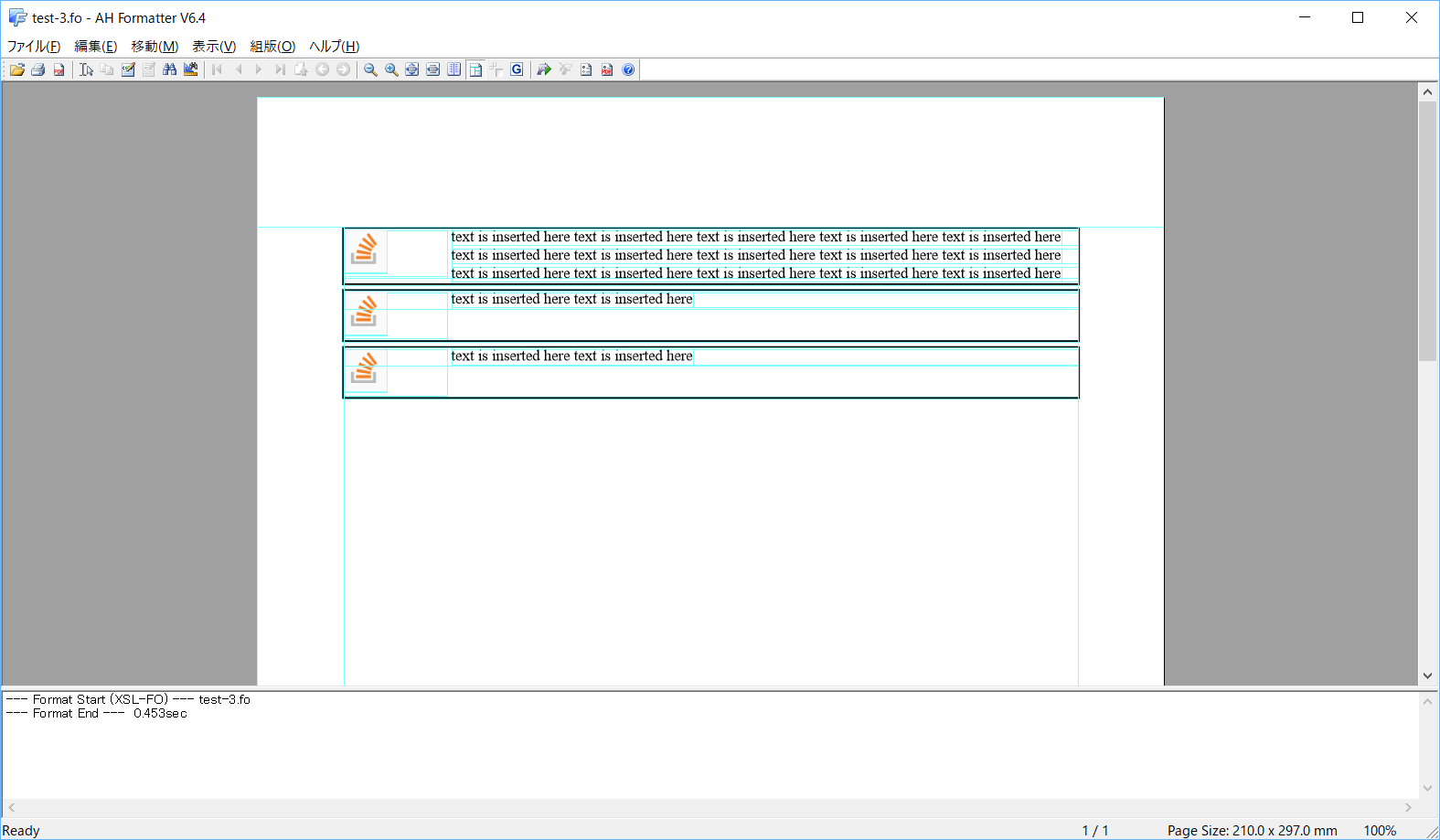
最好使用更简单的fo:list-块格式化对象,并将图标图像定位到fo:list-item-label,并将文本定位到fo:list-item-body/fo:block。下面是基于上面的示例实现:
<fo:list-block provisional-distance-between-starts="25mm" provisional-label-separation="1mm">
    <fo:list-item relative-align="before" border="1pt solid black" space-before="1mm">
        <fo:list-item-label end-indent="label-end()">
            <fo:block>
                <fo:external-graphic src="icon.png"  width="10mm" height="10mm" content-width="scale-to-fit"/>
            </fo:block>
        </fo:list-item-label>
        <fo:list-item-body  start-indent="body-start()">
            <fo:block>text is inserted here text is inserted here text is inserted here text is inserted here text is inserted here text is inserted here text is inserted here text is inserted here text is inserted here text is inserted here text is inserted here text is inserted here text is inserted here text is inserted here text is inserted here</fo:block>
        </fo:list-item-body>
    </fo:list-item>
    <fo:list-item relative-align="before" border="1pt solid black" space-before="1mm">
        <fo:list-item-label end-indent="label-end()">
            <fo:block start-indent="0mm">
                <fo:external-graphic src="icon.png"  width="10mm" height="10mm" content-width="scale-to-fit"/>
            </fo:block>
        </fo:list-item-label>
        <fo:list-item-body start-indent="body-start()">
            <fo:block>text is inserted here text is inserted here</fo:block>
        </fo:list-item-body>
    </fo:list-item>
    <fo:list-item relative-align="before" border="1pt solid black" space-before="1mm">
        <fo:list-item-label end-indent="label-end()">
            <fo:block start-indent="0mm">
                <fo:external-graphic src="icon.png"  width="10mm" height="10mm" content-width="scale-to-fit"/>
            </fo:block>
        </fo:list-item-label>
        <fo:list-item-body start-indent="body-start()">
            <fo:block>text is inserted here text is inserted here</fo:block>
        </fo:list-item-body>
    </fo:list-item>
</fo:list-block>
格式化结果:
页面原文内容由Stack Overflow提供。腾讯云小微IT领域专用引擎提供翻译支持
原文链接:
https://stackoverflow.com/questions/47834887
复制相关文章
相似问题
腾讯云开发者

Copyright © 2013 - 2026 Tencent Cloud. All Rights Reserved. 腾讯云 版权所有
深圳市腾讯计算机系统有限公司 ICP备案/许可证号:粤B2-20090059  粤公网安备44030502008569号
腾讯云计算(北京)有限责任公司 京ICP证150476号 | 京ICP备11018762号