
Internet Explorer中的问题,定位?
Internet Explorer中的问题,定位?
提问于 2017-12-08 15:12:29
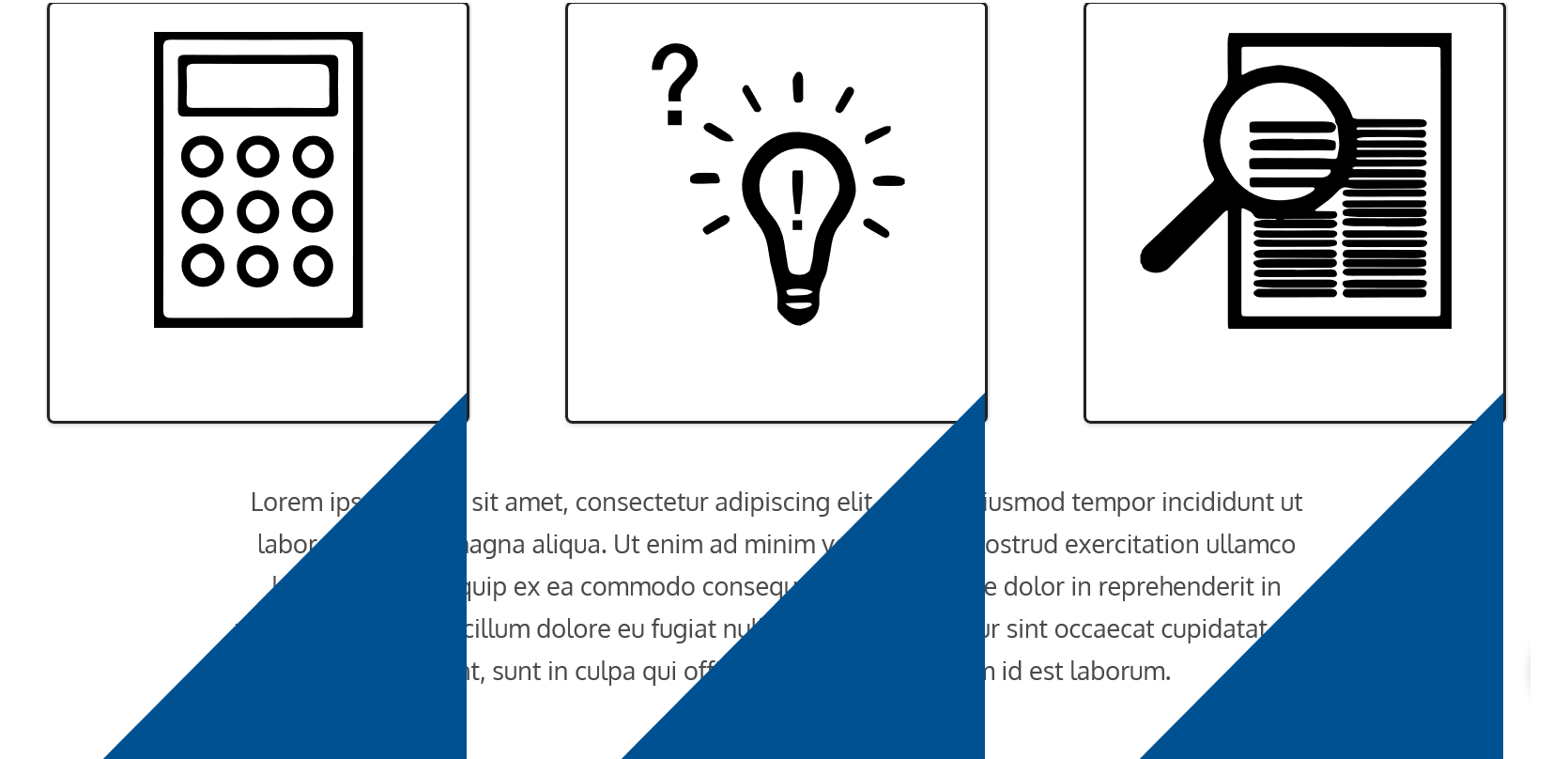
除了Internet之外,所有其他浏览器都运行得很好,请注意!蓝色三角形应该使用绝对/相对位置在盒子的顶部。就像我说的,它可以工作,但在互联网浏览器的图片中看起来很像。有人知道是什么原因造成的吗??:)
<div class="services">
    <a href="#">
        <div class="box redovisning">
            <img class="boxImage" src="../img/accounting_icon.svg" alt="redovisning.png">
            <h3>redovisning</h3>
            <div class="triangle-bottomright"></div>
        </div>
    </a>
    <a href="#">
        <div class="box consulting">
            <img src="../img/consulting_icon.svg" alt="consultation.png">
            <h3>rådgivning</h3>
            <div class="triangle-bottomright"></div>
        </div>
    </a>
    <a href="#">
        <div class="box revision">
            <img class="boxImage" src="../img/revision_icon.svg" alt="revision.png">
            <h3>revision</h3>
            <div class="triangle-bottomright"></div>
        </div>
    </a>
</div>


CSS:
.services {
    width:100%;
    display: flex;
    flex-direction: row;
    justify-content: space-around;
    flex-wrap:wrap;
    margin-bottom:40px;
}
.box {
    position: relative;
    height:300px;
    width:300px;
    border: 2px solid $black;
    display:flex;
    justify-content:center;
    flex-direction:column;
}
.box:hover > .triangle-bottomright {
    border-left: 0 solid transparent;
    right: 0;
}
.box:hover > h3 {
    color:$black;
}
.consulting img {
    width: 80%;
    height: 211px;
}
.triangle-bottomright {
    transition: all .3s ease-in-out;
    width: 0;
    height: 0;
    right: 0;
    border-bottom: 300px solid $blue;
    border-left: 298px solid transparent;
    z-index: 1;
    position:absolute;
}
回答 1
Stack Overflow用户
回答已采纳
发布于 2017-12-08 15:24:58
看起来IE希望你也给它一个绝对定位的元素的最高值。这应该可以解决你的问题:
.triangle-bottomright {
  transition: all .3s ease-in-out;
  width: 0;
  height: 0;
  right: 0;
  top: 0;
  border-bottom: 300px solid $blue;
  border-left: 298px solid transparent;
  z-index: 1;
  position:absolute;
}页面原文内容由Stack Overflow提供。腾讯云小微IT领域专用引擎提供翻译支持
原文链接:
https://stackoverflow.com/questions/47717087
复制相关文章
相似问题
腾讯云开发者

Copyright © 2013 - 2026 Tencent Cloud. All Rights Reserved. 腾讯云 版权所有
深圳市腾讯计算机系统有限公司 ICP备案/许可证号:粤B2-20090059  粤公网安备44030502008569号
腾讯云计算(北京)有限责任公司 京ICP证150476号 | 京ICP备11018762号