
FluentFTP -连接时出错“超时尝试从套接字流读取数据!”
FluentFTP -连接时出错“超时尝试从套接字流读取数据!”
提问于 2017-12-07 07:20:31
获取
超时尝试从套接字流读取数据!
使用FluentFTP连接到FTP时。
下面是我用来连接的源代码:
Console.WriteLine("Configuring FTP to Connect to {0}", hostname);
ftp = new FtpClient(hostname,port,new NetworkCredential(username,password));
ftp.ConnectTimeout = 600000;
ftp.ReadTimeout = 60000;
ftp.EncryptionMode = FtpEncryptionMode.Explicit;
ftp.SslProtocols = System.Security.Authentication.SslProtocols.Tls;
ftp.ValidateCertificate += new FtpSslValidation(OnValidateCertificate);
ftp.Connect();
Console.WriteLine("Connected to {0}", hostname);

ftp.SetWorkingDirectory(foldername);
Console.WriteLine("Changed directory to {0}", foldername);void OnValidateCertificate(FtpClient control, FtpSslValidationEventArgs e)
{
// add logic to test if certificate is valid here
e.Accept = true;
}成功连接的FileZilla日志文件。我可以通过FileZilla连接位置。日志片段如下:
2017-12-08 13:34:33 17672 1 Status: Connecting to xx.xx.xx.xx:990...
2017-12-08 13:34:33 17672 1 Status: Connection established, initializing TLS...
2017-12-08 13:34:33 17672 1 Status: Verifying certificate...
2017-12-08 13:35:06 17672 1 Status: TLS connection established, waiting for welcome message...
2017-12-08 13:35:06 17672 1 Response: 220-Microsoft FTP Service
2017-12-08 13:35:06 17672 1 Status: Invalid character sequence received, disabling UTF-8. Select UTF-8 option in site manager to force UTF-8.
2017-12-08 13:35:06 17672 1 Response:     Warning: This IT system is restricted to company authorised users only, including authorised third parties. Unauthorised access or use is a violation of Company’s policies and potentially the law.
2017-12-08 13:35:06 17672 1 Response:
2017-12-08 13:35:06 17672 1 Response: 220 Our IT systems may be monitored for administrative and security reasons. By proceeding, you acknowledge that you have read and understood this notice and that you consent to the monitoring. [ftps0]
2017-12-08 13:35:06 17672 1 Command: USER ftp_usr_comp_ext
2017-12-08 13:35:06 17672 1 Response: 331 Password required
2017-12-08 13:35:06 17672 1 Command: PASS ****************
2017-12-08 13:35:06 17672 1 Response: 230 User logged in.
2017-12-08 13:35:06 17672 1 Command: SYST
2017-12-08 13:35:06 17672 1 Response: 215 Windows_NT
2017-12-08 13:35:06 17672 1 Command: FEAT
2017-12-08 13:35:06 17672 1 Response: 211-Extended features supported:
2017-12-08 13:35:06 17672 1 Response:  LANG EN*
2017-12-08 13:35:06 17672 1 Response:  UTF8
2017-12-08 13:35:06 17672 1 Response:  AUTH TLS;TLS-C;SSL;TLS-P;
2017-12-08 13:35:06 17672 1 Response:  PBSZ
2017-12-08 13:35:06 17672 1 Response:  PROT C;P;
2017-12-08 13:35:06 17672 1 Response:  CCC
2017-12-08 13:35:06 17672 1 Response:  HOST
2017-12-08 13:35:06 17672 1 Response:  SIZE
2017-12-08 13:35:06 17672 1 Response:  MDTM
2017-12-08 13:35:06 17672 1 Response:  REST STREAM
2017-12-08 13:35:06 17672 1 Response: 211 END
2017-12-08 13:35:06 17672 1 Command: PBSZ 0
2017-12-08 13:35:07 17672 1 Response: 200 PBSZ command successful.
2017-12-08 13:35:07 17672 1 Command: PROT P
2017-12-08 13:35:07 17672 1 Response: 200 PROT command successful.
2017-12-08 13:35:07 17672 1 Status: Logged in
2017-12-08 13:35:07 17672 1 Status: Retrieving directory listing of "/Prod/Outbound"...
2017-12-08 13:35:07 17672 1 Command: CWD /Prod/Outbound
2017-12-08 13:35:07 17672 1 Response: 250 CWD command successful.
堆栈跟踪:
   at FluentFTP.FtpSocketStream.Read(Byte[] buffer, Int32 offset, Int32 count)
   at FluentFTP.FtpSocketStream.ReadLine(Encoding encoding)
   at FluentFTP.FtpClient.GetReply()
   at FluentFTP.FtpClient.Handshake()
   at FluentFTP.FtpClient.Connect()
at ASOSSFTP.DownloadFile.DownloadFileFromFTP()回答 2
Stack Overflow用户
回答已采纳
发布于 2017-12-08 08:25:16
在FileZilla中,您正在连接到隐式FTPS端口990。
如果在C#中也使用此端口,则不能使用FtpEncryptionMode.Explicit。
使用FtpEncryptionMode.Implicit。
尽管您最好连接到端口21并继续使用FtpEncryptionMode.Explicit,如果该端口可用的话。
Stack Overflow用户
发布于 2018-05-23 03:02:45
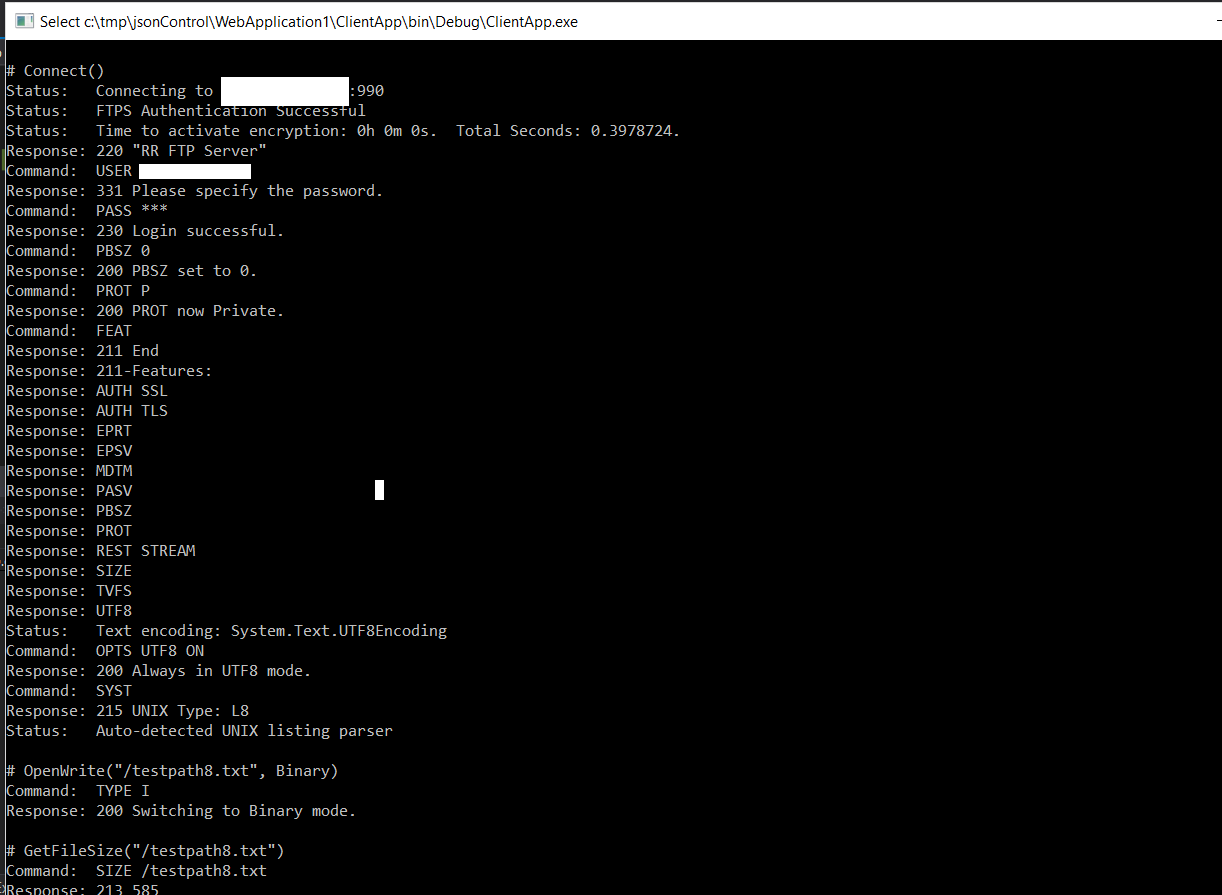
下面的代码是获得FluentFtp (至少是nuget (1.0.5824.34026) )使用安全连接所需的全部代码。
        FtpClient fclient = new FtpClient(hostname, username, password); // or set Host & Credentials

        fclient.EncryptionMode = FtpEncryptionMode.Implicit;
        fclient.SslProtocols = SslProtocols.Tls12;

        //client.Port = 990;  // Not required - probably gives you exceptions if you try to set it.

        fclient.Connect();
        fclient.UploadFile(@"C:\tmp\a.txt", "big.txt");
页面原文内容由Stack Overflow提供。腾讯云小微IT领域专用引擎提供翻译支持
原文链接:
https://stackoverflow.com/questions/47689656
复制相关文章
相似问题
腾讯云开发者

Copyright © 2013 - 2026 Tencent Cloud. All Rights Reserved. 腾讯云 版权所有
深圳市腾讯计算机系统有限公司 ICP备案/许可证号:粤B2-20090059  粤公网安备44030502008569号
腾讯云计算(北京)有限责任公司 京ICP证150476号 | 京ICP备11018762号