
在哪里可以找到SuppressMessage的检查ID列表?
在哪里可以找到SuppressMessage的检查I列表?
下面的代码是Microsoft文档中关于SuppressMessageAttribute.CheckId的摘录。我想知道SuppressMessage的有效值列表,例如"Microsoft.Performance"和"CA1804:RemoveUnusedLocals"对。
[SuppressMessage("Microsoft.Performance", "CA1801:ReviewUnusedParameters", MessageId = "isChecked")]
[SuppressMessage("Microsoft.Performance", "CA1804:RemoveUnusedLocals", MessageId = "fileIdentifier")]
static void FileNode(string name, bool isChecked)
{
    string fileIdentifier = name;
    string fileName = name;
    string version = String.Empty;
}
我想禁止警告“使用expression for methods",但是我不知道应该给SuppressMessage什么值。
代码示例:
namespace MyNameSpace
{
    public class MyClass
    {
        // This code raises a warning "Use expression body for methods".
        public string MyMethod()
        {
            return MyPrivateMethod();
        }

        // This code raises a warning "Use expression body for methods".
        string MyPrivateMethod()
        {
            return "Hello";
        }

        // This code raises a warning "Use block body for methods".
        public string MyMethod2() => MyPrivateMethod2();

        // This code raises a warning "Use block body for methods".
        string MyPrivateMethod2() => "Hello";
    }
}
将光标移动到方法名称上将显示警告。此行为阻止显示方法的文档注释(如果有的话)。
回答 2
Stack Overflow用户
发布于 2017-12-05 18:51:38
因此,我假设您是在讨论VS for Mac在某些文本上悬停而不是构建警告时显示的工具提示。
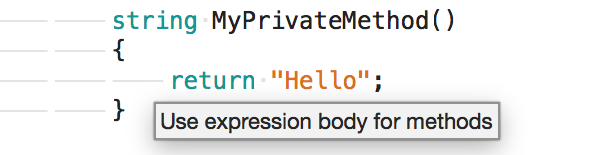
您可以在文本编辑器-源分析- C#部分的preferences对话框中看到代码规则警告列表。
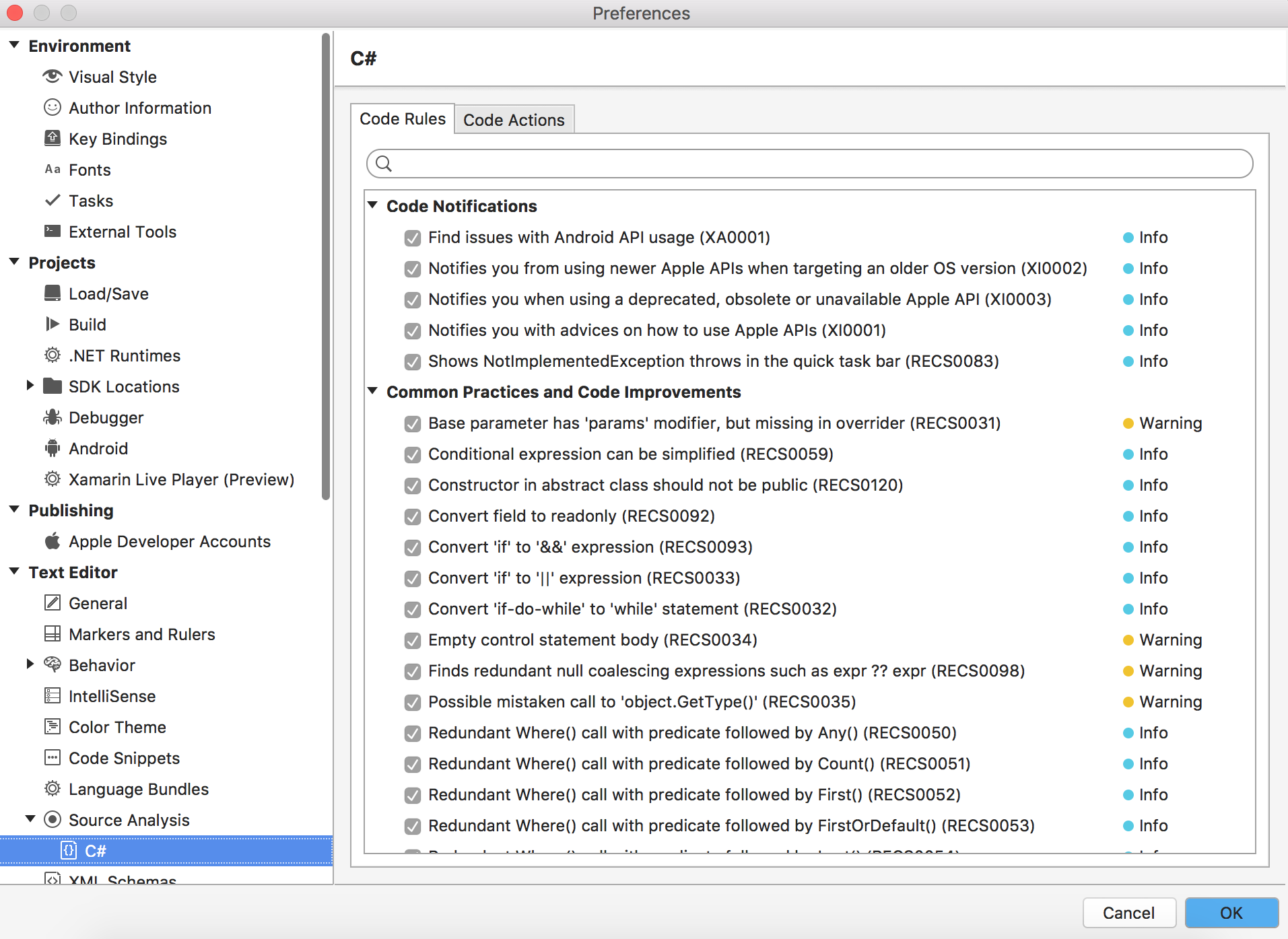
如果您取消选中这里的代码规则,应该会防止VS for Mac在文本编辑器中显示工具提示。
Stack Overflow用户
发布于 2017-12-14 18:25:44
IDE0022似乎同时抑制了“方法的表达式体”和“方法的块体”。
using System.Diagnostics.CodeAnalysis;

namespace MyNameSpace
{
    public class MyClass
    {
        [SuppressMessage("ArbitraryCategoryNameSeemsToWork", "IDE0022")]
        public string MyMethod()
        {
            return MyPrivateMethod();
        }

        // This code raises a warning "Use expression body for methods".
        string MyPrivateMethod()
        {
            return "Hello";
        }

        // This code raises a warning "Use block body for methods".
        [SuppressMessage("ArbitraryCategoryNameSeemsToWork", "IDE0022")]
        public string MyMethod2() => MyPrivateMethod2();

        // This code raises a warning "Use block body for methods".
        string MyPrivateMethod2() => "Hello";
    }
}我在“IDE0022”中找到了https://learn.microsoft.com/en-us/visualstudio/ide/editorconfig-code-style-settings-reference。这些警告似乎是由Visual (而不是由C#编译器或类似的东西)引发的。
我在“CheckIds”中找到了CheckIds的列表(从CA开始)。
我在"https://developercommunity.visualstudio.com/content/problem/24898/ide0022-missmatch-to-ide-description.html“()中发现了”为方法使用表达式体“和”为方法使用块体“之间的循环问题。
我可以在本地PC中更改Visual的设置,以抑制警告,但我正在寻找一种方法来抑制它们,甚至在其他环境中也是如此。
https://stackoverflow.com/questions/47607138
复制相似问题
腾讯云开发者

Copyright © 2013 - 2026 Tencent Cloud. All Rights Reserved. 腾讯云 版权所有
深圳市腾讯计算机系统有限公司 ICP备案/许可证号:粤B2-20090059  粤公网安备44030502008569号
腾讯云计算(北京)有限责任公司 京ICP证150476号 | 京ICP备11018762号